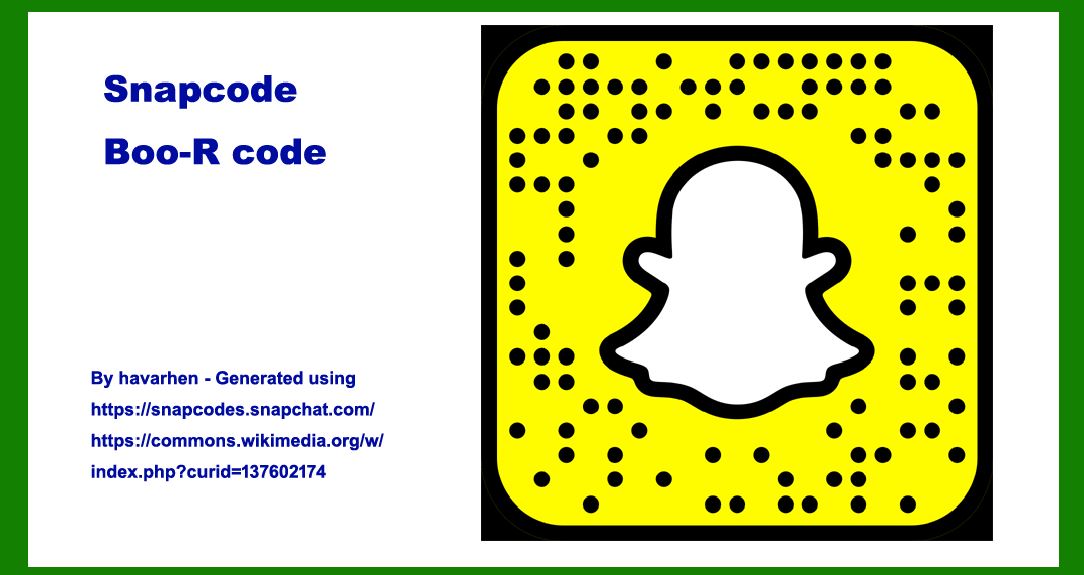
Snapcodes, also known as Boo-R codes, are a type of 2D barcode primarily used within the ecosystem of Snapchat, the popular multimedia messaging app. |
These codes serve as a bridge between the digital and physical worlds, allowing users to quickly add friends, unlock special content, or access augmented reality (AR) experiences with their mobile devices. This comprehensive guide will delve into the technology, applications, encoding, decoding, security aspects, and future prospects of Snapcodes. |
|
Introduction to Snapcodes |
Snapcodes were introduced by Snapchat (now Snap Inc.) in 2015 as a visually distinctive form of QR code, customized to fit the branding and user interface of the Snapchat app. They are designed to be both functional and aesthetically appealing, often incorporating the Snapchat ghost logo (also known as the Ghostface Chillah) into their design. Snapcodes leverage smartphone cameras and the Snapchat app to seamlessly integrate digital content with the physical world. |

|
Technology Overview |
Structure and Appearance |
Snapcodes are square-shaped 2D barcodes, similar to QR codes but with distinct visual elements that align with Snapchat's branding. The basic structure includes a grid of black and white modules arranged in a square grid, which encodes information such as a user's profile URL, a specific piece of content, or an action to be taken within the Snapchat app. |
Key visual features include: |
Ghost Logo: Often placed at the center or as an overlay, representing the Snapchat brand. Color Palette: Typically yellow and black, though variations exist to differentiate between different types of Snapcodes. Frame: Optional decorative elements or a border that enhances visual appeal. |
Encoding and Decoding |
Snapcodes use encoding techniques similar to QR codes, where information is represented by patterns of black and white modules. The encoding process involves: |
1.Data Generation: Converting user-specific data (such as a profile URL or content identifier) into a format suitable for encoding. 2.Error Correction: Embedding redundancy within the code to allow for error correction, ensuring readability even if parts of the code are damaged or obscured. |
Decoding Snapcodes involves: |
1.Detection: Using a smartphone camera and image processing algorithms to locate and extract the code from a captured image. 2.Decoding: Interpreting the pattern of modules to reconstruct the encoded data, which is then processed within the Snapchat app to perform the intended action. |

|
Applications and Use Cases |
Snapcodes serve multiple purposes within the Snapchat platform and beyond: |
Adding Friends: Users can scan each other's Snapcodes to quickly add them as friends on Snapchat, bypassing the need for manual search or sharing of usernames. Unlocking Content: Brands and creators use Snapcodes to distribute exclusive content, such as filters, lenses, and promotional materials, directly to users. AR Experiences: Snapcodes are integral to Snapchat's AR capabilities, allowing users to activate augmented reality lenses and filters by scanning specific codes. Marketing and Engagement: Businesses leverage Snapcodes in marketing campaigns to drive user engagement, track conversions, and measure campaign effectiveness. |

|
Security and Privacy Considerations |
Snapcodes, like other QR-based technologies, raise security and privacy concerns: |
Scanning Risks: Malicious codes could potentially redirect users to phishing sites or compromise their devices if proper security measures aren't in place. Data Integrity: Ensuring that encoded data is accurate and securely transmitted between users and the Snapchat platform. User Awareness: Educating users about safe scanning practices and potential risks associated with scanning unfamiliar Snapcodes. |
Snap Inc. implements security measures to mitigate these risks, such as: |
Authentication: Verifying the authenticity of Snapcodes distributed by official channels to prevent spoofing or tampering. Encryption: Securely transmitting sensitive information encoded within Snapcodes to protect user privacy. User Controls: Providing users with control over the types of actions Snapcodes can perform and the information they can access. |

|
Future Developments and Trends |
The evolution of Snapcodes is closely tied to advancements in mobile technology and augmented reality: |
Enhanced AR Experiences: Continued integration of Snapcodes with more sophisticated AR features, leveraging advancements in camera technology and AR software. Personalization: Customizable Snapcodes that allow users and brands to create unique designs and functionalities, enhancing engagement and brand recognition. Cross-Platform Integration: Expansion beyond the Snapchat app to integrate Snapcodes with other platforms and digital ecosystems, facilitating seamless user experiences across different environments. |

|
Conclusion |
Snapcodes represent a unique fusion of digital and physical interaction, leveraging 2D barcode technology to enhance user engagement and facilitate content discovery within the Snapchat ecosystem. As Snap Inc. continues to innovate and expand its AR capabilities, Snapcodes are poised to play a pivotal role in shaping the future of interactive digital experiences. By balancing functionality, aesthetics, and security, Snapcodes exemplify how QR code technology can be adapted to meet the evolving needs of mobile users and content creators in an increasingly interconnected world. |
 cs@easiersoft.com