DotCode is a two-dimensional barcode symbology designed to encode data using a matrix of black and white dots. |
This detailed description will cover the structure, encoding principles, error correction, size requirements, and applications of DotCode. |
Structure of DotCode |
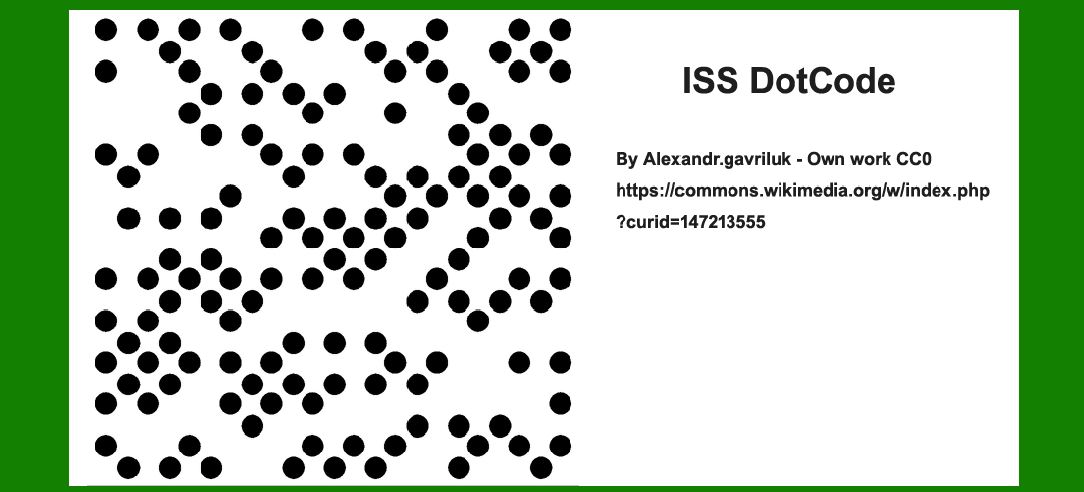
DotCode symbols are constructed using a grid of circular dots, either black on a white background or white on a black background. Unlike many other 2D barcodes, DotCode does not include a finder pattern, relying instead on specialized blob detection algorithms like Gabor filters or Circle Hough Transforms for detection. |
|
Elements of a DotCode Symbol: |
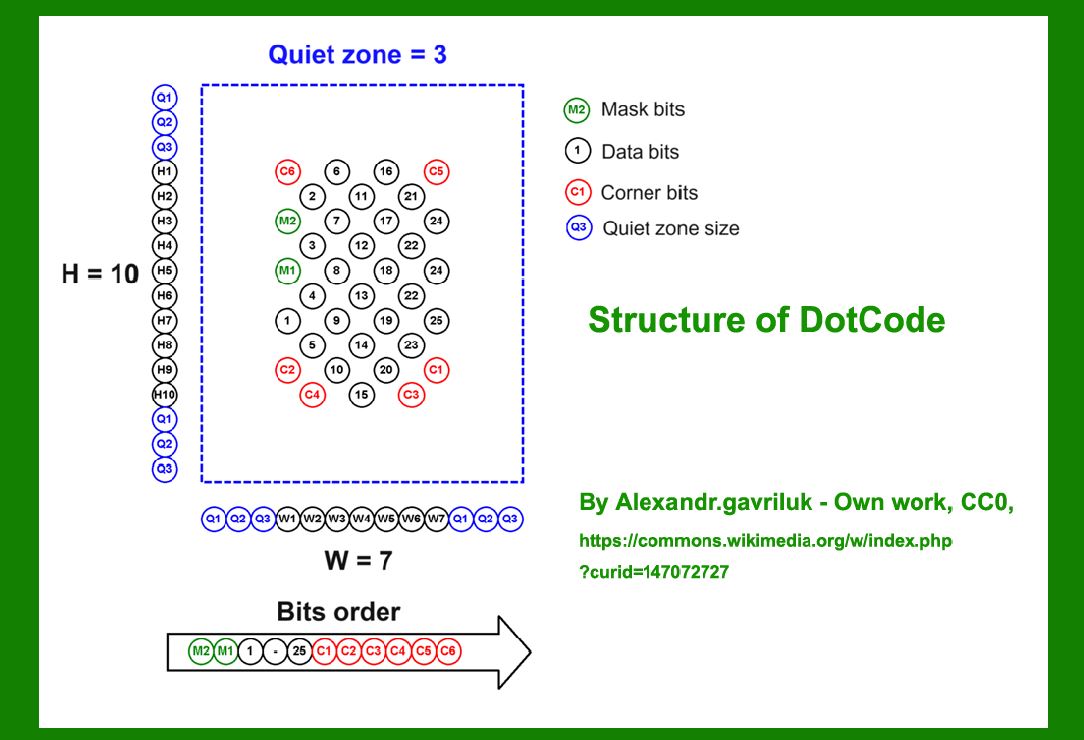
1.Mask Bits: DotCode symbols include two mask bits represented by green dots. These bits help in determining the orientation and decoding specifics of the barcode. |
2.Data Bits: The main payload of DotCode, consisting of data bits and error correction codewords, arranged in a specific order for decoding. These bits are read from top to bottom (even side) and left to right (odd side). |
3.Corner Points: Red dots on the symbol can serve either as data bits or padding bits (black dots), depending on the encoding requirements. These help ensure the integrity of the encoded data. |
4.Quiet Zone: A minimum of three times the size of the dots is required around the barcode symbol to ensure reliable scanning and decoding. |
|
Representation of DotCode Bits Array: |
The DotCode bits array is structured as follows: |
(M2,M1)(Databits)(Cornerbits:C1-C6)(M2, M1)(Data bits)(Corner bits: C1-C6)(M2,M1)(Databits)(Cornerbits:C1-C6) Where: M2, M1: Mask bits used for orientation and decoding. Data bits: Contains the data and error correction codewords. Corner bits (C1-C6): Serve as either data bits or padding bits (black dots). |

|
Encoding Data in DotCode |
DotCode encodes data codewords in a specific pattern designed to optimize scanning and decoding: |
1.Data Codewords: Data is encoded in a range from 0 to 112 using a 5-of-9 binary dot pattern. This means that each 9-dot segment encodes 5 black dots (1s) and 4 white spaces (0s). |
2.Padding Bits: To fill out the barcode matrix, padding bits (black dots) are used. The number of padding bits can range from 0 to 8, depending on the division of the barcode matrix by 9. |
3.Logical Representation: The logical structure of the DotCode bits array ensures that all encoded information, including metadata and error correction, is seamlessly integrated into the dot matrix without visual differentiation. |

|
Size Requirements of DotCode |
DotCode symbols have specific dimensional requirements to ensure readability and accuracy: |
1.Odd Size Requirement: The sum of the width (W) and height (H) of a DotCode symbol must be odd ((W+H)mod--2=1(W + H) \mod 2 = 1(W+H)mod2=1). This odd parity aids in alignment and detection algorithms. |
2.Minimum Size: Each side of the DotCode symbol must be at least 5 dots wide, but there is no upper limit on maximum size, allowing flexibility depending on application needs. |
3.Padding Recommendations: It is recommended to design DotCode symbols with a width and height that provide at least 6 black padding bits. This ensures that the data capacity of the barcode, when divided by 9, leaves sufficient room for error correction and padding. |

|
Error Correction in DotCode |
DotCode uses error correction codewords to enhance reliability in scanning and decoding: |
Error Correction Capability: The encoding process includes error correction codewords that enable DotCode to withstand potential damage or scanning imperfections. This ensures high data integrity even under adverse conditions. |

|
Applications of DotCode |
DotCode is employed in various industries and applications where high-density data encoding and reliable scanning are crucial: |
Retail and Logistics: Used for tracking individual items such as cigarettes and pharmaceutical packages due to its ability to encode large amounts of data in a compact space. |
Manufacturing: Applications in manufacturing processes where traceability and quality control require robust data encoding and decoding capabilities. |
Healthcare: Used on medical devices and equipment for inventory management and regulatory compliance. |

|
Conclusion |
DotCode offers a robust solution for encoding and decoding data in a compact, visually adaptable format. Its unique circular dot structure, combined with effective error correction and size flexibility, makes it suitable for a wide range of applications across various industries. By adhering to specific structural and dimensional guidelines, DotCode ensures efficient data handling and reliable scanning, contributing to enhanced operational efficiency and data security in modern barcode applications. |
 cs@easiersoft.com