1. Introduction to GS1-128 Barcode |
GS1-128 is a standardized linear barcode used to encode data in a compact, machine-readable format. It is governed by GS1 (Global Standards 1) and is primarily used for the automatic identification and data capture (AIDC) of goods and products across various industries. This barcode format adheres to specific rules and symbology to ensure efficient scanning and encoding of diverse types of information. |
1.1. Origin and Purpose |
GS1-128 is part of the broader GS1 system of barcodes, which provides a global standard for the exchange of supply chain information. It was developed to enhance the ability of businesses to capture and transmit data reliably, including product identifiers, batch numbers, expiration dates, and other critical logistics information. GS1-128 is used globally, in sectors ranging from retail and healthcare to logistics and transportation. |
1.2. Key Features |
The most defining characteristic of GS1-128 is its ability to carry both human-readable text and encoded data. GS1-128 barcodes use Application Identifiers (AIs) to indicate the type of data being encoded, which can represent product numbers, expiration dates, serial numbers, and more. These identifiers follow a strict format, ensuring that the encoded information is universally understood. |

|
2. Technical Structure of GS1-128 |
GS1-128 follows the Code 128 symbology, which is an alphanumeric barcode standard that encodes 128 ASCII characters. However, it differs from Code 128 in that it incorporates Application Identifiers (AIs) to define the type and context of the data being encoded. |
2.1. Symbology Overview |
The GS1-128 barcode is constructed from a series of black bars and white spaces. These bars and spaces represent binary digits (0s and 1s) and are read by scanners to decode the encoded data. Code 128, the underlying symbology for GS1-128, can encode any ASCII character, including control characters, numbers, uppercase letters, and special symbols. |
2.2. Application Identifiers (AIs) |
A key feature of GS1-128 is the use of Application Identifiers (AIs). These are predefined numeric or alphanumeric codes that specify the type of data that follows in the barcode. For example: |
AI 01: Global Trade Item Number (GTIN) |
AI 10: Batch or lot number |
AI 17: Expiration date |
Each AI is followed by the corresponding data. AIs make it possible for GS1-128 to hold varied types of information, ensuring flexibility and versatility across industries. |
2.3. Data Encoding Format |
Data within a GS1-128 barcode is encoded in a structured manner that allows precise retrieval of information. The structure is as follows: |
Start Character: Indicates the beginning of the barcode. |
Data: Consists of the encoded data, including AIs and corresponding values. |
Check Digit: A checksum that verifies the accuracy of the encoded data. |
Stop Character: Marks the end of the barcode. |
2.4. Modulation and Error Correction |
While GS1-128 does not incorporate significant error correction (as in QR codes), the use of the check digit ensures basic error detection. If the checksum does not match the expected value, the scanner will signal an error, prompting a rescan. |

|
3. GS1-128 Encoding Process |
The encoding of data into a GS1-128 barcode follows specific rules and guidelines that ensure the data is correctly represented and scannable by barcode readers. This encoding process involves translating both the Application Identifiers and the data values into the appropriate barcode format. |
3.1. Step-by-Step Encoding |
Identify Data Elements: The first step in encoding data for GS1-128 is determining the information that needs to be included. This could include product identifiers, batch numbers, expiry dates, and more. |
Select Appropriate AIs: For each data element, select the correct AI. For example, if encoding a GTIN, the AI would be 01, followed by the GTIN value. |
Combine AIs with Data: Concatenate the selected AIs with the associated data. Each AI and data pair must be formatted correctly according to GS1 specifications. For example, an AI 01 could be followed by a 14-digit GTIN value, with no spaces or delimiters. |
Encode Data into Barcode: Once the data is structured with the AIs, the information is encoded into the barcode format using the Code 128 symbology. This involves translating the data into sequences of bars and spaces. |
Add Check Digit: A check digit is calculated using a modulo-103 algorithm and appended to the end of the encoded data. |

|
4. Scanning and Interpretation of GS1-128 |
GS1-128 barcodes are read using optical scanners that interpret the varying bar widths and spaces. The scanner decodes the series of bars and spaces into binary values, which are then translated back into the alphanumeric data, including the AIs and their corresponding values. |
4.1. Scanning Workflow |
Barcode Scanning: The scanner emits a light that reflects off the barcode. The reflected light is captured by a sensor and converted into a digital signal. |
Decoding: The scanner interprets the series of binary values, using the start and stop characters, as well as the check digit, to decode the full set of data. |
Error Detection: If the check digit does not match the expected value, the scanner will trigger an error, prompting a rescanning of the barcode. |
4.2. Interpretation of AIs |
After decoding the data, the scanner will extract the AIs and their corresponding values. Each AI defines the type of data that follows. For example, an AI of '17' followed by a 6-digit number would indicate an expiration date. |

|
5. Applications of GS1-128 |
GS1-128 is widely used in various industries due to its ability to carry a broad range of data, including product identifiers, expiration dates, and serial numbers. Its ability to store multiple pieces of information in a single barcode makes it ideal for logistics, healthcare, retail, and other sectors. |
5.1. Healthcare Industry |
In healthcare, GS1-128 is used to track pharmaceuticals, medical devices, and patient information. For example, a GS1-128 barcode might encode a GTIN (AI 01), lot number (AI 10), and expiration date (AI 17) to ensure the proper handling and traceability of medical products. |
5.2. Retail and Logistics |
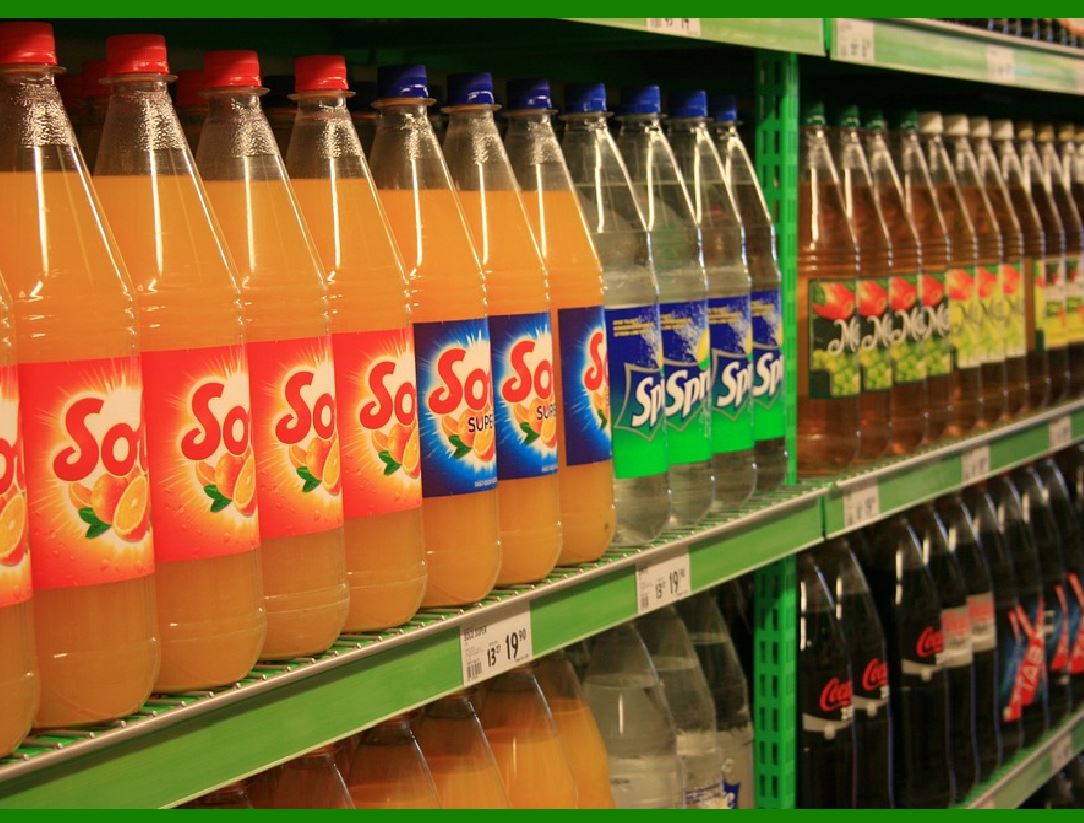
GS1-128 is used in retail for managing inventory, tracking shipments, and ensuring product traceability throughout the supply chain. By including AIs like GTINs, lot numbers, and serial numbers, GS1-128 barcodes enable the efficient tracking of products from manufacturer to consumer. |
5.3. Transportation and Logistics |
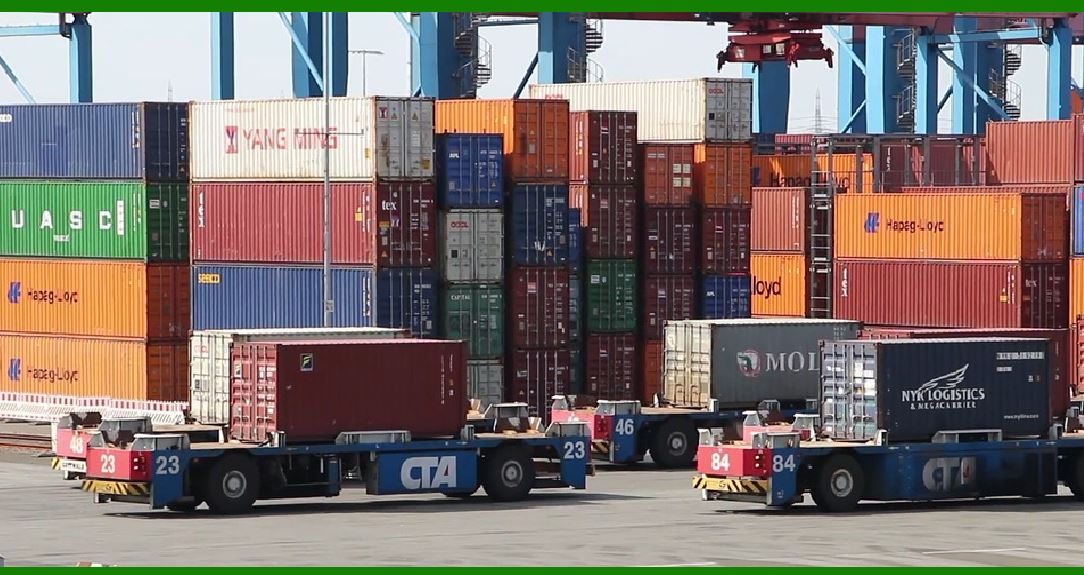
In the transportation and logistics industry, GS1-128 is used to label packages, pallets, and shipping containers with information about the contents, destination, and delivery details. This helps improve the accuracy and speed of sorting and delivery processes. |
|
6. Advantages of GS1-128 |
GS1-128 offers several advantages over other barcode formats, including: |
Flexibility: The ability to encode multiple data types, including product identifiers, expiration dates, and batch numbers. |
Efficiency: GS1-128 barcodes streamline logistics and inventory management by consolidating multiple data points into a single, scannable barcode. |
Global Compatibility: GS1-128 is part of the GS1 system, which is recognized and used globally, ensuring consistency across supply chains. |
Error Detection: The check digit ensures that errors during the scanning process are detected and corrected. |

|
7. Challenges and Limitations of GS1-128 |
Despite its advantages, GS1-128 does have some limitations: |
Limited Data Capacity: Unlike 2D barcodes (such as QR codes), GS1-128 is limited in the amount of data it can encode. |
Physical Size: The length of the barcode increases as more data is encoded, which can be a limitation in applications with space constraints. |

|
Let's dive deeper into each section to explore the technical details of GS1-128 in greater depth. I will cover each part in a structured way, ensuring that each section is as detailed as possible. |
1. Introduction to GS1-128 Barcode |
1.1. Origin and Purpose |
The GS1-128 barcode is part of the GS1 system, which is a global standard for the identification of products, services, and locations. The GS1 system is used by companies across industries, including healthcare, retail, transportation, and logistics, to automate the exchange of information and ensure accurate tracking of goods and data. |
GS1-128, specifically, is an advanced barcode format that is designed to encode a range of data types efficiently. It was developed to address the growing need for standardized barcodes capable of carrying diverse and essential information within one barcode. While traditional barcodes (such as UPC or EAN) only encode product identifiers, GS1-128 can store additional data such as serial numbers, lot numbers, batch identifiers, and expiration dates, making it ideal for supply chain management. |
1.2. Key Features |
Flexibility in Data Encoding: Unlike simple barcodes that typically encode only a single piece of information (like a product ID), GS1-128 can encode multiple fields of data using Application Identifiers (AIs). AIs define the type of data being encoded and help in the interpretation of the barcode. |
Human-readable Text: In addition to the barcode itself, GS1-128 includes human-readable text that corresponds to the encoded data. This makes it easier for operators and users to verify the information visually. |
Global Standardization: As part of the GS1 system, GS1-128 is recognized worldwide. It adheres to an international standard, ensuring that the information encoded within the barcode can be understood and processed anywhere. |

|
2. Technical Structure of GS1-128 |
2.1. Symbology Overview |
The GS1-128 barcode is based on the Code 128 symbology, a widely used linear barcode that can represent all 128 ASCII characters. Code 128 is a high-density, alphanumeric barcode symbology that efficiently encodes a large amount of data in a small space. |
The Code 128 symbology is distinguished by its use of three distinct sets of characters: |
Set A: Uppercase letters, numbers, and control characters. |
Set B: Uppercase letters, numbers, and special characters (common for GS1-128). |
Set C: Numeric digits that are highly efficient for encoding numeric data (used for specific applications, such as serial numbers). |
Each character in Code 128 is represented by a series of bars and spaces that represent binary digits (0s and 1s), with the width of each bar or space corresponding to the encoded value. |
2.2. Application Identifiers (AIs) |
Application Identifiers (AIs) are the backbone of GS1-128. They are unique numeric or alphanumeric codes that specify what kind of data follows them. The inclusion of AIs allows GS1-128 to encode various types of information within the same barcode. For instance: |
AI 01: Global Trade Item Number (GTIN) |
AI 10: Lot number |
AI 17: Expiration date |
AI 21: Serial number |
AI 30: Quantity of items |
Each AI has a predefined length and format, and the data that follows the AI is interpreted according to that format. For example, the AI for GTIN (01) is followed by a 14-digit number that identifies a product globally. |
2.3. Data Encoding Format |
The data within a GS1-128 barcode is structured in a precise manner: |
Start Character: Indicates the beginning of the barcode. |
Data Section: Consists of the AIs and the associated data values. For example, if the barcode encodes a GTIN and a lot number, the data section will include both AI 01 and AI 10 followed by their respective values. |
Check Digit: The check digit is used to verify the integrity of the data. It is calculated using a modulo-103 algorithm based on the other characters in the barcode. |
Stop Character: Marks the end of the barcode. |
2.4. Modulation and Error Correction |
While GS1-128 is not inherently error-correcting, the inclusion of a check digit ensures basic error detection. This allows scanners to catch potential errors in data input and request a rescan if the check digit does not match the expected value. This error detection is critical in high-volume or mission-critical applications, such as in healthcare and logistics. |

|
3. GS1-128 Encoding Process |
3.1. Step-by-Step Encoding |
The process of encoding data into a GS1-128 barcode follows several steps, ensuring that the information is structured and correctly formatted for scanning. |
Data Identification: The first step is to identify the data that needs to be encoded. For example, you might need to encode a product's GTIN, expiration date, lot number, and serial number. |
Selecting AIs: After identifying the data, the next step is to select the correct Application Identifiers (AIs) for each piece of data. Each AI corresponds to a specific data element. For example: |
AI 01 for GTIN |
AI 10 for lot number |
AI 17 for expiration date |
Data Formatting: The next step is to format the data according to the GS1-128 standards. This includes ensuring that each AI is followed by the correct amount of data and that the data is in the correct format (e.g., numeric values for expiration dates). |
Barcode Generation: Once the data is structured, it is encoded using the Code 128 symbology. This involves translating the data into a sequence of bars and spaces. The encoder also adds the start and stop characters, as well as a check digit, to complete the barcode. |
Validation and Check Digit: The check digit is calculated using a modulo-103 algorithm to ensure that the barcode data is valid. This check digit is then appended to the end of the barcode. |

|
4. Scanning and Interpretation of GS1-128 |
4.1. Scanning Workflow |
The scanning process for GS1-128 barcodes is efficient and reliable, ensuring that data can be captured accurately in real-time. |
Barcode Scanning: A barcode scanner emits light onto the barcode. This light is absorbed by the black bars and reflected by the white spaces, which is captured by a photodetector inside the scanner. |
Decoding: The scanner interprets the pattern of black and white bars as a binary sequence. This sequence is then mapped to ASCII characters, which correspond to the data values encoded in the barcode. |
Error Detection: After decoding the barcode, the scanner calculates the check digit and compares it with the check digit encoded in the barcode. If the two values do not match, an error message is triggered, and the system may request a rescan. |
4.2. Interpretation of AIs |
The AI system is crucial for interpreting the data within a GS1-128 barcode. When a scanner reads a barcode, it first identifies the AIs, which act as pointers to the type of data that follows. For example: |
AI 01: Indicates the following data is a GTIN. |
AI 17: Indicates the following data is an expiration date. |
This systematic approach makes GS1-128 especially useful for complex supply chain applications, where multiple types of information need to be encoded in a single barcode. |
|
5. Applications of GS1-128 |
5.1. Healthcare Industry |
In the healthcare sector, GS1-128 is used to track pharmaceutical products, medical devices, and biological samples. The barcode encodes key information such as: |
GTIN (AI 01) to identify the product. |
Lot Number (AI 10) to track the batch of drugs. |
Expiration Date (AI 17) to ensure that products are used before their expiry. |
Serial Number (AI 21) for individual item tracking. |
This data is crucial for ensuring product safety, regulatory compliance, and patient care. |
5.2. Retail and Logistics |
GS1-128 barcodes are widely used in retail for inventory management, product identification, and logistics tracking. The ability to encode multiple data points in a single barcode helps retailers maintain accurate inventory levels and track products as they move through the supply chain. |
Applications include: |
Product Identification (GTIN, AI 01) |
Expiration Dates (AI 17) for perishable goods |
Shipping Information (AI 30) for logistics |
5.3. Transportation and Logistics |
In the transportation sector, GS1-128 is used to label packages, pallets, and containers. The barcode encodes detailed information about the shipment, such as: |
Shipment Number (AI 02) |
Delivery Location (AI 91) |
Quantity (AI 30) |
This information streamlines the sorting and delivery processes, ensuring that products are tracked and delivered efficiently. |

|
6. Advantages of GS1-128 |
GS1-128 provides several benefits, including: |
Flexibility: The barcode can encode a wide range of data types using the AI system. |
Global Standardization: It is recognized globally, ensuring seamless data exchange. |
Efficiency: GS1-128 barcodes streamline processes in industries such as healthcare, retail, and logistics. |

|
7. Challenges and Limitations of GS1-128 |
Some challenges associated with GS1-128 include: |
Data Capacity: GS1-128 barcodes have limited data capacity compared to 2D barcodes, which can store much more information. |
Physical Size: As more data is encoded, the barcode becomes longer, which can be a limitation in space-constrained environments. |
This is a deeper dive into the structure and functionality of the GS1-128 barcode. |

|
FNC1 in GS1-128: Detailed Explanation |
The FNC1 (Function Code 1) is a special character used in GS1-128 barcodes and plays a pivotal role in the encoding and interpretation of data. Its primary purpose is to signal the start of an Application Identifier (AI) that contains variable-length data. It is a crucial component of the GS1 system, which includes various standards for the automatic identification and data capture (AIDC) of goods. |
In GS1-128, the FNC1 is used to separate the data that follows an AI and to provide a context for the scanner, allowing it to correctly interpret the barcode. Here's a detailed breakdown of FNC1: |

|
1. Overview of FNC1 |
1.1. Function and Purpose |
The FNC1 serves as an indicator to the barcode reader that the data following it must be interpreted according to the GS1 Application Identifier (AI) standards. In GS1-128, it marks the transition between the AI and the data value it identifies, acting as a special delimiter. It¡¯s essential to understand that the presence of FNC1 is not arbitrary¡ªit dictates how the scanner should process the subsequent data. |
Indicates variable-length data: FNC1 is used in conjunction with AIs that support variable-length data. It tells the scanner how to interpret the length of the data following the AI. |
Helps the scanner differentiate between data types: By placing an FNC1 before certain data fields, the barcode tells the scanner which set of rules to apply to the interpretation of that data. Without FNC1, the scanner may interpret the data incorrectly. |
Special data separator: When encoding data into GS1-128, the FNC1 is used to separate certain fields to make them distinguishable for reading. |

|
2. The Role of FNC1 in GS1-128 Encoding |
2.1. Standardized Usage of FNC1 |
FNC1 is typically used as a delimiter between the Application Identifier (AI) and the data that follows it. For example, an AI can represent the type of data being encoded (such as a GTIN or expiration date), and the FNC1 ensures that this data is separated appropriately. |
In GS1-128, the FNC1 character is not always directly visible in the barcode itself. It is encoded as a special character within the barcode's structure, but it is not represented by a human-readable symbol. Instead, it signals the barcode scanner to interpret the subsequent data in a particular way. This means that FNC1 is primarily an internal part of the barcode's encoding structure, invisible to end users, but essential for accurate interpretation. |
2.2. Data Separation and Structure |
The data after the FNC1 character is typically variable-length, meaning that the length of the data field can change depending on the situation. For example, a lot number might vary in length based on the manufacturer¡¯s system, but FNC1 ensures that the scanner can interpret the entire lot number correctly regardless of how long or short it is. |
Example of FNC1 Usage: |
An example of GS1-128 encoding with an FNC1 character might look like this: |
AI 01 (GTIN): 01 12345678901231 |
AI 17 (Expiration Date): 17 210101 |
When encoding this data, FNC1 would typically be inserted between the two AIs, ensuring that the barcode reader can distinguish between the GTIN (AI 01) and the expiration date (AI 17). In this case, the FNC1 acts as a separator to clearly indicate where the first AI ends and the second AI begins. |
2.3. Use with Variable-Length Data |
In some cases, the length of data encoded after an AI is variable. For example: |
AI 21: Serial number, which may vary in length depending on the system or product being tracked. |
AI 10: Batch number, which can vary in length from product to product. |
When encoding variable-length data, FNC1 is used to signify that the data following it can have a variable number of characters, as opposed to fixed-length fields where the length is predetermined. This is essential for flexibility in barcode scanning, particularly in industries like healthcare and logistics, where the length of data can change dynamically. |

|
3. How FNC1 Affects Scanning and Data Interpretation |
3.1. Role in Barcode Scanning |
FNC1¡¯s primary function is to guide the scanner in accurately decoding the variable-length data that follows the Application Identifier (AI). Without FNC1, the scanner would not know where to stop decoding and would fail to correctly interpret the data. |
For example, if FNC1 separates an AI for GTIN and an AI for batch number, the scanner knows exactly where to transition from the GTIN to the batch number. If the scanner doesn¡¯t encounter the FNC1 character, it might interpret the entire sequence as one long field, leading to errors in data processing. |
3.2. Error Detection |
Another important aspect of FNC1 is its impact on error detection. Since FNC1 ensures proper separation of data fields, the scanner can more accurately detect errors in barcode scanning. If data is misaligned or incomplete, the scanner can raise an error, alerting the operator to rescan the barcode. |

|
4. GS1-128 Barcode Structure with FNC1 |
The GS1-128 barcode structure typically consists of the following parts: |
Start Character: A special character that marks the beginning of the barcode. |
Application Identifiers (AIs): These are predefined numbers that define the type of data that follows them. |
FNC1 Character: The FNC1 character is placed after an AI to signal the start of variable-length data. It acts as a separator and ensures that the data following it is correctly parsed. |
Data: The actual encoded information, such as a GTIN, serial number, batch number, or expiration date. |
Check Digit: A checksum added at the end to verify the integrity of the data. |
Stop Character: Marks the end of the barcode. |
Example Structure: |
Start Character | AI 01 (GTIN) | FNC1 | AI 17 (Expiration Date) | Data | Check Digit | Stop Character |
This structure allows the barcode to carry multiple pieces of information in a single barcode, all of which are properly separated and identifiable by the scanner. Without the FNC1 character, the data would be difficult to parse and could lead to errors. |

|
5. Special Considerations for FNC1 in GS1-128 |
5.1. FNC1 and Fixed-Length AIs |
While FNC1 is primarily used with variable-length AIs, it may also be used with fixed-length AIs to mark the end of the AI and the beginning of data. This is particularly useful in ensuring that scanners can correctly process fixed-length fields like AI 00 (GTIN), which often require precise alignment in scanning and decoding. |
5.2. FNC1 in Composite Barcodes |
In some applications, GS1-128 barcodes are used in composite barcodes, where a 2D barcode (like Data Matrix or QR code) is used to encode additional information along with the linear GS1-128 barcode. In such cases, the FNC1 character may be employed in the linear part of the composite barcode to separate fields, while the 2D portion may hold more complex or detailed data. |

|
6. Best Practices for Using FNC1 in GS1-128 |
6.1. Proper Placement of FNC1 |
When encoding GS1-128 barcodes, FNC1 should be placed immediately after an AI that requires variable-length data. It is crucial to maintain consistency in where and how FNC1 is used to ensure that scanners across the world can read and interpret the data correctly. |
6.2. Testing and Validation |
Before deploying GS1-128 barcodes in a live environment, it¡¯s essential to test the barcode¡¯s readability across various scanners and systems. This includes validating that FNC1 has been properly placed and that the scanner can accurately separate and decode the data. |

|
7. Conclusion |
FNC1 is a key character in GS1-128 barcodes that enables the encoding of variable-length data, ensuring the accurate and flexible transmission of information across various industries. It functions as a separator between an Application Identifier (AI) and the data that follows it, signaling to scanners how to interpret the data correctly. Its use enhances the overall functionality of GS1-128 by making it more adaptable to diverse data encoding needs, particularly in complex supply chain, healthcare, and logistics applications. |

|
Detailed Examples of FNC1 in GS1-128 Barcodes |
Let's go over several detailed examples to illustrate how FNC1 is used in GS1-128 barcodes, focusing on different Application Identifiers (AIs) and the kind of data that they handle. We'll cover both variable-length and fixed-length data encoding, and explore how FNC1 facilitates accurate data separation and interpretation. |
Example 1: GTIN and Expiration Date |
In this example, we will encode the GTIN (Global Trade Item Number) and the Expiration Date of a product using GS1-128 with FNC1. |
Data to Encode: |
GTIN (AI 01): 12345678901234 (14 digits) |
Expiration Date (AI 17): 231231 (YYMMDD format) |
Step-by-Step Breakdown: |
AI 01 (GTIN): The GTIN identifies the product uniquely across the global supply chain. |
AI: 01 |
Data: 12345678901234 |
FNC1: The FNC1 character is used after the GTIN to separate the data from the next field, which is the Expiration Date. This indicates that the following data corresponds to a different Application Identifier. |
AI 17 (Expiration Date): The expiration date follows the FNC1 character. |
AI: 17 |
Data: 231231 (meaning December 31, 2023) |
Encoded Barcode Structure: |
The encoded barcode would appear as: |
| Start | AI 01 | Data (GTIN) | FNC1 | AI 17 | Data (Expiration Date) | Check Digit | Stop | |
Start: Special starting character to indicate the beginning of the barcode. |
FNC1: Separates the two fields and indicates that the next field uses a new AI. |
Check Digit: A calculated checksum to validate the integrity of the encoded data. |
Stop: Marks the end of the barcode. |
Human-readable Interpretation: |
GTIN: 12345678901234 |
Expiration Date: 231231 |

|
Example 2: Batch/Lot Number and Serial Number |
Now, let¡¯s encode a Batch Number (AI 10) and a Serial Number (AI 21), which are typically used for product traceability. |
Data to Encode: |
Batch/Lot Number (AI 10): AB1234 |
Serial Number (AI 21): SN0001234567 |
Step-by-Step Breakdown: |
AI 10 (Batch/Lot Number): The batch or lot number identifies a specific batch of products that were manufactured at the same time. |
AI: 10 |
Data: AB1234 |
FNC1: The FNC1 character is inserted after the batch number to separate it from the Serial Number. This marks the end of the batch data and the start of the serial number data. |
AI 21 (Serial Number): The serial number identifies an individual product within a batch. |
AI: 21 |
Data: SN0001234567 |
Encoded Barcode Structure: |
The encoded barcode would appear as: |
| Start | AI 10 | Data (Batch Number) | FNC1 | AI 21 | Data (Serial Number) | Check Digit | Stop | |
Start: Starting character. |
FNC1: Marks the transition between the batch number and serial number. |
Check Digit: Ensures the integrity of the entire barcode. |
Stop: Marks the end of the barcode. |
Human-readable Interpretation: |
Batch/Lot Number: AB1234 |
Serial Number: SN0001234567 |

|
Example 3: Quantity and Weight of Product |
Let¡¯s look at an example where we encode the Quantity (AI 30) and Net Weight (AI 3102) of a product. |
Data to Encode: |
Quantity (AI 30): 10 |
Net Weight (AI 3102): 1.25 |
Step-by-Step Breakdown: |
AI 30 (Quantity): This AI is used to specify how many items are in a batch, container, or package. |
AI: 30 |
Data: 10 (indicating 10 items in the package) |
FNC1: FNC1 is inserted after the quantity data to separate it from the next field, which is Net Weight. |
AI 3102 (Net Weight): This AI represents the weight of the item. |
AI: 3102 |
Data: 1.25 (indicating the weight of the product is 1.25 kg) |
Encoded Barcode Structure: |
The encoded barcode would appear as: |
| Start | AI 30 | Data (Quantity) | FNC1 | AI 3102 | Data (Net Weight) | Check Digit | Stop | |
Start: Special starting character. |
FNC1: Used to separate the quantity from the net weight. |
Check Digit: Ensures barcode accuracy. |
Stop: End of the barcode. |
Human-readable Interpretation: |
Quantity: 10 |
Net Weight: 1.25 kg |

|
Example 4: Handling Expiration Date with Variable-Length Data |
GS1-128 can also be used to handle variable-length data. For example, the Expiration Date can vary in length depending on the specific product and manufacturer. |
Data to Encode: |
Expiration Date (AI 17): 2024-12-31 (YYMMDD format) |
Step-by-Step Breakdown: |
AI 17 (Expiration Date): The expiration date tells when the product should no longer be used. This can be critical in industries like pharmaceuticals or food. |
AI: 17 |
Data: 20241231 (indicating December 31, 2024) |
FNC1: The FNC1 character is inserted to separate the Expiration Date from any subsequent data that might follow in a barcode, such as a Batch Number or Serial Number. |
Encoded Barcode Structure: |
The encoded barcode would appear as: |
| Start | AI 17 | Data (Expiration Date) | FNC1 | AI 10 | Data (Batch Number) | Check Digit | Stop | |
Start: Marks the beginning of the barcode. |
FNC1: Indicates the transition between expiration data and the next field. |
Check Digit: Ensures data accuracy. |
Stop: Marks the end of the barcode. |
Human-readable Interpretation: |
Expiration Date: 2024-12-31 |
Batch Number: AB12345 |
|
Example 5: Encoding Serial Numbers with Variable Length |
Data to Encode: |
Serial Number (AI 21): SN123456789 (variable length serial number) |
Step-by-Step Breakdown: |
AI 21 (Serial Number): Serial numbers are often used to track individual products. They are typically unique to each unit. |
AI: 21 |
Data: SN123456789 (a unique serial number for an individual product) |
FNC1: FNC1 is used to indicate that the serial number follows an AI. This allows the barcode scanner to correctly identify the serial number even if the length of the serial number changes. |
Encoded Barcode Structure: |
The encoded barcode would appear as: |
| Start | AI 21 | Data (Serial Number) | FNC1 | Check Digit | Stop | |
Start: Beginning of the barcode. |
FNC1: Marks the end of the serial number and the potential beginning of another field. |
Check Digit: Ensures that the barcode data has been encoded correctly. |
Stop: End of the barcode. |
Human-readable Interpretation: |
Serial Number: SN123456789 |
Conclusion |
Each of these examples demonstrates how FNC1 plays a crucial role in separating fields within GS1-128 barcodes, enabling the encoding of variable-length data in a way that is easily interpreted by scanners. The FNC1 character ensures that the scanner knows where one data field ends and the next begins, even when the data length is dynamic or the fields represent different types of information. |
In summary: |
FNC1 is used as a separator to distinguish between different pieces of information, often in fields that have variable lengths. |
It enhances the readability and flexibility of GS1-128 barcodes, particularly when used across industries such as healthcare, logistics, and retail. |
|
Example 6: Serial Shipping Container Code (SSCC) and Product Batch Information |
Data to Encode: |
Serial Shipping Container Code (SSCC) (AI 00): 123456789012345678 |
Batch/Lot Number (AI 10): LOT12345 |
This example demonstrates how SSCC is used to track the movement of containers (such as pallets) and how batch numbers are used to track product batches. Both are crucial in logistics for traceability. |
Step-by-Step Breakdown: |
AI 00 (SSCC): This Application Identifier is used to encode a unique number that identifies a shipping container or logistics unit. |
AI: 00 |
Data: 123456789012345678 (18 digits¡ªthis is a fixed-length SSCC) |
FNC1: The FNC1 character is inserted after the SSCC to indicate the beginning of a new field. It separates the SSCC from the Batch/Lot Number (AI 10), ensuring the scanner can distinguish the two pieces of information. |
AI 10 (Batch/Lot Number): The batch number identifies a specific production batch, crucial for quality control, recalls, or tracing product origins. |
AI: 10 |
Data: LOT12345 (this is a variable-length string) |
Encoded Barcode Structure: |
The barcode would look like: |
| Start | AI 00 | Data (SSCC) | FNC1 | AI 10 | Data (Batch Number) | Check Digit | Stop | |
Start: Marks the start of the barcode. |
FNC1: Separates the SSCC from the batch number to help the scanner interpret the data correctly. |
Check Digit: Validates the encoded data to ensure it was scanned properly. |
Stop: End of the barcode. |
Human-readable Interpretation: |
SSCC: 123456789012345678 |
Batch Number: LOT12345 |
|
Example 7: Expiry Date, Manufacturing Date, and Serial Number |
Here, we'll encode both the manufacturing date, expiry date, and a serial number for a product. This is common in industries like pharmaceuticals and food where shelf life and product traceability are vital. |
Data to Encode: |
Manufacturing Date (AI 11): 210101 (YYMMDD format) |
Expiration Date (AI 17): 240101 (YYMMDD format) |
Serial Number (AI 21): SN000987654321 |
Step-by-Step Breakdown: |
AI 11 (Manufacturing Date): The manufacturing date is used to track when a product was made. |
AI: 11 |
Data: 210101 (representing January 1, 2021) |
FNC1: FNC1 separates the manufacturing date from the expiration date. Without FNC1, the scanner would have difficulty determining where the manufacturing date ends and the expiration date begins. |
AI 17 (Expiration Date): This field tracks when the product expires, which is essential for compliance and product safety. |
AI: 17 |
Data: 240101 (representing January 1, 2024) |
FNC1: After the expiration date, we use FNC1 to separate it from the serial number, which is usually a unique identifier for an individual unit. |
AI 21 (Serial Number): The serial number identifies the specific unit of the product. |
AI: 21 |
Data: SN000987654321 |
Encoded Barcode Structure: |
The barcode structure would look like: |
| Start | AI 11 | Data (Manufacturing Date) | FNC1 | AI 17 | Data (Expiration Date) | FNC1 | AI 21 | Data (Serial Number) | Check Digit | Stop | |
Start: Marks the beginning of the barcode. |
FNC1: Ensures proper separation between the manufacturing date, expiration date, and serial number. |
Check Digit: Verifies the integrity of the barcode. |
Stop: Marks the end of the barcode. |
Human-readable Interpretation: |
Manufacturing Date: 2021-01-01 |
Expiration Date: 2024-01-01 |
Serial Number: SN000987654321 |
|
Example 8: Item Quantity and Net Weight in Logistics |
In this example, we are encoding the quantity of items in a shipment and their net weight. This is common in the shipping and logistics industry where products are grouped together for bulk handling. |
Data to Encode: |
Quantity of Items (AI 30): 100 |
Net Weight (AI 3102): 12.5 |
Step-by-Step Breakdown: |
AI 30 (Quantity): This Application Identifier represents how many items are in the container or shipment. |
AI: 30 |
Data: 100 (100 items) |
FNC1: FNC1 separates the quantity data from the net weight data. This ensures that scanners can identify that the next piece of data pertains to weight, not quantity. |
AI 3102 (Net Weight): This AI specifies the total weight of the items in the shipment. The unit of measure (kg, lb, etc.) is typically implied or provided separately. |
AI: 3102 |
Data: 12.5 (12.5 kilograms) |
Encoded Barcode Structure: |
The encoded barcode would appear like this: |
| Start | AI 30 | Data (Quantity) | FNC1 | AI 3102 | Data (Net Weight) | Check Digit | Stop | |
Start: Indicates the start of the barcode. |
FNC1: Separates the quantity from the net weight. |
Check Digit: Confirms the data integrity. |
Stop: Marks the end of the barcode. |
Human-readable Interpretation: |
Quantity: 100 |
Net Weight: 12.5 kg |
|
Example 9: Shelf Life (Manufacturing Date + Expiry Date) |
In some industries, particularly pharmaceuticals and food, the shelf life is crucial for managing inventory and ensuring product safety. This example encodes both the manufacturing date and expiration date. |
Data to Encode: |
Manufacturing Date (AI 11): 210701 (YYMMDD format) |
Expiration Date (AI 17): 240701 (YYMMDD format) |
Step-by-Step Breakdown: |
AI 11 (Manufacturing Date): Represents when the product was made. |
AI: 11 |
Data: 210701 (representing July 1, 2021) |
FNC1: This character is inserted after the manufacturing date to separate it from the expiration date. |
AI 17 (Expiration Date): The expiration date specifies when the product should no longer be used. |
AI: 17 |
Data: 240701 (representing July 1, 2024) |
Encoded Barcode Structure: |
The encoded barcode would appear as: |
| Start | AI 11 | Data (Manufacturing Date) | FNC1 | AI 17 | Data (Expiration Date) | Check Digit | Stop | |
Start: Marks the beginning of the barcode. |
FNC1: Separates the manufacturing date from the expiration date. |
Check Digit: Ensures data integrity. |
Stop: Marks the end of the barcode. |
Human-readable Interpretation: |
Manufacturing Date: 2021-07-01 |
Expiration Date: 2024-07-01 |
 cs@easiersoft.com