1. Introduction to Barcode Printers |
1.1. Overview of Barcode Printers |
1.2. Types of Barcode Printers |
1.2.1. Thermal Transfer Printers |
1.2.2. Direct Thermal Printers |
1.2.3. Inkjet Barcode Printers |
1.3. Common Applications of Barcode Printers |
1.4. Basic Components of a Barcode Printer |
1.4.1. Printhead |
1.4.2. Print Mechanism |
1.4.3. Power Supply Unit |
1.4.4. Control Board |
1.4.5. Sensors and Encoder |
1.4.6. Paper Handling Mechanism |
|
2. Understanding Circuit Failures in Barcode Printers |
2.1. Role of Circuits in Barcode Printer Operation |
2.2. Common Causes of Circuit Failures |
2.2.1. Power Surge or Overload |
2.2.2. Short Circuits and Open Circuits |
2.2.3. Heat Damage |
2.2.4. Corrosion and Contamination |
2.2.5. Component Wear and Tear |
2.2.6. Incompatible or Faulty Consumables |
2.3. Symptoms of Circuit Failures |
2.3.1. Printer Not Powering On |
2.3.2. Inconsistent or Distorted Printing |
2.3.3. Error Codes and Alerts |
2.3.4. Overheating |
2.3.5. Strange Noises |
2.4. Impact of Circuit Failures on Printer Performance |
2.4.1. Print Quality Degradation |
2.4.2. Printer Downtime |
2.4.3. Increased Maintenance Costs |
2.4.4. Potential Data Loss |
2.4.5. Reduced Operational Efficiency |

|
3. Circuit Maintenance for Barcode Printers |
3.1. Importance of Regular Maintenance |
3.2. Preventive Measures to Avoid Circuit Failures |
3.2.1. Proper Power Supply Management |
3.2.2. Cleaning and Dust Prevention |
3.2.3. Checking for Overheating Issues |
3.2.4. Ensuring Proper Ventilation |
3.2.5. Monitoring Printer Load and Duty Cycle |
3.3. Key Maintenance Tasks |
3.3.1. Inspecting Power Supply and Circuit Boards |
3.3.2. Cleaning Printheads and Paper Pathways |
3.3.3. Checking and Replacing Cables and Connectors |
3.3.4. Testing and Replacing Sensors |
3.4. Common Diagnostic Tools for Circuit Maintenance |
3.4.1. Multimeters for Voltage Testing |
3.4.2. Oscilloscopes for Signal Monitoring |
3.4.3. Infrared Thermometers for Heat Detection |
3.4.4. Diagnostic Software |
3.5. Best Practices for Preventive Maintenance |
3.5.1. Establishing Maintenance Schedules |
3.5.2. Keeping Firmware and Drivers Updated |
3.5.3. Calibration Procedures |
3.5.4. Regular Software and System Backups |
3.6. Recommended Replacement Intervals for Printer Components |
3.6.1. Printhead Replacement |
3.6.2. Sensor Cleaning and Calibration |
3.6.3. Power Supply Units |
3.6.4. Circuit Board Checkups |
|
4. Troubleshooting Circuit Failures |
4.1. Initial Diagnostics and Power Checks |
4.1.1. Ensuring Power Supply is Stable |
4.1.2. Identifying Short Circuits or Open Circuits |
4.1.3. Verifying Connections and Cables |
4.2. Advanced Troubleshooting for Circuit Components |
4.2.1. Diagnosing Issues with the Control Board |
4.2.2. Troubleshooting the Printhead Circuit |
4.2.3. Sensor and Encoder Failures |
4.2.4. Faults in the Power Supply Circuit |
4.3. Error Code Interpretation and Circuit Failure Solutions |
4.3.1. Understanding Common Error Codes |
4.3.2. Specific Solutions for Each Error Type |
4.4. Working with Manufacturer's Service Manual |
4.5. When to Replace vs. Repair Circuits |
|
5. Repairing Circuit Failures in Barcode Printers |
5.1. Replacing Circuit Components |
5.1.1. Identifying Faulty Components |
5.1.2. Sourcing Compatible Replacement Parts |
5.1.3. Correct Handling and Installation Procedures |
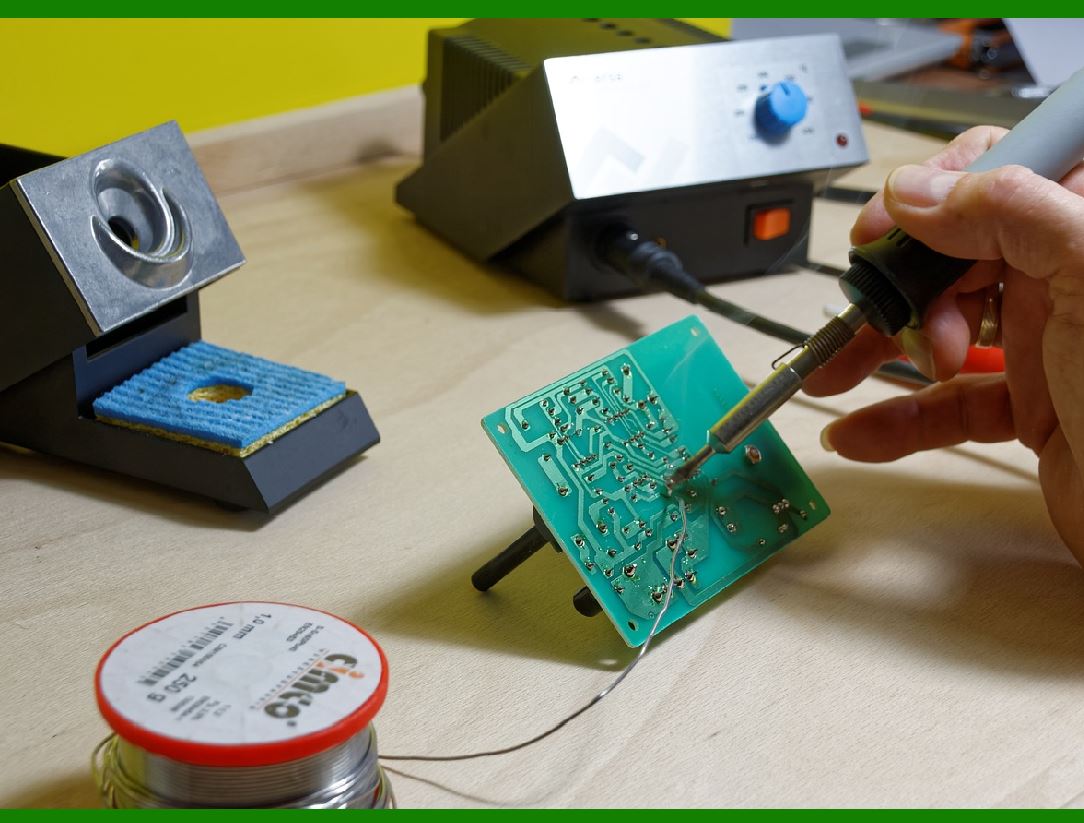
5.2. Soldering and Desoldering Circuit Boards |
5.3. Testing and Verifying Repairs |
5.4. Professional Repair Services |
5.4.1. When to Seek Professional Help |
5.4.2. Choosing the Right Service Provider |
5.5. Warranty Considerations During Repair |
5.5.1. Implications of Unauthorized Repairs |
5.5.2. Manufacturer Warranty Terms |
|
6. Preventing Circuit Failures in the Long Term |
6.1. Environmental Factors and Circuit Protection |
6.1.1. Controlling Temperature and Humidity |
6.1.2. Shielding Against Power Surges |
6.1.3. Preventing Physical Damage from Vibration |
6.2. Managing Print Media and Consumables |
6.2.1. Choosing the Right Labels and Ribbons |
6.2.2. Preventing Ink and Adhesive Contamination |
6.3. Using Surge Protectors and UPS Systems |
6.4. Staff Training and Awareness |
6.4.1. Educating Operators on Printer Care |
6.4.2. Best Practices for Loading and Unloading Printers |
6.5. Documenting Maintenance and Repairs |
 cs@easiersoft.com