Core Electronic Components of Barcode Label Printers: Printer Mechanism |
The printer mechanism of a barcode label printer plays a crucial role in the accuracy, efficiency, and overall performance of the printing process. It comprises various electronic components and mechanical parts that work in unison to transfer an image, text, or barcode onto a label. These components primarily include motors, sensors, and other mechanical systems designed for precise printing. Below, we'll delve into the major components of the printer mechanism in great detail. |
|
1. Motor Systems |
Motors are essential for the movement and operation of various printer components, including the label feeding, ribbon movement (in thermal transfer printers), and printhead positioning. They ensure that the mechanical aspects of the printer, which require high precision and reliability, operate smoothly. |
1.1 Stepper Motors |
Stepper motors are typically used in barcode label printers for precise control over motion. These motors are ideal because they can be precisely controlled, allowing for incremental movement, which is necessary for feeding labels or positioning the printhead. |
Functionality of Stepper Motors: |
Label Feed Control: The stepper motor in the label feed mechanism is responsible for moving labels from the roll or stack to the printer's printhead. The motor ensures that each label is moved accurately to the print position. The stepper motor moves in small, fixed steps, which guarantees the labels are fed consistently without slipping or jamming. |
Ribbon Movement (Thermal Transfer Printers): In thermal transfer printing, a stepper motor also controls the movement of the ribbon. The ribbon moves in synchronization with the label feed to ensure that the thermal printhead is in contact with both the label and the ribbon. This ensures consistent printing and correct image transfer. |
Printhead Adjustment: Stepper motors are used to adjust the printhead position for both vertical and horizontal movements, ensuring that the printhead is accurately aligned with the label. |
1.2 DC Motors |
Direct current (DC) motors, unlike stepper motors, provide continuous motion and are often used in barcode label printers for other mechanical systems. They are generally less precise than stepper motors but offer a constant force output. In some barcode label printers, DC motors are used for: |
Media Roll Movement: A DC motor drives the roll of labels. It spins the roll of labels at a constant speed, ensuring smooth feeding. |
Printhead Lifting Mechanism: In certain printer designs, DC motors are used to control the printhead's vertical movement, lifting it to avoid contact with the label during non-printing stages or when a new label is fed. |
1.3 Motor Drivers and Control Circuits |
The motors in barcode label printers are powered by specialized motor drivers and control circuits. These circuits control the speed, position, and torque of the motors, ensuring that the label, ribbon (if applicable), and printhead move accurately and consistently. |
Motor Driver Functions: |
Speed Control: Motor drivers regulate the speed at which labels and ribbons move, ensuring that the printing process occurs at the desired rate without slippage or stalling. |
Current Regulation: Motor drivers manage the current to prevent overheating and damage to the motors. |

|
2. Sensors |
Barcode label printers are equipped with various sensors that monitor and control the printing process. These sensors provide real-time feedback to ensure that labels are properly aligned and the printer operates without jams, errors, or misprints. There are several types of sensors used in the printer mechanism. |
2.1 Gap Sensors |
Gap sensors detect the spaces (gaps) between labels on a roll of label stock. These sensors help ensure that the printer feeds one label at a time, preventing multiple labels from being fed simultaneously, which could cause jamming or misalignment. |
Working Principle: |
Infrared Light Transmission: The gap sensor works by emitting an infrared light beam, which is reflected back when it encounters the gap between labels. The sensor detects the amount of reflected light, and if it detects a gap, it signals the printer's control system to advance to the next label. |
Label Positioning: Gap sensors help align the label under the printhead, ensuring that the barcode or text is printed in the correct position on each label. |
2.2 Mark Sensors (Black Mark Sensors) |
Mark sensors are used for label types that have a black mark or other distinguishing marks on the back of the label stock. These marks are used as a reference point for feeding the labels correctly. |
Functionality: |
Detection of Black Marks: Mark sensors detect the presence of a black mark on the back of the label. This allows the printer to stop at the correct position, ensuring the label is aligned properly for printing. |
Positioning Control: Just like gap sensors, mark sensors help in the accurate feeding of labels by using the marks to identify when to stop feeding and initiate the print process. |
2.3 Printhead Sensors |
Printhead sensors are used to monitor the temperature and condition of the printhead. In thermal transfer and direct thermal printing, the printhead generates heat to print the image onto the label. Printhead sensors ensure that the printhead operates within the desired temperature range. |
Printhead Sensor Functions: |
Temperature Monitoring: These sensors monitor the temperature of the printhead, ensuring it doesn't overheat and cause poor print quality or damage to the label. |
Printhead Alignment: Sensors may also be used to confirm that the printhead is in the correct position relative to the label, preventing issues such as misprints or incomplete printing. |
2.4 Label Presence Sensors |
These sensors detect whether a label is present and correctly positioned before printing begins. They ensure that labels are available for printing and that the printer doesn't attempt to print on an empty label roll. |
Types of Label Presence Sensors: |
Optical Sensors: These sensors detect whether the label is in place, typically using infrared light to check for the label's presence. If the sensor detects the absence of a label, the printing process will be halted to prevent the printer from printing improperly. |
2.5 Ribbon Sensors (For Thermal Transfer Printers) |
In thermal transfer printing, a ribbon is used to transfer ink onto the label. Ribbon sensors ensure that the ribbon is properly aligned with the printhead and the label, and that it's moving correctly during the printing process. |
Ribbon Sensor Functionality: |
Ribbon Tracking: These sensors monitor the movement of the ribbon to ensure it is being fed correctly. If the ribbon is not aligned or is about to run out, the sensor can signal the printer to stop printing and prevent a misprint. |
|
3. Printhead |
The printhead is perhaps the most critical component of a barcode label printer. It is the part that generates the heat necessary to transfer ink or produce direct thermal prints on the label material. There are two main types of printheads used in barcode label printers: thermal transfer and direct thermal printheads. |
3.1 Thermal Transfer Printheads |
In thermal transfer printing, a printhead contains a series of small heating elements that heat up to transfer ink from a ribbon onto the label surface. The heat causes the ink on the ribbon to vaporize and adhere to the label, forming the printed image or barcode. |
Heat Control: The printhead's heating elements are controlled by the printer's electronics. The temperature of each element can be varied to produce different shades or densities of print. Higher heat settings result in darker prints. |
Precision: Thermal transfer printheads are extremely precise, allowing for fine detail and sharp barcodes. The printhead's resolution is typically measured in dots per inch (DPI), with 203 DPI, 300 DPI, and 600 DPI being common resolutions. |
3.2 Direct Thermal Printheads |
In direct thermal printing, the printhead generates heat to activate a chemically treated label surface, causing it to darken and form the desired image. No ribbon is required, making direct thermal printing a simpler, more cost-effective solution for many applications. |
Thermal Paper Activation: The printhead directly activates the thermal paper, causing it to change color in the areas where heat is applied. |
Efficiency and Speed: Direct thermal printheads are known for their speed and efficiency, as they don't require a ribbon. However, direct thermal prints tend to fade over time, which can be a limitation in certain environments. |
|
4. Mechanical Parts and Systems |
Besides the motors and sensors, there are various other mechanical components that contribute to the overall functionality of the printer mechanism. |
4.1 Label Rollers and Drive Mechanism |
Label rollers are crucial for the movement of the labels through the printer. These rollers grip the label material and move it in a controlled manner to the printhead. |
Drive Mechanism: The drive mechanism includes a combination of rollers, gears, and belts that work together to pull the labels or ribbons through the printer. These systems are precisely calibrated to ensure the movement of the labels is smooth and that the labels are properly aligned for printing. |
Pressure Rollers: Some barcode label printers have pressure rollers that apply pressure between the printhead and the label, ensuring consistent contact and optimal print quality. |
4.2 Tension Control Mechanisms |
Tension control mechanisms are important in ensuring that the label roll and ribbon (in thermal transfer printers) are unwound smoothly and at the proper tension. Without proper tension, the labels may become misaligned, leading to print errors. |
Ribbon and Label Tension: The tension is controlled to prevent the labels or ribbon from being too tight, which can cause jamming or damage, or too loose, which can lead to inaccurate feeding. |
4.3 Cutting and Dispensing Mechanism |
In some printers, a cutting mechanism is included to cut the labels after printing. This is essential in applications where individual labels need to be separated after printing. |
Cutting Blades: Sharp blades are used to cut the labels cleanly. The cutting mechanism can either cut the label stock as it exits the printhead or use a perforation system to create pre-scored lines on the label material. |
|
5. Control Board and Electronics |
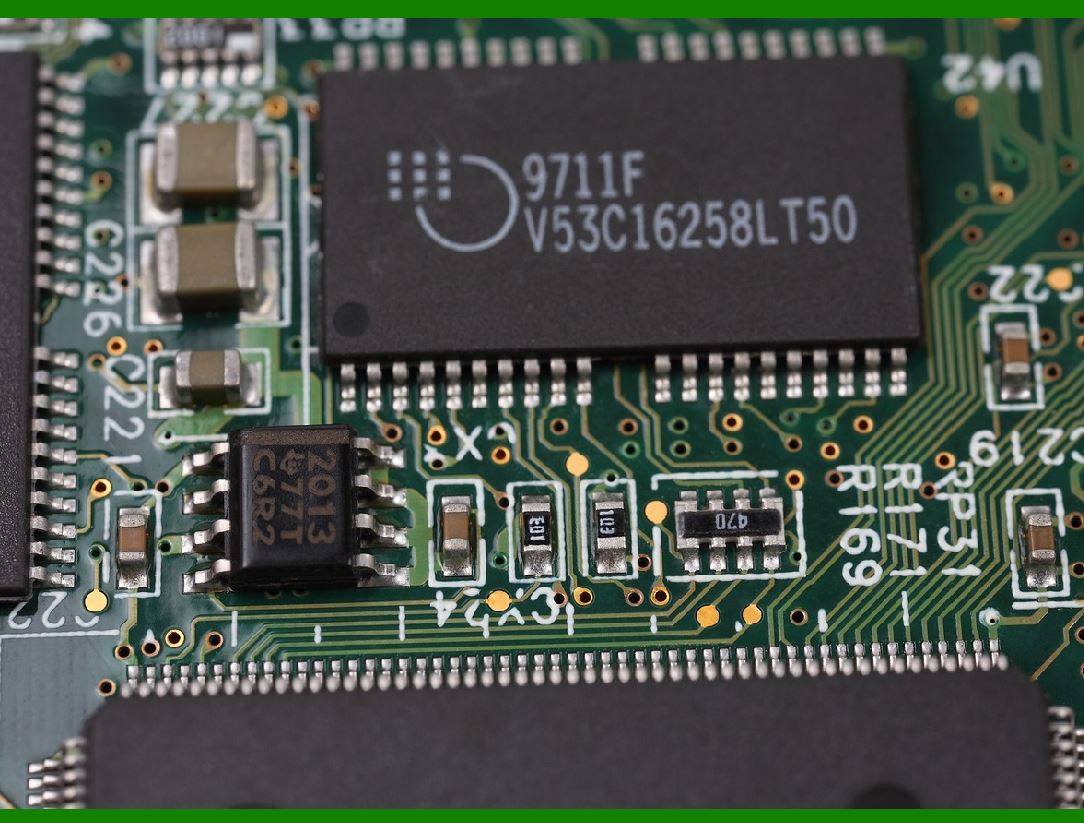
The control board and associated electronics are the brains of the printer mechanism. These components manage all the signals from the motors, sensors, and printhead to coordinate the printing process. |
5.1 Control Board |
The control board is a complex circuit that processes the input from sensors, controls the motors and printhead, and manages communication with the printer's software or computer. It ensures that the print job is executed correctly, including label feeding, alignment, and print quality. |
Microcontroller: The control board is typically powered by a microcontroller or microprocessor that runs the printer's firmware and handles input from the user interface. |
Power Management: The control board also manages power distribution to the printer's various components, ensuring efficient energy use and preventing overheating. |
5.2 Signal Processing and Communication |
In addition to controlling mechanical functions, the control board handles communication between the printer and other devices. It processes print data, including barcode formats, fonts, and layout, and translates this data into a format the printhead can understand. |

|
Conclusion |
The printer mechanism in a barcode label printer is an intricate assembly of motors, sensors, printheads, mechanical parts, and electronics. Each component serves a specific function that, when combined, ensures that labels are printed with precision and efficiency. Whether the printer is using thermal transfer or direct thermal technology, these core components play a pivotal role in producing high-quality, reliable barcode labels for a wide range of applications. |
|
Manufacturing Technology and Main Manufacturers of Barcode Label Printer Mechanisms |
The production of barcode label printers involves advanced manufacturing technologies and a highly specialized set of processes. These processes must ensure that all components-such as motors, sensors, printheads, rollers, and control systems-work together seamlessly to achieve high-quality, accurate, and reliable printing. Below, we explore the key manufacturing technologies used in the production of barcode label printer mechanisms, as well as some of the major manufacturers in the industry. |
1. Manufacturing Technologies |
The production of the core electronic and mechanical components of barcode label printers involves a mix of high-precision engineering, automated assembly, and advanced materials science. These manufacturing processes aim to produce components that meet strict performance standards in terms of speed, accuracy, and durability. |
1.1 Precision Engineering and CNC Machining |
Precision engineering and Computer Numerical Control (CNC) machining are used extensively in the production of components like printheads, rollers, and motors. |
Printheads: Thermal printheads, whether for direct thermal or thermal transfer printers, require extreme precision to ensure that the heating elements are positioned correctly and work efficiently. CNC machining is used to manufacture these parts, especially the delicate and complex components that involve micro-scale circuitry and fine alignment. |
Motors: Stepper motors and DC motors used in label printers must meet strict tolerances for performance. CNC machining is employed to manufacture motor components with high precision. This ensures that motor shafts, gears, and other parts are aligned and balanced to maintain smooth and reliable motion. |
Mechanical Parts: Other mechanical components, such as rollers, gears, and drive systems, are often fabricated using CNC milling and turning technologies. These components must be durable, resistant to wear, and able to operate under continuous motion and high stress. |
1.2 Injection Molding |
Injection molding is a key technology used to produce the plastic components found in barcode label printers, such as housings, covers, and internal structures. |
Housing and Enclosures: The external casings of label printers, as well as some internal components that house motors and sensors, are typically made from high-strength polymers. These are produced via injection molding, where molten plastic is injected into a mold under high pressure to form precise parts. |
Sensor Components: The casing of optical sensors, mechanical switches, and other electronic components are often created through injection molding. These parts require high precision to ensure proper sensor alignment and functionality. |
1.3 Surface Mount Technology (SMT) |
Surface Mount Technology (SMT) is used to assemble the printed circuit boards (PCBs) that control the printer's electronics. The PCB is central to managing the operation of motors, sensors, printheads, and other components. |
SMT Assembly: In SMT, electronic components like resistors, capacitors, microchips, and sensors are placed directly onto the surface of a PCB without the need for traditional through-hole components. This method allows for higher-density designs, smaller components, and more efficient electrical connections. |
Automated Pick-and-Place: Automated machines place thousands of small components with high accuracy. The PCBs are then soldered to form the electronic control units that manage all printer functions. |
1.4 Die-Cutting and Laser Cutting |
Die-cutting and laser cutting are used in the production of the labels themselves and in the creation of parts like ribbon guides or label separators. |
Die-Cutting: Die-cutting is commonly used for cutting label stock and ribbons into precise shapes. Dies are made from hard steel and are used to cut labels with high consistency and minimal waste. |
Laser Cutting: Laser cutting is also used for highly accurate cutting and engraving tasks, such as cutting intricate shapes for label roll paths or engraving detailed patterns on the printer's housing. |
1.5 Assembly and Testing |
The assembly process for barcode label printers is highly automated, but also includes manual inspection and testing to ensure the final product meets the required standards. |
Automated Assembly Lines: Components such as the printhead, motor, sensors, and rollers are assembled using automated production lines. Robots and robotic arms are used to assemble parts into the printer chassis with high speed and precision. |
Functional Testing: Once assembled, the printer undergoes rigorous functional testing. This includes verifying print quality, label feed accuracy, and sensor functionality. The printers are often tested under different conditions (e.g., varying label sizes and materials) to ensure optimal performance across all scenarios. |
|
2. Key Manufacturers of Barcode Label Printer Mechanisms |
The market for barcode label printers is highly competitive, with numerous companies producing both complete printers and individual components like printheads, motors, and sensors. Some of the major manufacturers of barcode label printers and their key components are as follows: |
2.1 Zebra Technologies |
Zebra Technologies is one of the most prominent manufacturers of barcode label printers, known for producing a wide range of thermal and thermal transfer printers. They provide both desktop and industrial label printers that are widely used across logistics, retail, manufacturing, and healthcare industries. |
Manufacturing: Zebra Technologies utilizes advanced manufacturing techniques, including precision engineering, CNC machining, and injection molding, to create durable and high-performance components for their printers. |
Key Components: Zebra manufactures several of the key components used in their printers, including high-resolution printheads, stepper motors, and optical sensors. Zebra also focuses on integrating software solutions with hardware, which is critical for advanced barcode printing systems. |
Innovation: Zebra is recognized for its innovations in printhead technology, including long-life printheads that offer high-quality printing with minimal downtime. They also focus on energy-efficient and user-friendly design in their printers. |
2.2 Sato Holdings Corporation |
Sato is another major player in the barcode label printer market, particularly known for its robust industrial printers used in high-demand environments. The company designs and manufactures a wide range of thermal printers, from desktop models to heavy-duty industrial units. |
Manufacturing: Sato uses high-tech production facilities and automated assembly lines to produce its printers, ensuring precision and quality in every component. Their manufacturing process incorporates high levels of automation to produce reliable and cost-effective products. |
Key Components: Sato produces its own thermal printheads and is involved in the design of custom motor systems and sensor modules for its printers. The company also focuses on providing printer components that support eco-friendly operations, such as energy-saving motors and recyclable materials. |
Global Reach: Sato is recognized for its global presence, providing barcode labeling solutions across industries such as retail, healthcare, and logistics. |
2.3 Honeywell International Inc. |
Honeywell is a global technology company that produces barcode label printers, scanners, and various automation solutions. They are known for creating both high-quality industrial and desktop barcode printers, focusing on efficiency, reliability, and ease of integration. |
Manufacturing: Honeywell's manufacturing involves state-of-the-art electronics design and advanced motor technology. Their barcode printers integrate seamlessly with their broader automation technologies, allowing for integrated workflows in industries such as warehousing and logistics. |
Key Components: Honeywell manufactures high-precision printheads, stepper motors, and sensors. They also produce advanced software and firmware that works in tandem with their hardware for optimized printing solutions. |
Research and Development: Honeywell invests heavily in R&D to improve print quality, printing speed, and energy efficiency. They have a strong focus on creating innovative sensors and motors for use in their printers, such as their signature smart sensors that enhance printing accuracy. |
2.4 TSC Auto ID Technology Co., Ltd. |
TSC Auto ID Technology is a leading manufacturer of barcode label printers, particularly recognized for producing high-performance industrial printers and desktop models that are both durable and cost-effective. |
Manufacturing: TSC utilizes advanced manufacturing processes, such as precision die-casting for printer bodies and surface-mount technology for PCB assembly. They are known for their vertically integrated manufacturing model, where many of the key components (like printheads and motors) are developed in-house. |
Key Components: TSC manufactures their own printheads, stepper motors, and rollers, focusing on high-resolution thermal printing technology. Their industrial printers are designed to support a wide variety of label materials, ensuring flexibility in printing applications. |
Global Presence: TSC Auto ID is a significant player in the global market, with a particular focus on affordable yet high-quality printing solutions for small to medium-sized businesses. |
2.5 Intermec (Now Part of Honeywell) |
Intermec was a major player in the barcode label printer industry before being acquired by Honeywell in 2013. Known for its rugged and reliable industrial printers, Intermec's technology is now integrated into Honeywell's broader portfolio. |
Manufacturing: Intermec's manufacturing processes focused on providing printers with high uptime and minimal maintenance. They were known for integrating advanced RFID capabilities into their label printers, enhancing the versatility of barcode labeling solutions. |
Key Components: Intermec produced high-quality printheads and barcode scanning systems. Their industrial printers also featured innovative motor and sensor systems that helped ensure smooth label feeding and high-quality printing. |
Legacy: Although Intermec's brand is no longer independent, its technology continues to influence Honeywell's barcode labeling solutions, especially in logistics and warehouse management. |
2.6 Bixolon Co., Ltd. |
Bixolon is a South Korean company that specializes in thermal label printers, receipt printers, and mobile printers. Known for producing high-performance, cost-effective printers, Bixolon has a significant market presence in the Asia-Pacific region and beyond. |
Manufacturing: Bixolon integrates advanced technologies, including high-precision die-cutting and injection molding, into its manufacturing process to produce durable and reliable printers. |
Key Components: Bixolon designs and manufactures printheads, motors, and sensors. Their focus is on producing user-friendly and compact barcode label printers that can be used in retail, healthcare, and logistics environments. |
Innovation and Focus: Bixolon is committed to producing affordable yet high-quality printers with a focus on mobile printing and small-form-factor designs. |
|
Conclusion |
The manufacturing of barcode label printer mechanisms involves a combination of advanced manufacturing technologies, precision engineering, and cutting-edge materials science. Companies like Zebra Technologies, Sato, Honeywell, TSC Auto ID, Intermec (now part of Honeywell), and Bixolon are at the forefront of producing both complete barcode printers and critical components like printheads, motors, sensors, and control electronics. These manufacturers invest heavily in research, development, and automated production processes to ensure their printers deliver exceptional print quality, speed, and reliability across a wide range of industries. |
 cs@easiersoft.com