Title: The Application of Barcode Technology in Electronic Factory Material Management: A 32-Chapter Technical Guide |
Chapter 1: Introduction to the Challenge |
Modern electronics factories face extreme material complexity---thousands of SKUs, high-mix low-volume production, and just-in-time delivery. Human-driven tracking fails at scale. |
Chapter 2: Why Barcode, Not RFID (Yet) |
Barcode offers near-zero infrastructure cost, instant readability, and global standardization (GS1). For most EMS (Electronics Manufacturing Service) sites, it remains the most cost-effective AIDC (Automatic Identification and Data Capture) method. |

|
Chapter 3: Core Barcode Symbologies Used |
- Code 128: for work-in-progress (WIP) and serials |
- Interleaved 2 of 5: for reel/component packaging |
- Data Matrix (2D): for PCB laser marking (high-density, direct-part marking) |
- QR Code: for batch/lot traceability |
Chapter 4: The Material Master Database |
Every barcode must link to a digital twin in the ERP/MES. The barcode encodes only the key---part number, revision, supplier lot, date code, and quantity---while the system holds the attributes. |

|
Chapter 5: Inbound Receiving - First Scan |
Upon delivery, operators scan supplier barcodes. The system validates against PO (Purchase Order) data, flags mismatches (quantity, date code, or RoHS status), and auto-generates an internal factory barcode if needed. |
Chapter 6: Label Design and Printing Standards |
Factory labels follow a fixed template: top row = part number, middle = 1D barcode, bottom = human-readable lot/date. Thermal transfer printers over resin ribbon are mandatory for solvent-resistant durability during SMT reflow. |

|
Chapter 7: Put-Away and Location Assignment |
After scanning, the WMS (Warehouse Management System) assigns a dynamic storage bin. The operator scans both the material barcode and the rack location barcode to confirm placement---creating a real-time inventory map. |
Chapter 8: Reel-to-Reel and Tape Packaging Considerations |
For SMT reels, barcodes are placed on the reel hub and the moisture-barrier bag. Scanning at put-away captures reel length (e.g., 7-inch vs 13-inch) and splice count, which affects feeder setup. |

|
Chapter 9: Kitting for Production - The Pick List |
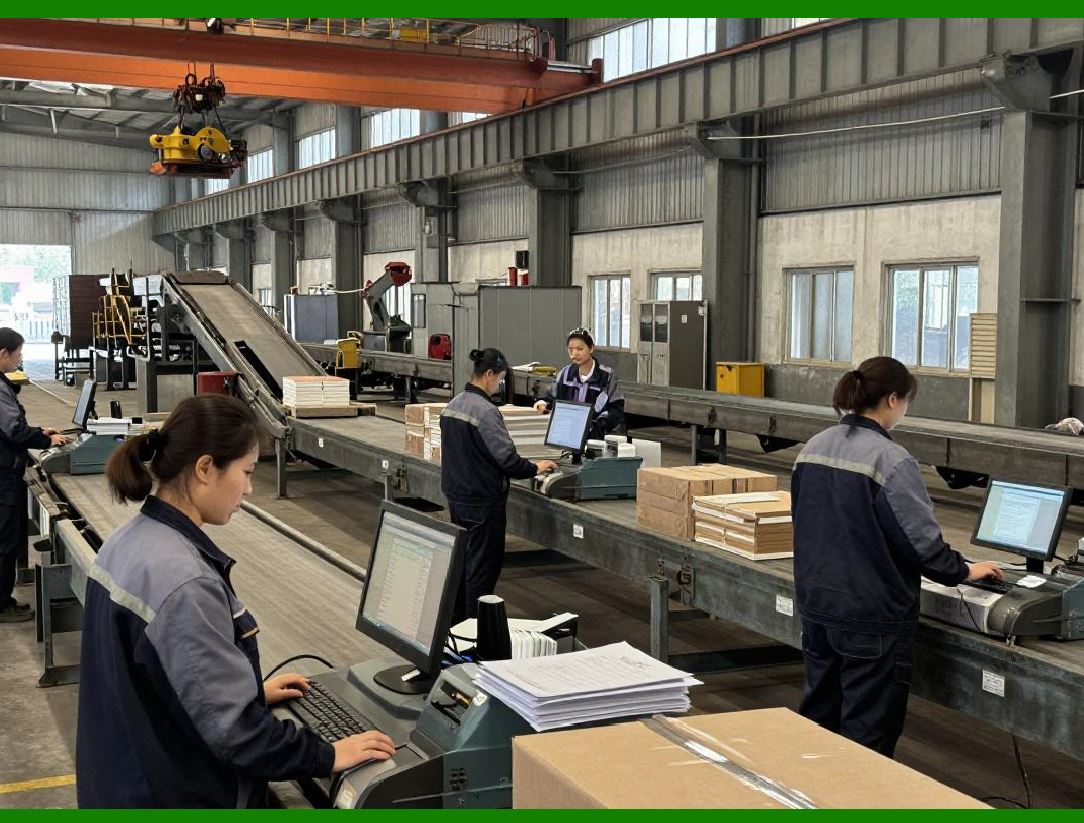
The MES generates a pick list with sequenced barcodes. Operators scan each material barcode and a job-order barcode. The system verifies that the correct revision and date code are issued for that specific work order. |
Chapter 10: Shop-Floor Issue - Counterfeit Prevention |
Barcode scanning triggers a blockchain-like timestamp in the MES. If a part's date code is older than the allowed shelf life (e.g., MSL-3 moisture sensitivity), the system locks issuance and alerts QA. |
|
Chapter 11: SMT Feeder Setup - Error-Proofing |
Each feeder slot has a unique barcode. Before loading a reel, the operator scans the reel barcode then the slot barcode. The MES checks component polarity, pitch, and tape width---preventing wrong-part placement. |
Chapter 12: First-Piece Verification - Optical Sync |
After setup, the AOI (Automated Optical Inspection) machine reads the PCB's 2D Data Matrix and compares it with the feeder barcode list. Any mismatch halts the line before production starts. |

|
Chapter 13: WIP Tracking - In-Process Scans |
At each production stage (printing, placement, reflow, test), operators or fixed-mount scanners read the PCB carrier barcode. This generates a granular timeline for cycle-time analysis. |
Chapter 14: Rework and Repair Loop |
When a board fails test, the repair station scans its barcode to retrieve the exact material lot used for each component. This enables root-cause analysis---narrowing down to a specific batch of capacitors. |

|
Chapter 15: Sub-Assembly and Module Integration |
For multi-PCB products (e.g., power supplies), a parent-child barcode relationship is created. Scanning the final assembly barcode links all child board serials, enabling full backward traceability. |
Chapter 16: Consigned Material Handling |
Customer-supplied parts arrive with their own barcodes. The system maps them to internal part numbers via a cross-reference table, while preserving the original supplier lot for audit purposes. |

|
Chapter 17: Reel Splice and Leftover Management |
When a reel runs out mid-run, the operator scans the empty reel, then scans the new splice reel. The MES deducts consumed quantity and updates remaining length---reducing end-of-line scrap. |
Chapter 18: Kanban and Reorder Triggers |
Barcode scans at point-of-use automatically decrement inventory. When the count hits a predefined reorder point, the system generates a purchase requisition---no human counting required. |

|
Chapter 19: Cycle Counting Without Shutdown |
Auditors scan random bin locations and material barcodes. The system compares physical scan counts against system balances and generates discrepancy reports, all while production continues. |
Chapter 20: Expiry and Out-of-Date Control |
For adhesives, solder paste, and flux, each barcode includes a 'use-by' date. Scanning at dispense stations blocks usage if the current date exceeds the limit---preventing process defects. |

|
Chapter 21: Return-to-Stock (RTS) Process |
Unused reels from a closed work order are scanned back into inventory. The system validates that the reel seal is intact; if broken, it flags the material as 'floor stock' with reduced traceability. |
Chapter 22: Tool and Fixture Tracking |
Stencils, pallets, and vacuum nozzles also carry barcodes. Scanning them with a material job ensures the correct tooling is used, reducing setup errors and tool wear-related defects. |

|
Chapter 23: Mobile Handheld vs. Fixed Scanners |
Handheld 2D imagers (e.g., Honeywell, Zebra) are used for receiving and kitting; fixed-mount barcode readers (e.g., Cognex) are integrated into conveyors for high-speed automated scanning at reflow exit. |
Chapter 24: Connectivity and Middleware |
Barcode scanners communicate via TCP/IP or Bluetooth to a middleware layer (e.g., Kepware, MuleSoft). This decodes and formats data before pushing to the MES/ERP---ensuring no database locking. |

|
Chapter 25: Barcode Quality - ANSI/ISO Grading |
Factory uses a verifier (e.g., REA Checker) to grade labels per ISO/IEC 15416. Minimum grade C is accepted; anything below triggers label reprint and printer maintenance. |
Chapter 26: Environmental Durability |
Labels must pass 85C/85% RH humidity test and withstand IPA (isopropyl alcohol) cleaning. Polyester substrates with permanent acrylic adhesive are standard for PCB carrier labels. |

|
Chapter 27: Error Recovery - Manual Entry Fallback |
If a barcode is damaged, operators enter the human-readable number. The system logs this as a 'manual override' and forces a supervisor e-signature---maintaining audit integrity. |
Chapter 28: Integration with MES Work Orders |
When a work order is released, the MES pre-allocates all required barcodes. Scanning at each operation updates the work order status in real time, providing a live 'digital control tower' view. |

|
Chapter 29: Traceability Recall Drill |
Monthly, the QA team simulates a component recall. They enter a supplier lot barcode, and the system returns all finished goods, WIP locations, and shipped orders within 2 seconds---proving system effectiveness. |
Chapter 30: Data Analytics from Scan Logs |
Historical scan data reveals bottlenecks: e.g., long dwell times at the rework station indicate poor first-pass yield. Barcode timestamps feed into OEE (Overall Equipment Effectiveness) dashboards. |

|
Chapter 31: Training and Human Factors |
Operators are trained on scan angle, distance, and light reflection. A 'two-beep' confirmation (good read vs. error) reduces cognitive load. Weekly proficiency tests reduce mis-scan rates below 0.5%. |
Chapter 32: Future Roadmap - Barcode + Vision + AI |
Next phase: combine barcode scanning with machine vision to read component orientation and PCB fiducials simultaneously. AI will predict label wear and auto-request reprints before the barcode becomes unreadable---closing the loop from passive tracking to predictive material governance. |
 cs@easiersoft.com