1. Introduction to Inventory Management Software |
Overview of Inventory Management |
Importance in business operations |
Key goals and objectives of inventory software |
Types of inventory systems (manual vs. automated) |
|
2. Inventory Tracking Module |
Functionality Overview: |
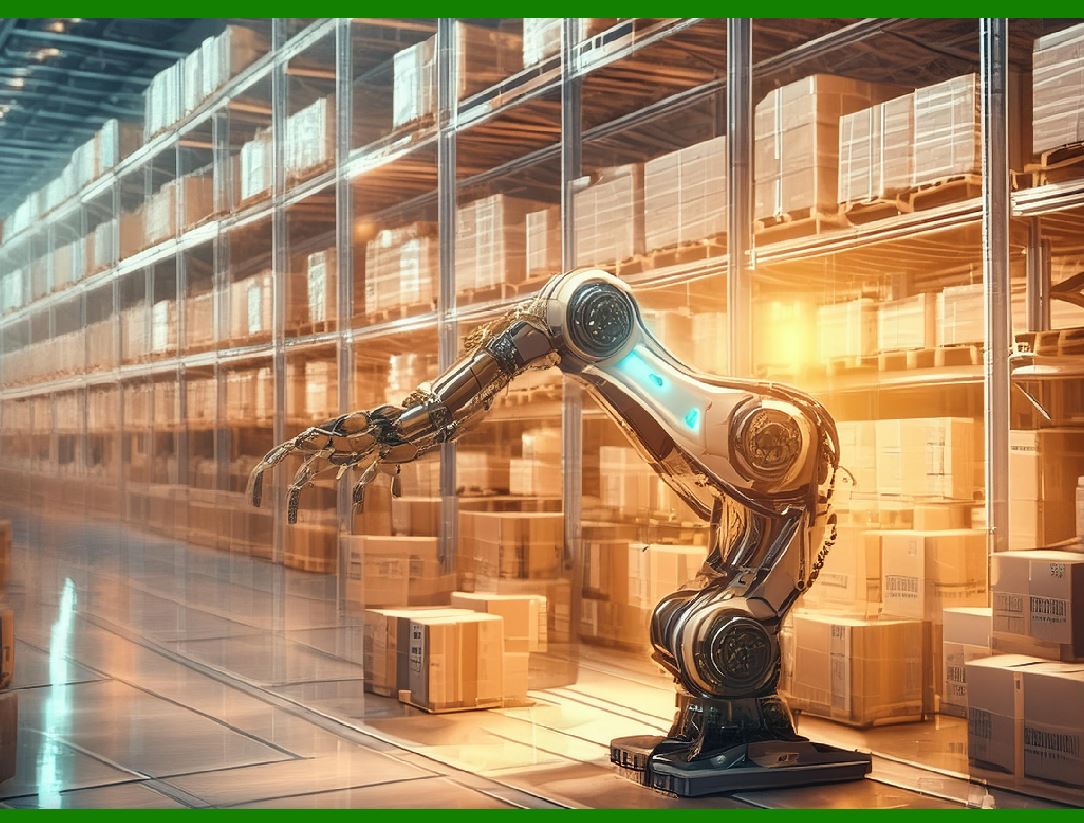
Tracks the quantity of products or materials in real-time |
Integrates with RFID, barcode scanners, and manual input |
Provides data on stock levels, movements, and reorder points |
Key Features: |
Real-time updates of stock levels |
Historical data on inventory movements |
Alerts for low stock or overstock |
How It Works: |
Barcoding and RFID tag scanning for real-time updates |
Manual entry for stock adjustments or damaged goods |
Benefits: |
Reduces human error in tracking |
Increases accuracy in forecasting |
Provides insight into stock turnover and movement patterns |
|
3. Stock Replenishment and Ordering Module |
Functionality Overview: |
Automatically triggers purchase orders when stock levels reach the predefined reorder point |
Prevents stockouts and overstock situations by optimizing order levels |
Key Features: |
Automatic generation of purchase orders (POs) |
Supplier management and ordering |
Minimum and maximum stock levels for automatic alerts |
How It Works: |
Integrates with supplier databases to automate procurement |
Adjusts reorder thresholds based on seasonal trends and sales forecasts |
Benefits: |
Minimizes manual intervention |
Ensures that stock is replenished at optimal times |
Prevents lost sales due to stockouts |
Reduces storage costs by preventing overstocking |

|
4. Order Management Module |
Functionality Overview: |
Manages the complete lifecycle of customer orders, from order entry to fulfillment |
Integrates with sales and CRM software for seamless processing |
Key Features: |
Order creation, editing, and tracking |
Invoice generation and shipping label printing |
Integration with third-party logistics (3PL) for fulfillment |
How It Works: |
Automatically updates stock levels when orders are placed or shipped |
Sends alerts or notifications to both customers and warehouse staff |
Benefits: |
Improves order accuracy and fulfillment speed |
Enhances customer satisfaction by providing order tracking |
Reduces the risk of shipping errors and returns |

|
5. Warehouse Management Module |
Functionality Overview: |
Organizes and optimizes warehouse operations, such as receiving, storing, and shipping inventory |
Supports multiple warehouse locations and storage methods |
Key Features: |
Barcode scanning for inventory handling |
Locations management (e.g., shelving, bins, pallets) |
Picking, packing, and shipping integration |
How It Works: |
Provides real-time visibility of inventory across different locations |
Streamlines picking and packing processes through barcode or RFID scanning |
Optimizes space allocation based on inventory movement patterns |
Benefits: |
Reduces errors in warehouse operations |
Maximizes storage space utilization |
Speeds up fulfillment processes and reduces shipping delays |
|
6. Supplier Management Module |
Functionality Overview: |
Manages supplier relationships, tracking their performance and improving procurement strategies |
Assists in vendor selection and negotiation for better pricing |
Key Features: |
Supplier database management |
Purchase order history and performance tracking |
Supplier evaluation based on metrics such as lead time and quality |
How It Works: |
Stores detailed supplier information, such as contact details, contracts, and pricing |
Monitors supplier lead times and the quality of goods received |
Sends automated requests for quotes (RFQs) for specific items |
Benefits: |
Streamlines procurement processes |
Improves supplier performance by tracking key metrics |
Facilitates cost negotiations and reduces procurement costs |

|
7. Inventory Forecasting and Demand Planning Module |
Functionality Overview: |
Predicts future inventory needs based on historical data, seasonal trends, and sales forecasts |
Helps businesses maintain optimal stock levels and reduce inventory costs |
Key Features: |
Sales trend analysis |
Integration with external factors such as market conditions and promotions |
Demand forecasting models (e.g., moving averages, linear regression) |
How It Works: |
Uses historical sales data to forecast future demand |
Considers factors such as marketing campaigns, seasonality, and promotions |
Generates automated purchase recommendations |
Benefits: |
Improves stock availability without overstocking |
Reduces waste and excess inventory |
Enables better production planning and resource allocation |
|
8. Inventory Reporting and Analytics Module |
Functionality Overview: |
Provides detailed reports on inventory movements, stock levels, order statuses, and financial performance |
Allows users to generate custom reports and export data for analysis |
Key Features: |
Dashboards for real-time data visualization |
Historical reports for inventory turnover, sales trends, and supplier performance |
Customizable report templates |
How It Works: |
Collects data from other modules (stock levels, orders, sales, etc.) |
Allows users to filter and export reports to various formats (Excel, PDF) |
Benefits: |
Provides insights for decision-making and strategic planning |
Improves financial transparency |
Enhances ability to monitor KPIs (Key Performance Indicators) |
|
9. Multi-location Inventory Management Module |
Functionality Overview: |
Manages inventory across multiple locations, ensuring seamless operations and tracking |
Includes features for transferring stock between locations as needed |
Key Features: |
Real-time tracking across warehouses and retail locations |
Stock transfer between locations |
Location-based inventory controls (e.g., minimum stock by location) |
How It Works: |
Allows for centralized visibility of inventory across different locations |
Facilitates the transfer of goods between locations to meet demand |
Benefits: |
Enhances coordination between different branches or warehouses |
Ensures proper stock distribution across the network |
Reduces shipping costs by fulfilling local orders with nearby inventory |

|
10. Mobile Inventory Management Module |
Functionality Overview: |
Allows warehouse staff and inventory managers to track and manage stock via mobile devices (smartphones, tablets) |
Provides barcode or RFID scanning capabilities for easy stock updates |
Key Features: |
Mobile access to inventory data and stock levels |
Ability to create and update purchase orders on the go |
Real-time inventory updates with mobile scanning |
How It Works: |
Integrates with the main inventory system, syncing data between devices |
Staff can use mobile devices to update stock quantities, receive goods, and process orders |
Benefits: |
Increases efficiency by allowing on-the-go updates |
Improves accuracy by reducing manual data entry errors |
Provides flexibility and mobility for warehouse operations |

|
11. Security and User Access Control Module |
Functionality Overview: |
Ensures that sensitive inventory data is protected from unauthorized access |
Provides different levels of user access depending on roles and responsibilities |
Key Features: |
Role-based access control (RBAC) |
User authentication and authorization mechanisms |
Audit trails for tracking user activities |
How It Works: |
Assigns user roles (e.g., admin, warehouse staff, sales team) with specific permissions |
Logs actions taken by users for auditing and compliance purposes |
Benefits: |
Enhances data security and prevents fraud |
Ensures that only authorized personnel can modify critical inventory data |
Provides accountability through audit logs |
|
12. Returns Management and Reverse Logistics Module |
Functionality Overview: |
Manages product returns, exchanges, and damaged goods |
Integrates with the order management and supplier modules for smooth processing |
Key Features: |
Return request initiation and tracking |
Condition assessment and restocking or disposal decisions |
Integration with supplier returns for defective products |
How It Works: |
Tracks returns from customers and determines whether items can be resold or need to be written off |
Facilitates the movement of returned stock back to the warehouse or supplier |
Benefits: |
Improves customer satisfaction by handling returns efficiently |
Reduces inventory waste by assessing the condition of returned products |
Streamlines the reverse logistics process for better control |
This outline can be further expanded into a comprehensive 30,000-word document by delving deeper into the functionality, interactions, best practices, and specific case studies for each module. |

|
13. Barcode and RFID Integration Module |
Functionality Overview: |
Integrates barcode and RFID technology into the inventory management process to streamline tracking and improve accuracy. |
Facilitates automated data entry for stock levels, item identification, and movement tracking. |
Key Features: |
Barcode scanning for quick item identification |
RFID tags for real-time inventory updates |
Integration with handheld devices and automated systems for reading codes |
How It Works: |
Uses barcode scanners or RFID readers to capture and update inventory data in real-time. |
Scans barcodes on incoming shipments, outgoing orders, and stock during internal movements. |
RFID tags provide automatic identification and tracking of products throughout the warehouse, reducing manual data entry. |
Benefits: |
Reduces manual errors in data entry and improves inventory accuracy. |
Speeds up receiving, picking, and shipping processes. |
Increases real-time visibility of inventory, preventing stockouts and misplacements. |

|
14. Batch and Serial Number Tracking Module |
Functionality Overview: |
Tracks inventory items by batch or serial number, ensuring that every unit can be traced back to its production or procurement source. |
Ideal for industries like pharmaceuticals, food and beverage, and electronics where product traceability is critical. |
Key Features: |
Serial number or batch number assignment to each product |
Traceability from purchase order to customer delivery |
Batch expiry date tracking (for perishable goods) |
How It Works: |
Serial numbers or batch numbers are assigned during production or receiving. |
The software stores detailed information about each unit, including manufacture date, expiry date (if applicable), and the production lot. |
Allows for tracking of products through the entire supply chain, ensuring that if a defect or recall occurs, products can be traced back to the source. |
Benefits: |
Ensures regulatory compliance, particularly in food and pharmaceutical industries. |
Increases product accountability and safety through traceability. |
Enables quicker identification of affected products during recalls or defects. |

|
15. Financial and Costing Module |
Functionality Overview: |
Manages inventory costs, including procurement costs, warehousing costs, and product pricing. |
Provides financial reporting for inventory-related expenses and profits, enabling better financial planning. |
Key Features: |
Cost of Goods Sold (COGS) calculations based on real-time inventory data |
Integration with accounting and ERP systems for seamless financial management |
Automated stock valuation methods (FIFO, LIFO, weighted average) |
How It Works: |
Tracks the cost of each item as it moves through the inventory system, from procurement to sale. |
Uses algorithms to calculate stock value based on the selected valuation method (FIFO, LIFO, etc.). |
Provides reporting tools to generate financial statements, highlighting inventory-related costs and profitability. |
Benefits: |
Enables accurate cost accounting and profitability analysis. |
Helps in making strategic decisions on pricing, cost control, and supplier negotiations. |
Provides visibility into the overall financial impact of inventory management. |

|
16. Customizable Alerts and Notifications Module |
Functionality Overview: |
Sends automated alerts to inventory managers, sales teams, or warehouse staff based on preset conditions, ensuring timely action is taken to maintain inventory efficiency. |
Key Features: |
Low stock and reorder point alerts |
Expiration date warnings for perishable goods |
Overdue orders and shipping delay notifications |
How It Works: |
The system monitors key inventory parameters, such as stock levels, order deadlines, and product expiry dates. |
Alerts are triggered when preset thresholds are crossed, such as low stock levels, approaching expiry dates, or unfulfilled orders. |
Notifications are sent via email, SMS, or in-app messages to the relevant stakeholders. |
Benefits: |
Helps prevent stockouts and overstock situations by providing timely warnings. |
Reduces the risk of expired products by alerting staff to products nearing expiry. |
Improves response times and operational efficiency by notifying relevant team members instantly. |
|
17. Customer Relationship Management (CRM) Integration Module |
Functionality Overview: |
Integrates inventory management with customer relationship management (CRM) systems to improve customer service and sales forecasting. |
Provides a 360-degree view of customer orders, preferences, and inventory requirements. |
Key Features: |
Syncs customer data (orders, preferences, past purchases) with inventory systems |
Helps sales teams forecast demand based on customer purchase patterns |
Real-time visibility into stock availability for customer service representatives |
How It Works: |
Connects inventory management with CRM tools to get detailed customer data that can inform stock levels and ordering. |
Sales teams can use the data to predict future demand and avoid overstocking or stockouts. |
Customer service teams can access real-time stock levels to inform customers about product availability. |
Benefits: |
Increases customer satisfaction by ensuring stock availability. |
Improves sales forecasting accuracy, reducing stockouts and excess inventory. |
Enhances cross-departmental collaboration (sales, marketing, customer service) with shared inventory data. |

|
18. Multi-currency and Multi-language Support Module |
Functionality Overview: |
Supports international operations by enabling multi-currency and multi-language capabilities within the inventory management software. |
Helps businesses with global operations manage inventory across different regions seamlessly. |
Key Features: |
Multi-currency support for pricing and financial reporting |
Language localization for global teams |
Cross-border compliance with tax regulations and customs requirements |
How It Works: |
The system adjusts pricing, invoices, and financial reports based on the currency of each location. |
Supports multiple languages, making it easy for international teams to work with the software in their native languages. |
Integrates with tax and compliance systems to ensure that products are correctly priced according to local regulations. |
Benefits: |
Enables businesses to manage inventory across different countries with ease. |
Improves global team collaboration by providing localized user interfaces. |
Ensures compliance with local financial and tax regulations. |

|
19. Returns and Refunds Management Module |
Functionality Overview: |
Manages returns and refunds for customer orders, ensuring that returned products are processed efficiently and inventory is updated accordingly. |
Key Features: |
Automated return initiation and approval process |
Refund processing and integration with accounting systems |
Stock level updates based on returned goods |
How It Works: |
Customers initiate return requests via the software or customer portal. |
The system automatically processes returns, checks the condition of the product, and decides if it can be restocked or needs to be written off. |
Refunds are processed, and inventory is updated to reflect the returned goods. |
Benefits: |
Streamlines the returns process, reducing manual labor and errors. |
Enhances customer satisfaction by providing a seamless return experience. |
Helps maintain accurate stock levels by promptly updating inventory after returns. |

|
20. Custom Product Tracking and Labeling Module |
Functionality Overview: |
Customizes product tracking and labeling, especially useful for industries requiring detailed product information or specific packaging requirements. |
Key Features: |
Custom labels with barcodes, QR codes, and RFID tags for unique product tracking |
Integration with external packaging systems to ensure correct product labeling |
Label design and printing functionality within the software |
How It Works: |
The system allows for creating customized labels based on product specifications and company branding. |
Integrates with barcode or RFID systems to ensure proper labeling during receiving, storage, and shipping. |
Generates labels with information such as product description, manufacturing date, expiration date, batch number, etc. |
Benefits: |
Improves product traceability and accountability. |
Reduces errors in product labeling and packaging. |
Enhances compliance with industry regulations on labeling and product information. |
Conclusion |
Each module of inventory management software plays a crucial role in streamlining processes, improving efficiency, and providing accurate data for decision-making. By automating tasks such as stock tracking, order management, supplier interactions, and financial reporting, businesses can significantly reduce manual labor, eliminate errors, and improve profitability. Moreover, these modules often integrate seamlessly with other business functions, such as sales, accounting, and customer service, enabling a more cohesive workflow across departments. |
In today¡¯s competitive environment, businesses that adopt advanced inventory management software are better positioned to meet customer demand, reduce costs, and scale operations effectively. The use of real-time data, intelligent forecasting, and automation not only optimizes inventory control but also improves overall business agility and responsiveness. |
Let's delving deeper into some of the most important modules and their advanced functionalities, real-world examples, and case studies. These insights will help you understand how the software operates in a variety of industries and how businesses leverage these tools for optimal results. |
|
21. Advanced Forecasting and Inventory Optimization Module |
Functionality Overview: |
Beyond basic demand forecasting, this module leverages advanced algorithms to predict future demand more accurately and optimize stock levels. It integrates historical sales data, seasonal trends, promotions, market conditions, and external factors to predict future needs. |
Key Features: |
Predictive analytics based on machine learning models |
Seasonal demand adjustments |
Automatic order suggestions based on forecast data |
Integration with external factors like economic trends, market reports, and customer behavior |
How It Works: |
The system uses historical data to predict demand for specific items at certain times of the year, accounting for variations in buying patterns due to seasonality, holidays, or market shifts. |
Using predictive algorithms, the system adjusts ordering cycles, ensures timely stock replenishment, and optimizes warehouse space based on expected demand. |
The software can suggest orders before inventory hits low points, preventing stockouts and reducing the risk of overstocking. |
Benefits: |
Minimizes waste by optimizing inventory levels. |
Reduces the capital tied up in unsold inventory by preventing overstocking. |
Enhances stock availability, ensuring that popular items are always available for customers. |
Real-World Example: |
Fashion Retailer: A global clothing retailer uses this module to forecast seasonal trends and adjust stock levels in different regions. The software helped them avoid excess inventory by forecasting demand shifts during peak shopping seasons, thus reducing the need for markdowns and discounts. |

|
22. Product Lifecycle Management (PLM) Module |
Functionality Overview: |
Tracks the lifecycle of products from the design stage through to obsolescence. This module is particularly useful in industries like manufacturing, electronics, and fashion, where products have a limited shelf life or go through multiple stages of production. |
Key Features: |
Product design tracking and BOM (Bill of Materials) management |
Component and sub-assembly tracking |
End-of-life (EOL) and product obsolescence tracking |
Integration with quality management and compliance modules |
How It Works: |
The system tracks each stage of the product's lifecycle¡ªfrom initial design and manufacturing to stock management, end-of-life, and eventual discontinuation. |
For products with multiple components, the module tracks inventory and quality for each sub-assembly and alerts managers when certain parts need to be replaced or replenished. |
It ensures that products meet compliance regulations and quality standards throughout their lifecycle. |
Benefits: |
Helps companies plan for product upgrades, end-of-life, and replacement parts. |
Prevents the use of obsolete components that may affect product quality. |
Reduces the complexity of managing multi-component products by providing a central system for tracking the entire lifecycle. |
Real-World Example: |
Electronics Manufacturer: A smartphone manufacturer uses the PLM module to track the lifecycle of components and software. When a specific chipset is phased out, the system automatically adjusts inventory levels for replacement parts and updates BOMs to reflect newer components. |
|
23. Returns Analysis and Reverse Logistics Optimization |
Functionality Overview: |
This module not only manages returns but also analyzes returns data to optimize reverse logistics processes and identify trends in product returns. It helps businesses reduce the costs associated with returns by identifying causes and improving processes. |
Key Features: |
Return reason tracking (e.g., damaged, defective, unwanted) |
Return patterns and trends analysis |
Integration with supplier returns to handle defective items |
Reverse logistics cost tracking and optimization suggestions |
How It Works: |
The system collects and analyzes data from product returns to identify common patterns, such as high return rates for specific products, return reasons, or geographic trends. |
Returns data is linked to stock levels, and the software can automatically handle restocking or waste disposal for returned goods. |
It can also suggest improved processes to reduce returns, such as better packaging, clearer product descriptions, or quality improvements. |
Benefits: |
Reduces reverse logistics costs by identifying inefficiencies in the return process. |
Helps improve product quality by highlighting frequently returned items and underlying causes. |
Enhances customer experience by ensuring smoother returns and faster resolutions. |
Real-World Example: |
Consumer Electronics: A major electronics retailer uses the returns analysis module to track the reasons behind product returns. They discovered that a specific product line had a higher-than-average defect rate, prompting them to initiate a product recall and improve quality control processes. |

|
24. Supplier Performance and Vendor Relationship Management Module |
Functionality Overview: |
This module tracks supplier performance metrics, such as on-time delivery, order accuracy, and product quality. It helps companies optimize supplier relationships, negotiate better terms, and ensure consistent product availability. |
Key Features: |
Supplier scorecards and performance tracking |
On-time delivery metrics and late delivery notifications |
Quality assurance and compliance checks for each supplier |
Automated communication and follow-up reminders |
How It Works: |
The system collects data on supplier performance, including delivery times, order accuracy, and product quality. This data is displayed in a scorecard format, allowing businesses to quickly assess which suppliers are performing well and which need improvement. |
Performance issues, such as frequent late deliveries or quality problems, trigger automated alerts for corrective actions. |
Helps establish stronger vendor relationships by identifying opportunities for improvement and fostering clear communication channels. |
Benefits: |
Encourages suppliers to meet performance targets, leading to better service. |
Reduces delays and quality issues by maintaining strong supplier relationships. |
Helps businesses negotiate better terms and prices based on supplier performance. |
Real-World Example: |
Automotive Manufacturer: An automotive manufacturer uses this module to track the performance of its parts suppliers. By identifying patterns of late deliveries, the company was able to address the issue with the supplier and improve their order fulfillment speed, reducing production delays. |

|
25. Compliance and Regulatory Reporting Module |
Functionality Overview: |
This module ensures that inventory management processes comply with various local, national, and international regulations, including product labeling, safety standards, and environmental requirements. |
Key Features: |
Compliance tracking for industries with stringent regulations (e.g., pharmaceuticals, food, and medical devices) |
Automatic generation of regulatory reports |
Product labeling and safety documentation |
Integration with quality control systems for compliance monitoring |
How It Works: |
The software tracks and stores regulatory compliance data, including certification numbers, safety data sheets, and inspection reports. |
It automates the creation of reports required by government agencies or industry bodies (e.g., FDA, ISO). |
Compliance-related tasks are flagged within the system to ensure timely action, and audits are tracked for reporting purposes. |
Benefits: |
Reduces the risk of non-compliance penalties by ensuring adherence to regulations. |
Streamlines the regulatory reporting process, saving time and reducing errors. |
Provides real-time visibility into compliance status, helping businesses stay proactive in meeting requirements. |
Real-World Example: |
Pharmaceutical Company: A pharmaceutical company uses this module to ensure compliance with FDA regulations. The system tracks expiration dates, batch numbers, and safety certifications, automating the reporting process for regular FDA inspections. |

|
26. Inventory Costing and Valuation Module |
Functionality Overview: |
This module provides detailed insights into inventory costing, including the ability to use various costing methods (FIFO, LIFO, weighted average) to calculate inventory value at different stages. |
Key Features: |
Support for multiple costing methods (FIFO, LIFO, Weighted Average, etc.) |
Real-time valuation of stock based on current market prices and purchase costs |
Integration with financial and accounting systems for accurate cost reporting |
How It Works: |
The module calculates the cost of inventory based on the chosen costing method and adjusts the stock value whenever an item is sold or restocked. |
It integrates with financial software to provide accurate reporting on stock value, ensuring that businesses can easily generate financial statements related to inventory costs. |
Benefits: |
Provides a clearer understanding of inventory costs, enabling more informed decision-making. |
Helps businesses comply with accounting and tax regulations related to inventory valuation. |
Reduces errors in stock valuation by automating the process. |
Real-World Example: |
Retail Chain: A retail chain uses the weighted average method to calculate inventory value across multiple locations. The system automates the recalculation of stock costs whenever a new shipment is received or an item is sold, ensuring that inventory reporting is accurate. |
|
Conclusion: Future Trends and Innovations |
As the landscape of inventory management continues to evolve, there are several emerging trends and innovations that businesses should watch: |
AI and Machine Learning Integration: Increasingly, AI and machine learning are being incorporated into inventory management software to enhance forecasting accuracy, optimize stock levels, and predict demand fluctuations. These technologies will enable businesses to achieve near-perfect stock management. |
Blockchain for Transparency: Blockchain technology is poised to enhance the transparency and traceability of inventory items, especially in supply chains with multiple stakeholders. This can improve security, reduce fraud, and provide real-time tracking. |
 cs@easiersoft.com