1. Introduction: The Role of QR Codes in Inventory Management |
QR codes (Quick Response codes) have transformed inventory management by enabling fast, reliable, and efficient tracking of products. Unlike traditional barcodes, QR codes can store significantly more information, making them ideal for use in complex systems such as warehouse and inventory management. With the ability to store alphanumeric data, including product names, SKU numbers, pricing, and even images or location details, QR codes offer greater flexibility and scalability. |
The adoption of QR codes in inventory management allows businesses to leverage the following advantages: |
High efficiency in tracking inventory. |
Offline access to critical product data. |
Enhanced data accuracy through automation. |
Reduced human error with easy scanning and retrieval. |
In this section, we will delve into how QR codes improve inventory management processes, touching on key features, best practices, and their broader impact on warehouse operations. |

|
2. Benefits of QR Code Implementation in Inventory Management |
2.1 Increased Efficiency |
QR codes streamline inventory management processes by enabling quick identification of products. When scanned, QR codes immediately direct warehouse staff to relevant data, such as the product's stock level, location, supplier information, and sales history. This direct access significantly reduces time spent manually searching for products, enhancing overall warehouse efficiency. |
Speed of Scanning: QR codes can be scanned in a fraction of a second with handheld or mobile devices, dramatically speeding up the entire process of inventory tracking and stocktaking. |
Automation: With a simple scan, various data entries (such as product type, quantity, and location) can be automatically updated into the central inventory system, reducing the need for manual data entry. |
2.2 Offline Access |
One of the standout features of QR codes is their ability to store information directly on the device. This makes them accessible offline, which is crucial in areas where internet connectivity is limited or unreliable. |
Offline Functionality: Even in remote or rural areas where Wi-Fi or mobile data signals are weak, QR codes allow staff to check inventory information without requiring a live connection. |
Data Storage: QR codes can hold a large amount of information, making it possible to include relevant data like serial numbers, descriptions, or even maintenance schedules without needing continuous online access. |
2.3 Enhanced Accuracy and Reduced Errors |
Manual inventory management processes often introduce human errors¡ªmiscounts, misplacement, or data entry mistakes. QR codes mitigate these issues by ensuring that only the correct data is linked to the correct item. |
Faster Data Input: QR codes eliminate the need for lengthy keying-in of product codes, reducing transcription errors. |
Real-Time Data Updates: Scanning a QR code instantly updates the inventory system, ensuring real-time tracking and minimizing discrepancies between physical stock and system records. |
This accuracy is crucial for maintaining effective inventory management, especially for industries with high-value items or critical stock. |

|
3. QR Code Integration with Warehouse Management Systems (WMS) |
Integrating QR codes into a Warehouse Management System (WMS) further enhances their impact on inventory management. The WMS serves as the backbone of inventory management, tracking product movements, optimizing storage, and ensuring that stock is readily available when needed. |
3.1 Automated Stock Control |
QR codes allow warehouse managers to easily track the movement of products throughout the warehouse, from receiving shipments to shipping out products to customers. Each product can be labeled with a QR code that is scanned at every key movement stage. This provides a comprehensive, real-time view of inventory status, enabling quick decisions on restocking, order fulfillment, or product relocation. |
3.2 Real-Time Visibility |
By integrating QR codes with a WMS, businesses can maintain visibility over their inventory levels in real-time, ensuring that stockouts or overstocking issues are avoided. Each scan updates the system, allowing for up-to-date status reporting. |
Immediate Updates: Inventory levels are updated instantly, providing warehouse operators with accurate data on stock availability. |
Location Management: QR codes can help pinpoint product locations within the warehouse, enabling faster retrieval times for orders and efficient space utilization. |
3.3 Barcode vs QR Code: A Comparative Advantage |
While traditional barcodes have been in use for decades, QR codes offer significant advantages over them in the context of warehouse and inventory management. |
Higher Storage Capacity: QR codes can store up to 4,296 alphanumeric characters, while barcodes are limited to just 20-25 characters. This allows for storing detailed product data such as production dates, batch numbers, and detailed descriptions. |
Scalability: QR codes can accommodate data expansion as business needs grow. As your product range and inventory increase, QR codes can store more information without needing to redesign the system. |

|
4. Key Components of a QR Code Inventory System |
4.1 QR Code Creation and Labeling |
Creating QR codes for inventory management starts with generating unique codes for each product. A QR code can be generated manually or automatically using inventory software that integrates with the WMS. Here's a typical process for labeling products: |
Generate Unique QR Codes: QR codes are generated for individual products, batches, or even pallets. |
Data Encoding: The QR code is programmed to hold specific product data such as stock levels, location, expiration dates, and even supplier details. |
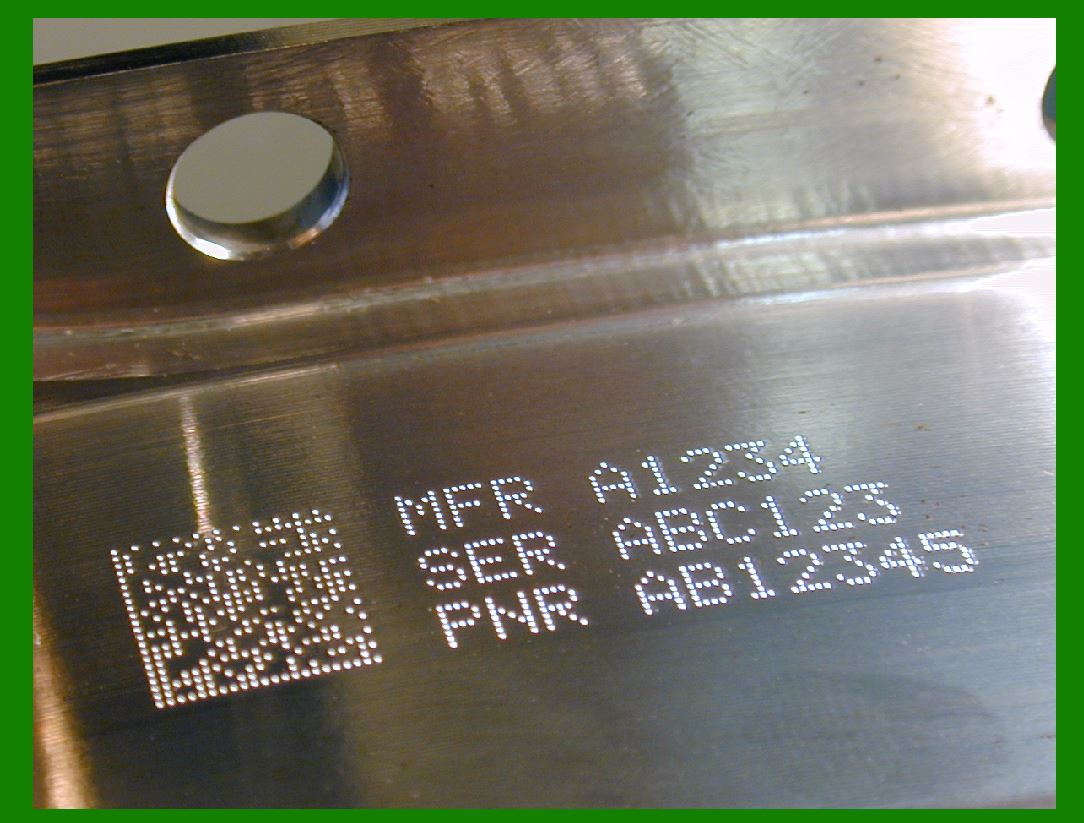
Labeling: The QR code is printed on labels and applied to the product packaging, boxes, or pallets. These labels can withstand various environmental conditions, including exposure to moisture, heat, and abrasion. |
4.2 QR Code Scanning Devices |
To read the QR codes, businesses use scanning devices such as handheld scanners, mobile devices, or fixed scanners. Mobile phones equipped with QR code reading apps are increasingly being used due to their flexibility and cost-effectiveness. |
Handheld Scanners: These devices are commonly used in warehouses to scan QR codes. Some models are built for rugged environments and can withstand drops or exposure to dust and moisture. |
Mobile Devices: Smartphones with built-in cameras can be equipped with QR scanning apps, offering flexibility for on-the-go scanning. This makes them especially useful in large warehouses or during fieldwork. |
4.3 Inventory Software Integration |
The QR codes are linked to inventory software that tracks product movements, stock levels, and other key metrics. The software ensures that product data is up-to-date and accurately reflects the physical inventory in the warehouse. |
Inventory Updates: When a QR code is scanned, the data is transmitted to the inventory management system, which automatically updates the stock levels or product details. |
Data Analytics: By capturing detailed data from each scan, inventory software can generate reports on product performance, reorder points, and inventory trends. |
|
5. Use Cases and Examples |
5.1 Retail Inventory Management |
In the retail sector, QR codes are increasingly used to track inventory both in-store and in warehouses. Retailers can scan QR codes on products during restocking, inventory audits, and order fulfillment. |
Real-Time Stock Updates: QR codes help retail managers keep track of product quantities in real-time, enabling them to better manage stock levels and reduce stockouts. |
Customer Engagement: In some cases, QR codes are used on product packaging or tags to provide customers with additional information, such as promotional offers or product details, directly from their smartphones. |
5.2 Warehouse Logistics |
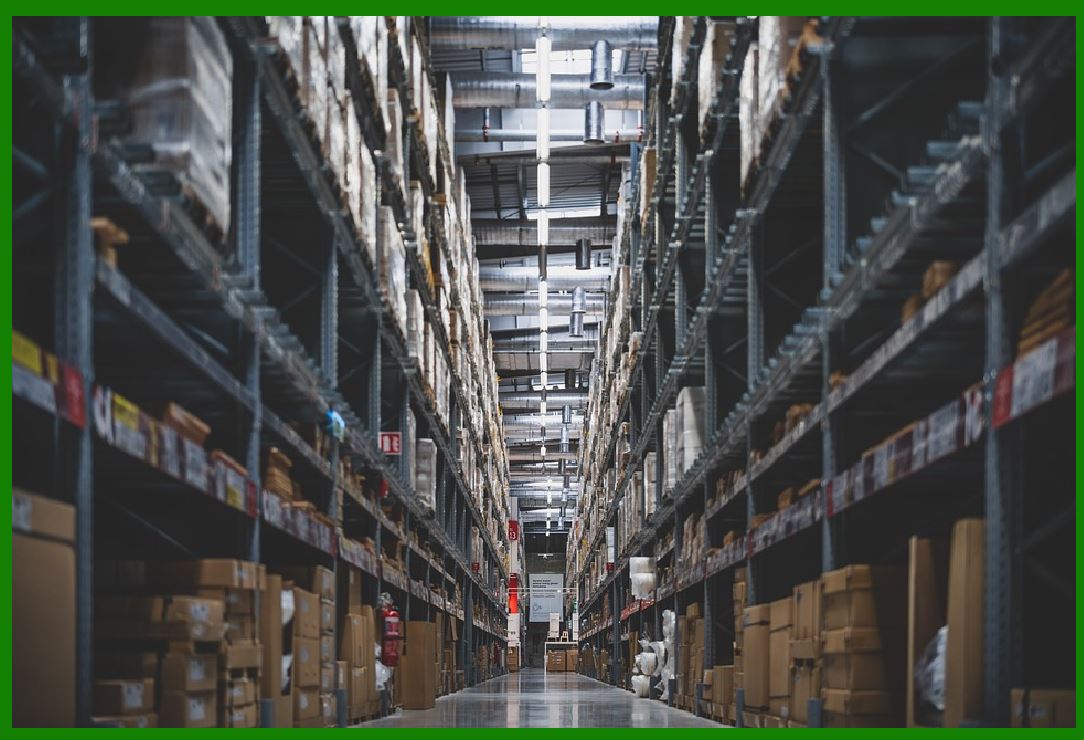
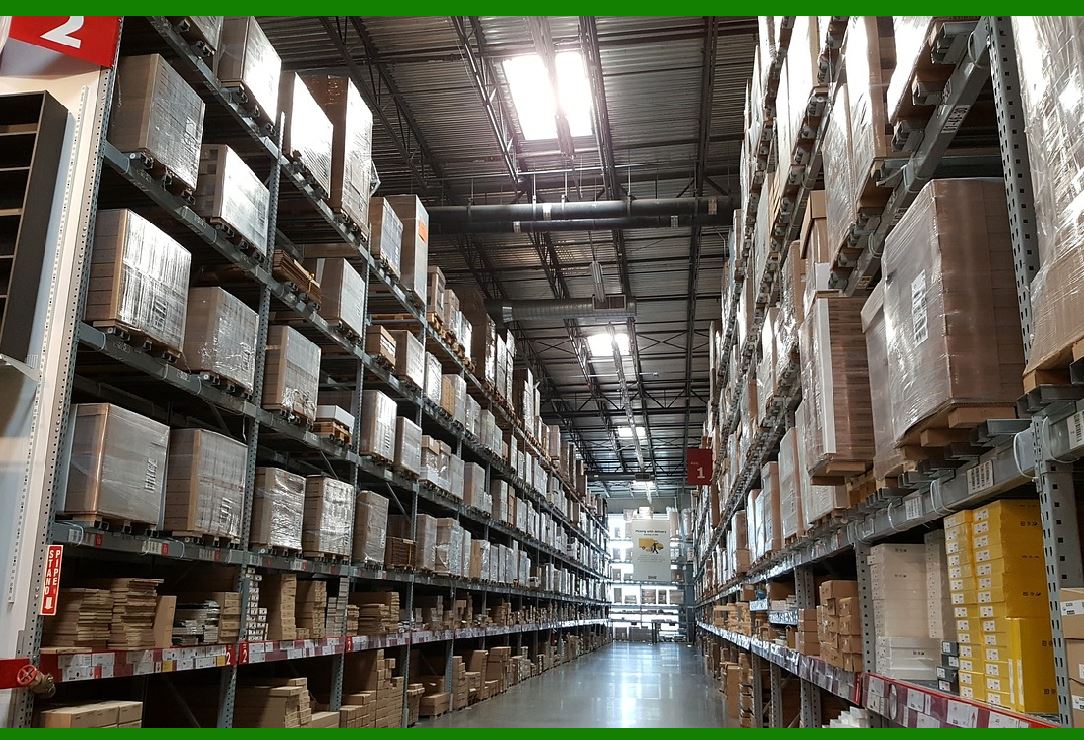
In larger warehouses, QR codes are used to track the movement of products across various stages, from receiving to storage and final dispatch. This reduces delays, minimizes errors, and ensures that products are in the right place at the right time. |
Product Location: Staff can scan QR codes to check the exact location of a product within the warehouse. This improves order fulfillment speed and ensures that products are never misplaced. |
Movement Tracking: Each time a product is moved, a QR code scan updates the inventory system, ensuring that product movements are tracked in real-time. |

|
6. Challenges and Considerations in QR Code Inventory Management |
Despite their advantages, implementing QR codes for inventory management also comes with some challenges that businesses must address: |
6.1 Quality of Labels |
The quality of QR code labels plays a crucial role in the effectiveness of the system. Low-quality or damaged labels can lead to scanning errors or misidentification of products. |
Durability: Labels should be designed to withstand handling, moisture, and other environmental factors that may affect the readability of the QR codes. |
Print Quality: The resolution of printed QR codes must be high enough to ensure that scanners can read them accurately. This includes factors like print size and contrast. |
6.2 Technology Integration |
Successfully implementing QR codes in inventory management requires integration with existing systems, such as WMS and enterprise resource planning (ERP) software. |
System Compatibility: Businesses need to ensure that their inventory management software is compatible with QR code scanning technology. This may require updating or upgrading existing systems. |
Training: Staff must be properly trained on how to use QR code scanners and how to interpret the data provided by the QR codes. |

|
7. Advanced Features of QR Code-Based Inventory Systems |
7.1 Integration with IoT (Internet of Things) |
The potential of QR codes in inventory management can be further enhanced by integrating them with IoT devices. By incorporating IoT sensors with QR-coded inventory, businesses can automate many aspects of inventory management, providing real-time updates and improving efficiency. |
Smart Inventory Tracking: QR codes can be linked to IoT sensors that track conditions such as temperature, humidity, or movement. This is particularly important for industries dealing with perishable goods, pharmaceuticals, or fragile items. |
Remote Monitoring: Using QR codes in combination with IoT devices allows for remote monitoring of inventory, reducing the need for physical checks and allowing managers to make data-driven decisions in real-time. |
For example, a pharmaceutical warehouse might integrate QR codes with temperature sensors to ensure that drugs are stored within their required temperature ranges. If a product's storage conditions deviate from the norm, the system can trigger an alert, preventing potential damage and loss. |
7.2 QR Codes for Batch and Serial Number Tracking |
QR codes can store and track batch numbers and serial numbers, providing a detailed record of each product's origin and history. This capability is particularly beneficial in industries that require strict traceability, such as: |
Food and Beverage: In food production, QR codes can track the batch number, production date, and expiration date of products, which is essential for food safety and compliance with regulatory standards. |
Pharmaceuticals: In the pharmaceutical industry, QR codes linked to batch numbers allow for precise tracking of medications, ensuring that recalls and expiry management are more efficient. |
Electronics and Equipment: QR codes on electronic devices or heavy machinery can store serial numbers, warranty information, and maintenance histories, which are valuable for both manufacturers and end-users. |
This feature ensures that the right products are always shipped or used in the right context, helping to reduce recalls or warranty issues and increasing customer satisfaction. |

|
8. Enhancing QR Code Use with Cloud-Based Solutions |
8.1 Cloud Storage and Real-Time Data Access |
One of the significant advantages of using QR codes for inventory management is the ability to link them to cloud-based systems. By storing inventory data on the cloud, businesses can provide employees with real-time access to up-to-date information from any location. |
Remote Access: Cloud-based systems allow warehouse managers and staff to check inventory levels, locations, and product data from anywhere, whether they are on-site or working remotely. |
Centralized Data Management: Cloud storage ensures that inventory data is centralized, reducing the risk of errors that might arise from local storage solutions. All employees across various locations can access the same information, ensuring consistency and accuracy. |
In addition, cloud-based solutions allow for seamless integration with other systems, such as sales, procurement, and accounting systems. This ensures that inventory management is not siloed but instead forms part of a larger, integrated enterprise solution. |
8.2 Scalability and Flexibility |
Cloud-based inventory systems that use QR codes are easily scalable, allowing businesses to expand their operations without the need for major infrastructure changes. Whether a company adds more products, warehouses, or even expands into new regions, cloud-based solutions can grow with them. |
Scalability: As your business grows, cloud-based systems can handle more data without compromising performance. This is essential for businesses that are rapidly expanding or dealing with a high turnover of stock. |
Customizable Features: Cloud-based systems can be tailored to suit specific business needs, whether that involves tracking additional attributes, such as expiration dates, or implementing more advanced reporting tools. |

|
9. Case Studies and Industry Applications |
9.1 Retail Chains |
Retail chains often face the challenge of maintaining accurate inventory across multiple locations. QR codes can help streamline the process of stocktaking and order fulfillment. |
Example: A large supermarket chain uses QR codes on all products in its warehouse and retail locations. Each product has a unique QR code that links to detailed product information, including price, availability, and even promotions. Warehouse staff can scan QR codes to check stock levels, and customers can scan codes on store shelves to learn more about product ingredients or discounts. |
Outcome: The retailer has improved inventory visibility, reduced out-of-stock situations, and increased customer satisfaction by offering accurate, real-time product information. |
9.2 Automotive Industry |
In the automotive industry, where parts need to be tracked meticulously, QR codes are proving invaluable. Components are often scanned during their production, storage, and distribution phases to ensure the correct part is used in assembly or repairs. |
Example: An automotive parts manufacturer uses QR codes on each part to track its production, quality checks, and shipment. Each part is tagged with a QR code that contains essential data, such as the part number, supplier information, and production batch. |
Outcome: This enables traceability, faster recalls when defects are discovered, and smoother operations across the supply chain. |
9.3 Healthcare and Pharmaceuticals |
The healthcare and pharmaceutical industries require precise tracking of inventory due to regulatory requirements, shelf life, and the potential for harm if products are mishandled or expired. |
Example: A pharmaceutical distributor uses QR codes to manage the storage and distribution of medicines. Each medicine is tagged with a QR code containing batch numbers, expiry dates, and detailed shipping instructions. In case of a recall, the system quickly identifies affected products by scanning their QR codes. |
Outcome: The system ensures compliance with regulatory standards, reduces the risk of selling expired products, and enhances the ability to track products across different locations. |

|
10. Overcoming Common Challenges in QR Code Inventory Systems |
10.1 Ensuring QR Code Durability |
For QR codes to be effective in inventory management, the physical labels must be durable enough to withstand handling, wear and tear, and environmental conditions like moisture or dirt. |
Solution: Using high-quality materials for labels, such as weather-resistant paper or synthetic labels, ensures that the QR codes remain scannable over time. Additionally, businesses can use overlaminates or coatings that protect QR codes from smudges, scratches, or fading. |
10.2 Security and Fraud Prevention |
Security is a crucial concern in any inventory management system. QR codes are susceptible to counterfeiting or tampering, especially in industries like pharmaceuticals or luxury goods. |
Solution: To prevent fraud, businesses can use encrypted QR codes, which require a secure system to decrypt the stored data. Additionally, implementing two-factor authentication for accessing inventory data can further protect against unauthorized changes or breaches. |
10.3 Staff Training and Adoption |
Despite the clear benefits, the implementation of QR codes often faces resistance from staff who are accustomed to traditional inventory practices. |
Solution: Providing comprehensive training on how to scan QR codes, access data, and navigate the system is key to ensuring a smooth transition. Ongoing support and guidance will help employees adapt to the new technology. |

|
11. The Future of QR Code-Based Inventory Systems |
11.1 Innovations in QR Code Technology |
As technology evolves, QR codes are becoming smarter and more integrated with other advanced systems. Future innovations may include: |
Dynamic QR Codes: These QR codes can be updated with new information after they have been created, offering even greater flexibility in inventory management. |
Augmented Reality (AR) Integration: AR could allow warehouse workers to scan a QR code and immediately see 3D visualizations of product locations, stock levels, and other essential data in their field of view. |
AI and Machine Learning Integration: By combining QR codes with AI and machine learning algorithms, businesses can predict inventory trends, optimize stock levels, and identify potential issues before they arise. |
11.2 Widespread Adoption in Global Supply Chains |
QR code adoption in global supply chains is set to grow exponentially as more companies recognize the benefits of this low-cost, high-efficiency solution. As more suppliers, distributors, and retailers integrate QR codes into their processes, we can expect to see smoother, faster, and more transparent supply chain operations. |
Global Standardization: QR codes could become a universal standard for inventory management, enabling seamless data sharing across borders and industries. This could reduce inefficiencies, improve traceability, and create a more interconnected global marketplace. |

|
12. Conclusion: The Value of QR Codes in Modern Inventory Management |
QR codes have proven to be a powerful tool in transforming inventory management systems. Their ability to store vast amounts of information, streamline processes, and improve accuracy and efficiency makes them an essential part of modern business operations. Whether for tracking inventory in warehouses, managing stock in retail environments, or ensuring product traceability in sensitive industries, QR codes offer a versatile and scalable solution to meet the challenges of today¡¯s fast-paced, data-driven business world. |
With continued innovation and integration into broader digital ecosystems, QR codes are poised to play an even more significant role in reshaping how businesses manage their inventory and supply chains in the years to come. |
|
Case Study: Small Businesses Using QR Codes to Manage Inventory |
Small businesses often face unique challenges when it comes to managing inventory. They may not have the resources to implement expensive enterprise-level software or hire large teams for manual tracking. However, by leveraging QR codes, small businesses can significantly enhance their inventory management systems, improving efficiency, reducing errors, and cutting down on costs. |
Here are a few examples of how small businesses are using QR codes to streamline inventory management. |
1. Local Retail Boutique: Inventory and Stock Management |
Business Overview |
A small retail boutique in a bustling downtown area sells clothing and accessories. The boutique previously used a manual method of inventory management, relying on handwritten notes and sporadic checks of stock levels. This method was both time-consuming and prone to errors, leading to issues like miscounts and stockouts, which affected sales. |
QR Code Implementation |
To improve stock accuracy and reduce the time spent on inventory checks, the boutique decided to implement QR codes on each item in their store. Each clothing item was labeled with a QR code that linked to a database containing the following information: |
Product name |
SKU number |
Size and color options |
Price |
Inventory levels |
Supplier information |
The store owner used a simple mobile phone app with QR code scanning capabilities to link these codes to a cloud-based inventory management system. This system allowed the boutique to track inventory in real time and perform stock checks with minimal effort. |
Outcomes |
Faster Stock Checks: With the QR code scanning system, employees can quickly scan items to check inventory levels. They can instantly see if a product is in stock or if it needs to be reordered. |
Reduced Human Error: The QR codes eliminate manual data entry errors, providing accurate inventory tracking. |
Improved Customer Experience: Customers can also use QR codes in-store to check additional product details or access promotions by scanning the code with their smartphones. |
Real-Time Updates: Inventory levels are automatically updated as products are sold, reducing the chance of overselling or understocking. |
By using QR codes, the boutique was able to significantly streamline its inventory processes and focus more on customer experience and sales. |

|
2. Small Brewery: Managing Raw Materials and Finished Products |
Business Overview |
A small craft brewery produces a variety of beer types in limited batches. The brewery struggled with keeping track of raw materials like hops, malt, yeast, and finished products such as bottled or kegged beer. The brewery relied on spreadsheets and manual logs, which were cumbersome and error-prone, especially as production volumes grew. |
QR Code Implementation |
The brewery introduced QR codes for both raw materials and finished products to improve inventory management. Each batch of raw ingredients was assigned a QR code that contained: |
Batch number |
Expiry dates |
Supplier details |
Quantity on hand |
Finished beer products were also labeled with QR codes linking to data that included: |
Production date |
Type of beer |
Batch number |
Available stock in the brewery¡¯s warehouse |
QR codes were linked to an inventory management software that tracked the movement of products through the brewing process, from raw ingredients to final distribution. |
Outcomes |
Simplified Tracking of Raw Materials: The brewery can easily track the remaining quantity of ingredients, ensuring they don¡¯t run out mid-production. |
Batch-Level Control: With QR codes linked to each beer batch, the brewery can track the quality and availability of each product, allowing them to avoid overproduction or spoilage. |
Efficient Stock Movement: QR codes on finished products allow for seamless updates on stock availability and enable brewery staff to manage the warehouse and production areas with ease. |
Regulatory Compliance: The brewery maintains compliance with local health and safety regulations by ensuring that batches are traceable, and expiry dates are easily monitored. |
This case highlights how QR codes can streamline both raw material and finished product tracking, improving operational efficiency for small-scale production businesses. |

|
3. Online Art Supplies Store: Managing Stock Across Multiple Channels |
Business Overview |
An online store selling art supplies for local artists struggled with keeping track of inventory across its website and physical retail store. The business sold products like paints, brushes, and canvases, and managing stock levels in both locations was becoming increasingly difficult as the business grew. This led to missed sales opportunities and excess inventory. |
QR Code Implementation |
To resolve these issues, the small business integrated QR codes into their inventory management system. Each product received a unique QR code that linked to the following: |
Product description |
Stock levels (for both the website and physical store) |
Pricing details |
Supplier information |
Reorder triggers for low stock items |
The business owner implemented an inventory management software that synchronized stock levels between the physical store and the online platform. When products were sold online, stock levels in the physical store were automatically updated, and vice versa. |
Outcomes |
Centralized Stock Management: QR codes provided real-time synchronization between the online store and the physical store, reducing the risk of overstocking or stockouts. |
Easy Reordering: As products are sold, QR codes automatically flag items that need to be reordered, helping the business stay ahead of demand and avoid stockouts. |
Inventory Visibility: Employees can scan products in the physical store to quickly check available stock levels across all locations, improving customer service. |
Efficient Order Fulfillment: With precise stock tracking, the business was able to fulfill online orders more efficiently, ensuring that customers received the correct items in a timely manner. |
The implementation of QR codes helped the online art supply store run more efficiently, providing real-time stock visibility and enabling better control over inventory management. |

|
4. Local Coffee Shop: Managing Ingredients and Merchandise |
Business Overview |
A local coffee shop with a caf¨¦ and merchandise area struggled with keeping track of its ingredients (coffee beans, milk, syrups) and retail products (mugs, coffee beans, and gift sets). While the coffee shop only had a small inventory, managing stock in such a fast-paced environment led to occasional over-ordering or waste. |
QR Code Implementation |
The coffee shop started using QR codes for both inventory and waste tracking. They implemented the following system: |
Ingredients QR Codes: Each batch of ingredients (coffee beans, milk, syrups) was labeled with a QR code linked to the quantity on hand, the supplier, and expiration dates. |
Merchandise QR Codes: Coffee mugs, gift sets, and other merchandise were also tagged with QR codes to track stock levels and sales. |
Waste Tracking: The coffee shop implemented QR codes on trash bins for used ingredients to monitor waste levels, such as expired milk or leftover syrups, to minimize over-purchasing. |
Outcomes |
Minimized Waste: The ability to track waste using QR codes helped the coffee shop reduce unnecessary ingredient purchases and manage stock more effectively. |
Accurate Stock Levels: QR codes helped staff quickly scan and update inventory, ensuring accurate stock levels, reducing the risk of running out of key ingredients during peak hours. |
Faster Restocking: With QR codes linked to supplier data, the coffee shop could easily reorder products directly from their suppliers as stock levels got low, ensuring they never ran out of essential ingredients. |
Better Profit Margins: By reducing waste and improving stock control, the coffee shop was able to maintain better profit margins. |
The coffee shop was able to better manage inventory, reduce waste, and ensure consistent availability of key ingredients and merchandise. |

|
5. Home-Based Crafts Business: Managing Raw Materials and Finished Goods |
Business Overview |
A home-based crafts business selling handmade jewelry on Etsy and at local markets faced inventory challenges due to the wide variety of raw materials (beads, wires, clasps) and finished products. The business was growing, and tracking the inventory manually became increasingly difficult. |
QR Code Implementation |
The craftsperson began labeling raw materials and finished jewelry pieces with QR codes. The QR codes on raw materials contained: |
Material type (e.g., gold wire, silver beads) |
Quantity on hand |
Supplier details |
Finished jewelry items, such as necklaces and bracelets, were also tagged with QR codes that included: |
Product name |
Materials used |
Price |
Production date |
The business integrated a simple inventory management app on their smartphone that allowed them to scan QR codes, update stock, and track raw materials and finished goods. |
Outcomes |
Inventory Visibility: The ability to scan QR codes helped the craftsperson easily track available materials and finished products, preventing overproduction or running out of key supplies. |
Streamlined Production: Raw materials were automatically deducted from inventory when used in production, reducing the chances of double-counting or missing supplies. |
Order Fulfillment: When a product was sold on Etsy, the inventory was automatically updated, ensuring that the business owner could fulfill orders quickly without worrying about missing stock. |
Improved Organization: The QR code system helped keep both raw materials and finished products organized, reducing time spent searching for items and ensuring that everything was accounted for. |
This simple yet effective use of QR codes helped the home-based business stay organized and efficient as it scaled. |

|
Conclusion: The Power of QR Codes for Small Businesses |
These case studies demonstrate how small businesses across various industries have successfully adopted QR code-based inventory management systems. QR codes offer a low-cost, scalable solution that improves accuracy, efficiency, and control, even for businesses with limited resources. |
By using QR codes, small businesses can automate inventory tracking, streamline stock management, reduce errors, and gain real-time visibility into stock levels, all while improving customer service. Whether it's a retail boutique, a craft brewery, a coffee shop, or an online store, QR codes offer an affordable and flexible way to enhance inventory management and support business growth. |

|
Further Information: Deep Dive into QR Code Inventory Management for Small Businesses |
Let¡¯s expand on the practical implementation, technical considerations, and long-term benefits of using QR codes in inventory management, particularly for small businesses. By diving deeper into these aspects, we can better understand how to maximize the effectiveness of QR code-based systems. |
1. QR Code Software and App Integration |
For a small business to successfully implement QR codes, choosing the right software and app is critical. The software manages the database of product information, while the app or device reads and interprets the QR codes. |
1.1 Inventory Management Software |
Small businesses need software that is easy to integrate with QR codes and offers user-friendly features. The software can be cloud-based or on-premise, depending on the business¡¯s needs. Key features to consider: |
Real-Time Stock Updates: The software should automatically update stock levels when QR codes are scanned, providing accurate, up-to-date information. |
Supplier Management: For small businesses that work with multiple suppliers, the software should store supplier details and reorder thresholds, ensuring timely procurement. |
Multi-Location Support: For businesses that operate across multiple channels (physical store and online store, for example), the software should allow for centralized stock management and track inventory across locations. |
Some examples of affordable inventory management software for small businesses include: |
TradeGecko (now QuickBooks Commerce): Offers cloud-based inventory and order management, integrates with QR codes, and supports multiple sales channels. |
Sortly: A highly visual inventory management software with an easy-to-use interface and QR code scanning features, suitable for small businesses. |
Zoho Inventory: A feature-rich option that integrates with QR codes for stock management, order tracking, and reporting. |
1.2 Mobile Apps for Scanning QR Codes |
Small businesses can choose from a range of mobile apps designed to read QR codes and sync with their inventory systems. These apps are particularly useful for businesses that don¡¯t want to invest in expensive hardware like handheld scanners. |
Popular QR code scanning apps include: |
QR Code Reader by Scan: A simple app that can scan and store product data. |
Inventory Scanner by Stock and Go: Allows businesses to scan QR codes and update stock in real-time, syncing the data to cloud-based platforms like Google Sheets or Dropbox. |
Scanbot SDK: A robust SDK for developers to integrate QR code scanning into their custom apps. |
These apps enable business owners to turn their smartphones or tablets into scanning tools, reducing the upfront cost of hardware. |

|
2. Best Practices for QR Code Labeling in Small Businesses |
2.1 Label Design and Quality |
The effectiveness of QR code inventory systems relies on the quality of the labels. Poorly printed or damaged labels can lead to misreads or inability to scan the codes. |
Print Quality: Ensure the QR code is printed at a high resolution with enough contrast between the code and background. Avoid using light colors on light backgrounds. QR codes should also be of an appropriate size (typically no smaller than 1x1 inch). |
Durability: Labels should be printed on durable materials that can withstand wear and tear. In warehouses, retail environments, or even home-based craft businesses, labels may be exposed to dirt, moisture, or heat. Use weatherproof or laminated labels for durability. |
Label Placement: The QR code should be placed in an easily accessible area on the product or packaging, so it can be quickly scanned without obstruction. The label should also be placed at an angle where it¡¯s easy to read with a smartphone camera or scanner. |
2.2 Labeling for Different Types of Products |
Small businesses often deal with different types of inventory¡ªfinished products, raw materials, and packaging. Each category may need different QR code labeling considerations: |
Raw Materials: For businesses in production (e.g., breweries, manufacturers), raw materials should have QR codes with batch numbers, supplier information, and expiration dates to ensure traceability and quality control. |
Finished Goods: For retail businesses, finished products should have QR codes that include product details (name, size, color), pricing, and stock levels. |
Packaging/Boxed Items: Bulk items or packages (e.g., cartons of products) should have QR codes that link to the items inside the box. When a QR code is scanned, it should display a list of products within the package for inventory accuracy. |
2.3 Linking QR Codes to Detailed Product Information |
One of the key benefits of QR codes over traditional barcodes is their ability to store more data. For small businesses, this can be particularly valuable in providing detailed product information that customers or employees can access quickly. |
Product Description: Include a brief description of the product (size, color, material, etc.). |
Stock Levels: Direct access to real-time stock levels is crucial for avoiding overstocking or stockouts. |
Supplier Information: Having supplier contact information linked directly to the QR code can streamline the reordering process. |
Expiration Dates: In industries like food or pharmaceuticals, QR codes can store expiration dates, ensuring that expired goods are not sold or used. |
Promotions: QR codes can be used for promotional campaigns by linking customers to a special offer, discount, or loyalty program. |

|
3. Technical Challenges and Solutions |
Implementing QR code systems for inventory management does come with some challenges. Small businesses need to be prepared to tackle these issues effectively. |
3.1 Technical Complexity |
Some small businesses might initially find the integration of QR codes with inventory management systems complex. However, many modern apps and software platforms have made it easy to integrate QR codes without needing advanced technical skills. |
Solution: Use software that offers user-friendly interfaces and provides step-by-step guides for QR code generation and implementation. Many platforms also offer customer support to help with integration. |
3.2 Data Security and Privacy Concerns |
QR codes can store a large amount of data, and if not managed properly, they could pose security risks, particularly if sensitive information like pricing, stock data, or supplier contracts is stored within them. |
Solution: Encrypt sensitive data stored in QR codes, particularly if the codes are used in external-facing environments. Ensure that inventory management software has security features such as user permissions, password protection, and data encryption to safeguard business data. |
3.3 Hardware Limitations |
While QR codes can be scanned using smartphones, some businesses may initially find that using dedicated barcode scanners or mobile devices is more efficient, particularly for high-volume scanning. |
Solution: Start small with mobile apps and as the business grows, transition to dedicated QR code scanners that offer better durability and speed. Affordable handheld scanners are available, and they can often be connected to cloud-based inventory systems via Bluetooth or Wi-Fi. |

|
4. Expanding QR Code Usage: Beyond Inventory Management |
While QR codes are primarily used for inventory tracking, small businesses can expand their use to improve other aspects of operations and customer experience. |
4.1 Sales and Marketing |
QR codes can be used on marketing materials, packaging, or in-store displays to drive sales and customer engagement. |
Product Information: Customers can scan QR codes on product packaging or in-store displays to access more information about the product, such as how it was made, its features, or customer reviews. |
Promotions: Include QR codes in promotional flyers, catalogs, or on products themselves, linking customers to special deals, discounts, or loyalty programs. |
Social Media and Website Traffic: Link QR codes to the business¡¯s social media profiles or website, encouraging customers to engage online. |
4.2 Streamlining Business Operations |
In addition to inventory management, small businesses can use QR codes for: |
Employee Check-In/Out: Employees can scan QR codes when they arrive and leave work, making attendance tracking more efficient. |
Asset Tracking: Small businesses that rely on equipment can use QR codes to track tools, machinery, or vehicles, ensuring that assets are properly maintained and accounted for. |
|
5. Long-Term Benefits for Small Businesses Using QR Codes |
5.1 Improved Decision-Making with Data Insights |
By scanning QR codes and collecting data, small businesses can gain valuable insights into their operations: |
Inventory Trends: Monitor which products are selling well and which are not. Businesses can use this data to optimize product offerings and adjust marketing strategies. |
Restocking Decisions: Data from QR codes can trigger alerts when stock is low, prompting timely reordering from suppliers and avoiding stockouts or excess inventory. |
Operational Efficiency: The real-time data collected through QR code scanning can help managers identify inefficiencies in their operations, whether it¡¯s in inventory management, production processes, or customer service. |
5.2 Scalability and Flexibility |
As the business grows, QR code systems can scale with it. The flexibility of QR codes ensures that new products, product categories, or even new locations can be added to the inventory system without significant changes to the underlying infrastructure. The cloud-based nature of many QR code systems also allows businesses to expand across multiple locations or distribution channels. |
5.3 Cost Savings |
Initially, implementing a QR code-based inventory system might seem like an investment, but in the long run, the savings can be significant: |
Reduced Labor Costs: By automating inventory tracking and eliminating manual data entry, businesses can save on labor costs and reduce errors that might otherwise lead to expensive mistakes. |
Inventory Optimization: QR codes help businesses manage their inventory more efficiently, reducing waste, preventing overstocking, and minimizing stockouts. This optimization improves cash flow and reduces operational costs. |
Conclusion: QR Codes as a Game-Changer for Small Business Inventory Management |
QR codes represent a cost-effective and scalable solution for small businesses to manage their inventory more efficiently. By streamlining stock tracking, reducing errors, and enabling real-time updates, small businesses can not only improve operational efficiency but also provide a better customer experience and make smarter decisions based on data insights. |
Small businesses can achieve significant growth and operational improvements by embracing QR code technology in inventory management. Whether it¡¯s reducing human error, improving stock control, or enhancing customer engagement, QR codes are a game-changer that helps level the playing field for small businesses competing in today¡¯s fast-paced market. |
|
Let's explore specific tools and software platforms that are commonly used by small businesses to implement QR code-based inventory management systems. These tools range from inventory management software, QR code generation tools, to apps for scanning and tracking. Below is an in-depth look at these tools and their features. |
1. QR Code Inventory Management Software |
These tools are specifically designed for small businesses to integrate QR codes into their inventory management workflows. They allow businesses to generate, manage, and track QR codes linked to inventory items. |
1.1 Sortly |
Overview: Sortly is a popular, visual-based inventory management system that integrates QR codes for efficient tracking. It allows businesses to create a visual inventory system with custom tags for each item. |
Key Features: |
QR Code Generation: Easily generate QR codes and attach them to physical items. |
Visual Inventory Tracking: Allows you to track inventory visually with images and product details. |
Customizable Labels: Print labels with QR codes and attach them to your products or raw materials. |
Multi-Device Sync: Data is synced across all devices, including mobile phones and tablets. |
Offline Access: The mobile app works offline and syncs once an internet connection is available. |
Mobile-Friendly: Scanning QR codes with mobile devices and updating inventory in real-time. |
Best For: Small businesses that need an intuitive, visual approach to inventory management. It¡¯s great for retailers, warehouses, and businesses with small teams. |
1.2 TradeGecko (QuickBooks Commerce) |
Overview: TradeGecko is a robust cloud-based inventory management software that allows businesses to manage products, orders, and warehouses. It integrates QR codes for better inventory tracking and order management. |
Key Features: |
Product & Stock Management: Real-time tracking of stock across multiple locations. |
QR Code Integration: Attach QR codes to products for easy scanning during order fulfillment, stocktaking, and sales processes. |
Sales & Purchase Orders: Integration with sales channels for seamless order management. |
Cloud-Based: Data is stored in the cloud, making it accessible from any device with an internet connection. |
Multi-Channel Integration: Syncs with e-commerce platforms like Shopify and WooCommerce, allowing businesses to manage stock levels from a central platform. |
Best For: Small-to-medium businesses with a more complex inventory that needs integration across multiple sales channels (e.g., brick-and-mortar stores, e-commerce sites). |
1.3 Zoho Inventory |
Overview: Zoho Inventory is an affordable cloud-based inventory management software ideal for small businesses. It¡¯s known for being easy to use and offering comprehensive features like QR code integration for product tracking. |
Key Features: |
Multi-Channel Integration: Integrates with platforms such as Amazon, eBay, Shopify, and Etsy, providing centralized inventory control. |
QR Code Generation: Businesses can generate QR codes for each product and track items across multiple warehouses. |
Order Management: Automates purchase orders, sales orders, and stock updates. |
Real-Time Tracking: Provides real-time updates of inventory levels and stock movements. |
Mobile App: Offers mobile apps for scanning QR codes, managing stock, and tracking orders on the go. |
Best For: Small businesses that sell on multiple platforms (both physical and online stores) and need efficient inventory tracking at an affordable price. |
1.4 inFlow Inventory |
Overview: inFlow Inventory is a simple yet feature-rich inventory management software that caters to small businesses. It includes QR code tracking for easy inventory management and stock updates. |
Key Features: |
QR Code Scanning: Easily generate and scan QR codes to update product quantities and track stock. |
Reports & Analytics: Offers detailed reports to track sales, inventory levels, and purchase trends. |
Order Management: Automatically generates purchase orders when stock levels fall below a threshold. |
Multi-Location Support: Allows businesses to track inventory across multiple locations. |
Mobile Access: The mobile app enables scanning of QR codes and managing inventory from anywhere. |
Best For: Small businesses that need a user-friendly, budget-friendly inventory solution with QR code capabilities and robust reporting features. |

|
2. QR Code Generation Tools |
These tools are specifically designed to create QR codes that are linked to inventory or product data. They enable businesses to easily generate unique codes for each item, raw material, or product in their inventory. |
2.1 QR Code Generator (by QRCode Monkey) |
Overview: QRCode Monkey is a free and easy-to-use tool for generating QR codes. It allows users to create custom codes that can be used in inventory management systems. |
Key Features: |
Customizable QR Codes: Create QR codes that link to product data such as stock quantity, product details, or supplier information. |
Logo Embedding: Businesses can add logos to the center of the QR codes for branding purposes. |
High-Quality Output: Generate QR codes in high resolution, suitable for printing on labels. |
Free to Use: The tool is free, with the option to upgrade for additional customization features. |
Best For: Small businesses that need a simple, free tool to create QR codes for product labeling without needing advanced inventory software. |
2.2 QRStuff |
Overview: QRStuff is a versatile QR code generator that offers both free and paid plans for creating QR codes that can be used in inventory systems. |
Key Features: |
Link to Various Data Types: You can link QR codes to URLs, text, contact information, product details, and more. |
Customization Options: Allows businesses to customize the color and design of QR codes. |
Multiple File Formats: Provides QR codes in various formats (JPEG, PNG, SVG, etc.), which is ideal for printing on labels. |
Batch Generation: The paid version allows for batch QR code generation, ideal for businesses with a large inventory. |
Best For: Businesses that need to generate QR codes in bulk or desire customization options for branding. |
2.3 Barcode Generator (by TEC-IT) |
Overview: TEC-IT offers an online barcode and QR code generation tool. It provides features for creating both QR codes and traditional barcodes, which can be used for inventory management. |
Key Features: |
Custom QR Codes: Supports advanced features such as embedding URLs, text, or product details into the QR codes. |
Batch Generation: Allows businesses to generate multiple QR codes at once, especially useful for large-scale inventory. |
Download and Print: Download QR codes in various formats and print them on labels directly. |
Best For: Businesses that need a versatile and professional QR code generator, capable of creating both barcodes and QR codes in bulk. |

|
3. QR Code Scanning Apps for Inventory Management |
These apps are used to scan QR codes quickly and update inventory data in real time. They are particularly useful for small businesses that don¡¯t want to invest in expensive dedicated barcode scanners. |
3.1 Inventory Scanner by Stock and Go |
Overview: This app is designed for small businesses to scan QR codes and update inventory. It syncs with cloud storage systems like Google Sheets, making it easy to track and manage stock. |
Key Features: |
QR Code Scanning: Quickly scan QR codes and update stock levels in real time. |
Cloud Sync: Syncs data with Google Sheets, Dropbox, and other cloud platforms, so inventory updates are stored securely. |
Low-Cost Solution: Offers an affordable subscription plan for small businesses. |
Best For: Small businesses that need an easy, cloud-based QR code scanning solution without expensive hardware. |
3.2 Scandit |
Overview: Scandit offers an enterprise-grade barcode and QR code scanning solution for businesses. It¡¯s widely used for warehouse management and retail inventory control. |
Key Features: |
Fast Scanning: Scans QR codes and barcodes quickly with a smartphone or tablet. |
Mobile-First: Designed specifically for mobile devices, making it easy for employees to scan QR codes on the go. |
Offline Scanning: Scanning works even without an internet connection, and data is synced once a connection is available. |
Integration with WMS: Scandit integrates with warehouse management systems (WMS) and can automatically update inventory after scanning. |
Best For: Small businesses that need an efficient QR code scanning solution with mobile and offline capabilities. |
3.3 QR Code Reader by Scan |
Overview: This is a straightforward QR code scanning app that allows businesses to easily scan and track inventory through QR codes. |
Key Features: |
Easy Scanning: Scan QR codes and instantly retrieve linked information such as product name, stock levels, and location. |
History of Scans: Stores a history of scanned codes, making it easier to track items. |
Integration with Cloud Services: Allows businesses to integrate the app with Google Sheets or other cloud platforms for inventory updates. |
Best For: Small businesses looking for a simple, free QR code scanning app with cloud integration for inventory updates. |
|
4. Combining Tools for a Seamless System |
For small businesses, it¡¯s crucial to combine these tools into a seamless system. Here's a quick overview of how you might set up your QR code inventory system: |
Create QR Codes: Use a QR code generator (e.g., QRCode Monkey or QRStuff) to create codes for each product or material. |
Assign QR Codes to Products: Label your inventory items with the generated QR codes, ensuring they are clearly visible. |
Track Inventory: Use inventory management software (e.g., Sortly, TradeGecko) to manage stock levels, orders, and supplier information. Link QR codes to your product data in the software. |
Scan QR Codes: Use a QR code scanning app (e.g., Inventory Scanner or Scandit) to quickly update stock levels, check product details, and perform stock audits. |
By combining these tools, small businesses can easily create an efficient, affordable, and scalable inventory management system using QR codes. |
|
Conclusion: QR codes offer a simple yet effective solution for small businesses to manage inventory efficiently. With the right combination of inventory management software, QR code generation tools, and scanning apps, small businesses can streamline their inventory processes, reduce errors, and improve operational efficiency. |
 cs@easiersoft.com