Part 16 Barcode Printing Technologies: Thermal Transfer Printing, Direct Thermal Printing, Inkjet Printing, Laser Printing, Flexographic Printing, Digital Printing Systems, Printhead Engineering, and Industrial Barcode Imaging Science |
1. Introduction to Barcode Printing Technologies |
Barcode systems depend fundamentally on printing technologies capable of producing machine-readable symbols with extremely high consistency and precision. |
A barcode that appears visually acceptable to humans may still fail machine scanning if the printing process introduces: |
1. Edge distortion. |
2. Insufficient contrast. |
3. Ink spreading. |
4. Dot irregularities. |
5. Reflectance inconsistency. |
6. Smearing. |
7. Registration errors. |
8. Surface contamination. |
Barcode printing technology therefore requires much higher precision than ordinary graphic printing. |

|
Modern barcode printing systems must achieve: |
1. Sharp edge definition. |
2. Stable optical density. |
3. Repeatable geometry. |
4. High-speed operation. |
5. Environmental durability. |
6. Variable data capability. |
7. Substrate compatibility. |
8. Scanner readability compliance. |

|
The major barcode printing technologies include: |
1. Thermal transfer printing. |
2. Direct thermal printing. |
3. Inkjet printing. |
4. Laser printing. |
5. Flexographic printing. |
6. Offset printing. |
7. Gravure printing. |
8. Digital electrophotography. |
9. UV inkjet systems. |
10. Industrial hybrid systems. |
Each technology possesses unique advantages, limitations, material requirements, and application environments. |
This part explores barcode printing technologies in extensive technical detail. |

|
2. Fundamentals of Barcode Imaging |
2.1 Optical Readability |
Barcode readability depends on optical contrast between: |
1. Dark elements. |
2. Light spaces. |
2.2 Edge Precision |
Barcode scanners detect transitions between bars and spaces. |
2.3 Reflectance Characteristics |
Surfaces must reflect light predictably. |
2.4 Geometric Accuracy |
Dimensional consistency is critical for decoding. |

|
3. Thermal Transfer Printing Fundamentals |
3.1 Operating Principle |
Thermal transfer printers use heat to transfer ribbon ink onto labels. |
3.2 Printhead Activation |
Microscopic heating elements selectively generate heat. |
3.3 Ribbon Interaction |
The ribbon coating softens and transfers onto the substrate. |
3.4 Solidification Process |
Transferred material cools rapidly into durable images. |

|
4. Thermal Printhead Engineering |
4.1 Thin-Film Printheads |
Modern printheads use thin-film resistor technology. |
4.2 Heating Elements |
Tiny resistive elements generate localized heat. |
4.3 Print Resolution |
Resolution is measured in dots per inch (DPI). |
Common values include: |
1. 203 DPI. |
2. 300 DPI. |
3. 600 DPI. |
4.4 Dot Geometry |
Element size affects barcode sharpness. |

|
5. Thermal Transfer Print Quality |
5.1 Heat Control |
Precise heat control determines transfer quality. |
5.2 Dwell Time |
Heating duration affects image density. |
5.3 Pressure Control |
Pressure influences ink transfer consistency. |
5.4 Ribbon Compatibility |
Different ribbons require different thermal profiles. |

|
6. Direct Thermal Printing |
6.1 Fundamental Principle |
Direct thermal printing uses heat-sensitive paper. |
6.2 Chemical Imaging Layer |
Special coatings darken when heated. |
6.3 Simplified Printing System |
No ribbon is required. |
6.4 Cost Advantages |
Direct thermal systems reduce consumable costs. |

|
7. Direct Thermal Chemistry |
7.1 Leuco Dye Systems |
Most direct thermal papers use leuco dyes. |
7.2 Developer Chemistry |
Heat activates reactions between dye and developer. |
7.3 Imaging Reaction |
The thermal reaction creates dark coloration. |
7.4 Sensitivity Engineering |
Coatings are engineered for specific activation temperatures. |

|
8. Limitations of Direct Thermal Printing |
8.1 Heat Sensitivity |
Images may darken unintentionally under heat exposure. |
8.2 UV Instability |
Sunlight may fade or discolor images. |
8.3 Chemical Vulnerability |
Certain chemicals damage thermal coatings. |
8.4 Long-Term Durability |
Direct thermal labels are often temporary. |

|
9. Inkjet Printing Fundamentals |
9.1 Non-Impact Printing |
Inkjet systems eject microscopic droplets onto substrates. |
9.2 Variable Data Capability |
Inkjet supports dynamic barcode generation. |
9.3 Digital Workflow Advantages |
No physical printing plates are required. |
9.4 Industrial Applications |
Inkjet is widely used for packaging and coding. |

|
10. Continuous Inkjet Technology |
10.1 Droplet Stream Formation |
Continuous inkjet creates uninterrupted droplet streams. |
10.2 Electrostatic Deflection |
Charged droplets are directed toward substrates. |
10.3 Recirculation Systems |
Unused droplets are recycled. |
10.4 High-Speed Capability |
Continuous inkjet supports extremely fast production lines. |

|
11. Drop-on-Demand Inkjet |
11.1 Selective Droplet Ejection |
Droplets are generated only when needed. |
11.2 Thermal Inkjet Systems |
Thermal systems vaporize liquid rapidly. |
11.3 Piezoelectric Inkjet Systems |
Piezoelectric crystals mechanically eject droplets. |
11.4 Precision Imaging |
Drop-on-demand systems provide excellent control. |

|
12. Inkjet Droplet Physics |
12.1 Surface Tension |
Surface tension controls droplet formation. |
12.2 Viscosity |
Ink viscosity strongly affects jetting behavior. |
12.3 Satellite Droplets |
Unwanted small droplets may create print defects. |
12.4 Droplet Impact Dynamics |
Substrate interaction affects image quality. |
|
13. Ink Chemistry for Barcode Printing |
13.1 Solvent-Based Inks |
Solvent inks dry rapidly on difficult substrates. |
13.2 Water-Based Inks |
Water-based inks reduce VOC emissions. |
13.3 UV-Curable Inks |
UV systems polymerize rapidly under ultraviolet light. |
13.4 Pigment Dispersions |
Stable pigment distribution is critical. |
|
14. Laser Printing Fundamentals |
14.1 Electrophotographic Imaging |
Laser printers use electrostatic toner transfer. |
14.2 Photoconductor Drums |
Laser beams selectively discharge drum surfaces. |
14.3 Toner Attraction |
Charged toner adheres to image areas. |
14.4 Thermal Fusing |
Heat permanently bonds toner onto media. |
|
15. Toner Engineering |
15.1 Toner Composition |
Toners contain: |
1. Polymers. |
2. Pigments. |
3. Charge-control agents. |
4. Waxes. |
15.2 Particle Size |
Fine particles improve resolution. |
15.3 Melt Characteristics |
Toner must fuse uniformly. |
15.4 Charge Stability |
Stable charging improves print consistency. |

|
16. Laser Barcode Print Quality |
16.1 Resolution Performance |
Laser printers produce high-resolution images. |
16.2 Edge Sharpness |
Toner flow affects edge definition. |
16.3 Fusing Uniformity |
Incomplete fusing reduces durability. |
16.4 Heat Sensitivity of Media |
Certain label materials may deform during fusing. |
|
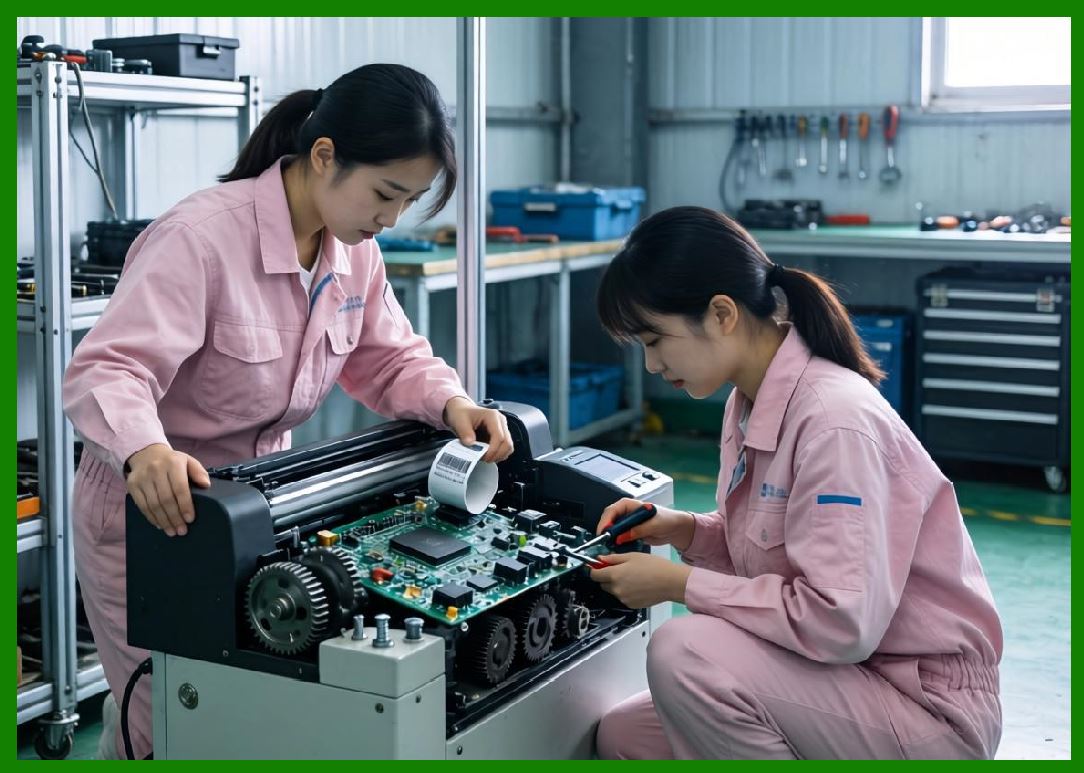
17. Flexographic Printing |
17.1 Dominance in Label Manufacturing |
Flexography is widely used for large-scale label production. |
17.2 Flexible Printing Plates |
Raised-image plates transfer ink. |
17.3 Anilox Rollers |
Anilox rollers meter controlled ink volumes. |
17.4 High-Speed Production |
Flexography supports extremely fast web speeds. |
|
18. Flexographic Ink Systems |
18.1 Water-Based Flexo Inks |
Water-based systems reduce VOC emissions. |
18.2 Solvent-Based Flexo Inks |
Solvent inks dry rapidly. |
18.3 UV Flexographic Inks |
UV systems provide excellent durability. |
18.4 Ink Rheology |
Flow properties strongly affect print quality. |

|
19. Offset Printing Technologies |
19.1 Lithographic Principles |
Offset printing uses oil-water separation principles. |
19.2 Blanket Transfer |
Images transfer indirectly through rubber blankets. |
19.3 High Image Quality |
Offset printing provides excellent detail. |
19.4 Barcode Applications |
Offset is common in preprinted packaging labels. |

|
20. Gravure Printing |
20.1 Engraved Cylinder Systems |
Gravure uses engraved metal cylinders. |
20.2 High Ink Density |
Gravure supports rich solid printing. |
20.3 Long Production Runs |
Cylinder manufacturing is expensive but durable. |
20.4 Precision Coating Capability |
Gravure supports fine coating control. |

|
21. Digital Printing Systems |
21.1 Variable Data Printing |
Digital systems excel at serialized barcode production. |
21.2 Short-Run Efficiency |
Digital printing reduces setup costs. |
21.3 Workflow Automation |
Computerized workflows simplify customization. |
21.4 Hybrid Systems |
Hybrid presses combine digital and conventional technologies. |

|
22. Barcode Resolution Engineering |
22.1 X-Dimension Control |
The smallest barcode element is called the X-dimension. |
22.2 Scanner Tolerance |
Barcode size must match scanner capabilities. |
22.3 Print Gain |
Ink spreading enlarges printed bars. |
22.4 Edge Transition Accuracy |
Transition precision strongly affects decoding. |

|
23. Optical Density and Contrast |
23.1 Reflectance Measurement |
Barcode scanners evaluate reflected light. |
23.2 Contrast Ratios |
High contrast improves readability. |
23.3 Black Pigment Performance |
Carbon black provides excellent absorption. |
23.4 Substrate Reflectivity |
Label surfaces influence scanner performance. |

|
24. Common Barcode Print Defects |
24.1 Smearing |
Smearing distorts barcode geometry. |
24.2 Voids |
Missing printed areas reduce readability. |
24.3 Feathering |
Ink spread creates fuzzy edges. |
24.4 Registration Errors |
Misalignment damages symbol accuracy. |
|
25. Environmental Influences on Printing |
25.1 Humidity Effects |
Humidity affects paper expansion and ink behavior. |
25.2 Temperature Stability |
Thermal conditions influence print consistency. |
25.3 Dust Contamination |
Dust causes imaging defects. |
25.4 Static Electricity |
Static disrupts media handling. |
|
26. Industrial Barcode Verification |
26.1 ISO Standards |
Barcode quality is measured against ISO standards. |
26.2 Verification Parameters |
Verification systems evaluate: |
1. Contrast. |
2. Modulation. |
3. Defects. |
4. Decodability. |
26.3 Grading Systems |
Barcodes receive quality grades. |
26.4 Process Optimization |
Verification improves production reliability. |
|
27. Maintenance and Reliability Engineering |
27.1 Printhead Cleaning |
Contamination reduces image quality. |
27.2 Roller Maintenance |
Worn rollers cause tracking errors. |
27.3 Ink System Maintenance |
Ink stability is essential. |
27.4 Preventive Maintenance |
Routine servicing improves reliability. |
|
28. Emerging Printing Technologies |
28.1 High-Speed Single-Pass Inkjet |
Single-pass systems dramatically increase throughput. |
28.2 Nano-Ink Systems |
Nano-pigments improve image sharpness. |
28.3 Conductive Printing |
Future labels may integrate electronic functions. |
28.4 AI-Based Print Optimization |
Artificial intelligence improves process control. |
|
29. Technical Content Summary |
This part provided a highly detailed technical examination of barcode printing technologies and industrial barcode imaging science. |
The article began by explaining the importance of barcode print precision and the optical principles underlying machine readability. |
Extensive discussion was devoted to thermal transfer printing systems, including: |
1. Thermal printhead engineering. |
2. Thin-film resistor technology. |
3. Heat transfer dynamics. |
4. Ribbon interaction. |
5. Pressure control. |
6. Resolution engineering. |
Direct thermal printing was analyzed comprehensively, including: |
1. Leuco dye chemistry. |
2. Developer systems. |
3. Thermal activation mechanisms. |
4. Environmental limitations. |
The article explored inkjet printing technologies in detail, including: |
1. Continuous inkjet systems. |
2. Drop-on-demand systems. |
3. Thermal inkjet technology. |
4. Piezoelectric imaging. |
5. Droplet physics. |
6. Ink rheology. |
Laser printing and electrophotographic systems were examined extensively, including: |
1. Photoconductor drums. |
2. Toner engineering. |
3. Electrostatic imaging. |
4. Thermal fusing. |
Flexographic, offset, gravure, and digital printing technologies were also discussed thoroughly. |
|
Key imaging science topics included: |
1. X-dimension control. |
2. Print gain. |
3. Optical density. |
4. Reflectance. |
5. Edge transition accuracy. |
Common print defects such as smearing, feathering, voids, and registration errors were analyzed in depth. |
The article further explored: |
1. Environmental influences. |
2. Barcode verification systems. |
3. ISO grading standards. |
4. Maintenance engineering. |
5. Emerging AI-driven printing technologies. |
Finally, future innovations such as nano-inks, conductive printing, and high-speed single-pass inkjet systems were discussed. |
|
The next part will provide a highly detailed technical deep dive into barcode durability and environmental resistance engineering, including abrasion resistance, chemical resistance, UV stability, thermal aging, moisture protection, outdoor exposure performance, and long-term barcode survivability science. |
 cs@easiersoft.com