Part 9 Direct Thermal Barcode Label Paper: Thermal Chemistry, Leuco Dye Systems, Coating Engineering, Imaging Mechanisms, and Environmental Stability |
1. Introduction to Direct Thermal Barcode Label Technology |
Direct thermal barcode labels are among the most widely used identification materials in the global logistics, retail, transportation, healthcare, warehousing, food service, and shipping industries. |
Unlike thermal transfer labels, direct thermal labels do not require ink ribbons. Instead, the label itself contains a heat-sensitive chemical coating that darkens when exposed to heat from a thermal printhead. |
Direct thermal technology became popular because of: |
1. Simplicity. |
2. Low operating cost. |
3. Compact printer design. |
4. Reduced maintenance. |
5. High print speed. |
6. Quiet operation. |
|
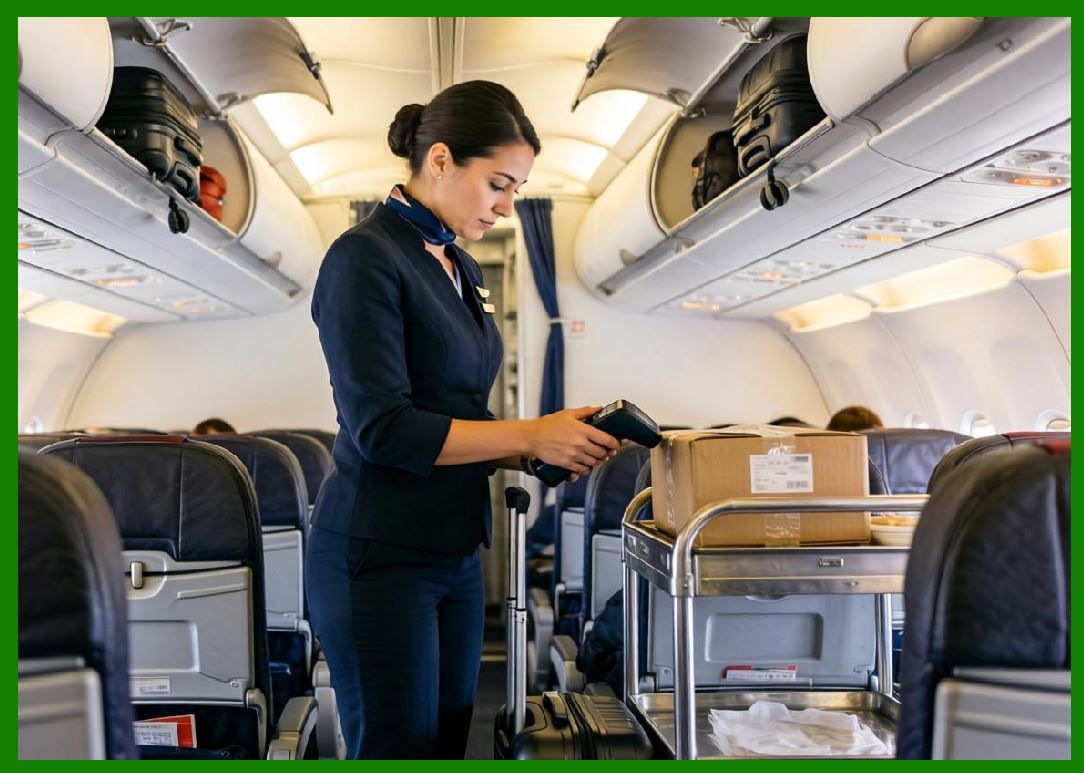
Today, billions of direct thermal labels are used annually for: |
1. Shipping labels. |
2. Logistics tracking. |
3. Warehouse operations. |
4. Retail pricing. |
5. Airline baggage tags. |
6. Pharmacy labels. |
7. Food service labeling. |
8. Patient wristbands. |
9. Lottery tickets. |
10. Parking tickets. |
11. Event tickets. |
Despite their widespread use, direct thermal labels are chemically complex engineered materials involving advanced coating science, thermal imaging chemistry, polymer engineering, surface science, and environmental stabilization systems. |
This part explores direct thermal barcode label paper in extensive technical detail. |

|
2. Basic Principle of Direct Thermal Imaging |
2.1 Heat-Based Imaging |
Direct thermal printing creates images through localized heating. |
The thermal printhead selectively heats tiny regions of the thermal coating. |
These heated regions undergo chemical reactions that form dark images. |
2.2 No Ribbon Requirement |
Unlike thermal transfer printing, direct thermal systems do not use: |
1. Ink ribbons. |
2. Toners. |
3. Liquid inks. |
The image forms directly inside the label coating itself. |

|
2.3 Advantages of Direct Thermal Systems |
Advantages include: |
1. Lower hardware complexity. |
2. Reduced consumables. |
3. Lower maintenance. |
4. Compact printer size. |
5. High printing speed. |
2.4 Limitations |
Direct thermal labels suffer from: |
1. Image fading. |
2. Heat sensitivity. |
3. UV sensitivity. |
4. Chemical vulnerability. |
These limitations affect long-term durability. |

|
3. Structure of Direct Thermal Label Paper |
3.1 Multilayer Construction |
Direct thermal label paper typically includes: |
1. Base paper. |
2. Primer layer. |
3. Thermal coating. |
4. Protective topcoat. |
5. Adhesive. |
6. Release liner. |
Each layer performs specialized functions. |
3.2 Base Paper |
The base paper provides: |
1. Mechanical support. |
2. Dimensional stability. |
3. Print handling strength. |
Base paper quality strongly affects final performance. |
3.3 Thermal Layer |
The thermal layer contains heat-reactive chemistry. |
This layer forms the printed image. |
3.4 Topcoat Layer |
Topcoats improve: |
1. Abrasion resistance. |
2. Chemical resistance. |
3. Moisture protection. |

|
4. Thermal Chemistry Fundamentals |
4.1 Heat-Activated Reactions |
Thermal imaging relies on chemical reactions triggered by heat. |
The thermal coating contains: |
1. Colorless dye precursors. |
2. Developers. |
3. Sensitizers. |
4. Binders. |
4.2 Leuco Dye Systems |
Most direct thermal papers use leuco dye chemistry. |
Leuco dyes are initially colorless compounds. |
Heat activates reactions that produce dark coloration. |
4.3 Chemical Interaction |
The thermal printhead melts components inside the coating. |
This allows the leuco dye and developer to react. |
The reaction produces visible coloration. |
4.4 Image Formation |
The dark image forms only in heated regions. |
Unheated areas remain light-colored. |
This creates barcode contrast. |

|
5. Leuco Dye Chemistry |
5.1 What Are Leuco Dyes |
Leuco dyes are reversible color-forming compounds. |
They can exist in: |
1. Colorless states. |
2. Colored states. |
Heat-induced reactions shift the molecular structure. |
5.2 Common Leuco Dyes |
Examples include: |
1. Fluoran dyes. |
2. Spiropyran compounds. |
3. Phthalide systems. |
5.3 Molecular Transformation |
Leuco dyes undergo structural transformations when activated. |
The generalized transformation mechanism may be represented conceptually as: |
Leuco\ Dye\ +\ Developer\ \xrightarrow{Heat}\ Colored\ Complex |
5.4 Color Density |
Image darkness depends on: |
1. Reaction efficiency. |
2. Heat energy. |
3. Developer concentration. |
4. Coating uniformity. |

|
6. Developer Chemistry |
6.1 Purpose of Developers |
Developers react with leuco dyes to produce coloration. |
6.2 Bisphenol A (BPA) |
Historically, BPA was widely used as a developer. |
Advantages included: |
1. Strong image density. |
2. Reliable reactions. |
3. Cost efficiency. |
6.3 BPA Health Concerns |
BPA raised concerns involving: |
1. Human exposure. |
2. Endocrine disruption. |
3. Food contact safety. |
This led to major regulatory changes. |
6.4 BPA-Free Alternatives |
Modern thermal papers increasingly use alternatives such as: |
1. Bisphenol S (BPS). |
2. Pergafast systems. |
3. Urea-based developers. |
4. Phenol-free systems. |

|
7. Sensitizers in Thermal Coatings |
7.1 Role of Sensitizers |
Sensitizers lower the temperature required for imaging. |
They improve: |
1. Print speed. |
2. Energy efficiency. |
3. Image uniformity. |
7.2 Melting Behavior |
Sensitizers melt during heating. |
This allows dye and developer interaction. |
7.3 Common Sensitizer Materials |
Examples include: |
1. Fatty acid amides. |
2. Ester compounds. |
3. Wax-like materials. |
|
8. Binder Systems in Thermal Paper |
8.1 Function of Binders |
Binders hold coating particles together. |
They also provide: |
1. Mechanical strength. |
2. Surface integrity. |
3. Abrasion resistance. |
8.2 Common Binder Types |
Common binders include: |
1. Polyvinyl alcohol. |
2. Latex systems. |
3. Acrylic emulsions. |
8.3 Coating Durability |
Binder selection affects: |
1. Flexibility. |
2. Scratch resistance. |
3. Environmental stability. |
|
9. Thermal Coating Manufacturing |
9.1 Coating Formulation |
Thermal coatings are highly engineered dispersions. |
Components must remain uniformly distributed. |
9.2 Dispersion Technology |
Particle size control is critical. |
Poor dispersion causes: |
1. Uneven imaging. |
2. Background coloration. |
3. Reduced sensitivity. |
9.3 Coating Application |
Thermal coatings are applied using methods such as: |
1. Blade coating. |
2. Rod coating. |
3. Air knife coating. |
4. Curtain coating. |
9.4 Drying Process |
Drying conditions strongly affect coating structure. |
Improper drying may create: |
1. Cracking. |
2. Poor imaging. |
3. Surface defects. |

|
10. Thermal Printhead Interaction |
10.1 Printhead Structure |
Thermal printheads contain arrays of microscopic heating elements. |
Common resolutions include: |
1. 203 dpi. |
2. 300 dpi. |
3. 600 dpi. |
10.2 Energy Pulses |
The printhead applies controlled heat pulses. |
Pulse duration affects: |
1. Darkness. |
2. Sharpness. |
3. Print speed. |
10.3 Heat Transfer |
Efficient heat transfer requires smooth surface contact. |
Surface roughness reduces imaging consistency. |
10.4 Printhead Wear |
Direct thermal papers may contain abrasive particles. |
These contribute to printhead wear. |

|
11. Topcoat Engineering |
11.1 Purpose of Topcoats |
Topcoats protect thermal images from: |
1. Scratching. |
2. Chemicals. |
3. Moisture. |
4. Oils. |
11.2 Abrasion Resistance |
Topcoats improve durability during: |
1. Transportation. |
2. Handling. |
3. Conveyor operations. |
11.3 Chemical Resistance |
Topcoats help protect against: |
1. Alcohol. |
2. Plasticizers. |
3. Oils. |
4. Cleaning agents. |
11.4 Scanner Performance |
Topcoat gloss and texture influence scanner readability. |

|
12. Environmental Stability of Direct Thermal Labels |
12.1 Heat Sensitivity |
Direct thermal images remain sensitive to heat after printing. |
High temperatures may darken unprinted areas. |
12.2 UV Sensitivity |
UV exposure causes fading and discoloration. |
Sunlight significantly reduces image life. |
12.3 Moisture Effects |
Humidity may affect: |
1. Coating stability. |
2. Curling. |
3. Adhesive behavior. |
12.4 Chemical Sensitivity |
Certain chemicals may destroy thermal images. |
Examples include: |
1. Sunscreens. |
2. Hand sanitizers. |
3. Oils. |
4. Plasticizers. |

|
13. Image Fading Mechanisms |
13.1 Chemical Reversibility |
Leuco dye systems may gradually reverse over time. |
This causes image fading. |
13.2 Oxidation |
Oxygen exposure contributes to image degradation. |
13.3 UV Degradation |
UV radiation breaks down chemical structures inside the coating. |
13.4 Thermal Aging |
Long-term heat exposure accelerates degradation. |
|
14. Direct Thermal Paper Grades |
14.1 Economy Grades |
Economy papers prioritize low cost. |
Durability is limited. |
14.2 Mid-Range Grades |
Mid-range materials balance: |
1. Cost. |
2. Durability. |
3. Print quality. |
14.3 Top-Coated Grades |
Top-coated thermal papers provide: |
1. Better abrasion resistance. |
2. Improved chemical durability. |
3. Longer image life. |
14.4 Synthetic Direct Thermal Labels |
Synthetic thermal materials improve: |
1. Water resistance. |
2. Tear resistance. |
3. Durability. |

|
15. Applications of Direct Thermal Labels |
15.1 Shipping Labels |
Shipping labels are the largest application category. |
Advantages include: |
1. Fast printing. |
2. Low cost. |
3. Operational simplicity. |
15.2 Retail Labels |
Retail uses include: |
1. Price labels. |
2. Shelf labels. |
3. Markdown labels. |
15.3 Airline Baggage Tags |
Airline systems require: |
1. Fast imaging. |
2. Temporary durability. |
3. High-speed scanning. |
15.4 Healthcare Applications |
Healthcare uses include: |
1. Wristbands. |
2. Specimen labels. |
3. Pharmacy labels. |

|
16. Scanner Readability of Thermal Labels |
16.1 Contrast Quality |
Thermal images often provide strong contrast. |
This supports reliable scanning. |
16.2 Surface Effects |
Gloss and contamination affect scanner performance. |
16.3 Background Darkening |
Aging may darken unprinted areas. |
This reduces barcode contrast. |
16.4 Resolution Requirements |
Small barcodes require high-quality thermal coatings. |
|
17. Manufacturing Defects |
17.1 Coating Streaks |
Uneven coating causes print inconsistencies. |
17.2 Background Fogging |
Premature coloration creates gray backgrounds. |
17.3 Dust Contamination |
Particles may damage print quality. |
17.4 Curling |
Humidity imbalance may cause label curl. |
|
18. Storage and Handling |
18.1 Temperature Control |
Thermal labels should be stored away from heat. |
18.2 Humidity Control |
Excess humidity affects: |
1. Paper stability. |
2. Adhesive performance. |
3. Print quality. |
18.3 Light Protection |
Direct sunlight accelerates fading. |
18.4 Shelf Life |
Thermal papers typically have limited shelf life. |
Storage conditions strongly influence longevity. |

|
19. Environmental and Regulatory Considerations |
19.1 BPA Regulations |
Many countries restrict BPA in thermal paper. |
19.2 Recycling Issues |
Thermal coatings complicate paper recycling. |
19.3 Phenol-Free Development |
Manufacturers increasingly develop phenol-free systems. |
19.4 Sustainability Challenges |
Thermal chemistry creates environmental concerns regarding: |
1. Chemical migration. |
2. Waste disposal. |
3. Recycling contamination. |

|
20. Emerging Technologies |
20.1 Long-Life Thermal Papers |
Advanced coatings improve image longevity. |
20.2 UV-Resistant Thermal Systems |
New stabilizers improve outdoor durability. |
20.3 Rewritable Thermal Media |
Some systems allow image erasure and rewriting. |
20.4 Smart Thermal Labels |
Future labels may integrate: |
1. RFID. |
2. Sensors. |
3. Temperature monitoring. |

|
21. Comparison Between Direct Thermal and Thermal Transfer |
21.1 Hardware Complexity |
Direct thermal systems are simpler. |
21.2 Durability Comparison |
Thermal transfer generally provides better long-term durability. |
21.3 Cost Structure |
Direct thermal systems reduce consumable complexity. |
21.4 Application Suitability |
Direct thermal is best for short-to-medium lifespan applications. |
|
22. Technical Content Summary |
This part provided a comprehensive technical deep dive into direct thermal barcode label paper and its underlying thermal chemistry. |
The article began by explaining the operating principles of direct thermal imaging, including heat-based image formation without ribbons or external inks. |
Detailed analysis was provided for the multilayer structure of direct thermal labels, including: |
1. Base paper. |
2. Thermal coating. |
3. Topcoat layers. |
4. Adhesives. |
5. Release liners. |
The discussion extensively explored thermal chemistry and leuco dye systems, including: |
1. Fluoran dyes. |
2. Developer chemistry. |
3. Sensitizers. |
4. Binder systems. |
5. Heat-activated molecular transformations. |
Special attention was devoted to BPA developer chemistry, BPA-free alternatives, and the global transition toward phenol-free thermal technologies. |

|
The article further examined: |
1. Thermal coating manufacturing. |
2. Dispersion engineering. |
3. Coating application methods. |
4. Drying technologies. |
5. Printhead interaction. |
Topcoat engineering and environmental durability factors were analyzed in detail, including: |
1. Abrasion resistance. |
2. Chemical resistance. |
3. Heat sensitivity. |
4. UV degradation. |
5. Moisture effects. |
6. Image fading mechanisms. |
The discussion also explored different thermal paper grades, synthetic thermal materials, industrial applications, scanner readability considerations, manufacturing defects, storage requirements, and environmental regulations. |
Finally, emerging technologies such as long-life thermal papers, UV-resistant coatings, rewritable thermal media, and smart thermal labels were examined. |

|
The next part will provide a highly detailed technical examination of coated paper barcode labels, including clay coatings, latex systems, gloss engineering, print surface optimization, coating chemistry, calendering processes, and high-resolution barcode printing performance. |
 cs@easiersoft.com