1. Introduction to Self-Adhesive Barcode Labels |
Self-adhesive barcode labels, also known as pressure-sensitive labels, are a versatile and widely used labeling solution. These labels consist of a printable face stock, a pressure-sensitive adhesive, and a liner with a release coating. They are designed to adhere to various surfaces without the need for heat, water, or solvents, making them convenient and easy to use. |
|
2. Huhtamaki’s Expertise in Self-Adhesive Labels |
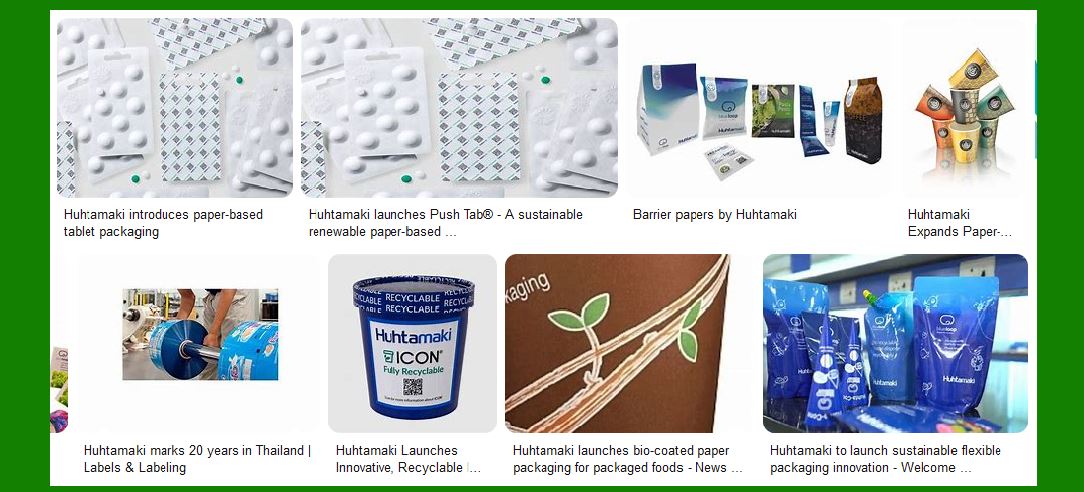
Huhtamaki is a global leader in packaging solutions, known for its innovative and sustainable products. The company offers a range of self-adhesive barcode labels that cater to various industries, including food and beverage, personal care, household products, and automotive. Huhtamaki’s self-adhesive labels are designed to meet the highest standards of quality and performance. |

|
3. Composition of Self-Adhesive Barcode Labels |
Self-adhesive barcode labels from Huhtamaki typically consist of three main components: |
Face Stock: The printable surface of the label, which can be made from paper, film, or foil. The choice of face stock depends on the application and desired aesthetics. Adhesive: A pressure-sensitive adhesive that allows the label to stick to surfaces without additional activation methods. Huhtamaki offers various adhesive options, including permanent, removable, and specialty adhesives for different environments. Liner: A backing material with a release coating that protects the adhesive until the label is applied. The liner is removed during the application process. |

|
4. Types of Face Stock |
Huhtamaki provides a variety of face stock materials to suit different applications: |
Paper: Suitable for general-purpose labeling, offering a balance of cost and performance. Film: Provides durability and resistance to moisture, chemicals, and abrasion. Commonly used in harsh environments. Foil: Offers a premium look with metallic finishes, often used for high-end products. |

|
5. Adhesive Options |
The choice of adhesive is crucial for the performance of self-adhesive barcode labels. Huhtamaki offers several adhesive options: |
Permanent Adhesive: Ensures the label remains securely attached to the surface. Ideal for long-term applications. Removable Adhesive: Allows the label to be removed without leaving residue. Suitable for temporary labeling needs. Specialty Adhesives: Designed for specific conditions, such as high or low temperatures, moisture, or chemical exposure. |

|
6. Printing Technologies |
Huhtamaki utilizes advanced printing technologies to produce high-quality self-adhesive barcode labels: |
Digital Printing: Offers flexibility and quick turnaround times, ideal for short runs and variable data printing. Flexographic Printing: Provides high-quality, consistent results for large volumes. Suitable for a wide range of materials. Screen Printing: Delivers vibrant colors and durability, often used for specialty labels. Offset Printing: Ensures precise and detailed prints, commonly used for high-end labels. |

|
7. Finishing Options |
To enhance the appearance and functionality of self-adhesive barcode labels, Huhtamaki offers various finishing options: |
Matte and Gloss Finishes: Provide different aesthetic effects, from subtle to shiny. Metallic and Foil Stamping: Adds a premium look with metallic accents. Embossing and Debossing: Creates tactile effects for a unique feel. Holography: Adds security features and visual appeal. |

|
8. Specialty Labels |
Huhtamaki also offers specialty self-adhesive barcode labels for specific applications: |
Tamper-Evident Labels: Indicate if a product has been tampered with, enhancing security. Ultra-Clear Labels: Provide a “no-label” look, ideal for transparent packaging. Squeezable Labels: Designed for flexible containers that require the label to conform to the shape. Braille Labels: Include raised text for visually impaired consumers. |

|
9. Applications of Self-Adhesive Barcode Labels |
Self-adhesive barcode labels from Huhtamaki are used in various industries: |
Food and Beverage: Labels for bottles, jars, and packaging that withstand different temperatures and conditions. Personal Care: Durable labels for products like shampoos and lotions that may be exposed to moisture. Household Products: Labels for cleaning supplies and other household items that require resistance to chemicals. Automotive: Labels that can endure harsh environments, such as engine compartments. |

|
10. Sustainability Initiatives |
Huhtamaki is committed to sustainability and offers eco-friendly self-adhesive barcode labels: |
Recyclable Materials: Labels made from materials that can be recycled, reducing environmental impact. Biodegradable Options: Labels that break down naturally, minimizing waste. Sustainable Adhesives: Adhesives formulated to be environmentally friendly without compromising performance. |

|
11. Customization and Branding |
Huhtamaki provides extensive customization options to help brands stand out: |
Custom Shapes and Sizes: Labels can be tailored to fit specific packaging designs. Brand Colors and Logos: Consistent branding with precise color matching and logo placement. Variable Data Printing: Allows for unique barcodes, serial numbers, and other variable information on each label. |

|
12. Quality Assurance |
Huhtamaki ensures the highest quality standards for its self-adhesive barcode labels: |
Rigorous Testing: Labels undergo extensive testing for durability, adhesion, and print quality. Certifications: Compliance with industry standards and certifications, such as ISO and FDA. Customer Support: Dedicated support teams to assist with label selection, design, and application. |
|
13. Innovations and Future Trends |
Huhtamaki continues to innovate in the field of self-adhesive barcode labels: |
Smart Labels: Integration of RFID and NFC technology for enhanced tracking and interaction. Sustainable Solutions: Ongoing development of eco-friendly materials and processes. Enhanced Security: Advanced tamper-evident and anti-counterfeit features. |

|
14. Conclusion |
Self-adhesive barcode labels from Huhtamaki offer a versatile, high-quality solution for various industries. With a wide range of materials, adhesives, printing technologies, and finishing options, these labels can be customized to meet specific needs while maintaining the highest standards of performance and sustainability. |
 cs@easiersoft.com