1. Introduction to Self-Adhesive Barcode Labels |
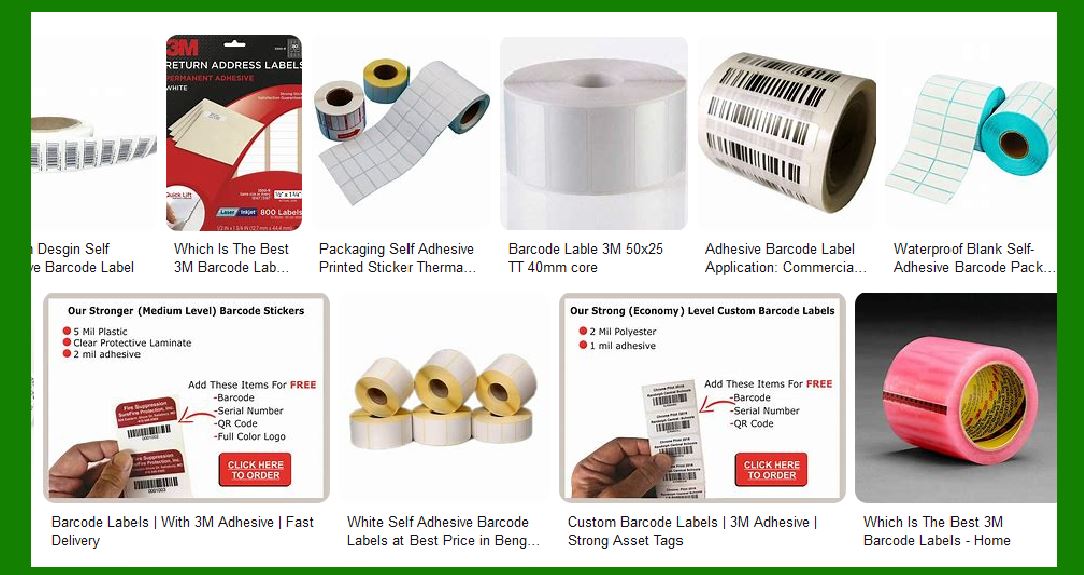
Self-adhesive barcode labels are essential in various industries for tracking, identification, and inventory management. These labels are designed to adhere to different surfaces and withstand various environmental conditions. 3M, a leading manufacturer in the adhesive and labeling industry, offers a wide range of self-adhesive barcode labels tailored to meet diverse application needs. |
|
2. Types of Self-Adhesive Barcode Labels by 3M |
3M provides several types of self-adhesive barcode labels, each designed for specific applications and environments. These include: |
2.1. Removable Labels |
3M’s removable labels are designed for applications where the label needs to be removed cleanly without leaving any residue. These labels are ideal for temporary identification and tracking. |
2.2. Permanent Labels |
Permanent labels from 3M are designed for long-term applications where the label needs to remain intact and legible throughout the product’s lifecycle. These labels offer strong adhesion and durability. |
2.3. High-Temperature Labels |
3M’s high-temperature labels are engineered to withstand extreme temperatures, making them suitable for applications in harsh environments such as automotive and aerospace industries. |
2.4. Chemical-Resistant Labels |
These labels are designed to resist chemicals and solvents, ensuring that the barcode remains readable even in environments where exposure to harsh substances is common. |
|
3. Materials Used in 3M Self-Adhesive Barcode Labels |
3M uses a variety of materials to manufacture their self-adhesive barcode labels, each offering unique properties: |
3.1. Polyester |
Polyester labels are known for their durability and resistance to environmental factors such as moisture, chemicals, and abrasion. They are ideal for outdoor and industrial applications. |
3.2. Polypropylene |
Polypropylene labels offer a balance between flexibility and durability. They are suitable for applications requiring a lightweight and cost-effective solution. |
3.3. Vinyl |
Vinyl labels are highly flexible and conformable, making them suitable for curved surfaces. They also offer excellent resistance to moisture and chemicals. |
3.4. Paper |
Paper labels are cost-effective and suitable for indoor applications where exposure to harsh conditions is minimal. They are commonly used for shipping and packaging labels. |

|
4. Adhesive Technologies in 3M Barcode Labels |
3M employs various adhesive technologies to ensure their barcode labels adhere effectively to different surfaces: |
4.1. Acrylic Adhesives |
Acrylic adhesives are known for their strong bonding properties and resistance to environmental factors. They are suitable for both permanent and removable labels. |
4.2. Rubber-Based Adhesives |
Rubber-based adhesives offer excellent initial tack and adhesion to a wide range of surfaces, including low-energy substrates. They are ideal for applications requiring a strong initial bond. |
4.3. Silicone Adhesives |
Silicone adhesives are used in high-temperature labels due to their ability to withstand extreme temperatures. They also offer good adhesion to silicone surfaces. |

|
5. Printing Technologies for 3M Barcode Labels |
3M’s self-adhesive barcode labels are compatible with various printing technologies, ensuring high-quality and durable prints: |
5.1. Thermal Transfer Printing |
Thermal transfer printing uses heat to transfer ink from a ribbon onto the label material. This method produces durable and long-lasting prints, making it ideal for industrial applications. |
5.2. Direct Thermal Printing |
Direct thermal printing uses heat-sensitive label material that darkens when exposed to heat. This method is suitable for short-term applications where the label is not exposed to harsh conditions. |
5.3. Laser Printing |
Laser printing uses a laser beam to produce high-resolution prints on the label material. This method is suitable for applications requiring detailed and high-quality prints. |
5.4. Inkjet Printing |
Inkjet printing uses liquid ink to produce prints on the label material. This method is versatile and suitable for both short-term and long-term applications. |

|
6. Applications of 3M Self-Adhesive Barcode Labels |
3M’s self-adhesive barcode labels are used in a wide range of applications across various industries: |
6.1. Retail |
In the retail industry, barcode labels are used for product identification, pricing, and inventory management. 3M’s labels ensure accurate scanning and tracking of products. |
6.2. Healthcare |
In healthcare, barcode labels are used for patient identification, medication tracking, and inventory management. 3M’s labels offer durability and resistance to chemicals and moisture. |
6.3. Manufacturing |
In manufacturing, barcode labels are used for tracking parts, inventory management, and quality control. 3M’s labels withstand harsh industrial environments and ensure reliable tracking. |
6.4. Logistics and Shipping |
In logistics and shipping, barcode labels are used for tracking shipments, managing inventory, and ensuring accurate delivery. 3M’s labels offer strong adhesion and durability. |
6.5. Automotive |
In the automotive industry, barcode labels are used for tracking parts, managing inventory, and ensuring quality control. 3M’s high-temperature and chemical-resistant labels are ideal for this industry. |

|
7. Advantages of 3M Self-Adhesive Barcode Labels |
3M’s self-adhesive barcode labels offer several advantages: |
7.1. Durability |
3M’s labels are designed to withstand various environmental conditions, ensuring long-lasting performance. |
7.2. Versatility |
With a wide range of materials and adhesives, 3M’s labels can be used in diverse applications across different industries. |
7.3. High-Quality Printing |
3M’s labels are compatible with various printing technologies, ensuring high-quality and durable prints. |
7.4. Strong Adhesion |
3M’s adhesive technologies ensure that the labels adhere effectively to different surfaces, providing reliable performance. |

|
8. Customization Options for 3M Barcode Labels |
3M offers customization options to meet specific application needs: |
8.1. Custom Sizes and Shapes |
3M can produce labels in custom sizes and shapes to fit specific requirements. |
8.2. Custom Printing |
3M offers custom printing options, including logos, text, and variable data, to meet specific branding and identification needs. |
8.3. Custom Adhesives |
3M can customize the adhesive properties of their labels to ensure optimal performance on different surfaces. |

|
9. Environmental Considerations |
3M is committed to sustainability and offers environmentally friendly labeling solutions: |
9.1. Recyclable Materials |
3M uses recyclable materials in their labels to reduce environmental impact. |
9.2. Low-VOC Adhesives |
3M’s low-VOC adhesives reduce the emission of volatile organic compounds, contributing to a healthier environment. |
9.3. Sustainable Manufacturing Practices |
3M employs sustainable manufacturing practices to minimize waste and reduce energy consumption. |

|
10. Conclusion |
3M’s self-adhesive barcode labels are designed to meet the diverse needs of various industries. With a wide range of materials, adhesives, and customization options, 3M ensures that their labels provide reliable performance and durability in different applications. Whether for retail, healthcare, manufacturing, logistics, or automotive industries, 3M’s barcode labels offer the quality and versatility needed for effective tracking and identification. |
 cs@easiersoft.com