1.Introduction to Neenah Paper |
Neenah Paper, a Mativ brand, is a renowned manufacturer of premium packaging and specialty paper products. With a history spanning over 150 years, Neenah has established itself as a trusted partner in the industry, known for delivering exceptional service and innovative solutions. The company offers a wide range of products, including self-adhesive barcode labels, which are essential for various applications across different industries. |
|
2.Overview of Self-Adhesive Barcode Labels |
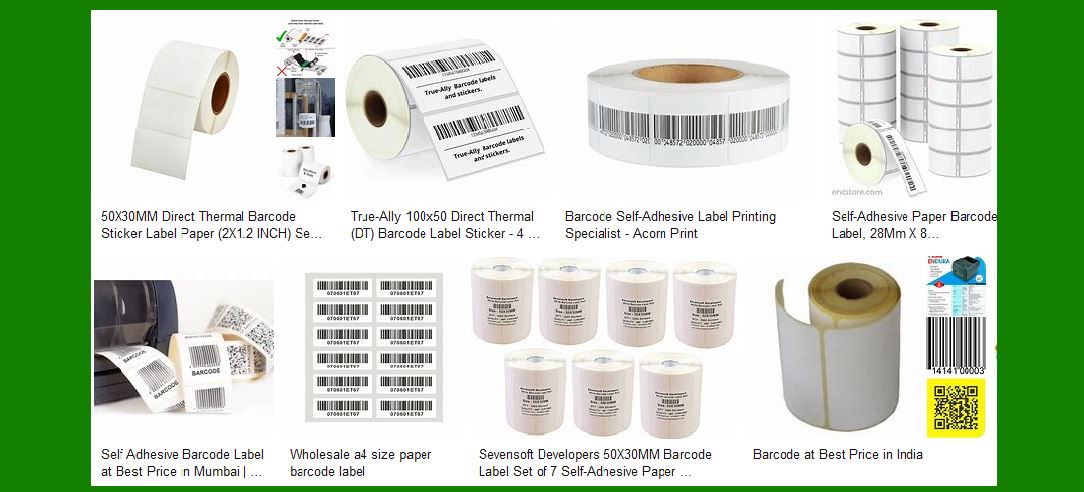
Self-adhesive barcode labels are crucial for inventory management, product identification, and tracking. These labels are designed to adhere to various surfaces, providing a reliable and durable solution for labeling needs. Neenah Paper offers a variety of self-adhesive barcode labels that cater to different requirements, ensuring high performance and quality. |

|
3.Types of Self-Adhesive Barcode Labels |
Neenah Paper provides several types of self-adhesive barcode labels, each designed for specific applications. These include: Pressure-Sensitive Labels: These labels are coated with an adhesive that bonds to surfaces when pressure is applied. They are easy to apply and remove, making them ideal for temporary labeling. Permanent Adhesive Labels: Designed for long-term use, these labels offer strong adhesion and durability, ensuring they remain intact even in harsh conditions. Removable Adhesive Labels: These labels can be easily removed without leaving residue, making them suitable for applications where labels need to be replaced frequently. |

|
4.Materials Used in Neenah's Self-Adhesive Barcode Labels |
Neenah Paper uses high-quality materials to manufacture its self-adhesive barcode labels. These materials include: Paper: Neenah offers various paper options, including uncoated and coated papers, which provide excellent print quality and durability. Synthetic Materials: For applications requiring extra durability, Neenah provides labels made from synthetic materials such as polyester and polypropylene. These materials are resistant to moisture, chemicals, and abrasion. Specialty Materials: Neenah also offers specialty materials like metallic and holographic films, which add a unique visual appeal to the labels. |

|
5.Adhesive Technologies |
The adhesive technology used in Neenah's self-adhesive barcode labels is critical to their performance. Neenah employs advanced adhesive formulations to ensure optimal adhesion and removability. The adhesives are designed to work on various surfaces, including paper, plastic, metal, and glass. |

|
6.Printing Technologies |
Neenah Paper's self-adhesive barcode labels are compatible with various printing technologies, ensuring high-quality and precise barcode printing. These technologies include: Thermal Transfer Printing: This method uses heat to transfer ink from a ribbon onto the label, producing durable and high-resolution barcodes. Direct Thermal Printing: This technology uses heat-sensitive paper to create barcodes without the need for ink or ribbons. It is ideal for short-term labeling applications. Digital Printing: Neenah's labels are also compatible with digital printing technologies, allowing for high-quality, full-color printing with variable data capabilities. |

|
7.Applications of Self-Adhesive Barcode Labels |
Neenah's self-adhesive barcode labels are used in a wide range of applications across various industries, including: Retail: For product labeling, price tags, and inventory management. Logistics and Warehousing: For tracking shipments, managing inventory, and ensuring efficient supply chain operations. Healthcare: For labeling medical supplies, patient records, and pharmaceuticals. Manufacturing: For tracking parts, managing inventory, and ensuring quality control. Food and Beverage: For labeling products, tracking batches, and ensuring compliance with regulations. |

|
8.Environmental Considerations |
Neenah Paper is committed to sustainability and environmental responsibility. The company uses eco-friendly materials and processes in the production of its self-adhesive barcode labels. This includes the use of recycled materials, water-based adhesives, and energy-efficient manufacturing processes. |

|
9.Customization Options |
Neenah offers extensive customization options for its self-adhesive barcode labels. Customers can choose from a variety of materials, adhesives, and printing technologies to create labels that meet their specific needs. Neenah also provides custom shapes, sizes, and finishes to ensure the labels align with the brand's image and requirements. |

|
10.Quality Assurance |
Neenah Paper maintains strict quality control measures to ensure the highest standards of performance and reliability for its self-adhesive barcode labels. The company conducts rigorous testing on its labels to ensure they meet industry standards and customer expectations. |

|
11.Conclusion |
Neenah Paper's self-adhesive barcode labels are a reliable and versatile solution for various labeling needs. With a commitment to quality, innovation, and sustainability, Neenah continues to be a leader in the industry, providing products that meet the diverse requirements of its customers. Whether for retail, logistics, healthcare, manufacturing, or food and beverage, Neenah's self-adhesive barcode labels offer the performance and durability needed for efficient and effective labeling. |
 cs@easiersoft.com