Barcode Printer: Motor Driver Circuits |
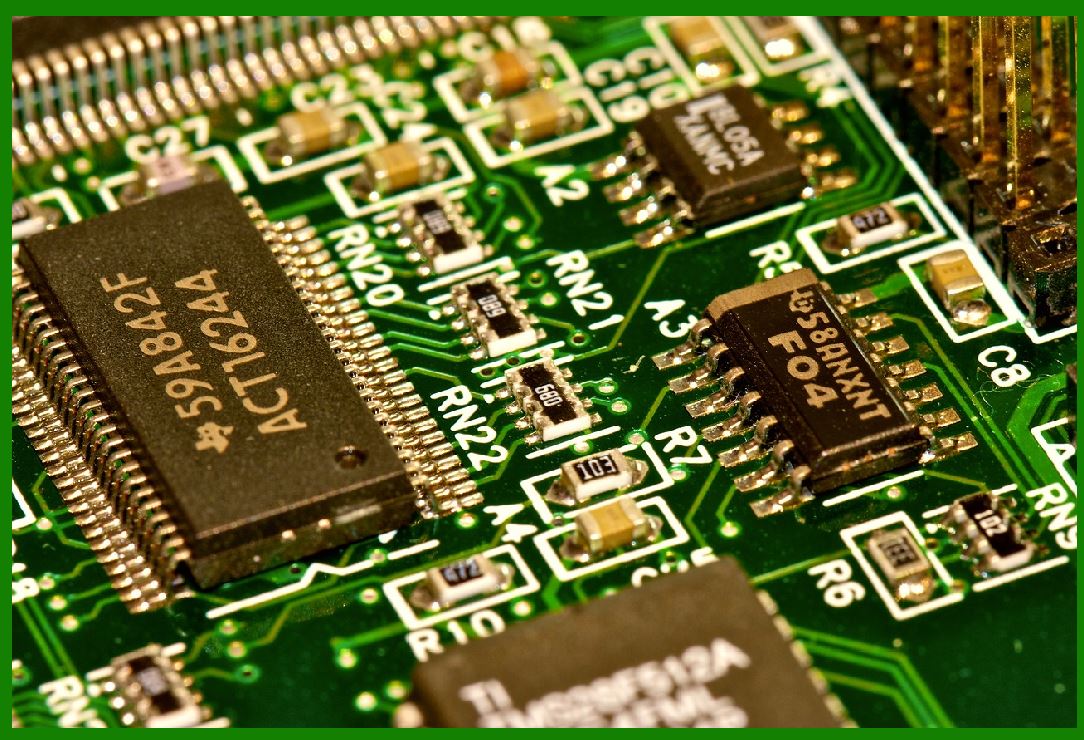
Motor driver circuits in barcode printers are critical components responsible for controlling the stepper motors that manage the movement of the print head and media feed. These circuits ensure precise control of the stepper motors, facilitating accurate printing and smooth operation of the printer. This detailed explanation covers the principles, components, functionality, and design considerations involved in the motor driver circuits of barcode printers. |
|
1. Introduction to Motor Driver Circuits in Barcode Printers |
Motor driver circuits are essential for driving stepper motors, which are used in barcode printers to control the movement of the print head and media feed. In barcode printers, precise control of these motors is vital for ensuring high-quality printing performance. The motor driver receives control signals from the printer's microcontroller or processing unit and translates these signals into electrical currents that drive the motors. |
Barcode printers generally use two types of stepper motors: unipolar and bipolar. The motor driver circuits vary depending on the type of stepper motor used, and the motor itself plays a significant role in the printer's overall performance, including print speed, accuracy, and quality. |

|
2. The Role of Stepper Motors in Barcode Printers |
Stepper motors are electromechanical devices that move in discrete steps. Each step corresponds to a fixed amount of rotation. This characteristic makes stepper motors ideal for applications like barcode printers, where precise and repeatable movements are essential. |
There are typically two main stepper motors in barcode printers: |
Print Head Motor: Controls the lateral movement of the print head (across the width of the media). |
Media Feed Motor: Drives the movement of the media (paper or label) through the printing mechanism. |
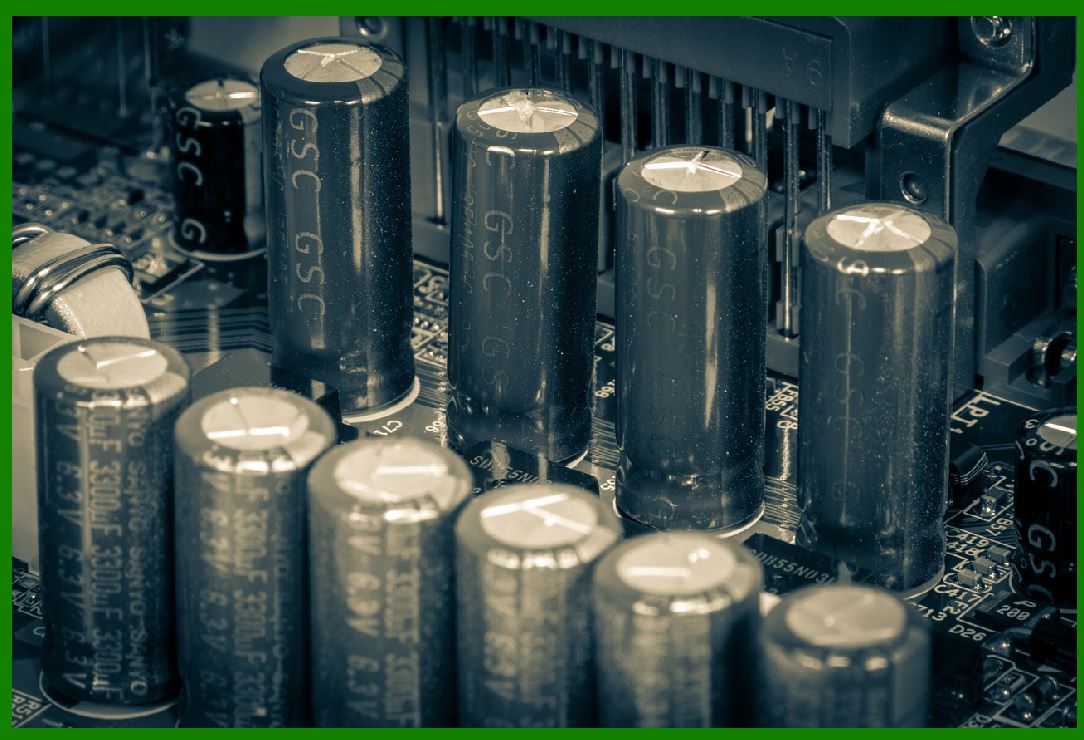
Both motors need to be driven with high precision to ensure the accuracy of the printed image and maintain consistent media handling during the printing process. |
|
3. Overview of Motor Driver Circuits |
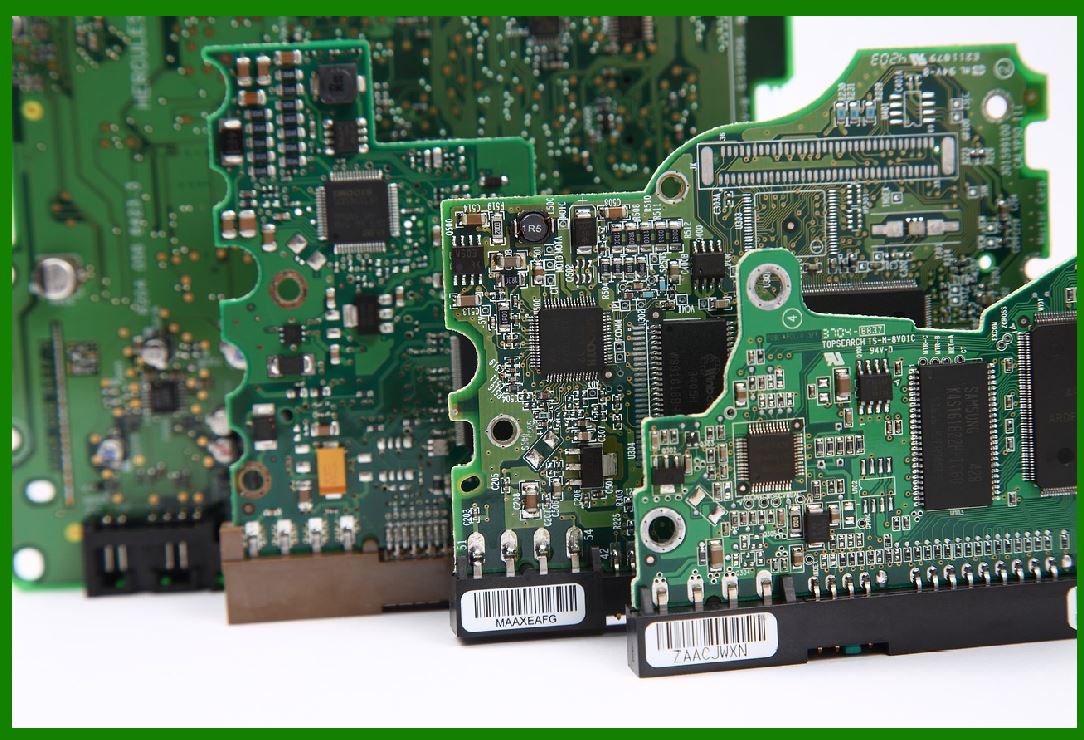
Motor driver circuits convert the digital control signals from the printer's control board (or microcontroller) into the appropriate electrical current to drive the motors. The stepper motor driver typically consists of the following components: |
Input Control Signals: The microcontroller sends step and direction signals to the motor driver. |
H-Bridge or MOSFET Drivers: These are used to switch the current through the motor windings in the required pattern, enabling the stepper motor to step through its stages. |
Current Regulation Circuitry: Ensures that the current supplied to the motor is within the desired range, protecting the motor and improving efficiency. |
The motor driver circuit is designed to provide accurate timing and control of the stepper motors, which, in turn, affects the print quality and speed of the printer. |
|
4. Types of Stepper Motors in Barcode Printers |
Barcode printers commonly use two types of stepper motors: |
Bipolar Stepper Motors: These motors have two coils that are driven by alternating current directions. The motor driver circuit for a bipolar stepper motor requires an H-Bridge configuration to reverse the current flow through each coil. |
Unipolar Stepper Motors: These motors have a center-tapped coil, with each half of the coil being driven by separate drivers. Unipolar motors are simpler to drive than bipolar motors but tend to have less torque. |
Each type of motor has its advantages and disadvantages. Bipolar motors generally offer higher torque but require more complex motor driver circuits. Unipolar motors are simpler to drive and are often used in lower-cost printers. |
|
5. Stepper Motor Driver Circuit Design Principles |
A stepper motor driver circuit for a barcode printer must provide: |
1.Precise Timing Control: The stepper motor needs to be driven in a very specific sequence to ensure accurate movement. This is achieved by sending pulse signals that control the timing of each step. |
2.Current Regulation: Proper current regulation is essential to prevent overheating and ensure smooth operation of the motor. The current should be controlled to match the motor's rating while minimizing power losses and ensuring efficient performance. |
3.Microstepping Capability: Many modern motor drivers support microstepping, where the motor moves in smaller increments than a full step. This allows for smoother movement, reducing mechanical noise and improving print quality. |
4.Protection Features: The motor driver circuit must include protections for overcurrent, overvoltage, and thermal overload to prevent damage to the motor and driver circuits. |
To achieve these goals, stepper motor drivers typically employ advanced techniques such as pulse-width modulation (PWM) and H-Bridge circuitry. |
|
6. The H-Bridge Circuit in Motor Drivers |
The H-Bridge is a key component of many stepper motor drivers. It allows for the control of the direction of current flow through the motor windings, which is essential for stepper motor operation. The basic structure of an H-Bridge consists of four switches (transistors or MOSFETs) arranged in a configuration that resembles the letter 'H,' with the motor windings connected across the top and bottom of the 'H.' |
6.1. Operation of the H-Bridge |
The H-Bridge works by controlling which pairs of transistors are switched on, directing current through the motor in the required direction. To rotate the motor in one direction, one pair of transistors is turned on, allowing current to flow through one winding. To reverse the direction of rotation, the other pair of transistors is turned on, reversing the current through the winding. |
This enables bidirectional control of the stepper motor, which is essential for moving the print head and media feed in both directions. |
6.2. PWM Control |
PWM (pulse-width modulation) is used to control the amount of current flowing through the motor windings. By varying the duty cycle of the PWM signal, the average current supplied to the motor can be adjusted, which in turn controls the torque and speed of the motor. PWM is particularly useful for controlling the stepper motor's speed and reducing power consumption. |
|
7. Current Regulation in Stepper Motor Drivers |
Current regulation is a crucial feature in stepper motor drivers for barcode printers. It ensures that the current supplied to the motor is maintained at the correct level, protecting the motor from overheating and damage. The driver circuit uses feedback mechanisms to monitor the current flowing through the motor and adjust the voltage accordingly. |
7.1. Chopper Drive |
A common method of current regulation in stepper motor drivers is the chopper drive technique. In this method, the motor current is rapidly switched on and off (chopped) using PWM, and the average current is regulated by adjusting the duty cycle of the PWM signal. The chopper drive system continuously monitors the motor current, turning off the current when it exceeds the set threshold, and turning it back on when the current drops below the threshold. |
This technique is especially important in maintaining smooth motor operation and preventing overheating during periods of high load. |
7.2. Current Sensing and Feedback |
In more advanced motor driver designs, current sensing is employed to provide real-time feedback. This feedback is used to adjust the voltage applied to the motor, ensuring that the motor receives the precise current it requires. Sensors such as shunt resistors or Hall-effect sensors are commonly used for current sensing. |
The motor driver adjusts the PWM duty cycle to keep the current within the set limits, ensuring consistent performance and protecting the motor from excessive heat buildup. |
|
8. Microstepping in Stepper Motor Drivers |
Microstepping is a technique used to achieve finer resolution and smoother movement in stepper motors. Instead of moving the motor in discrete steps (e.g., 1.8¡ã per step), microstepping divides each full step into smaller increments. |
8.1. How Microstepping Works |
Microstepping works by controlling the current in the motor windings in such a way that the rotor moves in smaller increments than the full step. For example, in a 1.8¡ã stepper motor, microstepping can reduce the movement to as small as 0.1¡ã per step. This is achieved by adjusting the current supplied to each winding so that the rotor is positioned more precisely. |
Microstepping improves the printer's resolution, reduces mechanical noise, and results in smoother motion, which is particularly important for high-quality printing applications. |
8.2. Types of Microstepping |
There are various levels of microstepping, such as: |
Half-step: The rotor moves halfway between two full steps, improving resolution by a factor of 2. |
Quarter-step: The rotor moves a quarter of a full step, increasing resolution by a factor of 4. |
Eighth-step: The rotor moves an eighth of a full step, improving resolution by a factor of 8. |
Higher levels of microstepping provide better resolution and smoother movement but require more sophisticated motor drivers. |
|
9. Design Considerations for Motor Drivers in Barcode Printers |
Designing a motor driver circuit for barcode printers requires careful consideration of several factors, including motor type, current requirements, power efficiency, heat dissipation, and overall system integration. |
9.1. Power Supply |
The motor driver must be designed to work with the printer's power supply. The voltage and current requirements of the motor need to be considered to ensure that the power supply is sufficient to drive the motors effectively. The power supply must be capable of providing stable and noise-free power to avoid disruptions during printing. |
9.2. Heat Dissipation |
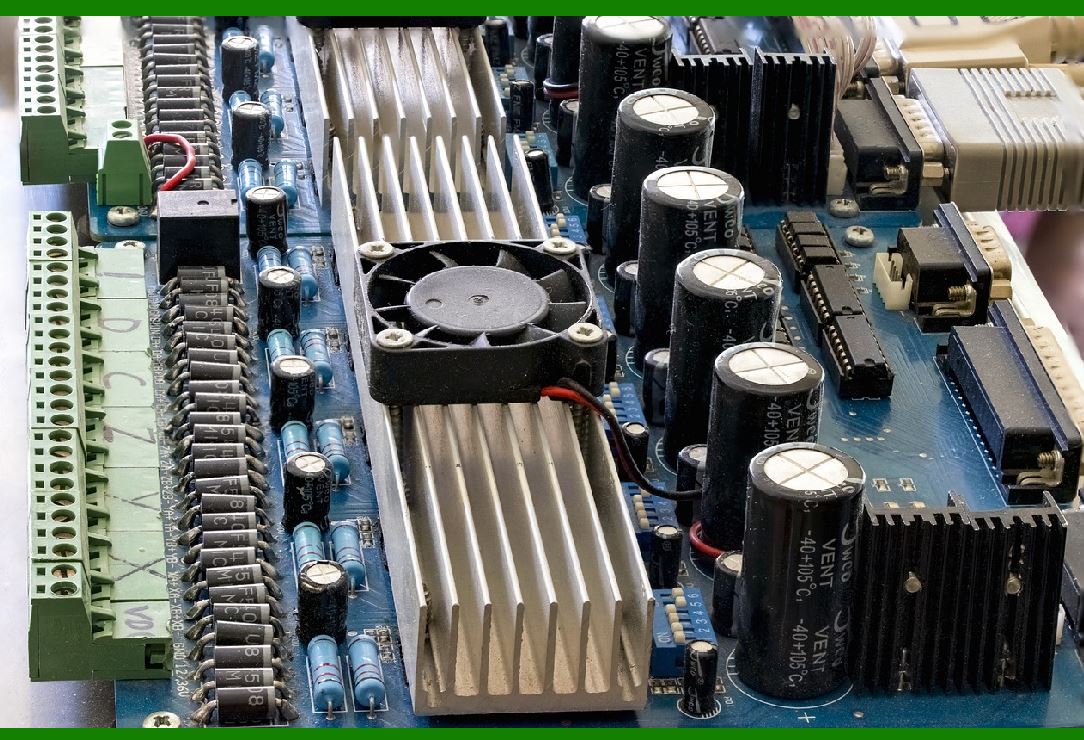
Stepper motors and their drivers generate heat during operation, especially when operating at high currents. The motor driver must include thermal management solutions such as heat sinks, thermal shutoff features, or cooling fans to prevent overheating. |
9.3. System Integration |
The motor driver circuit must be integrated into the printer's control system. This involves ensuring compatibility with the microcontroller or processor used in the printer, as well as proper communication between the motor driver and other components, such as sensors or encoders. |
|
10. Conclusion |
Motor driver circuits are a vital part of barcode printer systems, as they provide the necessary control and precision for the stepper motors that drive the print head and media feed. By understanding the operation of motor drivers, including current regulation, microstepping, and H-Bridge circuits, engineers can design systems that provide smooth, efficient, and high-quality printing performance. |
The evolution of motor driver technology continues to improve the efficiency and accuracy of barcode printers, enabling them to meet the growing demands of industries that rely on high-speed, high-accuracy printing. As such, the motor driver circuit is indispensable in ensuring the overall success of a barcode printer. |
|
Common Failures of Barcode Printer's Motor Driver Circuits and Prevention |
Motor driver circuits in barcode printers are crucial for ensuring the precise operation of the motors that control the print head and media feed. However, like any electronic component, motor drivers can fail due to various reasons. Below are some common types of failures in barcode printer motor driver circuits and the methods to prevent them. |
1. Overheating of Motor Driver |
Problem: |
One of the most common issues with motor driver circuits is overheating. Stepper motors, especially when running at high currents or under heavy loads, generate a significant amount of heat. If the motor driver's heat dissipation is inadequate, it can lead to the failure of the driver's components such as MOSFETs or other transistors. |
Symptoms: |
Loss of motor control or inconsistent operation. |
Sudden shutdown of the printer or freezing of the motor. |
Visible physical damage to the motor driver (burn marks, discolored components). |
Prevention: |
Use Adequate Heat Sinks or Cooling: Ensure that heat sinks are installed on power transistors (MOSFETs, IGBTs) to dissipate heat. For high-power motor drivers, adding fans or other cooling methods might be necessary. |
Monitor Temperature: Integrate temperature sensors in the driver circuit to monitor the operating temperature in real-time. If the temperature exceeds a certain threshold, the system can either shut down or throttle the motor speed to prevent further damage. |
Thermal Shutdown Features: Many motor driver ICs come with built-in thermal protection that automatically disables the driver if the temperature gets too high. Ensure these features are utilized and the system is designed to handle heat dissipation. |

|
2. Overcurrent or Overvoltage Conditions |
Problem: |
Stepper motors require precise current control, and excessive current can lead to both motor and driver failure. Overcurrent and overvoltage conditions may occur due to improper design, faulty sensors, or incorrect input signals. |
Symptoms: |
The motor fails to start or exhibits erratic behavior. |
The motor driver circuit heats up excessively and may burn out. |
Loss of steps or skipped steps in the motor, leading to printing defects. |
Prevention: |
Current Limiting: Implement current limiting circuits in the motor driver design. Use a chopper drive system that regulates the current to the motor by adjusting the PWM duty cycle to maintain safe levels. |
Overcurrent Protection: Use fuses, circuit breakers, or current sensing ICs to protect the driver from excessive current. The motor driver should shut down or reduce output when the current exceeds the safe limit. |
Overvoltage Protection: Install voltage clamping diodes (e.g., Zener diodes) to prevent voltage spikes that could damage the motor driver. Using a regulated power supply can also prevent overvoltage issues. |
|
3. Driver Circuit Components Failure (MOSFETs, Transistors) |
Problem: |
The motor driver circuit relies on semiconductor components such as MOSFETs or transistors to switch current to the motor windings. These components can fail due to excessive current, voltage spikes, or thermal stress, leading to loss of motor control. |
Symptoms: |
One or more motor windings fail to operate, resulting in the motor not moving. |
The printer may display error codes or fail to print properly. |
The driver produces unusual sounds or erratic movements. |
Prevention: |
Use Robust Components: Choose high-quality, appropriately rated MOSFETs or transistors that can handle the maximum current and voltage expected during operation. |
Redundant Circuitry: For critical applications, consider using redundant driver components that can take over in case one fails. |
Circuit Design with Protection: Incorporate protection circuits such as flyback diodes (for inductive loads) to protect the driver components from voltage spikes generated by the motors. |
|
4. Faulty Stepper Motor Coils or Windings |
Problem: |
The stepper motor itself may develop faults such as open windings, shorted coils, or degraded insulation over time. This can lead to erratic motor behavior or total failure to rotate, which in turn affects the motor driver circuit. |
Symptoms: |
The motor produces abnormal noises. |
The print head or media feed does not move as expected, or only moves intermittently. |
The motor fails to move at all or exhibits weak movement. |
Prevention: |
Motor Testing and Diagnostics: Periodically test the motor windings using a multimeter to check for continuity or short circuits. A failure in the motor should trigger a diagnostic alert in the printer system. |
Quality Motor Selection: Use motors rated for the application with high-quality components and proper insulation. Ensure the motors are compatible with the driver's current and voltage limits. |
Overload Protection: Implement software or hardware overload detection to prevent the motor from being overloaded, which could damage the windings. |

|
5. Insufficient Power Supply |
Problem: |
An inadequate power supply can cause instability in the motor driver circuit. If the motor driver circuit is not supplied with the correct voltage or current, it may not operate as expected, or it may cause the system to behave erratically. |
Symptoms: |
Unpredictable motor behavior or failure to rotate. |
Motor stalls or operates at reduced torque. |
Power-related error messages on the printer. |
Prevention: |
Ensure Sufficient Power Capacity: Choose a power supply with a capacity slightly higher than the maximum current and voltage required by the motor and driver. This ensures that the system operates reliably even during peak load conditions. |
Regulated Power Supply: Use a regulated power supply to ensure that the voltage is stable and within the specifications required by the motor driver. |
Monitor Voltage and Current: Include voltage and current sensing features in the printer's system to monitor the power supply in real time. If the voltage falls below a safe threshold, the system can shut down or alert the user. |

|
6. Signal Interference or Noise |
Problem: |
Motor driver circuits, particularly those using PWM for current control, can be sensitive to electrical noise or signal interference. Noise can corrupt the control signals from the microcontroller, leading to incorrect motor movements. |
Symptoms: |
The motor skips steps or moves erratically. |
The printer produces unreadable or distorted prints. |
The motor may stutter or jitter while moving. |
Prevention: |
Proper Grounding: Ensure that the motor driver and control circuits are properly grounded. Use a single-point ground to minimize the risk of noise entering the circuit. |
Shielding and Decoupling: Use capacitors to filter out high-frequency noise from the power supply and signals. Shield sensitive components from external electromagnetic interference (EMI). |
Signal Filtering: Implement signal filtering (such as low-pass filters) on the control signals to reduce the effect of noise on the motor driver input. |
|
7. Failure of Encoder or Feedback Systems |
Problem: |
Many barcode printers rely on encoders or other feedback systems to monitor the position of the motor or the print head. If the encoder fails or provides inaccurate data, the motor driver may not be able to accurately control the movement, leading to printing defects or misalignment. |
Symptoms: |
The print head or media feed moves incorrectly, resulting in misaligned prints or incomplete labels. |
The printer fails to detect the correct position of the motor, causing errors. |
Prevention: |
Encoder Calibration: Regularly calibrate and maintain the encoder to ensure accurate feedback is provided to the motor driver. Use high-quality encoders with appropriate resolution for the application. |
Error Detection: Implement feedback loops that detect discrepancies between the expected and actual motor positions. If a discrepancy is detected, the system should halt operation and provide an error message. |
Redundant Feedback Systems: In high-precision applications, consider using redundant encoders or feedback systems to provide backup in case of a failure. |
|
8. Improper Motor Driver Configuration |
Problem: |
Incorrect configuration or software issues, such as incorrect step-per-revolution settings or improper tuning of motor driver parameters, can cause the motor to behave incorrectly. This could lead to skipped steps, stuttering, or poor print quality. |
Symptoms: |
Erratic movement or stalling of the motor. |
Poor print quality, such as misalignment or inconsistent printing. |
Printer fails to perform at the correct speed. |
Prevention: |
Software Calibration: Properly calibrate the motor driver in the printer's software or firmware to ensure the correct step resolution, current limits, and timing parameters are used. |
Motor Driver Tuning: Ensure the motor driver parameters (such as microstepping settings, current limits, and PWM frequency) are set correctly for the specific motor and application. |
Testing and Debugging: Regularly test the printer's movement and print quality to identify any issues with motor driver configuration early in the process. Software updates or firmware fixes can often resolve configuration-related issues. |
|
Conclusion |
Motor driver circuits in barcode printers are essential for precise control of the motors responsible for the print head and media feed. Common failures, such as overheating, overcurrent, and component failure, can significantly impact printer performance and print quality. By employing proper design, using quality components, implementing safety features like current regulation and thermal protection, and regularly maintaining the system, these issues can be minimized or prevented. Careful monitoring and diagnostic systems can further help detect potential failures early, ensuring the long-term reliability of the barcode printer. |
|
New Technologies That Will Improve Barcode Printer's Motor Driver Circuits and Reduce Failure Rates |
As the demand for faster, more efficient, and reliable barcode printers grows, ongoing advancements in technology are expected to play a significant role in improving motor driver circuits. These innovations will not only enhance performance but also reduce the failure rate of motor drivers. Below are some emerging technologies and trends that are likely to have a major impact on the future of barcode printer motor driver circuits. |
1. Advanced Semiconductor Materials (Wide-Bandgap Semiconductors) |
Overview: |
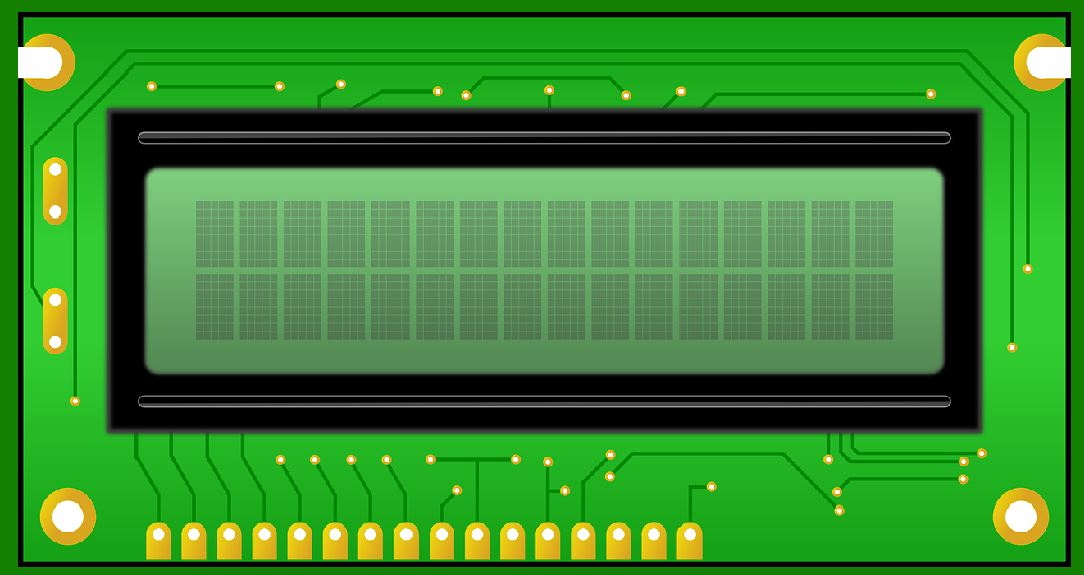
Traditional motor driver circuits rely on semiconductors such as silicon (Si) for switching and current regulation. However, wide-bandgap (WBG) semiconductors such as silicon carbide (SiC) and gallium nitride (GaN) are emerging as alternatives. These materials offer significant advantages over traditional silicon semiconductors, especially in terms of thermal efficiency and performance at higher voltages. |
Impact on Barcode Printer Motor Drivers: |
Higher Efficiency: SiC and GaN can operate at higher frequencies and voltages with lower switching losses, which means less heat is generated during operation. This reduces the risk of overheating, which is a common failure in motor driver circuits. |
Better Thermal Management: With their superior thermal conductivity, WBG materials can handle higher temperatures, which can improve the longevity and reliability of motor driver circuits. |
Smaller and Lighter Drivers: These materials allow for the creation of more compact and lighter motor driver circuits, making them ideal for space-constrained environments, such as compact barcode printers. |
Future Use: |
In the near future, barcode printer motor drivers will likely adopt WBG semiconductors, leading to more efficient, durable, and compact systems with better overall performance and a reduced likelihood of thermal-related failures. |
|
2. Integrated Motor Driver ICs with Built-in Protection |
Overview: |
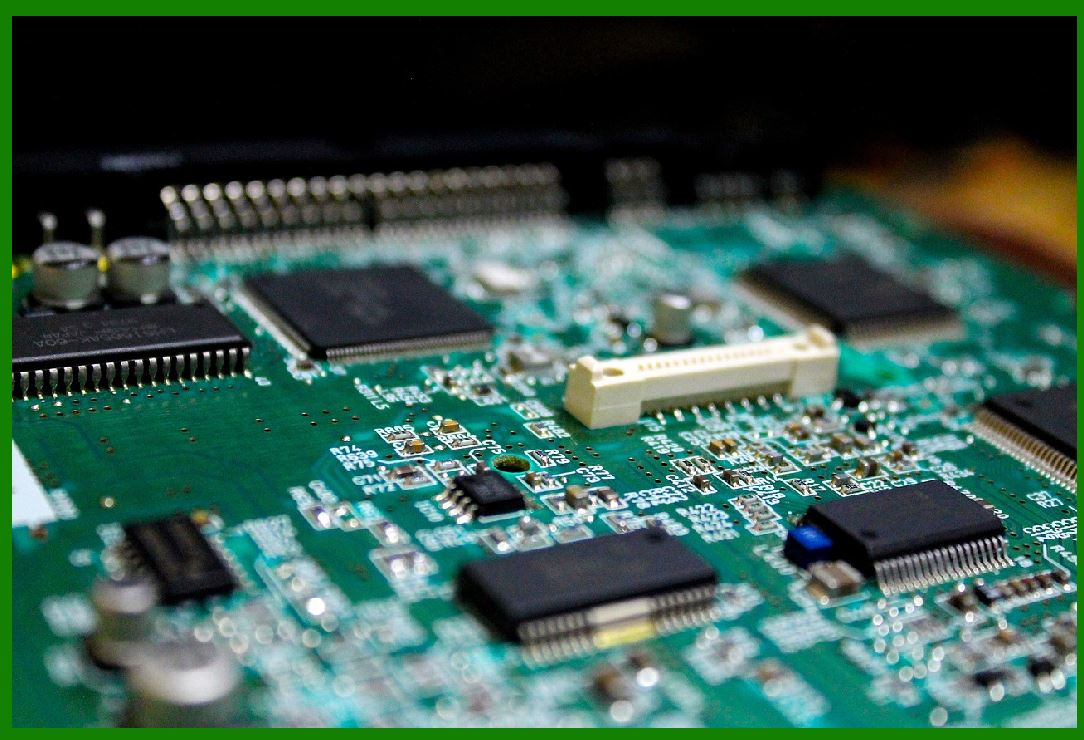
Many motor driver ICs (integrated circuits) are moving toward more integration of features such as thermal protection, overcurrent protection, short-circuit detection, and even self-diagnostic capabilities. These integrated driver ICs can significantly reduce the complexity of motor driver circuits while increasing their robustness. |
Impact on Barcode Printer Motor Drivers: |
Built-in Safety Features: Integrated protection features such as overcurrent protection, overvoltage protection, and thermal shutdown mechanisms will reduce the risk of motor driver failure due to adverse conditions. |
Simplified Design: Fewer external components are required in the design, reducing the chances of wiring issues, incorrect configurations, and potential failure points. |
Self-Diagnosis and Fault Detection: The motor driver ICs could feature embedded diagnostic functions that can detect and log faults before they cause serious damage. This will alert the printer to potential issues and allow for early intervention to prevent system-wide failures. |
Future Use: |
Motor driver ICs with enhanced built-in protections will become increasingly common, helping reduce human errors in system design, enhancing overall reliability, and making the barcode printer system more fault-tolerant. |
|
3. AI-Driven Diagnostics and Predictive Maintenance |
Overview: |
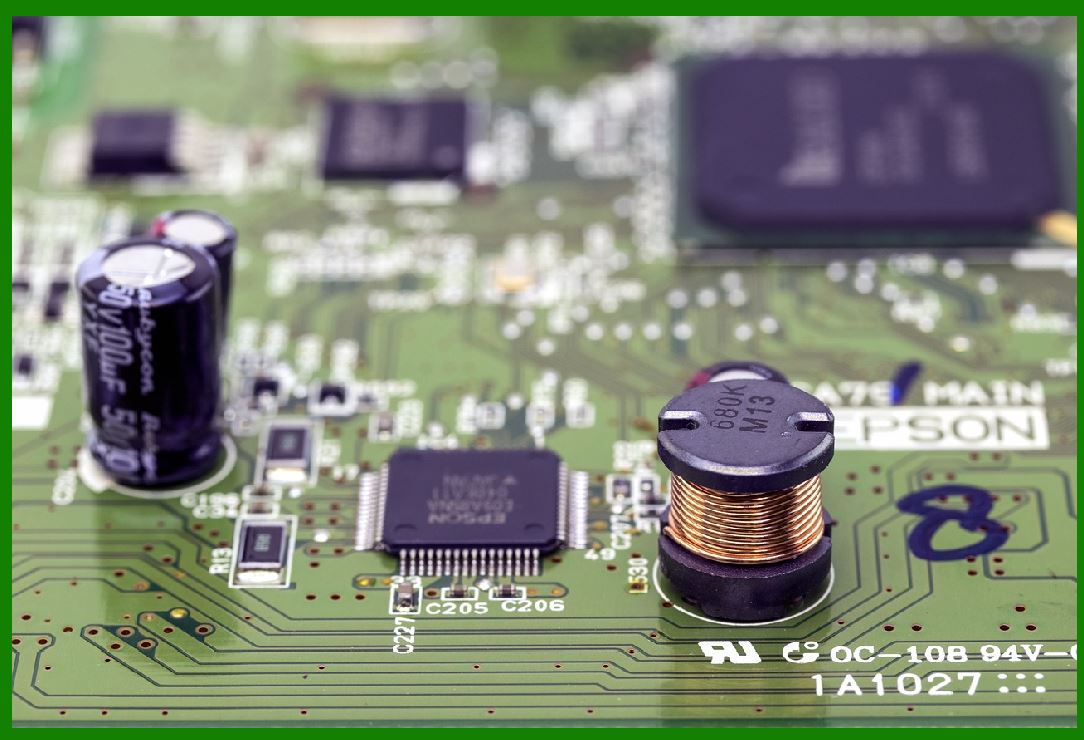
Artificial intelligence (AI) and machine learning (ML) are beginning to be integrated into motor driver circuits for real-time diagnostics and predictive maintenance. These technologies allow systems to learn and predict potential failures before they occur, reducing downtime and failure rates. |
Impact on Barcode Printer Motor Drivers: |
Predictive Maintenance: AI systems can analyze historical data from the motor driver (such as current usage, temperature, and step accuracy) to predict when a failure might occur. This allows for timely maintenance or replacement of components before they fail completely. |
Real-Time Fault Diagnosis: Machine learning models can analyze operational parameters and identify anomalies in real-time. If something goes wrong, the system can quickly identify the fault and adjust operation to prevent further damage, ensuring consistent print quality. |
Improved Efficiency: AI-powered systems could automatically adjust the motor driver parameters (e.g., current limits, PWM settings) for optimal efficiency and longevity based on the workload, print speed, and other factors. |
Future Use: |
AI-driven motor control and diagnostic systems will be integral to the next generation of barcode printers, enabling them to anticipate issues, self-correct, and reduce the likelihood of unexpected failures. |
|
4. Wireless Communication for Remote Monitoring |
Overview: |
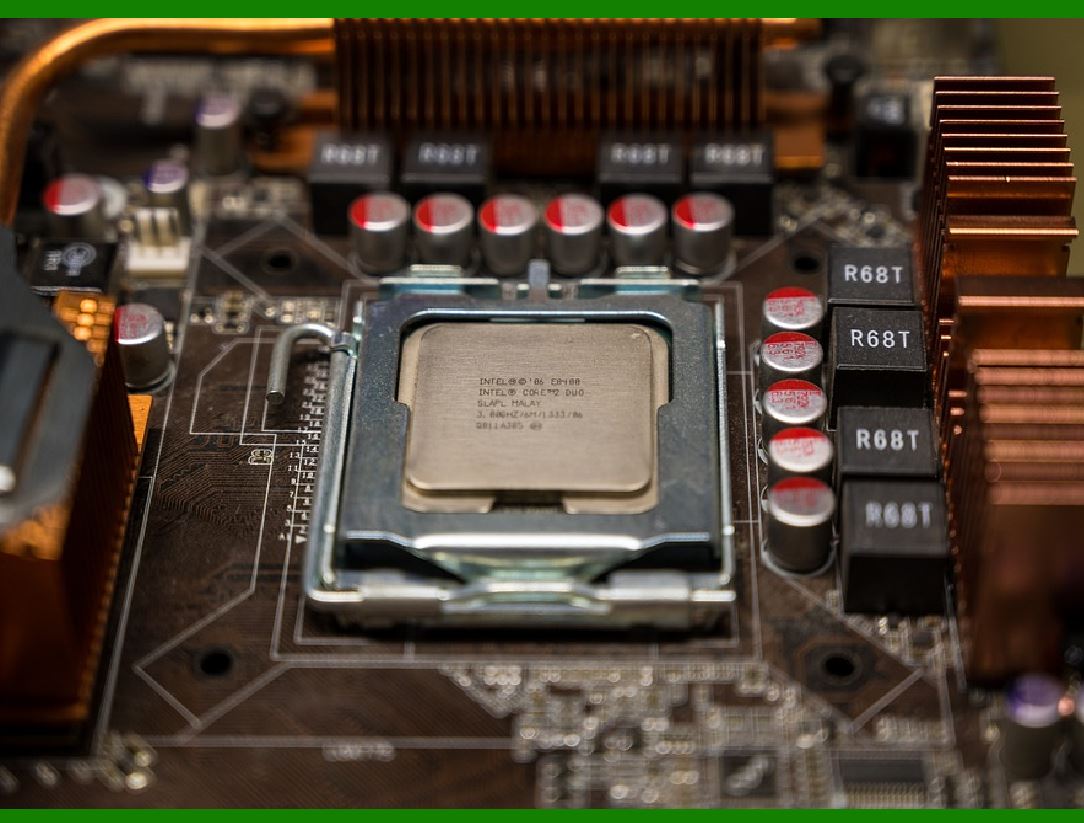
Wireless communication technologies like Bluetooth and Wi-Fi are increasingly being used in industrial systems for remote diagnostics and monitoring. For barcode printers, the ability to remotely monitor motor driver circuits can help prevent failures and improve maintenance efficiency. |
Impact on Barcode Printer Motor Drivers: |
Remote Monitoring: Maintenance personnel or users can monitor the performance of the motor drivers from a central location, checking for irregularities in voltage, current, temperature, or other parameters. |
Real-Time Alerts: Wireless communication allows for instant notifications of failures or potential issues, allowing for quicker response times and reducing the chance of further damage. |
Data Logging for Analysis: Data from the motor driver can be logged remotely and analyzed over time to spot trends, helping predict when a failure is likely to occur and enabling proactive intervention. |
Future Use: |
As barcode printers become more connected, the ability to monitor motor drivers in real-time will become more common. This will help prevent failures before they occur, improve troubleshooting, and ensure optimal operation throughout the printer's lifecycle. |
|
5. Solid-State Motor Drivers with Advanced Control Algorithms |
Overview: |
Solid-state motor drivers that use advanced digital signal processing (DSP) and field-oriented control (FOC) algorithms are gaining traction. These technologies offer precise and efficient motor control by adjusting the voltage and current to the motor windings in real time, based on feedback. |
Impact on Barcode Printer Motor Drivers: |
More Precise Control: Digital algorithms can provide finer control over the motor's movements, reducing issues like skipping or misalignment, and enhancing the overall print quality. |
Smoother Operation: FOC allows for smoother, more efficient motor operation, reducing the mechanical stress on the motor and the driver circuit, which in turn decreases the likelihood of wear and failure. |
Lower Power Consumption: By optimizing the current supplied to the motor, solid-state motor drivers can improve overall energy efficiency, reducing the power draw and heat generation, which leads to fewer failures due to thermal stress. |
Future Use: |
Solid-state drivers with advanced control algorithms will replace traditional motor drivers in many high-performance barcode printers, offering more reliable, energy-efficient, and precise motor control. |

|
6. Smart Power Management (Integrated Power Management ICs) |
Overview: |
Incorporating smart power management ICs into the motor driver design can help optimize power usage, prevent overvoltage/undervoltage conditions, and improve the longevity of both the motor driver and the motor itself. |
Impact on Barcode Printer Motor Drivers: |
Efficient Power Usage: By dynamically adjusting the power supplied to the motor based on load conditions, smart power management ICs can prevent power surges and reduce power wastage, which in turn reduces the chances of failure due to power-related issues. |
Voltage Regulation: These ICs can ensure that the voltage supplied to the motor driver remains within the ideal range, reducing the risk of overvoltage or undervoltage conditions that could cause component failure. |
Improved System Longevity: Proper power regulation can help ensure that components do not operate outside their rated conditions, extending the life of the motor driver and the motor. |
Future Use: |
Smart power management will be standard in future motor driver circuits, ensuring that the barcode printer operates efficiently while minimizing the risk of failure due to power issues. |
|
7. Redundant Systems and Fault-Tolerant Designs |
Overview: |
Future motor drivers may feature redundant systems and fault-tolerant designs that allow the motor driver circuit to continue functioning even if one component fails. This could include multiple power paths, backup components, or self-healing circuitry. |
Impact on Barcode Printer Motor Drivers: |
Increased Reliability: By implementing redundant power supplies, drivers, or circuits, the overall system reliability is improved. If one part fails, another can take over, preventing a complete failure of the motor driver. |
Fail-Safe Operation: If a fault is detected, the system can continue to operate in a degraded mode, reducing the chances of a complete system shutdown or failure. |
Improved System Availability: These systems would be especially useful in high-demand environments where printer uptime is critical. |
Future Use: |
Redundant and fault-tolerant motor driver designs will be essential in high-end barcode printers, where minimizing downtime is crucial. |
|
8. Miniaturization and Integration of Power Electronics |
Overview: |
Advances in miniaturization of power electronics and the integration of power management functions into smaller form factors will allow for more compact and efficient motor driver circuits. |
Impact on Barcode Printer Motor Drivers: |
Smaller, More Efficient Drivers: With continued progress in miniaturization, future motor drivers will be smaller, consume less power, and generate less heat, reducing the likelihood of thermal failures. |
Better Integration: More functions can be integrated into a single chip or module, reducing the number of failure points and simplifying the design and manufacturing process. |
Future Use: |
Miniaturized and highly integrated motor driver circuits will become more common, enabling the development of more compact, reliable, and energy-efficient barcode printers. |
|
Conclusion |
As the technologies outlined above mature, barcode printer motor driver circuits will become more reliable, efficient, and resilient. The use of advanced semiconductor materials, AI-powered diagnostics, integrated protection features, wireless monitoring, and smart power management will significantly reduce failure rates and improve printer performance. These innovations will help manufacturers produce more robust, efficient, and cost-effective barcode printers, meeting the growing demands of high-speed and high-precision printing applications across various industries. |
|
Practical Examples of Common Failures of Barcode Printer's Motor Driver Circuits |
Motor driver circuits in barcode printers are integral to ensuring precise and smooth movement of the print head and media feed. When these circuits fail, they can result in poor print quality, operational downtime, or even complete system failure. Below are some practical examples of common failures in barcode printer motor driver circuits, along with their potential causes and impacts on the printing process. |
1. Overheating of the Motor Driver Circuit |
Example: |
In a barcode printer, the stepper motor that controls the print head or media feed operates continuously for long periods at high speeds. If the motor driver circuit does not have adequate cooling or heat dissipation features, it may overheat, especially when handling high currents or voltages. This can cause the MOSFETs or other switching components in the motor driver to burn out. |
Cause: |
Inadequate Heat Dissipation: The motor driver lacks a sufficient heat sink or active cooling (e.g., fans) to dissipate the heat generated during operation. |
Excessive Load: The printer is tasked with printing high volumes of labels in quick succession, leading to continuous high power demands from the motor driver. |
Impact: |
Failure Symptoms: The motor stops moving, or the print head fails to position correctly, resulting in missed prints or paper jams. If overheating is detected, the printer may automatically shut down to protect the motor driver from further damage. |
Preventive Measures: Ensure that proper thermal management is in place, including the use of heat sinks, fans, and temperature monitoring. Opt for motor driver ICs with built-in thermal protection features. |
|
2. Overcurrent Protection Triggering Due to Motor Load Variability |
Example: |
A barcode printer is printing labels with varying media thicknesses or textures. When the motor driver attempts to move the print head or media feed across thicker media, it encounters higher mechanical resistance, drawing more current than the motor driver can handle. |
Cause: |
Motor Overload: The motor driver is not adequately regulated to compensate for varying load conditions, leading to an overcurrent condition. |
Inadequate Current Limiting: The current limiting mechanism is either incorrectly configured or absent, causing the motor driver to supply excessive current to the motor, leading to a short circuit or damage. |
Impact: |
Failure Symptoms: The motor may stall or skip steps, and the printer may display an 'overcurrent' error message. The motor driver may shut down to protect itself, causing the printer to stop printing. |
Preventive Measures: Implement current limiting mechanisms in the motor driver and ensure the system is able to detect and compensate for varying media loads. Use motor drivers with built-in overcurrent protection. |
|
3. Voltage Spikes Causing Driver Circuit Damage |
Example: |
When the stepper motor stops suddenly or changes direction, voltage spikes can occur due to the inductive nature of the motor windings. These spikes can travel back into the motor driver, damaging the transistors or MOSFETs responsible for switching the current. |
Cause: |
Inductive Kickback: The sudden change in motor speed or direction results in a high voltage spike as the motor coils try to resist the change in current. Without proper protection, this spike can cause damage to the motor driver. |
No Flyback Diodes: The motor driver circuit lacks flyback diodes, which are essential for protecting the driver from the voltage spikes generated by inductive loads. |
Impact: |
Failure Symptoms: The motor driver may emit a burning smell or produce smoke as internal components like MOSFETs or diodes are fried by the voltage spike. The motor will no longer move, or the printer may display an error indicating a driver fault. |
Preventive Measures: Integrate flyback diodes or other voltage suppression components across the motor windings to absorb any voltage spikes. Choose motor driver ICs designed with built-in protection for inductive loads. |
|
4. Driver Component (MOSFET/Transistor) Failure Due to Excessive Heat or Overload |
Example: |
A barcode printer that operates in a high-ambient temperature environment experiences motor driver failure due to excessive heat buildup. The MOSFETs or transistors in the motor driver are not rated for the high thermal conditions, causing them to fail. |
Cause: |
Thermal Overload: The motor driver circuit operates in an environment with insufficient ventilation, leading to overheating of the components. |
Component Mismatch: The MOSFETs or transistors used in the motor driver are not rated for the expected current or voltage requirements, leading to their premature failure under heavy loads. |
Impact: |
Failure Symptoms: The motor driver stops functioning, causing the print head or media feed to fail to move. The printer may display a motor driver error message, and the failed component may be visibly damaged. |
Preventive Measures: Choose high-quality, appropriately rated semiconductors for the motor driver. Ensure adequate cooling and ventilation, particularly in high-temperature environments. Use motor drivers with thermal protection to prevent overheating. |
|
5. Incorrect Motor Driver Configuration Leading to Misalignment |
Example: |
The printer is configured with an incorrect step-per-revolution setting, which causes the stepper motor to skip steps or fail to move the print head and media feed as intended. This results in misalignment and poor print quality. |
Cause: |
Software/Configuration Error: The motor driver is not correctly configured to match the specifications of the stepper motor, such as the number of steps per revolution or microstepping settings. |
Faulty Calibration: Incorrect calibration or failure to recalibrate the motor driver after hardware changes (e.g., replacing the motor or updating firmware) can lead to misalignment. |
Impact: |
Failure Symptoms: The print head or media feed moves inconsistently, causing misaligned or incomplete prints. The printer may also fail to detect when the print head has moved to the correct position. |
Preventive Measures: Double-check configuration settings during setup and after any hardware upgrades or maintenance. Implement automatic calibration routines that can adjust motor driver settings based on the connected motor. |
|
6. Signal Noise or Interference Causing Erratic Motor Behavior |
Example: |
A barcode printer's motor starts to stutter or jitter while moving, especially when the motor driver is receiving control signals from a noisy environment. The interference could be electromagnetic (EMI) or caused by noisy power supplies or signal lines. |
Cause: |
Electromagnetic Interference (EMI): Nearby electronic devices or cables create noise that interferes with the motor driver's control signals. This can result in erratic behavior like missed steps or motor jitter. |
Inadequate Signal Filtering: The motor driver lacks sufficient noise filtering, causing the PWM signals or current control signals to become corrupted. |
Impact: |
Failure Symptoms: The motor moves erratically or makes a stuttering noise. Print quality degrades due to the inconsistent movement of the print head or media feed. |
Preventive Measures: Use proper shielding and grounding techniques to protect the motor driver circuit from EMI. Implement signal filtering techniques, such as low-pass filters, to clean up noisy signals and prevent them from affecting motor operation. |
|
7. Faulty Encoder or Feedback Mechanism |
Example: |
A barcode printer uses an encoder or position sensor to track the movement of the print head or media feed. A malfunction in the encoder circuit causes the motor driver to lose track of the motor's position, leading to print misalignment. |
Cause: |
Encoder Malfunction: The encoder or feedback system becomes dirty, misaligned, or fails due to wear and tear, providing inaccurate data to the motor driver. |
Loose Wiring or Connector Issues: The wiring or connectors between the encoder and the motor driver may become loose or disconnected, causing intermittent signal loss. |
Impact: |
Failure Symptoms: The motor may skip steps, and the print head may not be correctly positioned, leading to printing errors such as overlapping prints, misalignment, or incomplete labels. |
Preventive Measures: Regularly clean and maintain encoders and feedback mechanisms. Implement robust error-checking mechanisms and recalibration procedures to ensure the encoder provides accurate data to the motor driver. |
|
8. Power Supply Instability (Undervoltage/Overvoltage) Leading to Driver Shutdown |
Example: |
A barcode printer experiences sudden shutdowns or inconsistent motor performance because the power supply is unstable, either under-volting or over-volting the motor driver during operation. |
Cause: |
Power Supply Issues: The power supply providing voltage to the motor driver may be inconsistent or incorrectly rated, leading to under- or over-voltage conditions. |
Inadequate Voltage Regulation: The motor driver may not have proper regulation to handle power fluctuations, causing the driver to shut down or operate inefficiently. |
Impact: |
Failure Symptoms: The printer fails to start or operates erratically, with the motor driver cutting out intermittently. The print head or media feed may freeze or stutter during operation. |
Preventive Measures: Use a regulated power supply and integrate voltage protection components (e.g., Zener diodes, voltage regulators) into the system to protect against fluctuations. Monitor power stability to ensure it remains within the motor driver's operational range. |
|
Conclusion |
These practical examples highlight the variety of failures that can occur in barcode printer motor driver circuits, each with distinct causes and impacts on printer functionality. To reduce the likelihood of these failures, it's important to incorporate proper design practices, including thermal management, accurate configuration, protection circuits, and routine maintenance. |
 cs@easiersoft.com