1. Introduction to Barcode Printer's Data Processing |
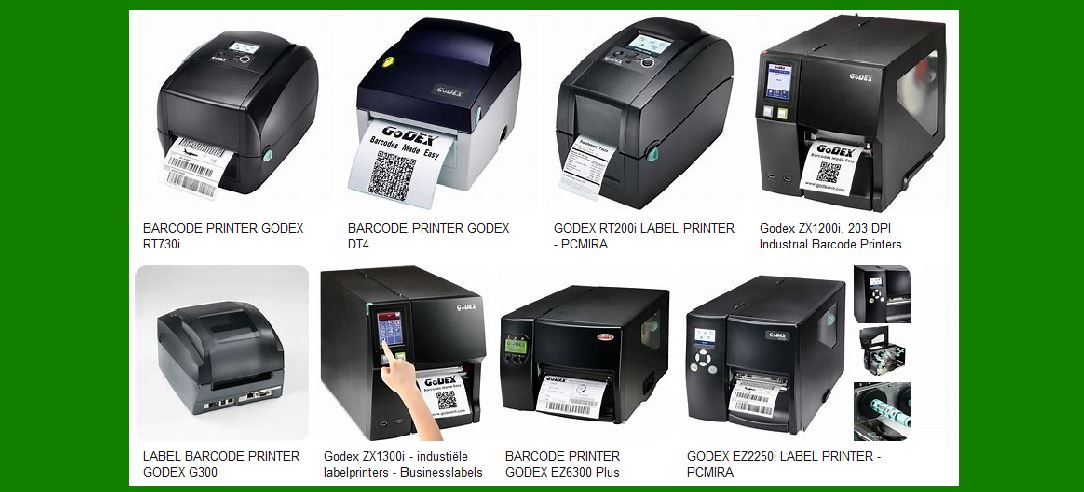
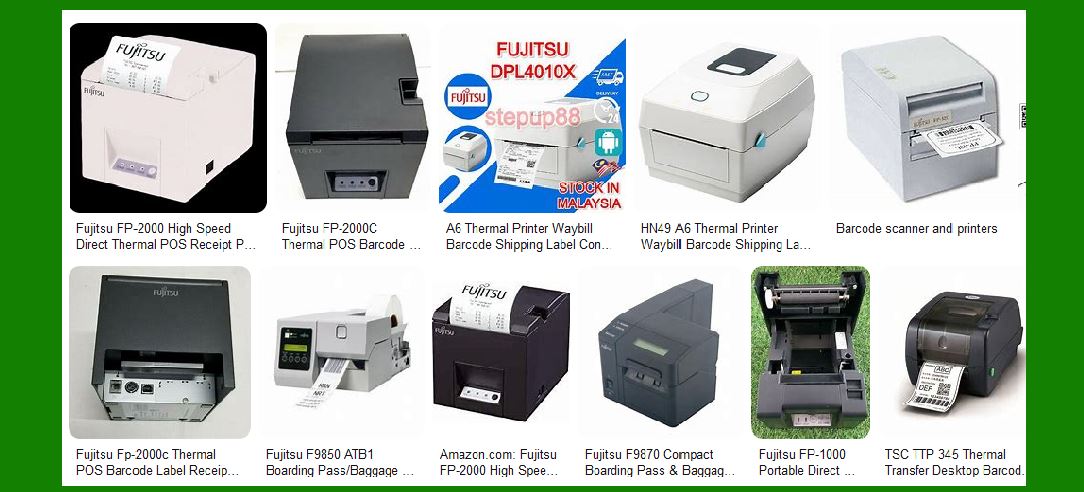
A barcode printer is a specialized device that translates digital data into physical, scannable barcodes. The process involves converting data (such as product identifiers, asset numbers, or inventory codes) into a format that can be read by barcode scanners. This conversion process involves several stages, from receiving the raw data to generating the printout on the media (typically labels or tags). At the heart of this operation is the control board, which acts as the brain of the printer, ensuring that digital information is translated into physical print actions in a precise and controlled manner. |
|
2. The Role of the Control Board in Data Processing |
2.1 Overview of the Control Board The control board in a barcode printer is responsible for managing the entire printing process. It serves as the interface between the digital data that is input into the system (e.g., from a computer, network, or mobile device) and the printer's physical mechanisms, such as the print head, media feed, and motor controls. |
2.2 Data Reception When a barcode is to be printed, the data (often in the form of a barcode standard like UPC, EAN, or QR codes) is first sent to the printer. This data can come from various sources, including software applications, databases, or manually inputted through a connected device. The control board receives this data, often via a communication protocol such as USB, Ethernet, or Bluetooth. |
2.3 Preprocessing The control board's microprocessor begins preprocessing the received data. This may involve: |
Validation: Ensuring the data is valid according to the specific barcode format being used. For instance, ensuring a UPC-A code contains the correct number of digits. |
Error Correction: If the data is in a compressed format, error-correcting algorithms may be applied to restore any lost or corrupted data. |
Conversion to Raster Image: Many barcode printers work by converting the input data into a raster image (a grid of dots) that represents the barcode. |
|
3. Data Formatting for Printing |
3.1 Data Translation to Printer Language Barcode printers commonly support different printer languages (such as ZPL for Zebra printers or EPL for Eltron printers). The control board converts the input data into a printer-compatible format. This format typically includes instructions on how to control the print head, media feed, and any additional components like cutter or peelers. |
3.2 Resolution and Scaling Barcode printers have specific resolutions (measured in DPI, dots per inch). The control board scales the barcode data accordingly to match the printer's resolution. This is important because barcodes require a high level of precision to be scannable. If the barcode's elements (bars, spaces) are too thick or too thin, scanners may fail to read them. |
3.3 Error Handling and Adjustment The control board also checks the integrity of the barcode layout. If it detects errors (such as improperly scaled barcodes), it will attempt to adjust the image size or make corrections to ensure that the final output will be scannable. Additionally, the printer may apply certain techniques to ensure the barcode remains readable even if printed poorly, such as slight adjustments to contrast. |
|
4. The Printing Process: Conversion from Data to Physical Output |
4.1 Data Transmission to the Print Mechanism Once the data has been formatted and processed, the control board transmits the instructions to the printing mechanism. This includes: |
Print Head Activation: Directing the print head to heat up and apply ink or thermal transfer material to the media. |
Media Feeding Instructions: Coordinating the motion of the media (such as labels or tags) to ensure that the print is positioned correctly on the label. |
4.2 Heat Transfer (Thermal Printers) In thermal barcode printers (direct thermal and thermal transfer), the control board controls the heating elements in the print head. In direct thermal printers, the heat activates a special heat-sensitive paper, causing the printed image to appear. In thermal transfer printers, the heat melts ink from a ribbon onto the media. The accuracy and intensity of the heating are precisely controlled by the control board to create crisp, high-quality barcode prints. |
4.3 Print Head Movement The print head in a barcode printer moves horizontally across the media (typically labels). The control board coordinates this movement to ensure that each individual dot in the raster image is accurately printed in its correct position. This movement is often performed in high-precision steps to ensure that the printed barcode maintains clarity, with the proper size and spacing between bars. |
|
5. Media Handling and Synchronization |
5.1 Media Alignment Correct media alignment is crucial to ensure the barcode is printed at the proper location on the label. The control board manages the movement of the media through the printer, aligning it with the print head to ensure that the barcode appears at the correct spot. This is particularly important when printing multiple barcodes on a single sheet of labels, as incorrect alignment can cause overlapping or misaligned barcodes that may not be scannable. |
5.2 Feeding Mechanism The feeding mechanism works in conjunction with the control board to move the media through the printer. Depending on the type of printer, this could involve a series of rollers or a stepper motor system. The control board regulates the speed and motion of this mechanism to ensure consistent label positioning and to avoid misfeeds, where the media moves too far or too short. |
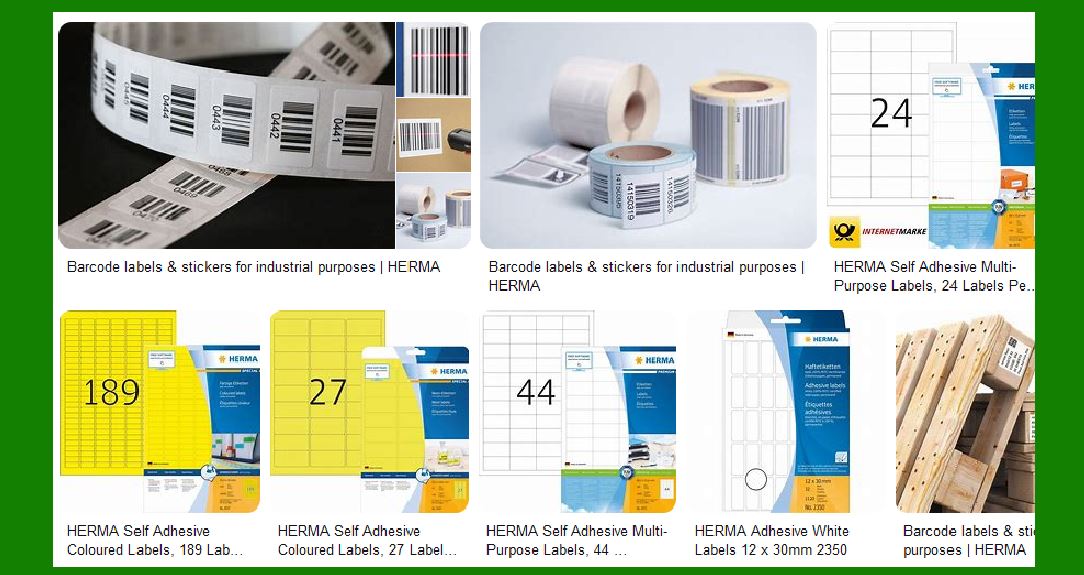
5.3 Peeling and Cutting (Optional Features) Some barcode printers have additional features like a peel-off mechanism or a cutter. These features help to automate the process of removing printed labels from the roll or cutting individual labels. The control board manages these actions based on the settings provided by the user, ensuring that each label is printed, cut, and peeled at the correct time. |
6. Error Detection and Feedback Mechanisms |
6.1 Print Quality Monitoring Barcode printers have sensors that constantly monitor the quality of the printed output. The control board uses feedback from these sensors to detect potential problems, such as issues with the print head, incorrect media type, or insufficient ink/thermal ribbon. If a print quality issue is detected, the control board can stop the print job and alert the operator to resolve the issue before proceeding. |
6.2 Media Detection Barcode printers often include sensors that detect the type of media being used, such as thermal transfer ribbon, direct thermal paper, or label stock. The control board uses this information to adjust print settings accordingly, ensuring the correct amount of heat and pressure is applied based on the type of media. If the wrong type of media is loaded, the control board can issue an error message and halt the printing process. |
6.3 User Alerts The control board can also trigger user alerts for a variety of other reasons, such as paper jams, low ink or ribbon, and other maintenance issues. These alerts can be displayed on the printer's screen or sent to a connected computer to ensure the operator is aware of any potential problems that might disrupt the printing process. |
|
7. Post-Printing Process |
7.1 Print Verification Once the barcode is printed, some printers are equipped with a verification system that checks whether the printed barcode meets the required specifications. This may involve scanning the barcode to confirm that it is readable and adheres to industry standards for size, spacing, and contrast. The control board coordinates this verification process to ensure that all prints are scannable before they are sent out for use. |
7.2 Label Cutting and Application In certain high-volume environments, after printing, labels may need to be cut and/or applied to products. The control board controls the cutting mechanism and ensures that each label is separated properly, particularly in situations where labels need to be applied to multiple products or packages. The cutting mechanism often works with a rotary blade or guillotine-style cutter that is actuated based on the output of the control board. |
|
8. Conclusion |
8.1 Final Thoughts on Data Processing in Barcode Printers The data processing in barcode printers is a highly sophisticated and precise operation that involves a seamless interaction between digital input, the control board, and the print mechanism. From receiving raw data to generating readable barcodes on physical media, each stage in the process requires high levels of precision to ensure that the final output meets the required standards. The control board acts as the central hub, managing the entire process and ensuring that the print job is executed correctly, with the highest possible quality. |
8.2 The Importance of Control Board Functionality The control board's role in managing the conversion of digital data into physical print actions is critical to the success of the printing process. Without an efficient, well-calibrated control board, barcode printers would fail to produce scannable, accurate barcodes. As technology continues to evolve, so too does the sophistication of barcode printers, with enhanced data processing capabilities, higher print resolutions, and more advanced error-correction mechanisms, ensuring that barcode printing remains an essential tool in inventory management, logistics, and many other industries. |
This detailed breakdown provides a comprehensive look at how barcode printers process data from the control board to produce accurate, high-quality barcode prints. |

|
What are its common failures of Barcode Printer's Data Processing? How to prevent them? |
Barcode printers, like any other complex machinery, can experience various failures during their data processing cycle. These failures can result in misprints, unreadable barcodes, or even complete breakdowns of the printer. Understanding common issues and how to prevent them is key to maintaining the printer's reliability and ensuring efficient operation. Below, we'll outline the most common failures in barcode printer data processing and provide preventive measures for each. |
1. Incorrect Barcode Output |
1.1 Issue Description: The most critical failure in barcode printers is the generation of incorrect or unreadable barcodes. This could manifest as: |
Incorrect Barcode Dimensions: The width of bars or spaces may not adhere to the standard for a specific barcode type. |
Distorted Barcodes: The barcode appears broken or distorted, making it unreadable by scanners. |
Unrecognizable Characters: The control board may misinterpret the data, resulting in symbols or characters that are not part of the intended barcode. |
1.2 Causes: |
Software or Data Errors: If the input data is corrupted or improperly formatted, the barcode will be incorrect. |
Printer Settings Mismatch: Using the wrong printer language, resolution, or scaling settings could result in a poorly formatted barcode. |
Firmware Bugs: Issues within the printer's control board firmware might cause it to misinterpret data. |
1.3 Prevention: |
Data Validation: Before sending data to the printer, ensure it is properly formatted for the barcode standard (UPC, EAN, QR code, etc.) using specialized software or checksum algorithms. |
Correct Printer Configuration: Always match the printer's settings with the required barcode type. Verify that the resolution (DPI) and scaling are set correctly for the media size. |
Update Printer Firmware: Keep the printer's firmware up-to-date to avoid bugs that may affect data processing. Manufacturers often release patches to improve the printer's reliability and compatibility. |
|
2. Print Head Issues (Blurry or Faint Prints) |
2.1 Issue Description: One of the most common problems with barcode printers is print head failure. This manifests as blurry or faint barcodes, especially in thermal printers. Inconsistent heating can cause some parts of the barcode to print lighter than others, making it difficult for scanners to read. |
2.2 Causes: |
Print Head Wear and Tear: Over time, the thermal print head may degrade, leading to uneven heating. |
Improper Calibration: If the printer is not calibrated correctly, the print head may not apply the correct amount of heat to the media. |
Dirty Print Head: Dust or residue buildup on the print head can impair its ability to transfer heat to the media properly. |
2.3 Prevention: |
Regular Maintenance: Clean the print head regularly using a lint-free cloth and print head cleaning solution. Dirt and residue can accumulate quickly, especially when using thermal transfer ribbons. |
Proper Calibration: Ensure that the printer is calibrated for the correct media and ribbon type. The control board uses calibration data to adjust heat levels during printing. |
Monitor Print Quality: Check the print output regularly, especially during high-volume printing, and replace the print head if degradation is detected. Most barcode printers provide a warning when print quality begins to degrade. |
|
3. Media Jams or Misfeeds |
3.1 Issue Description: A media jam or misfeed occurs when the labels or paper do not feed correctly through the printer. This can result in gaps, skewed prints, or even complete stoppage of the printing process. |
3.2 Causes: |
Incorrect Media Loading: If labels are not loaded correctly in the printer or the media is misaligned, it can cause feeding problems. |
Dirty Sensors: Barcode printers often have sensors that detect gaps between labels or the presence of media. If these sensors are dirty or malfunctioning, the printer may fail to detect media properly. |
Damaged Media: Torn or bent media can cause jamming, especially if the roll is not properly wound or is not aligned with the printer's feeding mechanism. |
3.3 Prevention: |
Proper Media Handling: Always load the media properly according to the printer's instructions. Ensure that labels are aligned and that the media roll is securely placed. |
Regular Sensor Cleaning: Clean the media sensors and feed rollers regularly to prevent dust or residue buildup that could interfere with media detection and feeding. |
Inspect Media: Inspect the labels or thermal paper before printing to ensure they are in good condition and free from damage. Replace damaged or wrinkled media. |
|
4. Incorrect Data Transmission or Communication Failure |
4.1 Issue Description: A failure to properly transmit data from the computer or system to the barcode printer can result in incomplete, corrupted, or missing print jobs. This issue can prevent the printer from receiving the correct data needed for the print process. |
4.2 Causes: |
Connection Issues: Loose cables, poor Wi-Fi signal strength, or Bluetooth interference can cause intermittent communication between the printer and the source device. |
Software Configuration Errors: Misconfigured printer drivers or incorrect communication protocols can disrupt data transfer. |
Corrupted Data: Data corruption during transmission can result in the printer receiving incomplete or incorrect barcode data. |
4.3 Prevention: |
Stable Connections: Ensure that the printer is connected via a stable communication method (USB, Ethernet, or Wi-Fi). Use high-quality cables, and check for any signal interference. |
Check Software Settings: Verify that the printer driver and communication settings are correctly configured for the specific printer model and connection type. |
Data Integrity Checks: Before printing, run a test to ensure that the data is received correctly by the printer. Most modern printers have a status indicator or diagnostic tool to confirm successful data transmission. |
|
5. Low Print Quality or Inconsistent Contrast |
5.1 Issue Description: A barcode may print with low contrast, making it hard to scan, or there may be inconsistencies in print quality across a batch of labels. This can happen when the print contrast is not sufficient for the scanner to read the barcode reliably. |
5.2 Causes: |
Low Ink/Ribbon Quality: In thermal transfer printers, poor-quality ribbons or low ink levels can cause faded or inconsistent prints. |
Incorrect Printer Settings: The contrast and darkness settings may not be optimized for the media being used, resulting in poor barcode visibility. |
Print Head Calibration Issues: If the print head is not calibrated to the appropriate media or ribbon, the printer may not apply the right amount of heat or pressure, leading to inconsistent contrast. |
5.3 Prevention: |
Use High-Quality Media and Ribbons: Always use compatible and high-quality ribbons or thermal paper. Avoid using expired or incompatible consumables that may affect the quality of the print. |
Adjust Contrast Settings: Many printers allow for contrast or darkness adjustments. Regularly check and adjust the contrast settings to ensure optimal print quality, especially when changing media or ribbons. |
Monitor and Replace Consumables: Keep track of ink or ribbon levels and replace them promptly to avoid poor-quality prints due to exhaustion or degradation. |
|
6. Firmware or Software Crashes |
6.1 Issue Description: Sometimes, the printer's firmware or software crashes, causing it to become unresponsive or stop processing data altogether. This can prevent printing from occurring or cause random errors during the print job. |
6.2 Causes: |
Outdated Firmware: Old firmware versions may have bugs that cause crashes or erratic behavior. |
Incompatible Software Updates: If the software running the printer is updated and is not compatible with the firmware or hardware, it can cause failures during data processing. |
Corrupted Files: Corrupt printer configuration files or data queues may cause the printer to malfunction. |
6.3 Prevention: |
Regular Firmware Updates: Keep the printer's firmware up to date by checking for updates from the manufacturer's website. This helps fix bugs and enhance performance. |
Test New Software Versions: Before updating printer software or drivers, test the new version to ensure compatibility with your current printer model. |
Backup Configurations: Regularly back up the printer's configuration settings and software to avoid issues that could arise from corrupted files. |
|
7. Temperature Fluctuations or Environmental Conditions |
7.1 Issue Description: Barcode printers are sensitive to temperature and humidity. Inadequate environmental conditions can cause print quality issues or even mechanical failures, especially in thermal printers, where precise heat control is necessary. |
7.2 Causes: |
Excessive Heat or Cold: If the printer operates in an environment with fluctuating temperatures, the print head or other components may malfunction. |
Humidity: High humidity levels can cause moisture to build up in the printer, leading to media misfeeds or print quality degradation. |
7.3 Prevention: |
Controlled Environment: Place barcode printers in a stable, temperature-controlled environment, away from direct heat sources or extreme cold. |
Humidity Control: Use dehumidifiers or climate control systems to maintain optimal humidity levels for printers, especially in warehouses or production areas with fluctuating environmental conditions. |
By understanding these common failures and implementing preventive measures, barcode printers can operate more reliably, reducing downtime and improving the overall quality of the barcodes printed. Regular maintenance, correct setup, and attention to environmental conditions are key to preventing issues that may arise during data processing. |
|
What new technologies will improve the function of the Barcode Printer's Data Processing and reduce the failure rate in the future? |
The barcode printing industry is constantly evolving, and new technologies are continuously being developed to improve the functionality of barcode printers and reduce failure rates. These advancements aim to make barcode printing faster, more reliable, more accurate, and better suited to modern business needs. Below are some of the key emerging technologies that will likely play a significant role in enhancing barcode printer data processing in the future: |
1. AI and Machine Learning for Print Quality Monitoring |
1.1 How It Will Work: Artificial intelligence (AI) and machine learning (ML) technologies can be integrated into barcode printers to monitor print quality in real time. By analyzing the printed output continuously, AI algorithms can detect issues such as misalignment, distortion, or incorrect barcode formatting before they become visible problems. Machine learning models can also predict when print heads, ribbons, or other components are likely to fail, allowing for preventive maintenance. |
1.2 Impact on Data Processing: |
Improved Print Quality: AI-driven systems can adjust print settings dynamically to ensure optimal contrast, resolution, and barcode clarity. |
Predictive Maintenance: Machine learning can analyze historical data from the printer to predict when maintenance is needed, reducing the likelihood of print head failure or other mechanical issues. |
Real-Time Adjustments: During printing, AI could adjust parameters like heat intensity or media feed speed to ensure the barcode is printed according to the highest standards, reducing the failure rate caused by human error. |
1.3 How It Will Reduce Failures: |
Detects and corrects print issues instantly, reducing the number of defective barcodes. |
Predicts and prevents print head and ribbon failures before they happen, reducing downtime. |
Ensures optimal calibration settings for consistent, high-quality prints. |
|
2. Cloud-Based Printer Management and Remote Monitoring |
2.1 How It Will Work: Cloud-based systems for printer management and remote monitoring are becoming more common in the industry. These systems allow businesses to manage multiple barcode printers from a central location, regardless of the printer's physical location. Data from each printer is uploaded to the cloud, where it can be analyzed in real time, enabling technicians or operators to troubleshoot issues remotely. |
2.2 Impact on Data Processing: |
Centralized Management: Cloud-based systems can centralize control over printer configurations, settings, and job queues, ensuring consistency and reducing the likelihood of configuration errors that can lead to data processing failures. |
Real-Time Alerts: When a problem is detected (e.g., paper jams, sensor issues, low ink levels), the cloud system can send an alert to the appropriate personnel for immediate resolution, avoiding delays or faulty print jobs. |
Remote Troubleshooting: Technicians can remotely diagnose issues and make adjustments to the printer's settings without needing to be physically present, improving operational efficiency and reducing downtime. |
2.3 How It Will Reduce Failures: |
Minimizes the risk of human error in setting up and managing printers. |
Provides real-time data for immediate troubleshooting, preventing prolonged operational issues. |
Enables quick resolution of errors, reducing the failure rate due to manual oversight or misconfiguration. |
|
3. Smart Sensors and IoT Integration |
3.1 How It Will Work: The Internet of Things (IoT) enables devices to communicate with each other over the internet, and in the case of barcode printers, it can allow for smarter sensors and real-time tracking of printer conditions. IoT-enabled barcode printers can feature advanced sensors that monitor temperature, humidity, print head conditions, media status, and even the quality of the printed barcode. |
3.2 Impact on Data Processing: |
Environmental Monitoring: Sensors that measure temperature and humidity will enable barcode printers to adjust their operations based on environmental conditions, ensuring that print quality remains consistent despite changes in the surrounding environment. |
Print Quality Feedback: Advanced sensors can detect whether the printed barcode is scannable and whether it meets industry standards, allowing the printer to correct issues before the barcode is even printed. |
Enhanced Diagnostics: IoT sensors can feed diagnostic data into a central system, providing detailed insights into printer performance and reducing the time spent diagnosing problems manually. |
3.3 How It Will Reduce Failures: |
Real-time environmental monitoring will help prevent issues related to temperature fluctuations, which are often a cause of print quality degradation. |
Advanced sensors will ensure that barcodes are printed to meet quality standards, reducing the likelihood of misprints. |
Quick identification of problems through IoT monitoring will allow for faster responses and fewer failures due to unknown or unaddressed issues. |
|
4. Advanced Print Head Technology (Microthermal and Inkjet Advancements) |
4.1 How It Will Work: Print head technology continues to improve, with innovations like microthermal print heads (using smaller, more precise thermal elements) and advanced inkjet technology that can print high-resolution barcodes faster and more reliably. For example, microthermal print heads can provide finer dot control, reducing print artifacts that can cause errors in barcode readability. |
4.2 Impact on Data Processing: |
Precision and Consistency: Advanced print head designs will provide finer and more consistent control over the printing process, ensuring that barcodes are sharp and within the required dimensions. |
Higher Resolution: Higher print resolution (600 DPI and beyond) will allow for the printing of smaller barcodes and QR codes with greater clarity, making them more readable and scannable across various devices. |
Faster Printing: More efficient print heads can speed up the printing process without sacrificing quality, reducing the time it takes to print large volumes of barcodes. |
4.3 How It Will Reduce Failures: |
Enhanced precision will reduce common issues like fuzzy, unclear, or misaligned prints. |
Higher resolution will improve the ability to print small or complex barcodes without error, improving reliability. |
Faster print speeds will reduce the time the printer is running, minimizing the chances of wear and tear on the print head and associated components. |
|
5. Blockchain and Data Integrity for Barcode Printing |
5.1 How It Will Work: Blockchain technology, known for its ability to ensure the integrity of digital records, can be integrated with barcode printing systems to enhance security and accuracy in data processing. By using blockchain to log every print job and track each label or barcode generated, businesses can ensure that the data is not tampered with during the printing process. |
5.2 Impact on Data Processing: |
Data Integrity: Blockchain ensures that the barcode data is tamper-proof, preventing any issues caused by corrupted or maliciously altered data. |
Auditing and Traceability: Blockchain technology will enable real-time tracking of every barcode printed, which is especially useful in high-security industries (e.g., pharmaceuticals, logistics) where accuracy and traceability are crucial. |
Error Prevention: By using a distributed ledger to store print data, blockchain can detect discrepancies in real time and trigger alerts, preventing faulty prints based on incorrect or outdated data. |
5.3 How It Will Reduce Failures: |
Prevents data corruption or tampering, which can lead to incorrect barcode output. |
Enhances auditability and traceability, ensuring that the right data is being printed in the right format. |
Reduces errors caused by outdated or invalid data by ensuring that all print jobs are validated through a secure ledger. |
|
6. Automatic Calibration and Self-Healing Printers |
6.1 How It Will Work: Future barcode printers may include self-calibrating systems that automatically adjust print settings based on real-time data from the printer's sensors and environmental conditions. These printers could use algorithms to continuously monitor print quality, alignment, media feed, and other key metrics, making adjustments as needed to maintain optimal performance. |
6.2 Impact on Data Processing: |
Self-Adjusting Parameters: Printers will be able to automatically adjust print head temperature, media feed speed, and other parameters to ensure optimal print quality without user intervention. |
Automated Error Correction: If an issue is detected (e.g., misalignment or faint prints), the printer can automatically adjust the settings or initiate corrective actions without requiring manual intervention. |
Consistency and Reliability: By continuously monitoring and adjusting for optimal performance, the printer will reduce variability in print quality, ensuring that barcodes are consistently accurate and scannable. |
6.3 How It Will Reduce Failures: |
Automatic calibration eliminates the need for manual adjustments and reduces the likelihood of misprints or incorrect barcode output. |
Self-healing capabilities help correct issues without requiring intervention, reducing downtime and operational disruption. |
Continuous quality monitoring ensures that any degradation in performance is addressed before it leads to a failure. |
|
7. Edge Computing and Onboard Processing |
7.1 How It Will Work: Instead of relying on a central computer or cloud system to process data, future barcode printers may incorporate edge computing capabilities, allowing them to handle complex data processing locally on the printer itself. This means that printers could process and adjust print jobs, analyze data, and even apply corrections without needing to rely on external systems. |
7.2 Impact on Data Processing: |
Faster Processing: By processing data locally, the printer can avoid delays caused by network communication or cloud processing, ensuring faster print jobs and more efficient operation. |
Greater Flexibility: Edge computing allows for real-time adjustments and more flexibility in processing complex data or multiple barcode formats. |
Reduced Network Dependency: With onboard processing, printers become less reliant on external systems, reducing the risk of failures due to network disruptions or connectivity issues. |
7.3 How It Will Reduce Failures: |
Reduced dependency on external systems will minimize failure points related to communication or network issues. |
Local data processing allows for quicker adjustments and faster resolution of print errors, improving overall reliability. |
 cs@easiersoft.com