Barcode Scanner: Cloud and IoT Integration Technologies |
In today's increasingly digital world, barcode scanners have evolved far beyond their traditional role of simply reading barcodes. Thanks to innovations in cloud computing and the Internet of Things (IoT), barcode scanners now have the capacity to interact with sophisticated systems, transmit data across various devices, and facilitate real-time decision-making processes. This integration not only enhances efficiency but also ensures that businesses can manage and track their operations seamlessly. |
In this article, we will explore the role of cloud-based systems and IoT in barcode scanning technology, examining how these integrations contribute to more effective inventory management, real-time tracking, and smarter decision-making. |
|
1. Cloud-Based Barcode Processing |
1.1 Introduction to Cloud-Based Barcode Scanning |
Cloud computing refers to the delivery of computing services-such as servers, storage, databases, networking, software, and analytics-over the internet (the cloud). Barcode scanning technology integrated with cloud systems allows for seamless storage, retrieval, and analysis of scanned data in real-time. Cloud-based systems provide numerous advantages, including scalability, flexibility, and accessibility, that traditional on-premises solutions cannot offer. When barcode data is processed in the cloud, businesses can immediately access crucial information from any device with internet connectivity, allowing for more agile and informed decision-making. |
1.2 How Cloud-Based Barcode Scanning Works |
When a barcode scanner reads a barcode, the scanned data-typically a product ID, serial number, or SKU-is sent to a cloud-based server for processing. This system eliminates the need for storing data on local servers or relying on traditional paper records. Once the data reaches the cloud, it can be analyzed, stored, and shared with other systems in real time. For example, in an inventory management system, a barcode scan can update stock levels immediately across all platforms connected to the cloud. Similarly, in logistics, scanned barcodes can trigger actions like shipment tracking, automated reordering, or inventory restocking. |
1.3 Benefits of Cloud-Based Barcode Processing |
Cloud integration with barcode scanning brings several distinct advantages: |
Real-Time Data Updates: Since data is transmitted instantly to the cloud, any change in inventory, stock levels, or asset locations is reflected immediately. This ensures that decision-makers are always working with the most up-to-date information. |
Improved Accessibility: Cloud-based barcode scanning systems can be accessed from anywhere in the world, provided there is an internet connection. This is particularly useful for businesses that operate across multiple locations or require access to real-time data remotely. |
Cost-Effectiveness: Cloud systems reduce the need for expensive on-site infrastructure, such as servers, storage devices, and backup systems. Businesses can pay for cloud services on a subscription basis, avoiding the upfront capital expenditure for hardware. |
Scalability: As a business grows, its need for data storage and processing power also increases. Cloud-based systems are highly scalable, allowing businesses to expand their capabilities without the hassle of managing on-premises infrastructure. |
Data Security: Cloud providers often implement robust security measures, including data encryption, firewalls, and backup protocols. This provides a higher level of security compared to traditional local storage methods. |
1.4 Applications of Cloud-Based Barcode Scanning |
Cloud-based barcode scanning is particularly useful in industries that rely on large-scale logistics, inventory management, and supply chain processes. For example: |
Retail: Retailers can track products from warehouse to store to customer in real-time. Inventory levels can be updated automatically, allowing for better stock control, timely restocking, and fewer out-of-stock situations. |
Healthcare: Barcode scanning integrated with cloud systems ensures accurate patient records, medication tracking, and medical inventory management. Hospitals and clinics can quickly access patient data and track medical supplies from anywhere on their network. |
Manufacturing: In manufacturing, barcode scanners connected to cloud systems help track the progress of production lines, monitor parts and materials, and maintain accurate records of goods in transit. |
1.5 Challenges of Cloud-Based Barcode Processing |
While the integration of barcode scanning with cloud-based systems offers several benefits, there are some challenges that businesses should be aware of: |
Dependence on Internet Connectivity: Cloud-based systems require a reliable internet connection. In regions where internet connectivity is unreliable, this could pose challenges for real-time updates and data transmission. |
Data Privacy and Compliance: Storing sensitive data in the cloud may raise concerns around privacy and compliance, especially for industries that handle personal or financial information. Businesses need to ensure that their cloud service provider adheres to relevant regulations like GDPR or HIPAA. |
System Integration: Integrating barcode scanners with cloud-based systems requires proper configuration and system compatibility. Companies may face challenges when trying to connect legacy systems with modern cloud-based solutions. |

|
2. IoT-Enabled Barcode Scanners |
2.1 Introduction to IoT in Barcode Scanning |
The Internet of Things (IoT) refers to the network of physical devices-ranging from household appliances to industrial machinery-embedded with sensors, software, and other technologies to collect and exchange data. IoT-enabled barcode scanners take this concept further by allowing barcode scanners to not only capture barcode data but also transmit it to a wider network of connected devices. These scanners can communicate with other IoT-enabled devices, such as smart shelves, sensors, or warehouse management systems, to automate and optimize workflows. |
In essence, IoT turns traditional barcode scanning into an intelligent, interconnected system, where scanners, sensors, and databases work together to perform automated tasks, improving both operational efficiency and decision-making. |
2.2 How IoT-Enabled Barcode Scanners Work |
An IoT-enabled barcode scanner typically includes a scanner with a built-in wireless communication interface, such as Wi-Fi, Bluetooth, or cellular connectivity. When the scanner reads a barcode, the data is not only transmitted to a cloud server or local system but is also shared with other IoT devices. For example, if a barcode scanner detects an item in a warehouse, it could communicate with a smart shelf to update the shelf's inventory levels. Simultaneously, the data could be sent to an enterprise resource planning (ERP) system for further analysis and reporting. |
By leveraging IoT technology, barcode scanners can become part of a larger, fully integrated system where devices work autonomously to streamline processes. For instance, in a supply chain, barcode scanners may trigger automated reorder processes when inventory falls below a certain threshold or alert maintenance staff when a critical part is low in stock. |
2.3 Benefits of IoT-Enabled Barcode Scanners |
IoT integration in barcode scanning systems brings multiple benefits that enhance business operations: |
Automated Workflows: IoT-enabled barcode scanners can trigger specific actions upon scanning. For example, a barcode scan in a warehouse could trigger the automated movement of an item to a packing station, reducing human intervention and improving efficiency. |
Real-Time Monitoring: The integration of IoT devices allows businesses to monitor real-time data from multiple devices. This includes not only inventory levels but also environmental conditions like temperature or humidity, which can be crucial for products that require specific storage conditions. |
Enhanced Accuracy: IoT integration helps reduce human errors that may arise in manual data entry or inventory tracking. Barcode scanners transmit data directly to other IoT devices, reducing the chances of data being lost, duplicated, or incorrectly recorded. |
Remote Monitoring and Management: IoT-enabled barcode scanners can be monitored remotely. For example, a system administrator can monitor the performance of barcode scanners across multiple locations, diagnose issues, and perform software updates without the need for on-site intervention. |
Predictive Maintenance: In industrial settings, IoT-enabled barcode scanners can send data to predictive maintenance systems, alerting staff when certain parts or machines are likely to fail based on usage or wear. This helps prevent unexpected downtime and reduce maintenance costs. |
2.4 Applications of IoT-Enabled Barcode Scanners |
IoT-enabled barcode scanners are making waves in various industries due to their ability to integrate seamlessly into existing systems and enhance automation. Some of the key applications include: |
Warehouse and Inventory Management: IoT-enabled barcode scanners improve inventory control by automatically updating stock levels, tracking assets in real-time, and reducing the chances of stockouts or overstocking. These scanners can also integrate with automated retrieval systems to speed up order fulfillment. |
Retail: In retail, IoT-enabled barcode scanners can be used to automate checkout processes, track sales trends, and monitor inventory across multiple store locations. For instance, a customer could scan items using a mobile device, and the system would automatically add those items to their cart and process the payment. |
Supply Chain and Logistics: IoT-enabled barcode scanners can track goods as they move through the supply chain, from manufacturing facilities to distribution centers and finally to the customer. Sensors can detect when an item is in transit and update the relevant systems in real time, improving visibility and reducing delays. |
Healthcare: In healthcare, IoT-enabled barcode scanners can be used to track medical supplies, ensure proper medication administration, and maintain accurate patient records. IoT sensors can monitor environmental conditions, such as temperature or humidity, to ensure that sensitive medical products are stored correctly. |
2.5 Challenges of IoT-Enabled Barcode Scanning |
While IoT-enabled barcode scanners provide a host of benefits, businesses may face several challenges in their implementation: |
Connectivity Issues: IoT-enabled devices rely heavily on stable and reliable connectivity. In environments with poor network infrastructure or where devices are located in remote areas, maintaining seamless communication between barcode scanners and other IoT devices can be problematic. |
Security Concerns: The interconnected nature of IoT devices increases the attack surface for cyber threats. Securing data transmission and device communication is crucial to prevent unauthorized access, data breaches, or tampering with critical information. |
Complex Integration: Integrating IoT-enabled barcode scanners into existing systems may require significant adjustments to both hardware and software. This could lead to high implementation costs and the need for skilled personnel to manage the integration process. |
Maintenance and Upkeep: As IoT devices become more widespread, maintaining them and ensuring their functionality becomes a challenge. Regular updates, monitoring, and troubleshooting are necessary to ensure that the devices continue to perform at optimal levels. |
|
3. Conclusion |
The integration of barcode scanners with cloud-based systems and IoT technologies is transforming how businesses manage data, track assets, and automate operations. Cloud-based barcode processing provides businesses with real-time access to data, increased scalability, and enhanced security, while IoT-enabled barcode scanners contribute to automation, efficiency, and intelligent decision-making. While both cloud and IoT integration offer significant advantages, companies must also address the challenges of connectivity, data security, and system integration to fully harness their potential. |
In the end, businesses that embrace these technologies will be better positioned to adapt to the changing demands of modern industries, ensuring that their operations are more efficient, accurate, and responsive than ever before. |
|
Common Failures of Barcode Scanner's Cloud and IoT Integration and How to Prevent Them |
While the integration of barcode scanners with cloud and IoT technologies offers numerous benefits, it also introduces challenges that can lead to potential failures if not properly addressed. Below are the common issues businesses may encounter with these integrations, along with preventive measures to minimize risks and ensure smooth operations. |
1. Connectivity Issues |
1.1 Problem |
Barcode scanners, particularly IoT-enabled models, rely heavily on stable internet connectivity to transmit data to cloud-based systems or interact with other connected devices. Connectivity failures can lead to delays in data transmission, data loss, or even total system downtime. This is especially problematic in remote areas or environments with limited network coverage, such as large warehouses or industrial facilities. |
1.2 Consequences |
Data Loss: Scanned data may not reach the cloud or IoT system, resulting in lost or incomplete records. |
Operational Delays: A failure to transmit data in real time can hinder processes like inventory updates, order fulfillment, or production workflows. |
Inaccurate Records: When connectivity issues prevent data updates, the business might work with outdated or incorrect information, affecting decision-making and stock management. |
1.3 How to Prevent It |
Use Redundant Connections: Equip barcode scanners with multiple communication methods (e.g., Wi-Fi, Bluetooth, cellular) to ensure connectivity even if one method fails. |
Edge Computing: Implement edge devices that store scanned data locally and only transmit it to the cloud once the connection is restored. This ensures that no data is lost during periods of connectivity issues. |
Regular Network Monitoring: Establish a robust network monitoring system to identify connectivity problems early and address them promptly before they cause disruptions. |
Signal Boosters: In remote locations or large facilities, consider using signal boosters or Wi-Fi extenders to ensure a stronger and more reliable signal. |
|
2. Security Vulnerabilities |
2.1 Problem |
The interconnected nature of IoT devices and cloud systems creates multiple entry points for cyberattacks. Barcode scanners often transmit sensitive data, such as inventory levels, customer information, and sales data. If these communications are not adequately secured, hackers could potentially access or manipulate critical business information. |
2.2 Consequences |
Data Breaches: Sensitive information, such as customer details or financial transactions, can be exposed. |
Tampered Data: Hackers might alter data, leading to inaccurate inventory records, fraudulent transactions, or security breaches. |
Reputational Damage: A security breach can damage a company's reputation and erode customer trust, particularly in industries that handle personal data. |
2.3 How to Prevent It |
Data Encryption: Ensure that all data transmitted between barcode scanners, IoT devices, and cloud systems is encrypted using secure protocols such as SSL/TLS. This protects data from being intercepted or tampered with during transmission. |
Secure Authentication: Use multi-factor authentication (MFA) for accessing cloud systems or IoT platforms. Ensure that only authorized personnel can make changes to critical systems. |
Regular Security Audits: Conduct regular security audits to identify vulnerabilities and address potential risks before they are exploited. |
Device Authentication: Ensure that barcode scanners and other IoT devices have built-in authentication features to prevent unauthorized devices from connecting to the network. |
Network Segmentation: Isolate critical systems, such as cloud servers or ERP systems, from less-sensitive network components. This limits the exposure of sensitive data and reduces the impact of a security breach. |
|
3. Integration Challenges |
3.1 Problem |
Integrating barcode scanners with existing cloud platforms and IoT ecosystems can be complex, especially for businesses with legacy systems. Compatibility issues, data mismatches, and integration bugs can arise, leading to disrupted workflows and inconsistent data flows between systems. |
3.2 Consequences |
Disrupted Operations: Incompatibilities between barcode scanners, cloud systems, and IoT devices can cause delays and operational inefficiencies. |
Data Inaccuracy: Integration problems can result in incorrect or incomplete data being recorded, leading to issues such as inaccurate inventory levels or missing transactions. |
Increased Costs: Unforeseen integration challenges may result in additional costs for troubleshooting, system updates, or even hardware replacements. |
3.3 How to Prevent It |
Compatibility Testing: Before deploying barcode scanners or IoT devices, thoroughly test their compatibility with your cloud platform and existing systems. Ensure that all software and hardware components work together seamlessly. |
Use Standard Protocols: Whenever possible, opt for barcode scanners and IoT devices that follow industry-standard communication protocols, such as MQTT, HTTP, or REST APIs. Standard protocols make it easier to integrate new devices into existing systems. |
Consult Experts: Engage with integration specialists or consultants who have experience with IoT and cloud-based solutions. They can help ensure that the integration process goes smoothly and offer valuable insights on overcoming potential issues. |
Incremental Implementation: Instead of fully implementing a new system at once, adopt a phased approach to integrate barcode scanners and IoT devices. This allows you to identify and resolve integration issues in smaller, more manageable stages. |
|
4. System Downtime and Cloud Service Failures |
4.1 Problem |
Cloud-based systems may experience downtime due to server issues, maintenance, or unexpected failures. If the cloud system goes offline, barcode scanners cannot upload or access data, disrupting business processes. Similarly, IoT devices can fail to communicate with the cloud during outages, preventing real-time updates and analysis. |
4.2 Consequences |
Disrupted Business Operations: Without access to real-time data, decision-makers cannot act quickly on changes in inventory, orders, or shipments. |
Data Loss: If the cloud service is down for an extended period, data may not be saved or transmitted, leading to gaps in records. |
Customer Dissatisfaction: A lack of real-time updates can delay order fulfillment, affecting customer satisfaction and trust. |
4.3 How to Prevent It |
Select a Reliable Cloud Provider: Choose a cloud service provider with a proven track record of uptime reliability and service-level agreements (SLAs) that guarantee a certain level of availability. |
Implement Redundancy: Use redundant cloud services or backup servers to ensure continuous data access, even if one cloud provider experiences downtime. Multi-region deployment of cloud resources can reduce the risk of a single point of failure. |
Local Data Storage: Consider implementing a hybrid cloud approach, where critical data is temporarily stored locally on edge devices during cloud outages. Once the cloud service is restored, the data can be uploaded automatically. |
Monitor Cloud Health: Use monitoring tools to track the health and performance of cloud systems. Automated alerts can notify administrators of potential issues before they impact operations. |
|
5. Lack of Training and User Errors |
5.1 Problem |
Barcode scanners, cloud platforms, and IoT devices often require specialized knowledge to operate and maintain. If employees are not properly trained in how to use these technologies, errors in data entry, scanning, or system management can occur. User errors can result in inaccurate data being transmitted, leading to operational inefficiencies or inventory discrepancies. |
5.2 Consequences |
Inaccurate Data: Incorrectly scanned barcodes, failure to update the cloud system, or mistakes in data entry can cause significant issues, such as inventory discrepancies or missed shipments. |
Inefficiency: Employees may struggle to use the new technology effectively, which can reduce productivity and increase the time required to perform tasks. |
Higher Operational Costs: Errors caused by lack of training may require additional resources to fix, leading to higher operational costs and potential delays. |
5.3 How to Prevent It |
Comprehensive Training Programs: Provide ongoing training to employees on how to use barcode scanners, IoT devices, and cloud-based systems. Training should cover basic operations, troubleshooting steps, and best practices for data accuracy. |
User-Friendly Interfaces: Select barcode scanners and cloud platforms with intuitive user interfaces to reduce the risk of user errors. Simplify workflows wherever possible to make the technology easier to use. |
Continuous Support: Offer technical support to employees when they encounter difficulties. Having a dedicated helpdesk or access to troubleshooting guides can minimize downtime caused by user errors. |
Regular Updates and Refresher Courses: Keep employees updated on any new features or changes to the system. Regular refresher courses can help ensure that everyone is proficient in using the latest technology. |
|
6. Performance Degradation Due to Overload |
6.1 Problem |
As the volume of data transmitted by barcode scanners and IoT devices increases, there is a risk that cloud systems or network infrastructure may become overloaded, leading to performance degradation. This could result in slower data processing, delayed updates, or reduced accuracy in real-time monitoring. |
6.2 Consequences |
Slower Data Processing: Excessive data can lead to slowdowns, causing delayed inventory updates, lag in processing orders, and delays in response times for automated actions. |
Reduced System Efficiency: Overloaded systems can reduce the overall efficiency of barcode scanning and IoT processes, making it harder to scale operations or maintain smooth workflows. |
6.3 How to Prevent It |
Scale Cloud Resources: Ensure that the cloud infrastructure is scalable to handle increasing volumes of data. Cloud services should provide auto-scaling features to allocate more resources when needed. |
Optimize Data Flow: Implement data filtering and processing rules to ensure that only relevant or critical data is transmitted to the cloud. This reduces the load on cloud systems and improves overall performance. |
Edge Processing: Use edge computing to process data locally before transmitting it to the cloud. This can reduce the amount of data sent over the network, improving system responsiveness and reducing load on the cloud infrastructure. |
|
Conclusion |
Integrating barcode scanners with cloud and IoT technologies presents immense opportunities for businesses to optimize operations, enhance real-time monitoring, and increase efficiency. However, this integration comes with its own set of challenges, including connectivity issues, security vulnerabilities, integration difficulties, and system failures. By understanding these potential failures and implementing proactive measures such as redundancy, security protocols, and employee training, businesses can mitigate risks and ensure that their barcode scanning systems function effectively and efficiently. |
|
Case Studies on Barcode Scanner's Cloud and IoT Integration |
1. Introduction |
Barcode scanners have been integral to operations in various industries, ranging from retail to logistics and healthcare. With the rise of the Internet of Things (IoT) and cloud computing, the functionalities of barcode scanners have evolved significantly. The integration of barcode scanners with cloud platforms and IoT systems has opened new possibilities in enhancing operational efficiency, improving data accuracy, and enabling real-time decision-making. In this case study, we will examine several instances where barcode scanners have been successfully integrated with IoT and cloud technology, showcasing how these systems have transformed business operations. |
|
2. Case Study 1: Retail Inventory Management |
2.1 Background |
In a large retail chain, inventory management was traditionally a labor-intensive process that involved manual stock counts and frequent discrepancies between recorded and actual stock levels. The company struggled with inefficiencies caused by human error, delays in updating stock information, and lack of visibility into inventory across multiple store locations. |
2.2 Cloud and IoT Integration |
To streamline inventory management, the retailer integrated barcode scanners with a cloud-based inventory management system. These barcode scanners were equipped with IoT sensors that allowed them to communicate in real-time with the cloud system. Every time a product was scanned, the barcode scanner sent data (such as product ID, time of scan, and location) to the cloud, where it was instantly updated in the inventory management system. |
In addition, the IoT sensors in the scanners allowed them to track environmental conditions such as temperature and humidity, which were important for products requiring specific storage conditions (e.g., perishable goods). This data was automatically uploaded to the cloud, allowing inventory managers to monitor product conditions remotely. |
2.3 Outcome |
The integration of barcode scanners with cloud and IoT technologies led to several improvements: |
Real-time inventory tracking: Inventory levels were updated instantly in the cloud, eliminating the need for manual stock counts and reducing human error. |
Improved accuracy: The system reduced discrepancies between recorded and actual stock levels, ensuring that the inventory data was always up to date. |
Enhanced decision-making: The cloud system enabled managers to monitor inventory levels and environmental conditions in real-time, which helped them make informed decisions about restocking, promotions, and product placement. |
|
3. Case Study 2: Logistics and Supply Chain Optimization |
3.1 Background |
A logistics company that operated a large fleet of delivery vehicles and managed warehouses faced significant challenges in tracking shipments, monitoring vehicle performance, and ensuring efficient delivery schedules. The company relied on manual processes to manage the movement of goods, which often led to delays, lost shipments, and miscommunication between drivers and warehouse staff. |
3.2 Cloud and IoT Integration |
The logistics company implemented a cloud-based tracking system that integrated barcode scanners with IoT sensors placed on delivery trucks, warehouse equipment, and packages. Barcode scanners were used to scan products at various stages of the supply chain, including when items were received in the warehouse, when they were loaded onto trucks, and when they were delivered to customers. |
The barcode scanners were equipped with GPS and communication modules, allowing them to send real-time data to the cloud system. This data included the location of packages, the condition of goods (e.g., temperature-sensitive items), and the status of delivery vehicles (e.g., fuel level, speed, and engine health). All this data was sent to the cloud for real-time analysis. |
3.3 Outcome |
The integration of barcode scanners, cloud computing, and IoT sensors brought the following benefits: |
Real-time visibility: The company gained full visibility into the movement of goods and the condition of items at every stage of the supply chain. Managers could track the location of packages and vehicles in real-time, reducing the likelihood of lost shipments and delays. |
Efficient route planning: By analyzing the real-time data from delivery vehicles, the company was able to optimize delivery routes and schedules. The system could suggest the best routes based on traffic conditions, weather, and vehicle performance data. |
Predictive maintenance: The IoT sensors on the delivery vehicles provided data on vehicle health, enabling the company to perform predictive maintenance. This helped reduce the likelihood of breakdowns, improving fleet efficiency and reducing downtime. |
Improved customer experience: With better visibility into the supply chain, the company was able to provide customers with more accurate delivery estimates and real-time tracking information. |
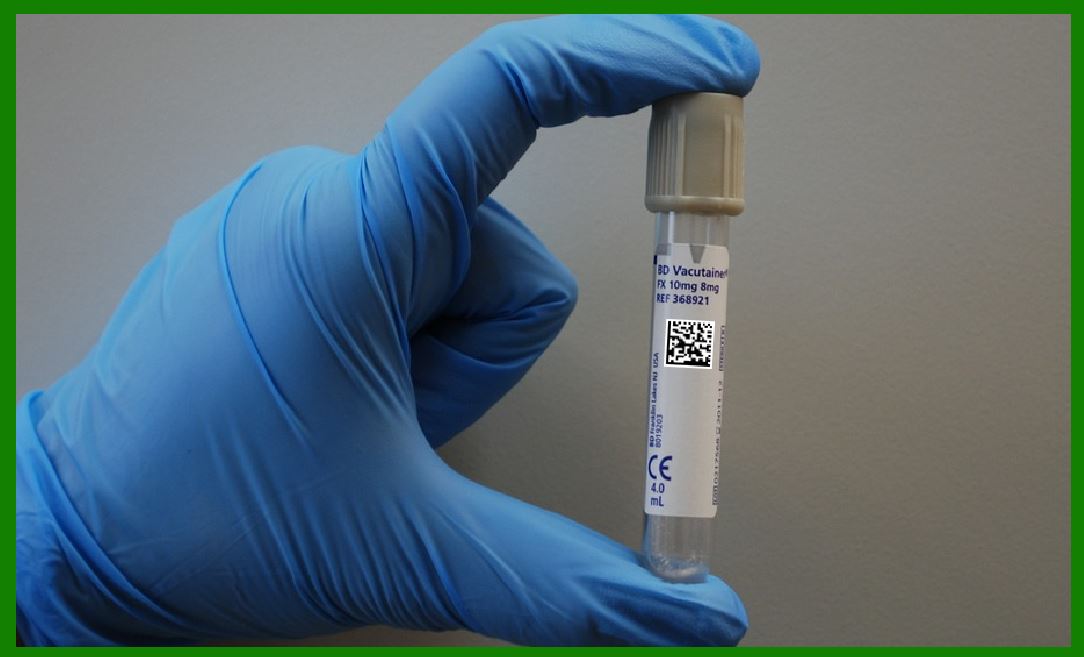
|
4. Case Study 3: Healthcare and Patient Tracking |
4.1 Background |
In a hospital setting, tracking medical equipment, pharmaceuticals, and patient records was a challenging task. The hospital staff had to manually track inventory levels of medical supplies, and it was common for items to be misplaced or expire without being noticed. Furthermore, patient records were often not updated in real-time, leading to delays in treatment and potential medical errors. |
4.2 Cloud and IoT Integration |
To improve efficiency and reduce errors, the hospital implemented a system where barcode scanners were integrated with both the hospital's cloud-based electronic health record (EHR) system and IoT sensors embedded in medical equipment. Barcode scanners were used to scan patient wristbands, medical equipment, and pharmaceuticals, with the data being sent to the cloud. |
For example, when a nurse administered medication to a patient, the barcode scanner would scan both the medication and the patient's wristband. The information would be sent to the cloud, where it was automatically updated in the patient's EHR. Similarly, when medical equipment was used, the barcode scanner would record its usage and update the cloud-based inventory system. |
4.3 Outcome |
The integration of barcode scanners, cloud computing, and IoT in the healthcare setting yielded the following results: |
Improved patient safety: Real-time tracking of patient medications and equipment reduced the risk of errors, such as administering the wrong medication or using expired equipment. |
Enhanced inventory management: The cloud-based inventory system helped the hospital maintain an accurate record of medical supplies, reducing the chances of stockouts or overstocking. |
Efficient equipment utilization: The IoT sensors in medical devices allowed the hospital to track the usage and location of equipment in real-time, ensuring that it was always available when needed. |
Faster decision-making: Doctors and nurses had access to up-to-date patient data in the cloud, enabling them to make quicker and more informed decisions about patient care. |
|
5. Case Study 4: Warehouse Automation and Robotics |
5.1 Background |
A major e-commerce company with a large warehouse faced challenges with order fulfillment, particularly during peak shopping seasons. The company struggled to keep up with high volumes of orders, leading to delays in shipping, misplaced items, and inefficiencies in the picking and packing process. |
5.2 Cloud and IoT Integration |
To address these issues, the company integrated barcode scanners with a cloud-based warehouse management system (WMS) and automated robotic systems. Each product in the warehouse was tagged with a barcode, and as the products were moved through the warehouse, the barcode scanners recorded their location and status. |
Robotic arms, guided by the WMS, were equipped with barcode scanners to pick and pack products. The IoT sensors on the robots provided real-time data on their performance, such as speed, load capacity, and battery life. The cloud system continuously monitored this data, ensuring that robots were performing efficiently and alerting managers if any issues arose. |
5.3 Outcome |
The integration of barcode scanners, IoT sensors, and cloud-based systems resulted in significant improvements in warehouse operations: |
Faster order fulfillment: Automated robotic systems, guided by barcode scanners, allowed for faster and more accurate picking and packing of orders, reducing order fulfillment time. |
Optimized warehouse space: The cloud-based WMS allowed the company to optimize the layout of the warehouse, reducing unnecessary movements and increasing storage capacity. |
Improved operational efficiency: IoT sensors on the robots provided real-time performance data, allowing the company to identify and address any issues before they caused disruptions. |
Cost savings: Automation and optimized processes led to reduced labor costs and fewer errors, resulting in significant cost savings for the company. |
|
6. Case Study 5: Agriculture and Food Supply Chain |
6.1 Background |
In the agricultural industry, tracking the movement of food products from farms to consumers is critical for maintaining food safety and ensuring freshness. The challenge lies in managing the transportation, storage, and processing of perishable goods, while also complying with safety regulations and maintaining accurate records. |
6.2 Cloud and IoT Integration |
A large agricultural cooperative implemented a system in which barcode scanners were integrated with IoT sensors to track the movement of food products from farm to store shelves. Each batch of produce was assigned a barcode that could be scanned at various stages of the supply chain, from the farm, through transportation, and finally to the retailer. |
IoT sensors on trucks and storage facilities monitored temperature, humidity, and location to ensure that perishable goods were kept under optimal conditions throughout their journey. The data from barcode scanners and IoT sensors were sent to the cloud, where it was analyzed to provide insights into the supply chain's efficiency. |
6.3 Outcome |
The integration of barcode scanners with cloud and IoT systems in the agricultural supply chain resulted in the following benefits: |
Improved traceability: The ability to track each batch of produce at every stage of the supply chain helped improve traceability and accountability. If there was ever a quality issue or recall, the cooperative could quickly identify the affected products and their origins. |
Better supply chain management: Real-time data on temperature and humidity allowed the cooperative to optimize the conditions under which the food was transported and stored, ensuring freshness and compliance with food safety regulations. |
Reduced waste: By monitoring the condition of food products in real-time, the cooperative was able to minimize waste caused by spoiled goods, leading to cost savings and improved sustainability. |
 cs@easiersoft.com