1. Introduction to Barcode Scanners and Communication Technologies |
Barcode scanners are devices used to read and interpret barcodes, which are graphical representations of data that can be used for various purposes, including inventory management, sales, tracking, and more. The data encoded in a barcode can be read by barcode scanners, which then communicate this data to a host system such as a computer, point-of-sale (POS) terminal, or database. The communication technologies used by barcode scanners are critical in determining how data is transmitted from the scanner to the system, and whether that communication is wired or wireless. |
Barcode scanners generally communicate with their host systems in two primary ways: wired or wireless. Both types of communication come with their respective technologies, protocols, and use cases. The most common wired communication technologies used by barcode scanners include USB (Universal Serial Bus), RS-232 (Serial Communication), and Keyboard Wedge. In contrast, wireless barcode scanners typically use technologies such as Bluetooth, Wi-Fi, and Radio Frequency Identification (RFID). |
This document will explore these wired and wireless communication technologies in great detail, explaining how they work, their advantages and limitations, and the contexts in which they are most suitable. |
|
2. Wired Communication Technologies for Barcode Scanners |
Wired communication is the traditional method for connecting barcode scanners to systems. It involves physically connecting the scanner to a computer, POS system, or database using cables and connectors. Although wireless communication is gaining popularity, wired connections continue to offer several advantages, such as stability, reliability, and simplicity. Below are the key wired communication technologies used in barcode scanners. |
2.1 USB (Universal Serial Bus) Communication |
USB is one of the most common wired communication technologies used for connecting barcode scanners to host systems. USB-based barcode scanners are prevalent in retail environments, warehouses, and any scenario where barcode scanning is necessary. |
How it Works: |
USB barcode scanners typically function as Human Interface Devices (HID), meaning that they emulate the input of a keyboard. When a barcode is scanned, the scanner decodes the barcode data and transmits it as keyboard input to the host system via the USB connection. The host system receives this data as if it were typed on a keyboard. |
Advantages: |
1.Plug and Play: USB scanners are generally plug-and-play, meaning they require little to no configuration. Once plugged into a USB port, the scanner should automatically be recognized by the system. |
2.Wide Compatibility: Most modern computers, POS systems, and databases come with USB ports, making USB scanners highly compatible across different devices. |
3.High Data Transfer Speed: USB 2.0 and 3.0 offer relatively fast data transfer rates, making USB scanners efficient for real-time scanning. |
4.Power Supply: USB can both transfer data and supply power to the barcode scanner. This reduces the need for an external power source for the scanner. |
Limitations: |
1.Cable Length: The maximum effective cable length for USB connections is around 5 meters (for USB 2.0). This may limit mobility if scanners are required to operate further from the system. |
2.Lack of Mobility: Unlike wireless scanners, USB scanners are tethered to the system, restricting movement. |
|
2.2 RS-232 (Serial Communication) |
RS-232 is a communication standard that allows for serial data transmission between devices. Barcode scanners with RS-232 interfaces were commonly used in the past, though they are now being replaced by more modern technologies like USB. |
How it Works: |
In RS-232 communication, the barcode scanner sends data as a series of electrical pulses through a serial cable to the host device. The data is transmitted in a sequential manner (one bit at a time), and the host system must then reconstruct the full message. |
Advantages: |
1.Long Cable Lengths: RS-232 allows for longer cable lengths than USB (up to 50 feet or more) without significant signal degradation. This is useful in environments where the scanner must be placed farther from the system. |
2.Reliability: RS-232 communication is considered highly reliable for certain applications, especially in industrial or legacy systems. |
Limitations: |
1.Slower Data Transfer: RS-232 has slower data transfer rates compared to USB, making it less suitable for high-speed scanning environments. |
2.Limited Power Supply: Unlike USB, RS-232 does not provide power to the barcode scanner, meaning that it requires an external power source. |
|
2.3 Keyboard Wedge |
The keyboard wedge interface connects the barcode scanner to a computer's keyboard input port. This interface allows the barcode scanner to 'inject' the scanned data directly into any software application that receives keyboard input. |
How it Works: |
The scanner is connected to the keyboard port of the host system. When a barcode is scanned, the scanner sends the data as if it were typed on a keyboard, meaning that the scanner's input is directed to the cursor's location on the screen or in a text field. |
Advantages: |
1.Simple Setup: Keyboard wedge scanners are easy to install and do not require specialized software drivers, as they function just like a keyboard. |
2.Compatibility: They are compatible with a wide range of systems and applications that support keyboard input. |
Limitations: |
1.Limited Use Cases: The keyboard wedge interface is primarily suited for desktop environments where barcode scanning is used for data entry, limiting its applicability in more advanced or specialized systems. |
2.Limited Functionality: Scanned data is inserted as raw text into the application, without the ability to trigger complex actions or integrate seamlessly with specialized software. |
|
3. Wireless Communication Technologies for Barcode Scanners |
Wireless barcode scanners are gaining popularity in various industries, particularly in environments where mobility, flexibility, and efficiency are essential. These scanners communicate with host systems without the need for physical cables, allowing for greater freedom of movement. Below are the key wireless communication technologies used by barcode scanners. |
3.1 Bluetooth |
Bluetooth is one of the most commonly used wireless communication technologies for barcode scanners. It enables short-range, low-power communication between devices, making it ideal for environments where mobility is necessary. |
How it Works: |
Bluetooth barcode scanners communicate with a Bluetooth-enabled host device (such as a computer, tablet, or smartphone) over a wireless connection. The scanner pairs with the host device, and data is transmitted over the Bluetooth radio frequency. Bluetooth scanners typically use profiles like the Serial Port Profile (SPP) or HID for communication with host systems. |
Advantages: |
1.Mobility: Bluetooth scanners offer excellent mobility, as they can operate up to 100 meters (depending on the version of Bluetooth) from the host device, providing flexibility in large environments. |
2.Low Power Consumption: Bluetooth is a low-power wireless technology, making it suitable for battery-operated barcode scanners. |
3.Wide Compatibility: Bluetooth is supported by most modern computing devices, including laptops, smartphones, tablets, and POS systems. |
Limitations: |
1.Range Limitations: While Bluetooth provides flexibility, its range is typically limited to 100 meters or less, and performance may degrade with obstacles between the scanner and host. |
2.Interference: Bluetooth operates on the 2.4 GHz frequency band, which is shared with many other wireless devices, potentially leading to interference in crowded environments. |

|
3.2 Wi-Fi |
Wi-Fi technology allows barcode scanners to connect to the internet or local area network (LAN), facilitating communication with host systems over larger distances than Bluetooth. |
How it Works: |
Wi-Fi barcode scanners connect to an existing Wi-Fi network and communicate with host systems over the network. These scanners typically use protocols like TCP/IP to transmit data to a central server or POS system. |
Advantages: |
1.Wide Coverage Area: Wi-Fi scanners can operate across a much larger area than Bluetooth scanners, with a typical range of up to 300 feet indoors (depending on the network infrastructure). |
2.Integration with Network Systems: Wi-Fi enables seamless integration with networked databases and enterprise systems, providing real-time access to data and applications. |
3.No Need for Dedicated Docking Stations: Unlike Bluetooth scanners, Wi-Fi barcode scanners do not need dedicated docking stations, as they rely on the existing Wi-Fi infrastructure. |
Limitations: |
1.Higher Power Consumption: Wi-Fi scanners tend to consume more power than Bluetooth scanners, which may result in shorter battery life. |
2.Network Dependency: Wi-Fi barcode scanners depend on the availability and reliability of the Wi-Fi network. If the network is unstable, communication may be disrupted. |
|
3.3 Radio Frequency Identification (RFID) |
While RFID is more commonly associated with automatic identification and tracking systems, it can also be used in conjunction with barcode scanning. RFID is a wireless communication technology that uses radio waves to transmit data between RFID tags and readers. |
How it Works: |
RFID systems consist of tags (which are attached to items) and readers (such as barcode scanners equipped with RFID capabilities). The RFID reader sends out a radio signal, which powers the tag and causes it to transmit its stored data back to the reader. This data can then be sent to the host system for processing. |
Advantages: |
1.No Line of Sight Required: Unlike traditional barcode scanning, RFID does not require a direct line of sight to the tag, allowing for faster and more flexible data capture. |
2.High Efficiency: RFID systems can capture data from multiple tags simultaneously, improving scanning efficiency in environments with large volumes of items. |
Limitations: |
1.Higher Cost: RFID tags and readers tend to be more expensive than traditional barcode systems, making them a more costly investment. |
2.Limited Adoption: While RFID is growing in popularity, it is not as widely adopted as barcode scanning, particularly in industries where the cost is a significant factor. |

|
4. Conclusion |
In conclusion, barcode scanners utilize a variety of wired and wireless communication technologies to transmit data to host systems. Wired communication technologies such as USB, RS-232, and Keyboard Wedge continue to be popular due to their simplicity and reliability, but they may be limited by cable length and lack of mobility. Wireless communication technologies, including Bluetooth, Wi-Fi, and RFID, offer enhanced flexibility, mobility, and scalability, but they come with their own set of challenges such as power consumption, range, and interference. |
The choice between wired and wireless communication technologies for barcode scanners depends on factors such as the specific use case, required range, system compatibility, and budget. Each communication technology has its advantages and disadvantages, and understanding these factors is essential when selecting the most appropriate technology for a given application. |
|
Case Studies on Barcode Scanner's Wireless and Wired Communication Circuit Design |
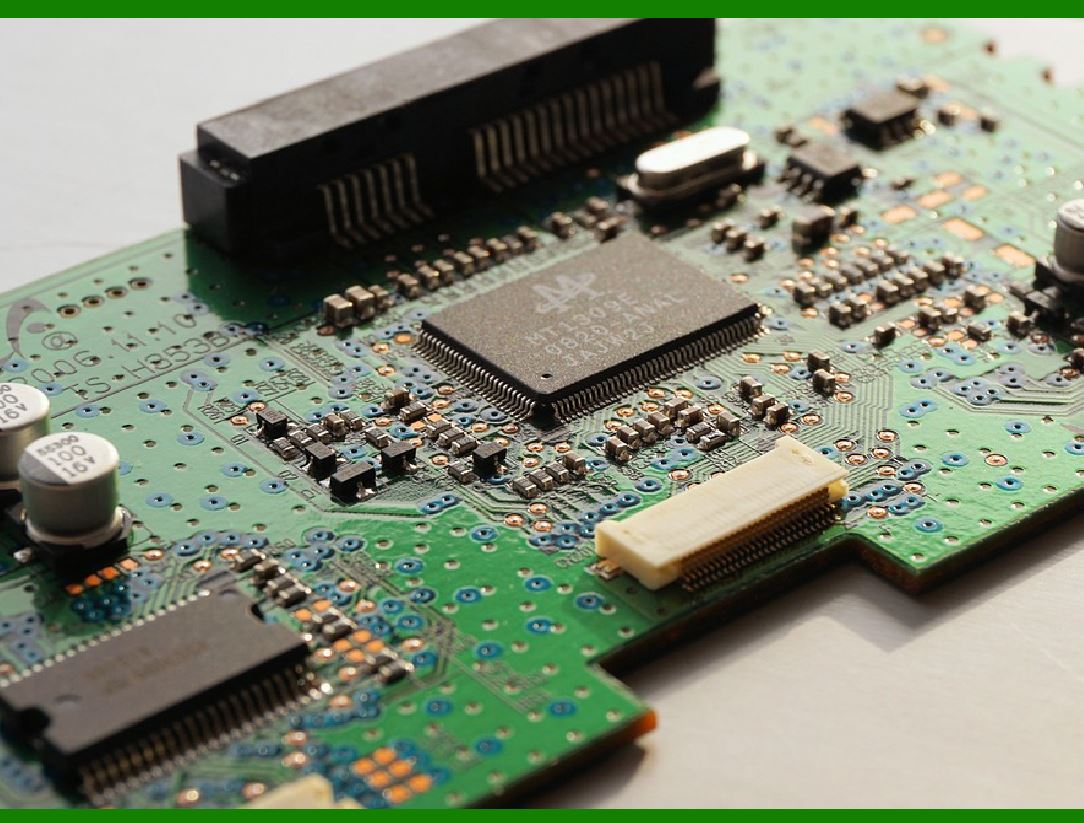
Barcode scanners are intricate devices that rely heavily on various circuit designs for effective communication with host systems. The communication circuits are designed to transmit the barcode data, whether via wired or wireless methods, ensuring that the scanner can accurately and efficiently send data to the appropriate system. In the following case studies, we will examine the design considerations and implementations of both wireless and wired communication circuits used in barcode scanners. |
1. Case Study 1: Wired Communication Circuit Design for USB-Based Barcode Scanners |
Overview: |
USB-based barcode scanners are one of the most commonly used devices in retail, logistics, and warehouse management. These scanners rely on wired communication, transmitting data through a USB connection. The circuit design for these scanners must take into account USB signaling, power supply requirements, and data transfer protocols. |
Design Considerations: |
The key aspects of the circuit design for USB barcode scanners include: |
USB Interface: The circuit must be capable of handling the USB protocol, ensuring data transfer between the barcode scanner and the host system. The USB interface must be compliant with USB 2.0 or 3.0 standards, allowing for high-speed data communication. |
Signal Processing: The circuit must include a microcontroller or USB controller chip that converts the barcode data from the scanner's sensor into a format compatible with USB data transfer. |
Power Supply: Since USB provides both power and data transmission, the circuit needs to include voltage regulators to ensure proper power to the scanner's internal components, especially the laser or CCD sensor, and the microcontroller. |
Data Encoding: After scanning a barcode, the captured data is sent in a specific format to the host. The circuit must have a component that encodes the data into USB-compatible signals. |
Circuit Design: |
1.USB Controller Chip: A USB-to-serial bridge or a dedicated USB controller IC (e.g., FTDI FT232RL) is used to interface the barcode scanner with the host system via USB. |
2.Microcontroller: A microcontroller (e.g., PIC16F877) is used to process the data from the barcode sensor, converting it into digital signals that can be transferred over USB. |
3.Power Management Circuit: A voltage regulator (e.g., LM7805) ensures that the power supplied via USB is stable and suitable for the sensor and microcontroller's operation. |
4.Optical Sensor Circuit: The barcode sensor typically uses a laser diode or CCD sensor, which is powered and controlled through the microcontroller. This component captures the barcode's data and sends it to the microcontroller for processing. |
Case Study Example: |
A well-known barcode scanner manufacturer designed a USB barcode scanner for retail checkout systems. The circuit used an FTDI USB-to-serial bridge, which allowed the scanner to convert the scanned data into serial data. This data was then transmitted to the point-of-sale (POS) system via USB. The system was designed for plug-and-play functionality, requiring no additional software installation. Power was drawn directly from the USB port, eliminating the need for external power supplies. |
The scanner's microcontroller managed the barcode data processing and ensured that the data was sent in a format that the POS system could interpret as keyboard input, enabling automatic input into the system without the need for manual data entry. |
|
2. Case Study 2: Wireless Bluetooth Communication Circuit Design for Barcode Scanners |
Overview: |
Bluetooth barcode scanners provide wireless data transmission between the scanner and a host system such as a laptop, tablet, or POS terminal. The circuit design for these scanners involves Bluetooth communication modules, low-power components, and power management to ensure continuous operation. |
Design Considerations: |
Key factors in designing a Bluetooth barcode scanner include: |
Bluetooth Module: The Bluetooth module is the core component enabling wireless communication. It must be able to pair with a host system and transmit data over short to medium distances. |
Low-Power Operation: Bluetooth barcode scanners are often portable, so the design must focus on minimizing power consumption to extend battery life. The use of Bluetooth Low Energy (BLE) is crucial in reducing power consumption. |
Data Transmission: The barcode scanner's data must be transmitted in a form that the host system can process, whether via Bluetooth Serial Port Profile (SPP) or Bluetooth HID. |
Battery Management: Since Bluetooth scanners are often handheld devices, efficient battery management is essential to ensure long operational times without frequent recharging. |
Circuit Design: |
1.Bluetooth Module: A Bluetooth module (e.g., HC-05 or Nordic Semiconductor nRF52840) is used to handle communication with the host system. This module is responsible for pairing with the host device and sending/receiving data. |
2.Microcontroller: The microcontroller (e.g., Atmel ATmega328P) processes the data from the barcode sensor, encodes it, and sends it via the Bluetooth module to the host system. It also controls the Bluetooth module's communication with the host. |
3.Power Supply and Battery Circuit: A lithium-ion battery is used to power the device. The circuit includes a charging circuit (e.g., TP4056 module) for recharging the battery, as well as a voltage regulator to ensure stable power to the microcontroller and Bluetooth module. |
4.Barcode Sensor Circuit: A laser diode or CCD sensor is used to capture the barcode data. The microcontroller processes this data, converts it to a digital format, and prepares it for transmission via Bluetooth. |
Case Study Example: |
A company specializing in inventory management created a Bluetooth-enabled barcode scanner for warehouses. This scanner used the Nordic Semiconductor nRF52840 Bluetooth module to establish communication with inventory management software running on a tablet. The scanner was equipped with a low-power Atmel ATmega328P microcontroller that processed the barcode data and sent it via Bluetooth in real time. |
The design was optimized for power consumption, and the scanner could run for up to 12 hours on a single charge, thanks to the low-energy features of Bluetooth Low Energy (BLE). The barcode data was transmitted to the tablet using Bluetooth SPP, ensuring seamless integration with the inventory system. The scanner was also equipped with a small OLED display to show the scanning status, battery level, and connection status. |

|
3. Case Study 3: Wireless Wi-Fi Communication Circuit Design for Barcode Scanners |
Overview: |
Wi-Fi barcode scanners are increasingly used in large-scale environments such as hospitals, logistics hubs, and retail chains, where large networks are already in place. These scanners communicate with host systems over a Wi-Fi network, allowing for real-time data transfer and integration with centralized databases. |
Design Considerations: |
Key design considerations for Wi-Fi barcode scanners include: |
Wi-Fi Module: The Wi-Fi module must be capable of connecting to an existing network and facilitating data transmission to a host server or database. |
TCP/IP Communication: The data transmitted by the barcode scanner must be structured in a way that the host system can process it, often using TCP/IP protocols. |
Power Management: Since Wi-Fi scanning requires more power than Bluetooth, optimizing the power consumption of the Wi-Fi module and other components is critical, especially in portable scanners. |
Data Encryption: Ensuring that the data transmitted via Wi-Fi is secure, particularly in environments that handle sensitive information, is important. |
Circuit Design: |
1.Wi-Fi Module: A Wi-Fi module (e.g., ESP8266 or ESP32) is used to enable wireless communication. These modules are integrated into the scanner to connect to local area networks (LANs) or the cloud. |
2.Microcontroller: The microcontroller processes barcode data and establishes communication with the Wi-Fi module. It is also responsible for error handling, network connection management, and data formatting. |
3.Power Supply: The scanner is typically powered by a rechargeable battery. A power management circuit ensures that the device remains operational while optimizing battery life. |
4.Barcode Sensor Circuit: Like other barcode scanners, these devices use optical sensors (laser or CCD) to capture barcode data. The microcontroller decodes the data and sends it over the Wi-Fi network. |
Case Study Example: |
A healthcare organization implemented Wi-Fi barcode scanners to track medical equipment and medication. The scanners were designed with the ESP8266 Wi-Fi module to connect to the hospital's internal network. The scanned data was sent in real time to a central database running on a server, enabling immediate updates to the hospital's inventory system. |
The scanner used an Atmel microcontroller to handle both the barcode data processing and Wi-Fi communication. The system was optimized for low power consumption, and the scanners operated for several hours on a single charge, using efficient sleep modes when not actively scanning. |
Data security was ensured using WPA2 encryption, which protected the sensitive information during transmission. The scanners were capable of operating across the hospital's Wi-Fi network, allowing staff to move freely while scanning equipment and medications. |
|
Conclusion: |
In these case studies, we have explored different barcode scanner circuit designs based on wired and wireless communication technologies. Each design comes with its own set of challenges, including power management, signal processing, data encoding, and communication protocols. However, the common thread in all these designs is the focus on ensuring efficient, reliable, and secure data transmission from the barcode scanner to the host system. Whether using USB, Bluetooth, or Wi-Fi communication, each solution has been tailored to meet the specific needs of different industries, from retail to healthcare to logistics. |
|
Common Failures of Barcode Scanner's Wireless and Wired Communication and How to Prevent Them |
Barcode scanners, whether operating over wired or wireless communication technologies, can experience various issues that affect their performance and reliability. These failures can arise due to hardware malfunctions, software issues, or environmental factors. Understanding the common failures and how to prevent them can ensure that barcode scanners continue to operate smoothly in various settings such as retail, logistics, and healthcare. |
1. Common Failures in Wired Communication for Barcode Scanners |
Wired communication relies on physical cables and connectors to transfer data between barcode scanners and host systems. Although wired communication is generally more stable and reliable than wireless communication, it is not immune to certain types of failures. |
1.1 Cable and Connector Failures |
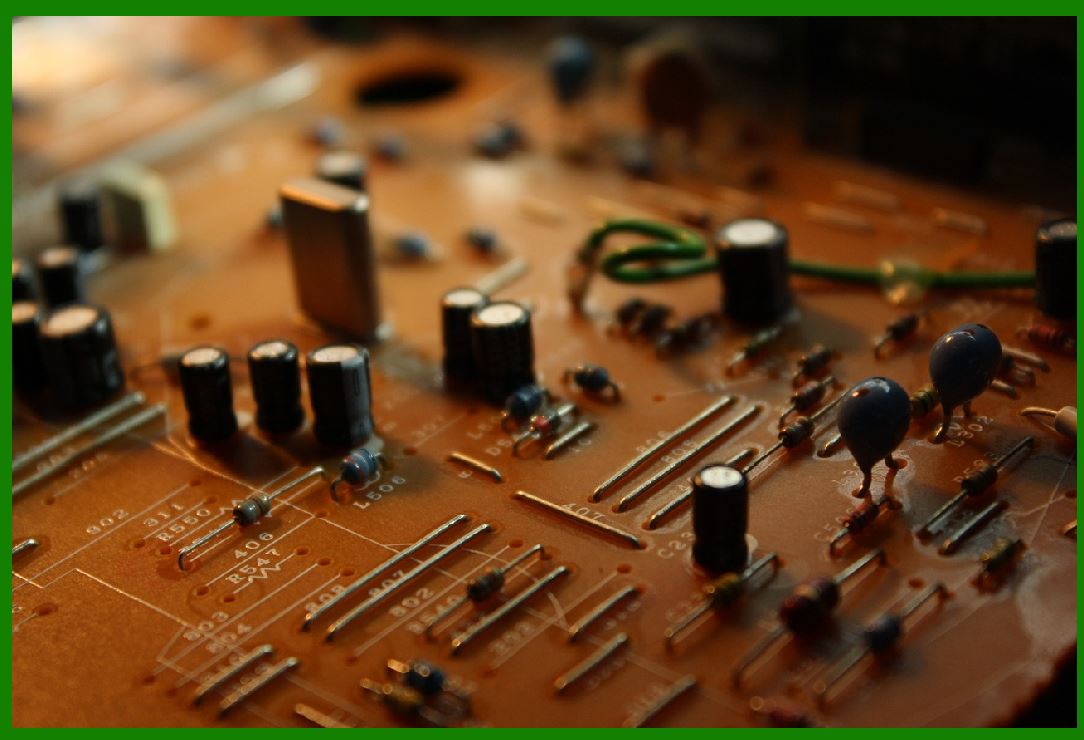
Cause: The most common failure in wired communication systems is the deterioration or breakage of cables and connectors. Over time, cables can wear out, fray, or develop internal short circuits, leading to communication breakdowns. |
Prevention: |
Use High-Quality Cables: Invest in high-quality, durable cables and connectors that are designed to withstand wear and tear. For instance, cables with reinforced jackets or those rated for industrial environments are more durable. |
Routine Maintenance: Periodically inspect cables and connectors for signs of wear and tear. Look for frays, bends, or exposed wires that may lead to malfunctions. |
Cable Management: Use cable management solutions (such as cable ties, conduits, or cable covers) to prevent cables from getting snagged or stepped on. This helps avoid physical damage to the cables. |
Choose the Right Length: Avoid using cables that are too long for the environment, as excessive cable length can increase the risk of signal loss or degradation. |
1.2 Power Supply Issues |
Cause: Wired barcode scanners, especially USB-based ones, depend on the power provided through the cable. If the power supply is insufficient or unstable, it can cause the scanner to malfunction or fail to power on. |
Prevention: |
Check Voltage Requirements: Ensure that the scanner is connected to a power source that meets its voltage and current requirements. USB-powered scanners should be connected to a USB 2.0 or 3.0 port with sufficient power output. |
Use Powered USB Hubs: In cases where the scanner is connected to a USB hub, make sure that the hub is powered, as unpowered hubs may not provide enough power for the scanner to operate correctly. |
Test Power Source: Regularly test and verify the power supply (e.g., USB port) for voltage stability and consistency to avoid under-voltage conditions. |
1.3 Signal Interference and Data Loss |
Cause: For wired communication, especially with RS-232 connections, the data signals can degrade over long cable runs, particularly in environments with high electrical noise or interference. |
Prevention: |
Use Shielded Cables: Use cables with shielding (such as twisted pair cables or coaxial cables) to protect data signals from electromagnetic interference (EMI). |
Minimize Cable Length: Keep the cable length as short as possible to avoid signal degradation. For RS-232 connections, it's recommended to keep the cable length below 15 meters (50 feet) unless using signal boosters. |
Use Proper Grounding: Ensure proper grounding for the cables to reduce the risk of interference and signal degradation. |
|
2. Common Failures in Wireless Communication for Barcode Scanners |
Wireless barcode scanners use radio frequency signals to communicate with host systems. While wireless communication offers flexibility, it also introduces unique challenges that can lead to performance issues. |
2.1 Signal Interference and Range Limitations |
Cause: Wireless barcode scanners, particularly those using Bluetooth and Wi-Fi, can experience interference from other electronic devices that operate on similar frequencies. Wi-Fi networks may also become congested, leading to reduced communication range or slow data transmission speeds. |
Prevention: |
Channel Optimization: Choose the least congested frequency channel for Wi-Fi or Bluetooth communication. For Wi-Fi, this may involve selecting a channel with minimal traffic in environments with multiple devices. Bluetooth devices should be configured to avoid interference from other devices operating on the same frequency. |
Use Wi-Fi Extenders or Mesh Networks: In large facilities, use Wi-Fi extenders or mesh networks to boost the signal coverage and eliminate dead spots. |
Avoid Physical Obstacles: Position the scanner and receiver (e.g., a computer or POS terminal) in areas with minimal obstructions. Metal walls, thick concrete, and electronic devices can degrade signal quality. |
Upgrade to Bluetooth 5.0 or Wi-Fi 6: Newer versions of Bluetooth (e.g., Bluetooth 5.0) and Wi-Fi (e.g., Wi-Fi 6) offer better range, higher data throughput, and improved resistance to interference. |
2.2 Battery and Power Issues |
Cause: Wireless barcode scanners typically rely on rechargeable batteries. If the battery is undercharged or defective, it can result in intermittent operation or complete failure to function. Additionally, wireless scanners may consume more power in environments with poor signal strength or interference. |
Prevention: |
Monitor Battery Levels: Implement software or hardware solutions that alert users when the battery is running low to prevent unexpected shutdowns. |
Use High-Quality Batteries: Ensure that the scanner uses high-quality rechargeable batteries with a long cycle life. Consider using lithium-ion batteries that offer better performance and longer operational times compared to older battery types. |
Optimize Power Settings: Enable power-saving modes on the scanner, such as automatic sleep or idle modes, when the scanner is not in use. Many modern wireless barcode scanners come with power management features to reduce energy consumption. |
Frequent Charging: Implement a frequent charging routine to ensure that the scanner always has enough charge to perform its tasks, especially in high-demand environments. |
2.3 Pairing and Connectivity Failures |
Cause: Wireless barcode scanners may experience issues during the pairing process or when establishing a connection with the host system. This can be due to software issues, incorrect configuration, or outdated firmware. |
Prevention: |
Ensure Compatibility: Before pairing, make sure that the scanner is compatible with the host system (e.g., computer, mobile device, or POS terminal). For Bluetooth scanners, confirm that the host device supports the correct Bluetooth version. |
Software Updates: Regularly update the scanner's firmware and the host system's software to ensure compatibility and address any known bugs related to connectivity. |
Clear Pairing History: If a scanner is having trouble connecting, clear any previous pairing records and attempt to re-pair the devices from scratch. This helps eliminate conflicts and ensures a fresh connection attempt. |
Resetting the Scanner: For persistent pairing issues, reset the scanner to its factory settings and attempt the pairing process again. |
2.4 Weak or Unstable Network Connection (Wi-Fi) |
Cause: In Wi-Fi-based barcode scanners, a weak or unstable network connection can cause data loss, delayed transmissions, or scanning failures. |
Prevention: |
Use Stable Wi-Fi Networks: Ensure that the Wi-Fi network is stable and operates on a frequency band (2.4 GHz or 5 GHz) suitable for the environment. In large or high-density environments, ensure that the network infrastructure can handle the volume of connected devices. |
Test Network Coverage: Before deploying Wi-Fi barcode scanners in a large facility, conduct site surveys to identify areas with weak signals or dead zones. Install additional access points or use signal boosters to extend coverage. |
Wi-Fi Quality of Service (QoS): Implement Quality of Service (QoS) policies on the Wi-Fi network to prioritize barcode scanner traffic, ensuring that other devices do not degrade the performance of the scanners. |
|
3. General Prevention Tips for Both Wireless and Wired Communication Failures |
1.Regular Maintenance and Testing: Conduct routine checks and maintenance on the barcode scanners, cables, and communication networks to identify issues before they result in downtime. |
2.User Training: Train employees on how to properly use barcode scanners, including how to handle them, maintain battery health, and troubleshoot common connectivity issues. |
3.Environmental Considerations: Ensure that the environment in which the barcode scanners operate is conducive to smooth communication. Avoid excessive interference, physical barriers, or electrical noise that could affect signal quality. |
|
Conclusion |
Barcode scanners are indispensable tools in various industries, but their communication systems can fail due to a variety of factors. Whether wired or wireless, common failures include issues with cables, connectors, signal interference, power supply, and network connectivity. By following the preventive measures outlined above-such as using durable cables, optimizing network settings, ensuring proper battery management, and maintaining regular testing and updates-businesses can minimize the risk of communication failures and ensure continuous, reliable operation of barcode scanners in their workflows. |
 cs@easiersoft.com