Barcode Scanner's Augmented Reality (AR) and Smart Glasses Integration |
In recent years, barcode scanning technology has undergone significant advancements, and two of the most impactful innovations are the integration of augmented reality (AR) and the development of smart glasses. Both of these technologies offer new ways to enhance the barcode scanning process by providing real-time information, increasing operational efficiency, and enabling hands-free operation, particularly in logistics, warehouse management, and retail environments. In this detailed analysis, we will explore the integration of AR with barcode scanning technology, as well as the role of smart glasses in barcode scanning, focusing on their applications, advantages, and potential for transformation across industries. |
|
1. AR-Enabled Barcode Scanning |
Augmented Reality (AR) enhances the user experience by overlaying digital information onto the physical world. When integrated with barcode scanning technology, AR enables real-time, interactive experiences by providing immediate access to contextual data related to the scanned object. This integration is highly beneficial for industries such as logistics, retail, and warehouse management, where fast and accurate data retrieval is crucial. |
1.1 How AR-Enabled Barcode Scanning Works |
AR-enabled barcode scanning works by combining traditional barcode scanning with a device capable of rendering AR visuals, such as a smartphone, tablet, or AR glasses. When a barcode is scanned, the scanner decodes the data embedded within the barcode (such as product information, pricing, stock levels, etc.). The AR system then takes this information and overlays it onto the user's view of the physical world, displaying it in real time. This display could be in the form of text, images, graphs, or even video content that corresponds to the scanned product or item. |
For example, in a warehouse, an employee could scan a barcode on a pallet, and an AR overlay could display the specific details of the products on the pallet, such as the item name, stock levels, expiration dates, and even location within the warehouse. This allows the employee to quickly and easily verify the product's details without needing to look up the information manually or interact with a computer screen. |
1.2 Benefits of AR-Enabled Barcode Scanning |
The primary advantage of integrating AR with barcode scanning technology is the ability to access critical information instantaneously. By displaying the data directly in the user's field of view, AR-enabled barcode scanning minimizes the time spent searching for information on external devices, reducing delays in processes like inventory checks, order fulfillment, and product inspection. |
Additionally, AR improves accuracy by reducing human error. Instead of manually entering or cross-referencing data, workers can rely on real-time visual displays to verify information. This is particularly useful in high-stakes environments like warehouses, where incorrect data can lead to costly mistakes. |
Another key benefit is that AR-enabled barcode scanning can enhance employee training. For new workers or trainees, AR can provide step-by-step guidance and visual instructions, helping them learn how to properly scan barcodes and interpret the information displayed. This training approach is more engaging and immersive than traditional methods, enabling faster onboarding and better retention. |
1.3 Applications of AR-Enabled Barcode Scanning |
AR-enabled barcode scanning is particularly impactful in environments where speed, accuracy, and real-time information are essential. Here are some specific use cases: |
Warehouse Management: In large warehouses, employees can use AR-enabled barcode scanners to quickly retrieve product information, check inventory levels, and determine the best locations for storage. This leads to improved operational efficiency and fewer errors in stock management. |
Retail and E-Commerce: In retail environments, AR-enabled barcode scanning allows employees to instantly pull up product details such as pricing, discounts, stock availability, and even customer reviews. This provides an enhanced customer service experience and helps streamline the checkout process. |
Logistics and Supply Chain: AR can be used in logistics operations to track shipments, view shipment status, and access critical delivery information. Scanning a barcode on a shipping label can trigger the display of details like delivery routes, estimated arrival times, and any delays in transit. |
Healthcare: In the medical industry, AR-enabled barcode scanners can be used to identify medications, track patient information, and ensure that the correct prescriptions are being administered. By integrating AR into barcode scanning, medical staff can quickly access relevant patient data and make informed decisions. |
Manufacturing: In manufacturing settings, barcode scanning with AR integration can be used to monitor inventory levels of raw materials, track parts throughout the production line, and ensure that assembly processes are being followed correctly. |
|
2. Smart Glasses with Barcode Scanning |
Smart glasses are wearable devices equipped with small display screens, cameras, and sensors that can provide real-time information directly in the user's line of sight. When integrated with barcode scanning technology, smart glasses allow for hands-free operation, providing significant advantages in industries that require constant mobility and quick access to information. |
2.1 How Smart Glasses with Barcode Scanning Work |
Smart glasses equipped with barcode scanning capabilities function by integrating an optical scanner with the glasses' built-in camera. When a user looks at an object with a barcode, the camera captures the image, and the integrated software decodes the barcode to retrieve the relevant information. This information is then displayed on the glasses' heads-up display (HUD), allowing the user to view it without needing to take their hands off their tasks or look away from their environment. |
This integration can also include features like voice recognition, enabling the user to interact with the system through verbal commands, or advanced sensors to track the user's movements and provide additional contextual data. For example, a worker in a warehouse might walk towards a stack of boxes, and the smart glasses could automatically scan any visible barcodes, displaying the corresponding information without the worker needing to stop and manually scan each barcode with a handheld device. |
2.2 Benefits of Smart Glasses with Barcode Scanning |
The primary benefit of using smart glasses with barcode scanning capabilities is the ability to work hands-free. In environments like warehouses, retail stores, and manufacturing plants, workers often need to remain mobile while scanning products, verifying inventory, or accessing detailed data. With smart glasses, they no longer need to carry a handheld scanner, reducing the risk of losing equipment and allowing for greater efficiency. |
Additionally, smart glasses can increase safety in industrial settings. Workers can keep their eyes on their surroundings while accessing critical data, reducing the risk of accidents that might occur when they are distracted by handheld devices. In environments like warehouses or factories, where workers often move between aisles or operate heavy machinery, being able to scan barcodes without stopping to hold a scanner significantly improves overall safety and productivity. |
Another major advantage is the real-time information provided by smart glasses. Just as with AR-enabled barcode scanning, users can immediately access details about a scanned item, whether it's stock levels, product information, or shipping details. This instant access to data reduces delays in processes and improves decision-making. |
2.3 Applications of Smart Glasses with Barcode Scanning |
Smart glasses equipped with barcode scanning technology have diverse applications across various industries. Here are some specific use cases: |
Warehouse Operations: Smart glasses can be used by warehouse workers to scan barcodes on pallets, boxes, and items as they move through the facility. This reduces the need to stop and pick up handheld scanners, streamlining workflows and improving efficiency. |
Retail: In retail settings, employees can use smart glasses to quickly scan product barcodes on shelves, check inventory levels, and retrieve product details without having to leave the customer's side. This can speed up restocking, improve inventory accuracy, and enhance customer service. |
Healthcare: In healthcare environments, smart glasses can help medical professionals quickly scan barcodes on medication bottles, patient wristbands, or lab samples. This integration ensures that the correct medications are administered to the right patients and helps reduce the risk of medication errors. |
Manufacturing and Assembly: In manufacturing, workers can use smart glasses to scan barcodes on parts, monitor the progress of assembly lines, or verify that the correct materials are being used in the production process. This integration ensures that quality control standards are maintained and reduces downtime caused by errors. |
Field Services: Technicians working in the field, such as maintenance workers or repair technicians, can use smart glasses to scan barcodes on equipment or parts. The glasses can provide real-time access to manuals, maintenance records, or repair instructions, enhancing service efficiency and minimizing downtime. |
|
3. Challenges and Considerations |
While the integration of AR and smart glasses with barcode scanning technology offers numerous benefits, there are also challenges and considerations that businesses need to address. |
3.1 Technological Limitations |
One of the key challenges is the technology itself. AR-enabled barcode scanning requires advanced hardware and software to operate effectively. The display systems need to be clear and accurate, and the barcode scanning technology must be fast and reliable. Similarly, smart glasses need to have high-quality displays and efficient processing power to ensure smooth functionality. In some cases, the cost of developing or purchasing such technology can be prohibitive for small businesses. |
3.2 User Comfort and Ergonomics |
For smart glasses to be practical, they must be comfortable to wear for extended periods. Bulky or heavy glasses could cause discomfort or strain, particularly in environments where workers are on their feet all day. Manufacturers need to focus on creating lightweight, ergonomically designed glasses that are not only functional but also comfortable for long-term use. |
3.3 Integration with Existing Systems |
Integrating AR and smart glasses with existing warehouse management, inventory control, or logistics systems can be complex. Businesses may need to invest in additional infrastructure to ensure compatibility between new technologies and legacy systems. This process may require time and resources for customization and training. |
3.4 Privacy and Security Concerns |
With the use of AR and smart glasses comes the potential for data security and privacy issues. Barcode scanning systems are often connected to cloud-based databases that contain sensitive information, such as customer details or inventory levels. Ensuring that these systems are secure and protected against cyber threats is essential to maintain data privacy and prevent unauthorized access. |
|
Conclusion |
The integration of AR and smart glasses with barcode scanning technology represents a significant leap forward in improving efficiency, accuracy, and safety across various industries. AR-enabled barcode scanning provides real-time access to critical information, reducing human error and improving decision-making. Smart glasses, on the other hand, offer hands-free operation, increasing mobility and allowing workers to stay focused on their tasks. Together, these technologies have the potential to transform operations in sectors like logistics, retail, healthcare, and manufacturing, offering both immediate advantages and long-term benefits as they continue to evolve. However, businesses must also consider the technological, ergonomic, and security challenges associated with these innovations to fully realize their potential. |
|
Case Studies of Barcode Scanner's Augmented Reality (AR) and Smart Glasses Integration |
As the use of barcode scanning technology continues to grow, the integration of augmented reality (AR) and smart glasses has been deployed in various industries to enhance operational efficiency, reduce errors, and improve productivity. Below are some case studies that highlight real-world applications of barcode scanner technology integrated with AR and smart glasses. |
Case Study 1: DHL's AR-Powered Warehouse Management System |
Industry: Logistics & Supply Chain |
Technology: AR-Enabled Barcode Scanning |
Company: DHL |
Challenge: |
DHL, a leading logistics and supply chain company, faced challenges related to improving warehouse operations, reducing picking errors, and increasing overall efficiency in their global distribution centers. Warehouse employees had to manually retrieve product information and track items, which could be time-consuming and error-prone. |
Solution: |
DHL partnered with the German technology company Ubimax to integrate augmented reality with their warehouse management system. Using AR glasses (such as Vuzix smart glasses), DHL employees could scan barcodes of products and have information overlaid in real time on their heads-up display. This allowed them to quickly retrieve key details about the products, such as inventory levels, location, and handling instructions, without needing to consult paper lists or computer terminals. |
How It Worked: |
When a warehouse worker scanned a barcode on a product or pallet, the AR system displayed relevant data like stock levels, exact location within the warehouse, and even the next action required. The system also guided workers to the optimal picking location, which minimized walking distance and significantly reduced the time spent searching for items. The AR glasses also enabled workers to see updates on the order status and provide instant feedback. |
Results: |
The integration of AR and barcode scanning technology resulted in: |
Reduced Picking Time: The system reduced the time required for picking items by 15% by guiding workers directly to the correct location and displaying all necessary information. |
Fewer Errors: With AR, human error in item picking was reduced by over 20%, improving accuracy in order fulfillment. |
Increased Productivity: The hands-free nature of the smart glasses allowed workers to be more efficient, handling more orders in less time without needing to stop to check computers or mobile devices. |
Improved Employee Satisfaction: Employees found the new technology easier to use, reducing fatigue and making their workflow more efficient. |
Conclusion: |
DHL's integration of AR-enabled barcode scanning revolutionized their warehouse operations, making them faster, more accurate, and more productive. This case demonstrated the power of combining AR with barcode scanning to improve supply chain management. |
|
Case Study 2: Audi's Smart Glasses for Automotive Parts Assembly |
Industry: Manufacturing & Automotive |
Technology: Smart Glasses with Barcode Scanning |
Company: Audi |
Challenge: |
Audi, a leading automotive manufacturer, needed a way to streamline its parts assembly process in their production lines. Workers in the assembly plant had to manually scan barcodes on parts, check their specifications, and verify compatibility before installation. This process required constant movement between different stations and manual checks on product information, slowing down production and increasing the risk of errors. |
Solution: |
Audi adopted smart glasses integrated with barcode scanning technology to streamline the process and improve accuracy. The smart glasses used in this project were Google Glass Enterprise Edition, which were equipped with both a camera and a heads-up display (HUD) to present real-time data as workers scanned parts barcodes during assembly. |
How It Worked: |
Workers would wear the smart glasses as they moved along the assembly line. When they scanned a part's barcode, the smart glasses would display essential information, such as part specifications, compatibility, and installation instructions, directly in the worker's line of sight. This allowed them to verify the part's details without taking their eyes off the assembly line. The smart glasses also provided guidance for the next steps in the process and real-time alerts in case of any part shortages or quality issues. |
Results: |
Audi experienced a significant improvement in their production processes as a result of the smart glasses integration: |
Improved Efficiency: Workers could process parts more quickly, eliminating the need to leave the assembly line to verify part information. This led to a 25% improvement in overall production speed. |
Fewer Errors: With the instant availability of detailed part information, the error rate dropped by 30%, as workers could verify that the correct parts were being used in real-time. |
Hands-Free Operation: The hands-free nature of the smart glasses enabled workers to stay focused on the task at hand, improving safety and reducing distractions on the production line. |
Faster Training: New employees were able to learn the assembly process faster because the smart glasses provided real-time instructions and reminders. |
Conclusion: |
By implementing smart glasses with barcode scanning, Audi was able to significantly improve their manufacturing processes. The combination of real-time information and hands-free operation optimized both productivity and accuracy on the assembly line, leading to cost savings and increased efficiency. |
|
Case Study 3: L'Or¨¦al's Smart Glasses for Warehouse Operations |
Industry: Retail & Beauty |
Technology: Smart Glasses with Barcode Scanning |
Company: L'Or¨¦al |
Challenge: |
L'Or¨¦al, a global cosmetics and beauty brand, needed a more efficient way to manage their massive inventory and streamline order fulfillment in their warehouses. Traditional barcode scanners were not optimal for their busy warehouses, as employees had to frequently stop to check inventory, refer to screens, and manually handle scanners. |
Solution: |
L'Or¨¦al implemented smart glasses integrated with barcode scanning technology to optimize warehouse management. They deployed Vuzix smart glasses for hands-free operation, allowing warehouse workers to scan barcodes and receive relevant data directly in their line of sight. |
How It Worked: |
Warehouse employees used the Vuzix smart glasses to scan product barcodes as they moved through the facility. Upon scanning, the AR system displayed real-time information about product availability, shipping statuses, and order priorities directly in the worker's field of view. The system also provided dynamic route guidance, helping workers navigate the warehouse more efficiently by directing them to the nearest item locations. |
Results: |
L'Or¨¦al saw significant improvements in several key areas: |
Enhanced Order Fulfillment: Order fulfillment time was reduced by 20%, as workers no longer needed to stop and consult devices or check printed materials. |
Improved Inventory Accuracy: Real-time information provided by the smart glasses improved stock accuracy, reducing inventory discrepancies by 15%. |
Increased Worker Productivity: Workers could maintain a steady workflow without interruptions, allowing them to process more orders in a shorter amount of time. |
Cost Savings: The efficiency gains from smart glasses resulted in cost savings by optimizing labor hours and reducing errors in shipping. |
Conclusion: |
L'Or¨¦al's use of smart glasses in their warehouse operations demonstrated the potential of wearable technology to enhance efficiency, improve inventory management, and increase productivity in large-scale retail logistics operations. |
|
Case Study 4: Kroger's AR and Barcode Scanning for Retail Inventory Management |
Industry: Retail & Supermarket |
Technology: AR-Enabled Barcode Scanning |
Company: Kroger |
Challenge: |
Kroger, one of the largest supermarket chains in the U.S., faced issues related to inventory accuracy and the time spent on stock management. Employees had to manually search for products and verify inventory, which was time-consuming and prone to errors. Additionally, stocking employees were frequently distracted from customer-facing tasks due to inventory checks and product scanning. |
Solution: |
Kroger integrated AR-enabled barcode scanning into their inventory management processes to streamline operations and improve the accuracy of stock counts. Using smartphones with AR capabilities, employees could quickly scan product barcodes and immediately access relevant data, including stock levels, pricing, and promotional offers, which were overlaid on the device's screen. |
How It Worked: |
When a store employee scanned a barcode, the AR system immediately displayed detailed product information on the smartphone screen, including stock levels, price updates, and promotions. The AR overlay also highlighted the next task, such as restocking or adjusting product placement based on sales trends. This enabled employees to respond more efficiently to real-time demands without interrupting their workflow. |
Results: |
Reduced Stocking Time: The AR-enabled barcode scanning system reduced the time required to stock shelves by 18%, as employees could quickly access and verify the data they needed. |
Improved Customer Service: With fewer disruptions in inventory management, employees were able to spend more time assisting customers, leading to improved service quality and customer satisfaction. |
Better Inventory Accuracy: The integration of AR reduced stock errors by 12%, ensuring that shelves were more accurately stocked and that customers had a better shopping experience. |
Conclusion: |
Kroger's use of AR and barcode scanning technology helped optimize in-store operations by improving inventory accuracy and reducing employee downtime. The result was enhanced productivity, greater operational efficiency, and an improved customer experience. |
|
Conclusion: |
These case studies show the significant potential of combining barcode scanning technology with augmented reality (AR) and smart glasses. The integration of AR and smart glasses can improve efficiency, reduce errors, and enhance productivity across a variety of industries, including logistics, manufacturing, retail, and healthcare. From warehouse management to retail inventory, these technologies are transforming the way businesses operate, making workflows faster, more accurate, and increasingly automated. As these technologies continue to evolve, their impact is expected to expand, driving further innovation in barcode scanning and beyond. |
|
What are the common failures of the Augmented Reality (AR) and Smart Glasses? How to prevent them? |
While augmented reality (AR) and smart glasses have shown significant potential in improving operational efficiency across various industries, there are some common failures and challenges that organizations may encounter when integrating these technologies into their workflows. These issues can affect the user experience, operational effectiveness, and return on investment (ROI) for businesses. Below, we explore the common failures and how to prevent or mitigate them. |
1. Poor User Experience (UX) |
Issue: |
One of the most significant challenges with AR and smart glasses is delivering a seamless and intuitive user experience. If the technology isn't easy to use, it can lead to confusion, frustration, and lower adoption rates among employees. |
AR Misalignment: The digital overlays may not align correctly with the physical environment, causing confusion. For example, text may appear out of place or move erratically. |
Disorienting Display: If the AR display is too cluttered or overwhelming, it can distract the user rather than assist them in performing their tasks. |
Uncomfortable Wearables: Smart glasses that are too heavy, bulky, or uncomfortable for long periods of use can discourage workers from fully adopting the technology. |
Prevention: |
User-Centered Design: Invest in designing an interface that is intuitive, simple, and easy to navigate. Avoid overwhelming the user with too much information at once, and make sure the AR content enhances, rather than distracts, from the task at hand. |
Testing & Feedback: Regularly conduct usability testing and gather feedback from end users to ensure the system aligns with their workflow. This will help identify potential pain points early. |
Comfortable Smart Glasses: Choose lightweight, ergonomic smart glasses that are comfortable for extended wear. Test different designs to find the one that minimizes discomfort and maximizes usability. |
Customization Options: Provide the option to customize the AR overlay to suit different users' preferences, such as changing font size, display style, or reducing the amount of information displayed. |
|
2. Inaccurate or Slow Data Retrieval |
Issue: |
AR and smart glasses are designed to provide real-time information, but sometimes the technology can fail to retrieve or display data quickly and accurately. For instance: |
Lag in Data Retrieval: Slow processing or connectivity issues may lead to delays in displaying the correct data, frustrating users who rely on immediate feedback. |
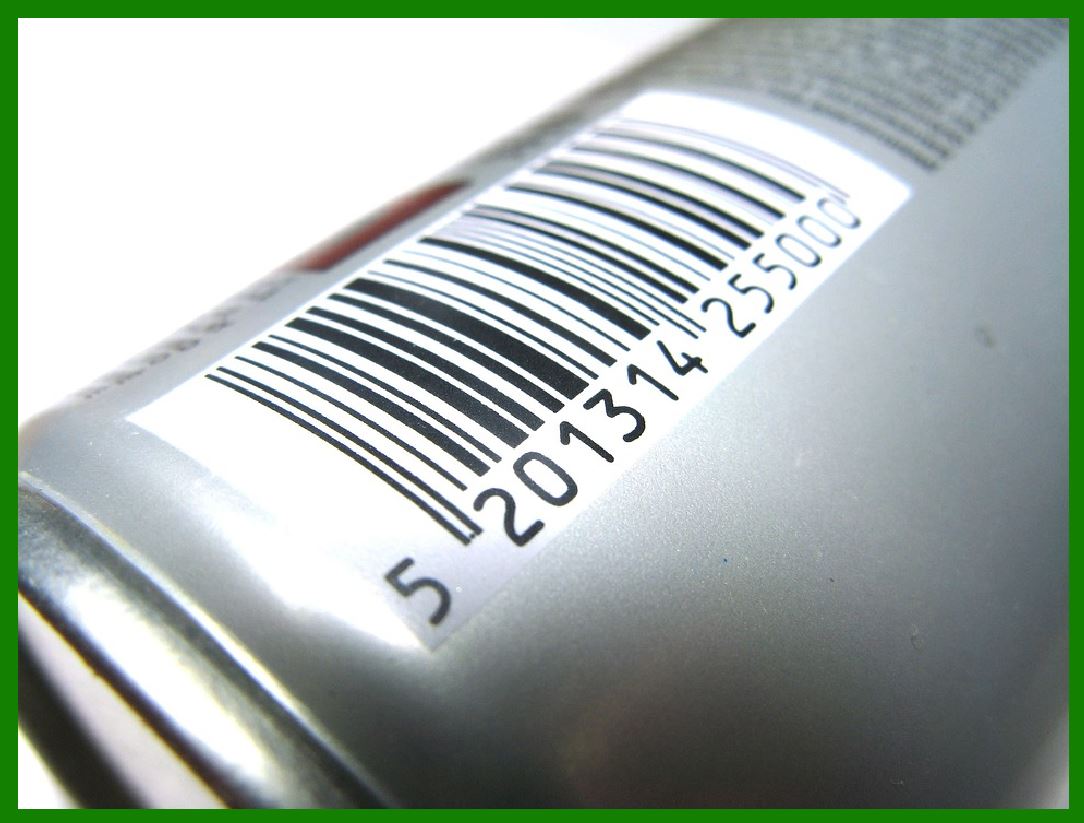
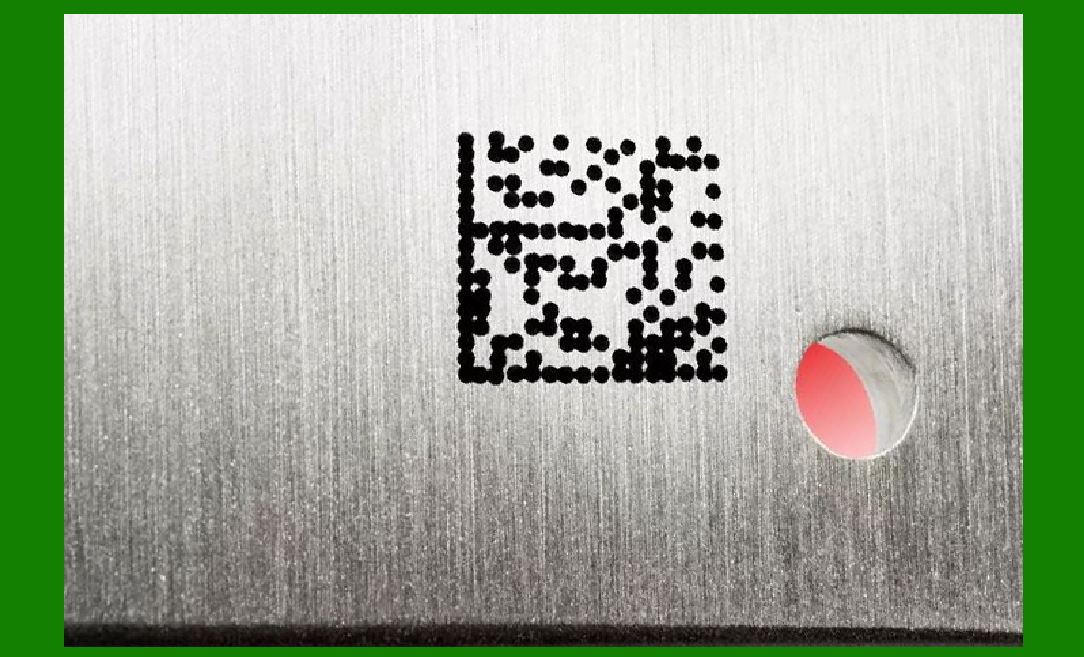
Barcode Scanning Failures: Poorly lit environments or damaged barcodes may cause barcode scanners to fail, preventing the system from retrieving the necessary information. |
Prevention: |
Optimize Connectivity: Ensure a stable and fast network connection, especially in environments with large amounts of real-time data being processed. Use 5G or Wi-Fi 6 if possible to speed up data retrieval and minimize lag. |
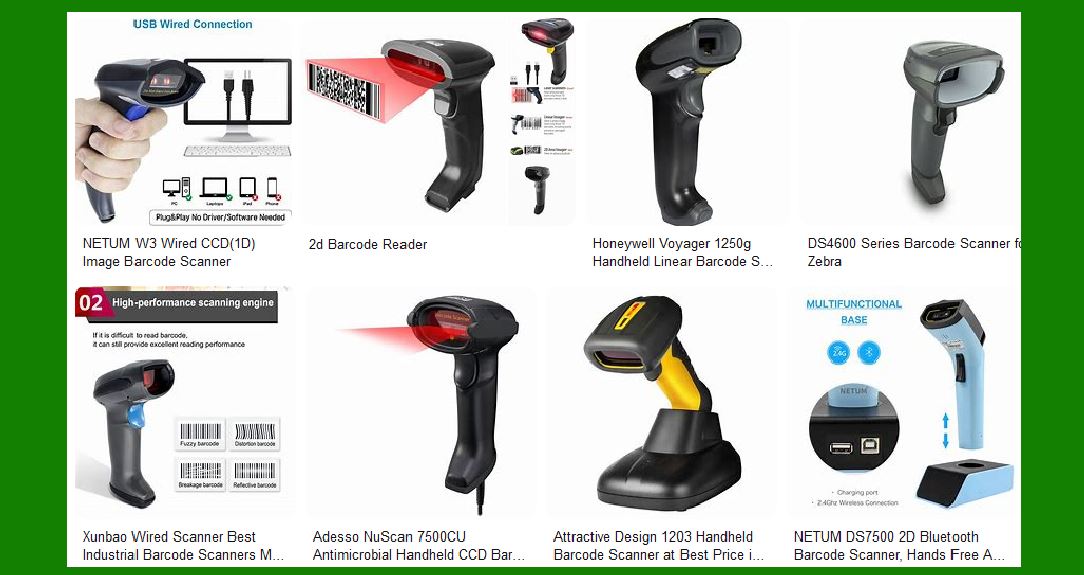
Use Robust Barcode Scanning Technology: Invest in high-quality barcode scanners that can handle poor lighting and damaged barcodes. Consider scanners with auto-focus or laser scanning features that can improve accuracy in challenging conditions. |
Cache Data Locally: For environments where internet connectivity might be spotty, cache frequently accessed data locally on the device to ensure faster retrieval even when offline. |
Regular System Updates: Ensure that the software powering the AR and smart glasses is regularly updated to improve performance and compatibility with new data sources and systems. |
|
3. Limited Battery Life |
Issue: |
Smart glasses and AR devices are typically battery-powered, and long hours of use can drain the battery quickly. Low battery life can disrupt operations and lead to downtime, especially in industries where workers rely on AR for real-time data. |
Prevention: |
Low-Power Consumption Components: Use energy-efficient components for the AR glasses, including low-power displays and processors, to maximize battery life. |
Extended Battery Packs: Consider using external or interchangeable battery packs that can be easily swapped out or charged during breaks to ensure continuous operation. |
Optimize Software for Battery Efficiency: Optimize the AR software to reduce power consumption by limiting background processes or adjusting the brightness of the display based on ambient light conditions. |
Monitor Battery Usage: Implement a battery usage monitoring system that alerts users when the battery is running low and provides information on charging options. |
|
4. Inconsistent or Poor AR Overlay Accuracy |
Issue: |
AR experiences rely heavily on precise alignment between the digital content and the physical environment. If the AR system fails to properly align or track the user's surroundings, it can create frustration and errors. |
Misalignment of AR Content: The AR overlay might float or jitter, causing it to appear out of place relative to the real-world objects. |
Tracking Failures: In environments with poor lighting or constant movement, the AR system might struggle to accurately track the user's position or object location, leading to inaccuracies in the displayed data. |
Prevention: |
Advanced Tracking Algorithms: Use more sophisticated tracking technologies like SLAM (Simultaneous Localization and Mapping) to improve accuracy in real-time. This allows the AR system to better understand the environment and provide more accurate overlays. |
Regular Calibration: Set up periodic calibration checks for both AR devices and barcode scanners. This ensures the system is consistently accurate and minimizes drift over time. |
Environmental Considerations: Take into account environmental factors that might impact AR performance. For example, ensure that the lighting is sufficient for the AR system to properly detect objects and track movement. |
|
5. Integration Issues with Existing Systems |
Issue: |
One common failure is that businesses may face difficulties integrating AR and smart glasses with their existing enterprise systems, such as warehouse management software, inventory systems, or ERP solutions. This can lead to data inconsistencies, operational disruptions, and a lack of overall synergy between new and legacy systems. |
Prevention: |
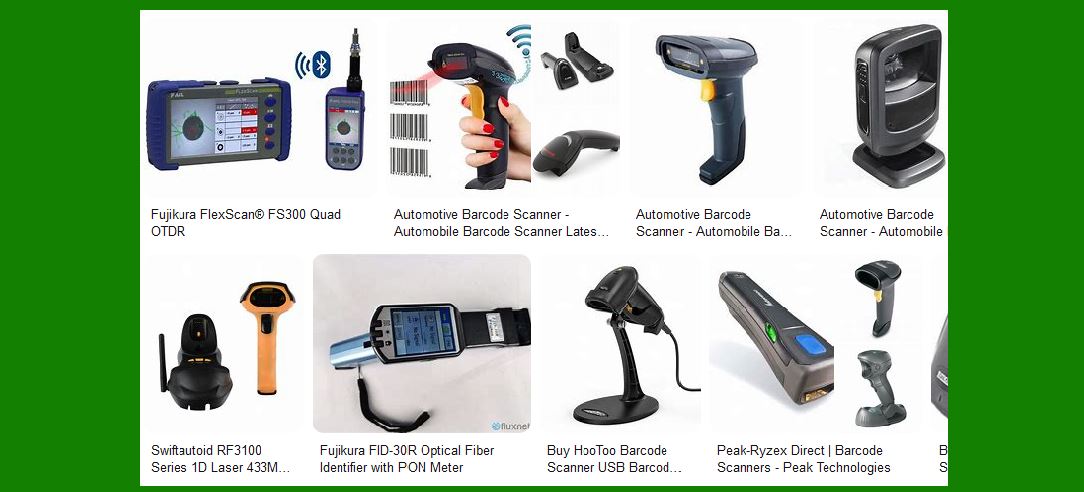
Invest in Middleware: Use middleware solutions that bridge the gap between legacy systems and newer AR/smart glasses technologies. This allows for smoother data transfer and ensures that both systems can work together seamlessly. |
Custom Development: Work with a development team to create custom applications that are designed to integrate well with your existing infrastructure. This ensures compatibility with your current systems and reduces the risk of errors. |
API and SDK Support: Leverage open APIs and software development kits (SDKs) offered by AR and smart glasses manufacturers to ensure that the devices can interface smoothly with your existing business systems. |
|
6. High Costs and ROI Concerns |
Issue: |
The cost of AR and smart glasses can be significant, and many businesses struggle to measure the return on investment (ROI). Without clear ROI, companies may be reluctant to adopt or expand these technologies. |
Prevention: |
Pilot Programs: Before committing to widespread adoption, run a pilot program to test the technology in a specific department or process. This allows you to gather data on performance improvements and identify potential areas of improvement. |
Cost-Benefit Analysis: Perform a thorough cost-benefit analysis to determine the long-term savings from increased productivity, reduced errors, and enhanced employee safety. Highlighting these benefits can help justify the initial investment. |
Focus on High-Impact Areas: Prioritize the use of AR and smart glasses in areas where they will have the most significant impact, such as high-volume or error-prone processes. This targeted approach can help ensure that the technology is used efficiently. |
|
7. Privacy and Security Risks |
Issue: |
AR systems and smart glasses often require the collection and processing of sensitive data. If security protocols are not properly implemented, businesses could face data breaches or privacy violations. For example, smart glasses could inadvertently capture images or videos in sensitive environments. |
Prevention: |
Strong Data Encryption: Use strong encryption methods to protect data both during transmission and when stored on devices. This will help ensure that sensitive business or customer information is not exposed. |
Access Control and Authentication: Implement strict access controls to limit who can access the AR and smart glasses systems. This may include role-based access control (RBAC) and multifactor authentication (MFA) to prevent unauthorized access. |
Data Collection Guidelines: Establish clear guidelines on what data can be collected through AR systems and smart glasses. Employees should be made aware of these policies to ensure privacy is respected. |
Regular Security Audits: Conduct periodic security audits to ensure that your AR and smart glasses systems meet the latest security standards and are not vulnerable to attacks. |
|
8. Lack of Employee Training and Buy-In |
Issue: |
A common failure is insufficient training for employees on how to use AR and smart glasses effectively. Without proper training, employees may not be able to take full advantage of the technology, leading to poor performance and reduced ROI. |
Prevention: |
Comprehensive Training Programs: Develop comprehensive training programs that cover both the technical aspects of using AR and smart glasses and the specific workflows they are meant to improve. Offer hands-on experience to help employees feel confident using the technology. |
Ongoing Support: Provide ongoing support and troubleshooting resources, such as a dedicated helpdesk or online tutorials, to assist employees when they encounter problems or challenges with the technology. |
User Advocacy: Appoint champions or power users within the organization who are enthusiastic about the technology. These individuals can help promote its benefits and offer peer-to-peer support for other employees. |
|
Conclusion |
While AR and smart glasses have the potential to revolutionize many industries, common failures-such as poor user experience, integration issues, inaccurate data retrieval, and high costs-can hinder their success. By proactively addressing these challenges through user-centered design, robust technical infrastructure, regular training, and clear ROI analysis, businesses can ensure smoother adoption of these advanced technologies and realize their full potential. |
 cs@easiersoft.com