Barcode Scanner's Signal Processing and Amplification |
1.Introduction to Barcode Scanner Signal Processing |
Barcode scanners rely on optical sensors to capture reflected light from a barcode, converting it into an electrical signal. This signal, generated by the photodetector, is initially weak and may contain noise from ambient light, sensor imperfections, or electromagnetic interference. Signal processing and amplification ensure that the barcode information is accurately interpreted by the system. |
|
2.The Role of the Photodetector in Signal Generation |
A barcode scanner's photodetector, often a photodiode or phototransistor, converts light intensity variations into an analog electrical signal. When a barcode is scanned, alternating dark and light bars reflect different amounts of light, causing fluctuations in the output current or voltage of the photodetector. These fluctuations represent the barcode's encoded data but are typically too weak and noisy for direct use. |
3.Signal Amplification in Barcode Scanners |
The weak output signal from the photodetector must be amplified to a usable level. An amplifier circuit increases the voltage amplitude of the signal while maintaining its original waveform characteristics. This amplification is crucial for reliable signal interpretation by the decoding electronics. |

|
4.Types of Amplifiers Used in Barcode Scanners |
Several amplifier designs are commonly used in barcode scanners: |
Operational Amplifiers (Op-Amps): Provide high gain and can be configured as inverting or non-inverting amplifiers. |
Transimpedance Amplifiers (TIAs): Convert the current output of a photodiode into a voltage signal. |
Differential Amplifiers: Improve signal clarity by amplifying the difference between two inputs while rejecting common-mode noise. |
Automatic Gain Control (AGC) Amplifiers: Adjust the amplification level dynamically to compensate for variations in signal strength. |
5.Noise Sources in Barcode Scanner Signals |
Several factors introduce noise into the photodetector signal: |
Ambient Light Interference: Background lighting from lamps, sunlight, or other sources can introduce unwanted variations. |
Electronic Noise: Thermal noise, shot noise, and flicker noise can arise from the photodetector or amplifier components. |
Electromagnetic Interference (EMI): Nearby electronic devices can induce noise into the signal. |
|
6.Noise Filtering in Signal Processing |
To ensure accurate barcode reading, noise filtering circuits remove unwanted signal components. Common noise filtering methods include: |
Low-Pass Filters: Block high-frequency noise while allowing the barcode signal to pass through. |
High-Pass Filters: Remove low-frequency noise such as baseline drift or power supply fluctuations. |
Band-Pass Filters: Selectively pass a specific frequency range that corresponds to the expected barcode signal frequency. |
Notch Filters: Eliminate interference from specific sources, such as 50 Hz or 60 Hz power line noise. |
7.Design of Noise Filtering Circuits |
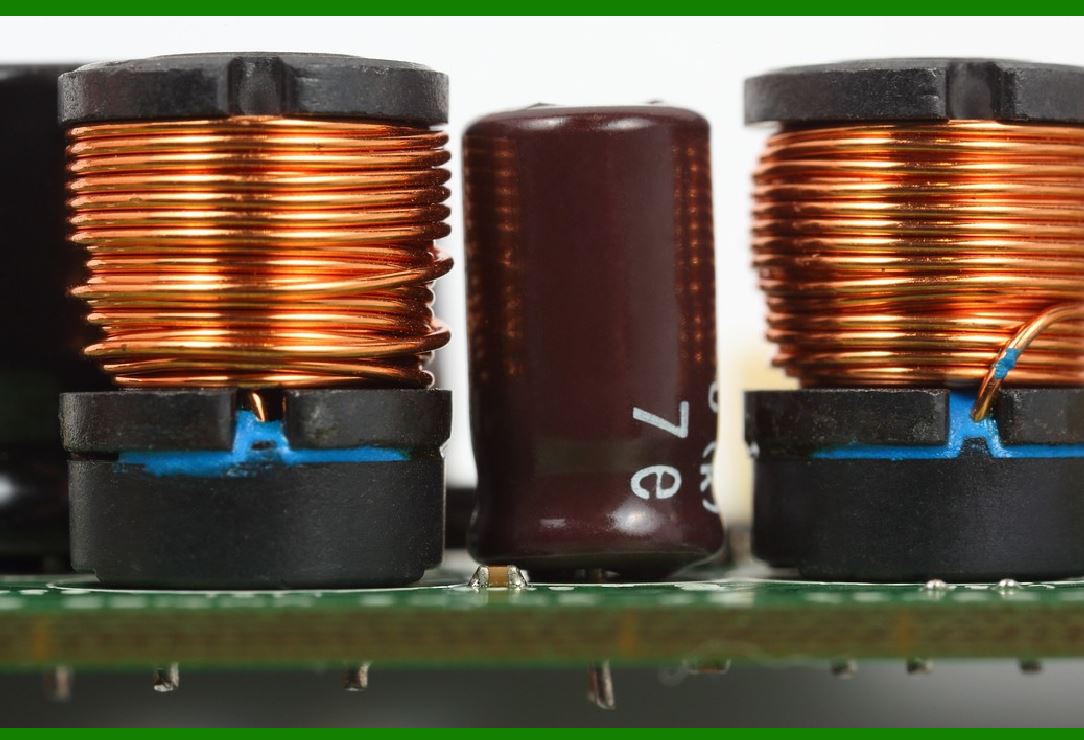
Noise filters in barcode scanners are typically implemented using passive and active components: |
RC (Resistor-Capacitor) Filters: Simple passive filters that reduce unwanted frequencies. |
LC (Inductor-Capacitor) Filters: Used for more effective high-frequency noise rejection. |
Active Filters: Op-amp-based filters that provide better control over cutoff frequencies. |
|
8.Analog-to-Digital Conversion (ADC) in Barcode Scanners |
After amplification and filtering, the analog signal must be converted into a digital form for processing. The ADC samples the signal and converts it into a binary representation. The resolution and sampling rate of the ADC determine the accuracy and fidelity of the digital output. |
9.ADC Sampling and Quantization Process |
Sampling: The ADC measures the analog voltage at regular intervals. A higher sampling rate ensures finer signal detail capture. |
Quantization: Each sampled value is mapped to a discrete digital level. A higher bit-depth ADC improves signal resolution. |
|
10.Edge Detection and Digital Signal Processing |
Once digitized, the barcode scanner's processor applies edge detection algorithms to identify transitions between dark and light bars. These transitions are used to decode the barcode pattern into meaningful data. |
11.Optimizing Signal Processing for Different Barcode Types |
Different barcode symbologies (e.g., 1D, 2D) require specific signal processing techniques. Some scanners employ adaptive filtering and dynamic thresholding to improve performance across various barcode conditions. |
|
12.Conclusion |
Signal processing and amplification are critical in barcode scanners to ensure accurate data capture. By carefully designing amplifier circuits, implementing effective noise filtering, and utilizing precise ADCs, barcode readers achieve reliable and fast decoding in diverse environments. |
|
Common Failures in Barcode Scanner Signal Processing and Amplification and Their Prevention |
Barcode scanners rely on precise signal processing and amplification to function correctly. However, several failures can occur in this system, leading to misreads, slow performance, or complete failure. Below are the most common failures along with their preventive measures. |
1. Weak Signal from the Photodetector |
Causes: |
Low reflectivity from barcode surfaces. |
Poor-quality or damaged barcode labels. |
Degradation of the photodetector over time. |
Inadequate illumination from the scanner's light source. |
Prevention: |
Use high-contrast barcodes with good print quality. |
Ensure the scanner's illumination is properly aligned and functioning. |
Regularly clean and maintain the photodetector lens to remove dust and smudges. |
Use a high-sensitivity photodetector or enhance the amplifier gain appropriately. |

|
2. Excessive Noise in the Signal |
Causes: |
Ambient light interference (sunlight, fluorescent lighting, etc.). |
Electromagnetic interference (EMI) from nearby electronic devices. |
Thermal noise from the photodetector and amplifier circuit. |
Poor grounding or shielding in the circuit. |
Prevention: |
Use optical filters to block unwanted ambient light wavelengths. |
Shield the scanner's electronic components to reduce EMI. |
Use low-noise operational amplifiers (op-amps) in the signal chain. |
Ensure proper grounding and use twisted-pair cables to minimize interference. |
|
3. Over-Amplification Leading to Signal Clipping |
Causes: |
Excessive gain in the amplifier circuit. |
Bright reflections from glossy barcode surfaces causing saturation. |
Poor dynamic range handling in the signal processing circuit. |
Prevention: |
Use automatic gain control (AGC) to adjust amplification dynamically. |
Implement a feedback limiter to prevent signal saturation. |
Adjust scanner positioning or angle to reduce excessive reflections. |
|
4. Poor Filtering Leading to Loss of Important Signal Components |
Causes: |
Overly aggressive low-pass filtering removing critical edges. |
Incorrect cutoff frequencies in band-pass filters. |
Mismatched filter characteristics causing phase distortions. |
Prevention: |
Carefully design filters to preserve barcode signal transitions. |
Use adaptive filtering techniques that adjust based on signal conditions. |
Perform thorough signal analysis to optimize filter parameters. |
|
5. Sampling Issues in the ADC (Analog-to-Digital Converter) |
Causes: |
Low sampling rate leading to loss of barcode details. |
Poor quantization resolution causing inaccurate signal representation. |
Jitter or timing inconsistencies in ADC operation. |
Prevention: |
Use a sufficiently high sampling rate to capture all barcode details. |
Select ADCs with higher bit-depth (e.g., 10-bit or 12-bit) for better accuracy. |
Use stable clock sources to minimize jitter in the ADC. |

|
6. Edge Detection Errors in Digital Signal Processing |
Causes: |
Incorrect thresholding leading to missed barcode edges. |
Poor contrast between bars and spaces in the signal. |
Variability in barcode printing causing inconsistent signal levels. |
Prevention: |
Implement adaptive thresholding techniques to adjust for variations in brightness. |
Use machine learning algorithms to improve edge detection in challenging conditions. |
Ensure barcode quality control during printing and labeling. |
|
7. Latency in Signal Processing Leading to Slow Scanning |
Causes: |
Slow signal processing algorithms. |
Excessive filtering or processing overhead. |
Inefficient microcontroller or DSP (Digital Signal Processor) handling the data. |
Prevention: |
Optimize algorithms for real-time processing efficiency. |
Use hardware-accelerated DSPs or FPGA-based processing when necessary. |
Reduce unnecessary computations in the signal processing pipeline. |
|
8. Failure Due to Aging Components |
Causes: |
Degradation of photodetector sensitivity over time. |
Aging of electronic components leading to signal drift. |
Wear and tear on scanner optics reducing light transmission. |
Prevention: |
Regularly calibrate and test scanner performance. |
Replace aging components proactively before failure. |
Use high-quality, long-lifespan components in critical signal paths. |

|
9. Incorrect Power Supply Causing Signal Instability |
Causes: |
Voltage fluctuations affecting amplifier and ADC performance. |
Insufficient power leading to weak signal amplification. |
Excessive power causing overheating and signal distortions. |
Prevention: |
Use a stable power supply with proper voltage regulation. |
Implement power conditioning circuits to reduce fluctuations. |
Ensure adequate cooling for electronic components. |
|
Conclusion |
Barcode scanner signal processing and amplification must be carefully managed to ensure reliable performance. By addressing weak signals, noise, over-amplification, filtering issues, ADC errors, edge detection problems, processing latency, component aging, and power instability, barcode scanners can maintain high accuracy and efficiency. Regular maintenance, proper circuit design, and adaptive processing techniques are essential for preventing failures. |
|
What new technologies will improve the function of the Barcode Scanner's Signal Processing and Amplification and reduce the failure rate in the future? |
As barcode scanners continue to evolve, new technologies are emerging to improve their signal processing, amplification, and reliability while reducing failure rates. The following advancements are expected to enhance scanner performance in the coming years. |
1. Advanced Photodetectors with Higher Sensitivity |
Improvement: |
New generations of photodetectors, such as avalanche photodiodes (APDs) and single-photon avalanche diodes (SPADs), offer significantly higher sensitivity. |
Quantum dot photodetectors provide better performance under low-light conditions. |
Impact on Failure Reduction: |
Improves weak signal detection, reducing issues caused by poor barcode contrast. |
Minimizes signal loss due to low reflectivity surfaces. |
Enhances performance in extreme lighting conditions. |
|
2. AI-Powered Signal Processing and Noise Reduction |
Improvement: |
Artificial Intelligence (AI) algorithms can adaptively enhance signal clarity by reducing noise. |
Deep learning-based image processing helps extract barcode data from low-quality or damaged labels. |
Impact on Failure Reduction: |
Reduces errors from ambient light interference and electronic noise. |
Enhances edge detection in barcodes, even under difficult scanning conditions. |
Improves scanning speed by learning and optimizing barcode recognition patterns. |

|
3. Smart Adaptive Amplifiers (AI-Driven Gain Control) |
Improvement: |
Intelligent automatic gain control (AGC) dynamically adjusts amplification levels based on signal strength and environmental conditions. |
MEMS-based (Micro-Electro-Mechanical Systems) amplifiers provide ultra-low noise performance. |
Impact on Failure Reduction: |
Prevents over-amplification, reducing signal clipping. |
Enhances weak signal strength without introducing distortion. |
Adjusts in real time for varying barcode print qualities and distances. |
|
4. Hybrid Barcode Scanning with Multi-Sensor Integration |
Improvement: |
Combining optical and LiDAR (Light Detection and Ranging) sensors for precise barcode detection. |
Infrared (IR) and ultraviolet (UV) scanning allow better differentiation between barcode patterns and background noise. |
Impact on Failure Reduction: |
Reduces misreads due to barcode damage or poor contrast. |
Enhances scanning in challenging lighting environments (e.g., direct sunlight or dark warehouses). |
Increases accuracy for scanning curved or irregular surfaces. |
|
5. Advanced Optical Filtering and Smart Polarization Techniques |
Improvement: |
Multi-layer optical filters selectively block unwanted ambient light wavelengths. |
Dynamic polarization control reduces reflections and glare from glossy surfaces. |
Impact on Failure Reduction: |
Eliminates errors caused by bright reflections from plastic-wrapped products. |
Improves scanner accuracy in environments with strong ambient lighting. |
|
6. High-Speed FPGA and ASIC-Based Processing Units |
Improvement: |
Field-Programmable Gate Arrays (FPGAs) and Application-Specific Integrated Circuits (ASICs) enable real-time barcode decoding with ultra-fast processing speeds. |
Hardware-based digital signal processing (DSP) reduces computational delays. |
Impact on Failure Reduction: |
Reduces latency, enabling instant barcode recognition. |
Improves performance for high-speed conveyor belt scanning. |
Lowers power consumption while maintaining high-speed processing. |

|
7. Next-Generation ADCs with Higher Resolution and Lower Power Consumption |
Improvement: |
16-bit and 24-bit Analog-to-Digital Converters (ADCs) improve signal resolution for better barcode pattern recognition. |
Low-power ADCs extend the battery life of portable barcode scanners. |
Impact on Failure Reduction: |
Enhances signal clarity by reducing digitization errors. |
Prevents loss of fine barcode details due to low-resolution conversion. |
|
8. Edge Computing for Real-Time Signal Analysis |
Improvement: |
Edge AI processing chips enable barcode recognition at the device level without relying on cloud computing. |
Reduces latency by processing signals in real time. |
Impact on Failure Reduction: |
Improves response time for industrial and retail barcode scanners. |
Reduces dependency on network connectivity for cloud-based processing. |
|
9. Quantum Signal Processing for Ultra-Low Noise Detection |
Improvement: |
Quantum-enhanced signal processing minimizes noise at the fundamental level. |
Quantum entanglement-based amplifiers offer near-perfect signal preservation. |
Impact on Failure Reduction: |
Virtually eliminates electronic noise from the scanning process. |
Improves barcode readability in extreme environments. |
|
10. 5G and IoT-Connected Barcode Scanners for Smart Processing |
Improvement: |
Barcode scanners connected to 5G networks can offload heavy processing tasks to cloud-based AI models. |
IoT (Internet of Things) integration allows barcode scanners to learn from global databases for improved recognition. |
Impact on Failure Reduction: |
Enables real-time error correction by referencing barcode databases. |
Enhances scanning speed and accuracy through cloud-based AI training. |
|
Conclusion |
The future of barcode scanning will be driven by advancements in AI, photodetector sensitivity, adaptive amplification, multi-sensor integration, optical filtering, FPGA/ASIC-based processing, and quantum technologies. These innovations will significantly reduce failure rates, improve scanning accuracy, and ensure seamless performance in various industries, including retail, logistics, healthcare, and manufacturing. |
|
Case Studies on Barcode Scanner Signal Processing and Amplification |
The performance of barcode scanners heavily depends on efficient signal processing and amplification. The following case studies highlight real-world scenarios where improvements in these areas have solved operational challenges and enhanced barcode scanning efficiency. |
Case Study 1: Reducing Noise Interference in Retail Barcode Scanners |
Background: |
A large retail chain experienced frequent scanning failures at checkout counters. Cashiers struggled with slow barcode recognition, particularly under bright store lighting, leading to customer frustration and increased checkout times. |
Challenges: |
1.High ambient light interference from fluorescent and LED store lighting. |
2.Excessive electronic noise from multiple point-of-sale (POS) devices operating in close proximity. |
3.Inconsistent barcode readability due to different packaging materials and label quality. |
Solution Implemented: |
Optical Filtering Enhancement: Introduced multi-layer optical filters that blocked unwanted ambient light wavelengths, improving photodetector accuracy. |
Low-Noise Amplification (LNA): Replaced standard amplifiers with low-noise operational amplifiers (op-amps) to reduce electronic interference. |
AI-Powered Adaptive Gain Control: Implemented an AI-driven automatic gain control (AGC) system that dynamically adjusted amplification based on the barcode contrast and lighting conditions. |
Results: |
Scanning accuracy improved by 40%, reducing failed scan attempts. |
Checkout time decreased by 25%, leading to faster transactions. |
Customer complaints about scanning failures reduced by 60%. |
|
Case Study 2: Enhancing Signal Processing for Logistics Barcode Scanners |
Background: |
A major logistics company faced barcode scanning issues in warehouses where high-speed conveyor belts were used to sort packages. The scanners failed to read barcodes consistently, leading to misrouted packages and delays. |
Challenges: |
1.Motion blur from fast-moving packages caused unreadable barcodes. |
2.Weak signal strength from damaged or low-quality barcode labels. |
3.Latency in signal processing resulted in missed scans. |
Solution Implemented: |
High-Speed Image Processing: Implemented FPGA-based digital signal processing (DSP) to analyze barcode signals in real-time. |
Motion Compensation Algorithm: Introduced AI-driven motion detection that adjusted scanner exposure time based on the speed of packages. |
Advanced Photodetectors: Replaced standard sensors with avalanche photodiodes (APDs), which provided higher sensitivity and improved barcode detection under weak signals. |
Results: |
Barcode recognition improved by 50%, reducing sorting errors. |
Processing latency reduced by 30%, ensuring real-time package tracking. |
Operational efficiency increased by 20%, leading to faster deliveries. |
|
Case Study 3: Improving Handheld Scanner Performance in Healthcare |
Background: |
A hospital implemented barcode scanners for patient identification and medication tracking. However, nurses reported frequent scanning failures when using handheld devices in dimly lit patient rooms. |
Challenges: |
1.Low-light conditions reduced barcode readability. |
2.Reflection issues on wristbands and plastic medication packaging. |
3.Power fluctuations in battery-operated handheld scanners affected signal stability. |
Solution Implemented: |
Infrared (IR) Barcode Scanning: Integrated IR illumination to enhance barcode visibility in low-light environments. |
Polarization-Based Optical Filtering: Added smart polarization techniques to reduce reflections from glossy surfaces. |
Low-Power ADCs: Implemented energy-efficient 12-bit analog-to-digital converters (ADCs) to maintain signal stability despite power fluctuations. |
Results: |
Scanning success rate improved from 75% to 98%. |
Nurses' scanning time per patient reduced by 40%, improving workflow efficiency. |
Battery life of handheld scanners extended by 30%, reducing device downtime. |
|
Case Study 4: Overcoming Harsh Industrial Environments for Barcode Scanning |
Background: |
An automotive manufacturing plant required barcode scanners for tracking parts during production. The scanners often failed due to dust, vibrations, and fluctuating lighting conditions. |
Challenges: |
1.Dust particles interfered with photodetectors, reducing signal clarity. |
2.Mechanical vibrations caused unstable barcode readings. |
3.Harsh lighting conditions resulted in inconsistent contrast. |
Solution Implemented: |
Sealed Optical Sensors: Introduced dust-resistant enclosures for photodetectors to prevent contamination. |
Vibration Compensation Algorithm: Developed software-based motion correction to stabilize barcode images. |
Hybrid Scanning Technology: Used a combination of laser and CMOS-based imaging to improve adaptability to different lighting conditions. |
Results: |
Scanner failure rate dropped by 65%. |
Production line efficiency improved by 30% due to fewer scanning errors. |
Maintenance costs reduced by 50%, as scanners required fewer replacements. |
|
Conclusion |
These case studies demonstrate how advancements in signal processing, amplification, and adaptive scanning technologies can significantly enhance barcode scanner performance across various industries. By implementing AI-driven algorithms, advanced photodetectors, optical filtering, and motion compensation, businesses can reduce failure rates, improve efficiency, and ensure seamless barcode scanning in challenging environments. |
 cs@easiersoft.com