RFID Reader: Processor (Microcontroller or Microprocessor) |
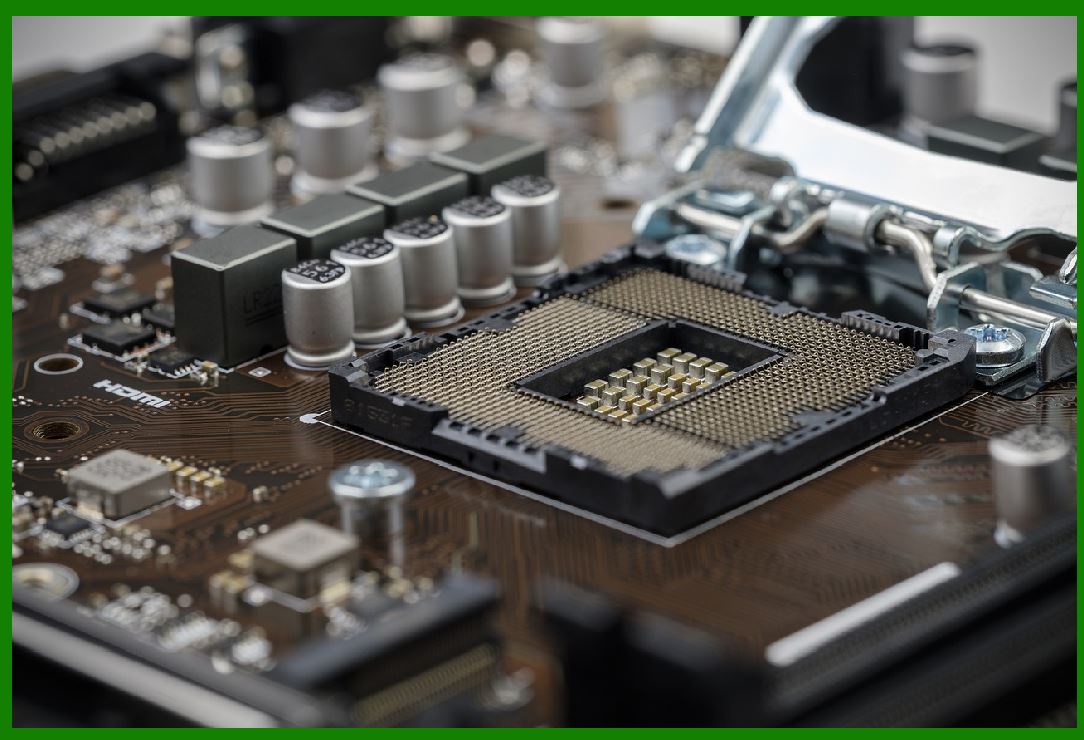
The processor in an RFID reader is the central unit that governs the operations of the entire system. It acts as the brain of the reader, handling tasks ranging from signal processing to data interpretation and communication with external systems. The processor ensures that the RFID system functions efficiently, reading tags accurately, processing their data, and facilitating smooth communication with host systems, whether for inventory tracking, access control, or asset management. The processor can be a microcontroller (MCU) or a microprocessor (MPU), depending on the complexity and performance requirements of the reader. |
|
1. Role of the Processor in an RFID Reader |
The processor in an RFID reader is responsible for managing multiple subsystems that work in tandem to achieve an efficient RFID operation. It controls the communication between the reader and the RFID tags, handles data collection, executes the necessary signal processing algorithms, and interfaces with external devices such as host computers or cloud-based systems. |
1.1 Signal Processing |
Signal processing is a crucial function of the processor in an RFID reader. It is responsible for handling the radio frequency (RF) signals that are transmitted between the reader and the RFID tags. These RF signals are modulated to carry information, and the processor decodes this information to extract data from the tags. |
RFID systems typically use a combination of analog and digital signal processing. The processor converts the analog signals received from the RFID tag into a digital format for further processing. This involves filtering out noise, amplifying weak signals, and demodulating the data encoded on the RF carrier wave. This step is critical to ensure that the data is accurately interpreted, even in noisy or challenging environments. |
1.2 Error Checking and Data Validation |
As part of signal processing, the processor also handles error checking and data validation. Since RFID systems are prone to interference, signal attenuation, and other environmental factors, the processor must ensure that the received data is valid and free from errors. Common error-checking methods include checksums, cyclic redundancy checks (CRC), or parity bits. |
In case the data is corrupted or unreadable, the processor may request the tag to resend the data or initiate a retry mechanism. This helps ensure that the RFID reader provides accurate readings, even in less-than-ideal conditions. The processor may also implement data validation procedures to ensure that the received data aligns with predefined formats or expected values. |
1.3 Communication with the Host System |
Another essential role of the processor in an RFID reader is handling communication with external systems, such as a host computer or a central database. The processor manages the communication protocols used to send and receive data between the reader and these external systems. This can include wired connections (e.g., Ethernet or USB) or wireless communication (e.g., Wi-Fi or Bluetooth). |
The processor converts the raw data received from RFID tags into a standardized format that the host system can understand. It may also handle tasks such as encryption, ensuring secure data transmission between the reader and the host system. Depending on the RFID system, the processor may also manage communication protocols like HTTP, MQTT, or custom communication formats used for specific applications. |
|
2. Processor Architecture: Microcontroller vs. Microprocessor |
RFID readers typically use either a microcontroller (MCU) or a microprocessor (MPU) as their central processing unit. Both types of processors have distinct characteristics and advantages, depending on the reader's requirements. |
2.1 Microcontroller (MCU) in RFID Readers |
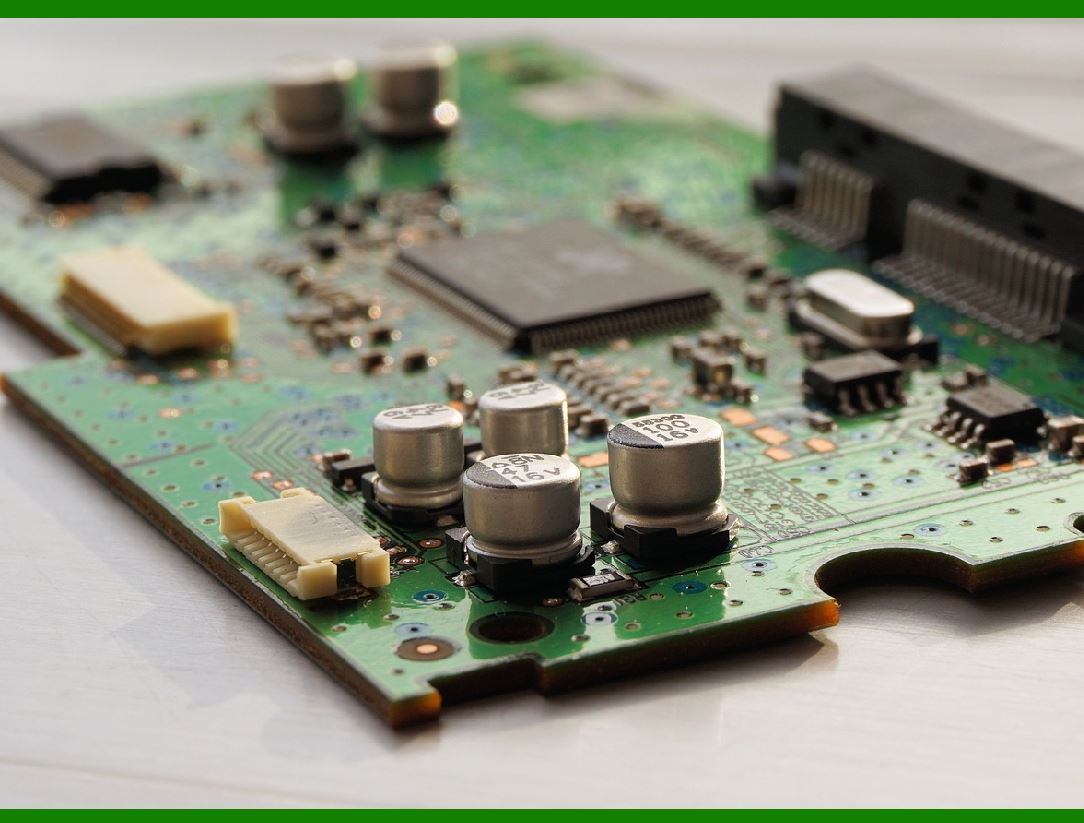
A microcontroller (MCU) is a compact, integrated chip that combines a processor, memory, and peripheral interfaces into a single unit. MCUs are often used in low-cost, low-power RFID readers. The advantages of using an MCU include: |
Cost Efficiency: MCUs are generally more affordable than microprocessors, making them ideal for cost-sensitive applications. |
Low Power Consumption: MCUs are designed to operate with minimal power consumption, which is important in portable or battery-operated RFID readers. |
Integrated Components: Many MCUs have built-in peripherals such as timers, analog-to-digital converters (ADC), and communication interfaces (UART, SPI, I2C), which reduce the need for external components. |
The processor in an MCU-based RFID reader is responsible for handling tasks such as signal processing, tag data interpretation, and communication with external systems, but its computational capabilities may be limited compared to a more powerful microprocessor. |
2.2 Microprocessor (MPU) in RFID Readers |
A microprocessor (MPU) is a more powerful processing unit, typically used in high-performance RFID readers. MPUs offer higher processing speeds, greater memory capacity, and the ability to handle more complex operations. The advantages of using an MPU include: |
Higher Performance: MPUs are capable of performing more intensive processing tasks, such as real-time data analysis, image processing (in RFID systems that use cameras), and complex algorithms for tag collision handling. |
More Memory: MPUs can support larger amounts of RAM and flash memory, which is useful for storing large datasets or running more sophisticated software applications. |
Advanced Communication: MPUs are better suited for handling complex communication protocols, such as TCP/IP for networked RFID systems, and can support multiple communication interfaces simultaneously. |
MPU-based RFID readers are typically used in applications that require high-speed processing, such as asset tracking in large warehouses, supply chain management, or high-frequency RFID tag reading scenarios. |
|
3. Key Functions and Responsibilities of the Processor |
The processor in an RFID reader handles several critical functions that ensure the proper operation of the system. These include: |
3.1 Managing Signal Timing and Synchronization |
The processor is responsible for managing the timing and synchronization of the signals transmitted between the RFID reader and the tags. RFID systems operate in a specific time frame, with the reader emitting signals at certain intervals and waiting for responses from the tags. |
This requires precise timing and synchronization to ensure that the reader can detect the signals from the tags and avoid interference from other sources. The processor generates the necessary timing signals, manages the modulation and demodulation of the RF carrier, and ensures that the reader communicates effectively with the tags without causing signal collisions or errors. |
3.2 Anti-Collision: Handling Multiple Tag Reads |
One of the most important features of an RFID reader processor is the ability to handle multiple tag reads at once. In many RFID applications, several tags may be present within the reader's range simultaneously. The processor must implement anti-collision protocols to avoid confusion and ensure that each tag is correctly identified. |
Anti-collision protocols vary depending on the type of RFID system (e.g., passive, active, or semi-active tags), but common methods include: |
ALOHA-based Protocols: These protocols rely on tags transmitting data randomly and the reader listening for signals. Collisions are resolved by retransmitting data after a random delay. |
Slotted ALOHA: A more structured version of ALOHA that divides time into slots, reducing the chance of collision. |
Tree-based Algorithms: These algorithms break the data into a hierarchical structure and progressively identify tags in different branches of the tree. |
The processor is responsible for implementing these anti-collision algorithms and ensuring that each tag's data is correctly read and processed without overlap or data loss. |
3.3 Encryption and Security |
Security is a critical aspect of modern RFID systems, especially in applications such as asset tracking, access control, and financial transactions. The processor in an RFID reader plays a key role in ensuring the security of data transmission between the reader and the tags. |
The processor may implement encryption protocols to secure the data transmitted between the RFID tags and the reader. Common encryption standards include Advanced Encryption Standard (AES), Triple DES (3DES), and RSA. The processor is responsible for encrypting and decrypting the data to prevent unauthorized access or tampering. |
Additionally, the processor may manage access control features, such as authentication mechanisms, to ensure that only authorized tags are allowed to communicate with the reader. |
3.4 Power Management |
Power management is an important consideration in many RFID systems, particularly in battery-powered or mobile RFID readers. The processor is responsible for optimizing power consumption to extend the operational life of the reader. |
This includes managing the power supply to various components, such as the RF transceiver, display, and communication interfaces. The processor may implement low-power modes or sleep cycles when the reader is not actively processing data or interacting with tags. Efficient power management helps ensure that the RFID system can operate for extended periods, even in remote or mobile environments. |
3.5 Real-Time Data Handling and Processing |
The processor must be able to handle real-time data processing from RFID tags. In many RFID applications, the tags send data that must be immediately processed to provide useful information to the user. This could involve: |
Data Filtering: The processor may need to filter out noise or irrelevant data to ensure that only meaningful tag information is processed. |
Data Aggregation: In some cases, the processor aggregates data from multiple tags or sources to present a comprehensive overview of an environment or system. |
Event Processing: The processor can be programmed to trigger specific actions based on the data received from the tags. For example, in an access control system, the processor may trigger a door opening mechanism when an authorized tag is detected. |
|
4. Challenges and Considerations for RFID Processor Design |
Designing the processor for an RFID reader comes with several challenges and considerations that need to be addressed to ensure optimal performance. |
4.1 Processing Speed vs. Power Consumption |
One of the major trade-offs when choosing a processor for an RFID reader is balancing processing speed with power consumption. High-speed processors may consume more power, which could be a problem for battery-powered systems. Conversely, low-power processors may not be able to handle complex tasks as efficiently. Designers must choose a processor that meets the performance requirements while maintaining energy efficiency. |
4.2 Real-Time Processing Capabilities |
In many RFID applications, especially those involving high-volume or high-speed reading, real-time data processing is essential. The processor must be able to handle large volumes of tag data in real time without introducing latency. Real-time operating systems (RTOS) or custom firmware may be used to ensure that the processor meets the timing constraints of the application. |
4.3 Cost and Complexity |
The cost of the processor is a key consideration when designing an RFID reader. While MCUs may be sufficient for simple applications, more advanced systems may require the additional capabilities of an MPU. The complexity of the processor must be aligned with the application's requirements, and designers must balance performance with cost to ensure that the reader is both effective and affordable. |
|
5. Conclusion |
The processor in an RFID reader is a central component that controls the system's operation. Whether it is a microcontroller or a microprocessor, the processor handles signal processing, error checking, data validation, anti-collision algorithms, encryption, and communication with external systems. It also manages the power supply, ensures real-time processing, and enables secure, accurate RFID reading. By efficiently integrating these functions, the processor ensures that the RFID system operates reliably and effectively, whether in simple applications or more complex environments requiring high-speed, high-volume tag reading. |

|
Related electronic technologies |
RFID technology is part of a broader landscape of electronic technologies used for identification, communication, and data processing. These technologies often overlap in their application, but each has unique characteristics suited to specific needs. Here's an overview of some of the key electronic technologies related to RFID, and how they complement or contrast with it: |
1. Barcode Systems |
Barcode systems are one of the most widely used electronic technologies for identification and data collection. Like RFID, they enable automatic identification and data capture (AIDC), but they operate on fundamentally different principles. |
1.1 Comparison with RFID: |
Technology: Barcodes are optical representations of data, which are read by laser scanners or imaging devices. In contrast, RFID uses radio frequency waves for communication. |
Range: Barcodes require direct line-of-sight for reading, whereas RFID can read tags without direct line-of-sight, making it more versatile in certain environments. |
Data Capacity: Barcodes typically store much less data (usually just a number), while RFID tags can store much more data, including encryption, authentication, and detailed product information. |
Durability: Barcodes can be easily damaged by wear and tear or environmental conditions, whereas RFID tags are more durable and can be used in harsh environments. |
Despite these differences, barcode systems are often used in conjunction with RFID technology, especially in applications where cost and simplicity are priorities. For instance, barcodes are often used in retail and point-of-sale systems, while RFID is used for inventory management and supply chain logistics. |
|
2. Near Field Communication (NFC) |
NFC is a subset of RFID technology, specifically designed for short-range communication (typically within a few centimeters). It is used in contactless payment systems, secure access control, and data transfer between devices. |
2.1 Comparison with RFID: |
Range: NFC operates at a much shorter range than typical RFID, which is ideal for applications where very close proximity is required for security or privacy (e.g., contactless payments or smart card authentication). |
Frequency: NFC typically operates at a frequency of 13.56 MHz, which is a high-frequency range for RFID systems. In comparison, RFID systems can operate across multiple frequency bands (low, high, ultra-high), depending on the application. |
Interoperability: NFC devices are often designed to be interoperable with other NFC-enabled devices, allowing smartphones to communicate with NFC tags, for example. This creates opportunities for peer-to-peer communication between devices. |
NFC technology is used in many consumer-facing applications, such as mobile payments (e.g., Apple Pay, Google Wallet), secure access control systems, and data sharing between devices (e.g., sharing contacts or files). |
|
3. Bluetooth Low Energy (BLE) |
Bluetooth Low Energy (BLE) is a wireless communication technology designed for short-range, low-power data transmission. It is commonly used in IoT (Internet of Things) devices, healthcare applications, and proximity-based services. |
3.1 Comparison with RFID: |
Range: BLE has a longer range than traditional RFID, typically up to 100 meters in open space, making it suitable for applications that need to cover larger areas. |
Power Consumption: BLE is designed for low power consumption, making it ideal for battery-powered devices that require long operational lifespans. |
Data Transfer: BLE supports more sophisticated data transfer than RFID, including bidirectional communication, which allows two-way data exchange between devices. |
While RFID is generally used for identification and tracking, BLE is commonly used for communication between devices in proximity-based applications. In some cases, BLE can be used in conjunction with RFID for more complex solutions, such as tracking assets and monitoring sensor data in real time. |
|
4. Zigbee and Other Wireless Mesh Networks |
Zigbee is a specification for a set of high-level communication protocols using low-power digital radios. It is widely used in IoT applications, particularly in industrial automation, smart homes, and asset tracking systems. |
4.1 Comparison with RFID: |
Range and Mesh Networking: Zigbee operates over a longer range than traditional RFID (up to 100 meters), and its ability to form mesh networks (where nodes communicate with each other) makes it ideal for large-scale, distributed applications, such as building automation or smart cities. |
Data Transfer: Zigbee supports two-way communication, unlike traditional RFID, which is often read-only (especially in passive systems). Zigbee can transmit more data and enable control of devices over the network. |
Power Consumption: Zigbee is designed for low-power devices, similar to RFID, and can operate for long periods on battery power. |
While RFID excels in automatic identification and tracking, Zigbee is more focused on creating large, low-power wireless networks for controlling devices and collecting data. However, both technologies are often used in complementary systems, such as in warehouse management systems where RFID handles tagging, and Zigbee manages communication between sensors. |

|
5. Wi-Fi and LoRaWAN |
Wi-Fi and LoRaWAN (Long Range Wide Area Network) are wireless communication technologies often used for connecting devices to the internet, particularly in the IoT space. |
5.1 Wi-Fi: |
Comparison with RFID: Wi-Fi operates at much higher data rates than RFID and covers larger areas, typically hundreds of meters. It is often used in conjunction with RFID readers for transmitting tag data to cloud-based systems in real-time. |
Range: Wi-Fi is ideal for larger areas where high-speed internet access is needed, such as in offices, warehouses, and retail environments. |
Data Transfer: Wi-Fi can support high-bandwidth applications, enabling data-heavy tasks such as video surveillance or real-time inventory tracking in large-scale environments. |
5.2 LoRaWAN: |
Comparison with RFID: LoRaWAN offers long-range communication (up to 15-30 kilometers in rural areas) with low power consumption, making it ideal for large-scale IoT applications. While RFID is primarily used for identification and tracking, LoRaWAN can provide long-distance connectivity for remote sensors and devices, making it useful in applications like environmental monitoring and remote asset tracking. |
Low Power: Like RFID, LoRaWAN operates with minimal power consumption, making it suitable for battery-powered sensors that need to function over extended periods without recharging. |
Wi-Fi and LoRaWAN are typically used in IoT applications that require continuous communication with cloud-based systems, complementing RFID technology for tracking and asset management. |
|
6. Ultrasound and Acoustic Positioning Systems |
Ultrasound technology is used in positioning systems that determine the location of objects within a specific area. These systems emit high-frequency sound waves, which are reflected by objects and then detected by receivers to calculate the distance. |
6.1 Comparison with RFID: |
Range: Ultrasound systems can offer precise positioning within a defined area (e.g., a few centimeters to several meters), whereas RFID is generally used for identification and tracking across larger areas. |
Accuracy: Ultrasound-based positioning systems can provide more accurate location tracking (e.g., indoor navigation or asset tracking), whereas RFID systems may only provide location data at the level of specific readers or zones. |
Ultrasound-based systems are often used in applications where precise location tracking is essential, such as in hospitals for tracking medical equipment or in warehouses for precise asset management. These systems are sometimes used alongside RFID to create more comprehensive tracking systems. |
|
7. Smart Sensors and Internet of Things (IoT) Devices |
Smart sensors and IoT devices are designed to gather data and communicate with other devices or cloud-based platforms to enable real-time monitoring, analysis, and automation. |
7.1 Comparison with RFID: |
Data Type: While RFID is primarily used for identification and tracking, smart sensors gather data about the environment, such as temperature, humidity, motion, and light. This data is used to monitor and control systems, like HVAC, lighting, or security systems. |
Two-way Communication: RFID is often a one-way communication system (from tag to reader), whereas IoT devices and smart sensors enable two-way communication, allowing data to be both collected and sent to other systems for analysis or control. |
Smart sensors are often deployed in large networks to monitor industrial processes, buildings, and infrastructure. RFID may be used alongside these devices to enhance asset management, track equipment, or provide context for sensor data. |

|
8. Vision Systems and Optical Character Recognition (OCR) |
Vision systems and Optical Character Recognition (OCR) technologies are used to capture, recognize, and process images or text from objects. |
8.1 Comparison with RFID: |
Technology: Vision systems and OCR rely on cameras and image processing algorithms to read and interpret information, while RFID uses radio waves to interact with tags. |
Data Collection: OCR can recognize text on objects (such as serial numbers or barcodes), while vision systems can provide more advanced features like facial recognition or object identification. |
These systems are often used in combination with RFID to enhance capabilities such as automatic sorting, package inspection, or access control in security systems. |
|
Conclusion |
RFID technology is part of a larger family of electronic and communication technologies, each serving distinct but complementary roles in various applications. While RFID is primarily used for identification and tracking, related technologies like barcode systems, NFC, BLE, Zigbee, and Wi-Fi help enhance the functionality and flexibility of RFID in broader systems. The combination of RFID with other technologies, such as ultrasound positioning or IoT devices, can create sophisticated solutions for asset management, inventory control, automation, and more. As these technologies continue to evolve, their integration will offer even more powerful and efficient systems across industries. |
|
What challenges will it face? |
While RFID technology offers many benefits, it also faces several challenges that can impact its widespread adoption, performance, and integration into various industries. These challenges span technical, environmental, regulatory, and economic factors. Below, we will explore the key challenges RFID systems face: |
1. Interference and Signal Blockage |
1.1 Electromagnetic Interference (EMI) |
RFID systems operate in a range of frequencies, and they can be susceptible to electromagnetic interference (EMI) from other electronic devices. For example, devices that operate on similar frequency bands (e.g., Wi-Fi, Bluetooth, or microwave ovens) can cause signal degradation or make RFID systems less reliable. This is especially problematic in dense environments like factories or warehouses where multiple electronic devices are operating simultaneously. |
1.2 Physical Obstructions |
In environments with a lot of physical barriers, such as metal objects, liquids, or dense materials, RFID signals can be blocked or absorbed. This can significantly reduce the effective read range or accuracy of the system. Metal, in particular, poses a significant challenge because it can reflect or absorb RFID signals, creating 'dead zones' where tags cannot be read. |
1.3 Environmental Conditions |
Environmental factors like temperature extremes, humidity, or exposure to harsh chemicals can affect the performance of both RFID tags and readers. Tags in outdoor or industrial environments may degrade faster due to exposure to the elements, reducing their lifespan and reliability. |

|
2. Tag Collision and Anti-Collision Management |
2.1 Tag Collision |
When multiple RFID tags are within the reader's range and attempt to transmit simultaneously, data collisions can occur. This can result in unreadable or missing data. For example, in a retail or inventory system, if a large group of tagged items is detected at once (e.g., in a crate), it can be difficult for the RFID system to differentiate between each item. |
2.2 Anti-Collision Algorithms |
RFID systems use anti-collision protocols to manage multiple tag reads. While these protocols, such as ALOHA, slotted ALOHA, and tree-based algorithms, are effective to some extent, they can add latency and reduce throughput. In high-density applications (e.g., ports, airports, or large warehouses), handling thousands of simultaneous tag readings can be a significant challenge for the system, leading to delays and inefficiency. |
|
3. Privacy and Security Concerns |
3.1 Unauthorized Tracking |
One of the major privacy concerns with RFID technology is the potential for unauthorized tracking of individuals or items. Since RFID tags can be read remotely without requiring direct line-of-sight, unauthorized parties could potentially track people or objects without their knowledge or consent. This is particularly concerning in applications such as personal identification, credit cards, or even in public spaces where RFID-enabled devices could be exploited. |
3.2 Data Security |
The data transmitted by RFID systems may be vulnerable to interception, especially in unencrypted communication channels. If sensitive data (such as personal identification or financial information) is transmitted without adequate security measures (e.g., encryption or secure communication protocols), it can be intercepted by hackers or malicious actors. This can lead to identity theft, fraud, or other security breaches. |
3.3 Tag Cloning and Spoofing |
RFID tags can be cloned or spoofed, leading to security risks. Cloning involves copying the data from one RFID tag to another, while spoofing refers to faking or impersonating an RFID tag. Both can undermine the integrity of the system and potentially lead to unauthorized access or fraud. |
|
4. Cost and Return on Investment (ROI) |
4.1 Initial Setup Costs |
Although RFID systems can provide significant long-term benefits, the initial setup cost can be relatively high. This includes the cost of RFID readers, tags, middleware, and software for integration into existing systems. Small and medium-sized enterprises (SMEs) may find the upfront costs prohibitive, especially when compared to alternative technologies such as barcodes. |
4.2 Tag Cost and Deployment |
RFID tags, especially active tags (which have a battery), can be expensive. The costs add up significantly when thousands or millions of tags need to be deployed, such as in large-scale logistics operations or retail inventories. Passive tags tend to be cheaper, but they have limitations in terms of range and data capacity. Additionally, embedding RFID tags into products or packaging requires a significant investment in terms of both materials and labor. |
4.3 Ongoing Maintenance and System Updates |
Maintaining and updating RFID systems over time can incur additional costs. For example, updating software or replacing faulty RFID readers and tags requires regular maintenance. Furthermore, as technology evolves, businesses may need to invest in newer RFID systems to stay competitive, particularly if their existing systems become outdated or incompatible with new standards. |

|
5. Integration with Existing Systems |
5.1 Compatibility Issues |
Integrating RFID systems with existing IT infrastructure can be challenging. RFID systems often need to interface with enterprise resource planning (ERP) systems, supply chain management (SCM) software, and other back-end systems. If these systems are not compatible or are based on legacy software, additional customization or middleware may be needed. This integration process can be complex and time-consuming. |
5.2 Data Management and Analytics |
RFID systems generate large volumes of data, especially in applications with high read rates. Managing this data and making sense of it can be difficult without the right tools. Data analytics, real-time monitoring, and reporting software are often required to process and analyze the data effectively. Without robust data management capabilities, businesses may struggle to extract value from the information gathered by the RFID system. |
|
6. Limited Read Range and Scalability |
6.1 Limited Range of Passive RFID |
Passive RFID tags, which do not have their own power source, rely on the energy transmitted by the reader to power the tag. As a result, passive RFID systems generally have a limited read range-typically from a few centimeters to a few meters. This limits their applicability in large areas or situations where long-range identification is required. |
6.2 Scalability in High-Density Environments |
In environments where there are thousands of items or tags, scalability can become an issue. RFID systems that are not designed to handle large-scale deployments may face performance degradation, with readers failing to correctly detect all tags or becoming overwhelmed by the sheer volume of data. Scaling RFID technology for high-density applications (e.g., large distribution centers, stadiums, or public transportation systems) can require significant infrastructure upgrades. |
|
7. Standardization and Interoperability |
7.1 Lack of Unified Standards |
While there are some international RFID standards, such as ISO/IEC 18000 and EPCglobal, the lack of universal standards for all RFID applications can cause compatibility issues. Different RFID systems may use different frequencies, protocols, or data formats, making it difficult to integrate devices and systems from different manufacturers. This can create problems for businesses trying to deploy RFID across multiple locations or sectors. |
7.2 Interoperability Between Different RFID Technologies |
RFID technology is divided into different categories based on frequency (LF, HF, UHF, etc.) and power (active vs. passive). While these different types of RFID can be used for specific applications, they may not always be compatible with each other. Ensuring interoperability between different RFID technologies (e.g., for cross-border logistics or multi-vendor deployments) can be challenging without standardized communication protocols. |
|
8. Environmental and Sustainability Concerns |
8.1 Environmental Impact of RFID Tags |
RFID tags, particularly those that are passive, often contain non-biodegradable materials like plastics and metals. Over time, the widespread use of RFID tags could contribute to electronic waste (e-waste) if they are not properly recycled. Furthermore, the energy consumption associated with RFID readers, especially in large deployments, can have a significant environmental impact. |
8.2 Sustainability of Manufacturing |
The production of RFID tags requires raw materials and energy. Additionally, the manufacturing process can create waste and contribute to carbon emissions. This raises concerns about the environmental footprint of RFID systems, particularly in industries where sustainability is a major concern, such as retail, food production, and logistics. |
|
9. Regulatory and Legal Challenges |
9.1 Government Regulations |
RFID systems operate on specific frequency bands, which are often regulated by governments to avoid interference with other wireless technologies. These regulations vary by country, and businesses must ensure their RFID systems comply with local laws and standards. For example, the use of certain RFID frequencies may be restricted in some regions, limiting the potential for international deployments. |
9.2 Privacy Laws and Compliance |
As RFID is used more for personal identification (e.g., in contactless payment cards, passports, or healthcare applications), there is an increasing concern about privacy and data protection. Governments around the world are passing stricter privacy laws (such as the GDPR in Europe) that mandate how personal data should be collected, stored, and transmitted. Businesses deploying RFID systems must ensure compliance with these regulations to avoid legal penalties or consumer backlash. |

|
Conclusion |
RFID technology, while offering significant benefits in terms of automation, accuracy, and efficiency, faces a number of challenges. These range from technical issues like interference, tag collision, and limited read range, to security concerns, high initial costs, and difficulties with integration. To overcome these challenges, ongoing advances in hardware and software, standardization, and regulatory frameworks will be necessary. As RFID systems evolve and become more sophisticated, many of these challenges may be mitigated, but careful consideration and planning will be required to ensure successful implementation. |
 cs@easiersoft.com