1. Introduction |
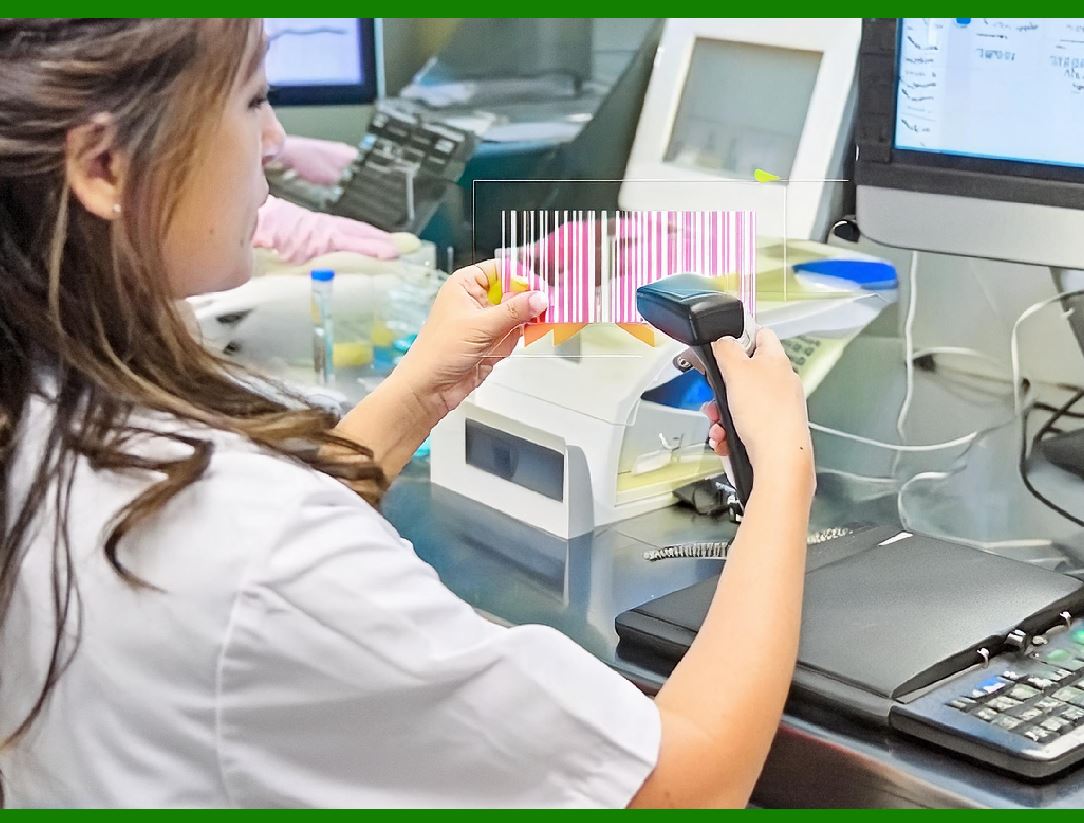
A barcode reader (also known as a barcode scanner) is an essential electronic device widely used in various industries for automated data collection. It reads printed barcodes, which represent encoded information in the form of parallel bars of varying widths. Barcodes are commonly used in retail, logistics, inventory management, healthcare, and other fields to quickly capture and store information about products or items without the need for manual data entry. |
The barcode reader operates on the principle of optical scanning and converts the visual patterns of bars and spaces into electrical signals that can be interpreted by a computer or other systems. This process relies on a combination of hardware components, including light sensors, processors, and interfaces to decode and transmit the scanned information. |
In this detailed discussion, we will break down the structure of a barcode reader and explain the key components of its electronic circuit principles. |
|
2. Structure of a Barcode Reader |
The structure of a barcode reader consists of several critical components working together to efficiently scan and process barcodes. These components can be categorized into optical components, sensor modules, decoding circuitry, and power supply. Below is an in-depth description of each component's role in the barcode scanning process. |
2.1 Optical Components |
The optical components of a barcode reader play a central role in capturing the visual information from the barcode and converting it into signals for further processing. These components typically include the following: |
Light Source (Laser or LED): |
Barcode readers use a light source to illuminate the barcode. The light source is either a laser or an LED, depending on the type of barcode scanner. Lasers are used in laser barcode scanners, while LEDs are typically found in CCD (charge-coupled device) and imager-based barcode scanners. |
Laser scanners: |
Laser barcode readers use a focused laser beam to scan the barcode. The laser provides a narrow, highly focused beam of light that can be directed in a sweeping motion across the barcode. This type of scanner is typically more accurate over longer distances and is well-suited for environments with larger scanning areas. |
LED scanners: |
In contrast, LED-based barcode scanners use a series of light-emitting diodes to generate broader light beams. While less focused than lasers, they are effective in reading barcodes over shorter distances. LED scanners are often more affordable and simpler in design than laser scanners. |
Optical Lens (Optics): |
The optical lens focuses the reflected light from the barcode onto the sensor. The lens must have high precision to ensure that the reflected light is directed accurately onto the sensor to produce a clear image for decoding. |
2.2 Sensor Module |
Once the barcode is illuminated, the reflected light is captured by the sensor module, which converts the light into an electrical signal. The sensor module typically includes the following: |
Photodiode or Phototransistor (Light Sensor): |
The light sensor detects the reflected light from the barcode and converts it into a proportional electrical signal. The photodiode is the most common light sensor used in barcode readers. When light hits the photodiode, it generates a current proportional to the intensity of the light, which is further processed by the reader's electronic circuit. |
Charge-Coupled Device (CCD) or Complementary Metal-Oxide-Semiconductor (CMOS): |
In some barcode readers, such as those used in imaging or 2D barcode scanning, a CCD or CMOS sensor is employed. These sensors capture a more comprehensive image of the barcode, which is then processed to extract the barcode's information. |
CCD Sensors: |
A CCD is a light-sensitive array of photodiodes arranged in a grid. It captures the entire barcode image in one go, making it ideal for reading 2D barcodes or scanning barcodes from a distance. The CCD technology converts the light signals into an electrical charge, which is then transferred to the reader's processing unit. |
CMOS Sensors: |
CMOS sensors are another type of imaging sensor used in barcode scanners. Like CCD sensors, CMOS sensors capture a digital image of the barcode, but they use complementary metal-oxide-semiconductor technology, which is typically more energy-efficient than CCD sensors. |
2.3 Decoding Circuitry |
The decoding circuitry is responsible for interpreting the signal received from the light sensor and converting it into readable data. This circuitry is composed of several essential components: |
Signal Amplifier: |
The electrical signal produced by the light sensor is often weak and requires amplification. A signal amplifier is used to boost the signal before it enters the processing unit. This is crucial for maintaining the accuracy and reliability of the data. |
Analog-to-Digital Converter (ADC): |
The analog signal produced by the light sensor must be converted into a digital format so it can be processed by the microprocessor or microcontroller. The ADC performs this conversion, turning the analog signal into a series of binary data that can be interpreted by the computer or system. |
Microprocessor or Microcontroller: |
The microprocessor (or microcontroller) is the 'brain' of the barcode reader, responsible for decoding the digital data received from the sensor. The processor analyzes the binary data and decodes the information encoded in the barcode (such as product codes, prices, and other relevant data). It uses algorithms to identify the bars' width, spacing, and pattern. |
Firmware or Software: |
The decoding process involves a set of algorithms implemented in firmware or software. These algorithms are designed to recognize various types of barcodes, such as UPC, EAN, Code 39, and QR codes. The microprocessor uses these algorithms to process the captured image or signal and extract the encoded information. |
2.4 Interface |
Once the barcode has been decoded, the information is transmitted to a connected system, such as a computer, point-of-sale (POS) terminal, or inventory management system. The interface allows communication between the barcode reader and the external device. There are several types of interfaces used in barcode readers: |
Serial Interface (RS-232): |
Many barcode readers use a serial interface to transmit data. RS-232 is a standard for serial communication that enables the barcode reader to send the decoded information to a computer or terminal via a serial port. |
USB Interface: |
USB barcode readers have become more common due to the widespread use of USB ports in modern computers and POS systems. These readers can be easily connected to a variety of devices and typically offer plug-and-play functionality. |
Wireless Interface (Bluetooth, Wi-Fi): |
Wireless barcode readers are designed for environments where mobility and flexibility are required. These readers use Bluetooth or Wi-Fi technology to communicate wirelessly with the system, allowing users to scan barcodes from a distance. |
2.5 Power Supply |
The power supply is an essential component of a barcode reader, providing the necessary energy for its operation. Barcode readers can be powered by: |
Batteries: |
Portable barcode readers typically rely on rechargeable batteries, which provide power for scanning without the need for a constant connection to an external power source. |
External Power Adapter: |
Fixed barcode readers or those integrated into POS systems are often powered via an external adapter connected to a wall outlet or through the USB connection. |

|
3. Electronic Circuit Principle of a Barcode Reader |
The operation of a barcode reader involves a well-coordinated sequence of electrical signals processed by its circuitry. The basic principle behind the electronic circuit of a barcode reader can be broken down into several stages, including signal detection, amplification, conversion, and decoding. |
3.1 Signal Detection and Conversion |
The light sensor (photodiode or CCD) in the barcode reader detects the reflected light from the barcode. This light produces an electrical current or voltage that is proportional to the intensity of the light. Since the output signal is typically analog, it needs to be processed further. |
The first stage in processing the detected signal is its amplification. The signal is passed through a signal amplifier that boosts the strength of the weak analog signal. Once amplified, the analog signal is then converted to a digital signal by the ADC. |
3.2 Decoding the Signal |
After the signal has been digitized, the next step is decoding. The microprocessor or microcontroller interprets the binary data and decodes it according to pre-programmed algorithms. These algorithms recognize specific patterns in the binary data that correspond to barcode formats such as UPC, EAN, or Code 39. |
Each barcode format has a distinct structure and encoding scheme. The microprocessor uses the corresponding decoding algorithm to map the digital signal to the appropriate pattern of bars and spaces, identifying the encoded data (e.g., product ID, price, etc.). |
3.3 Output of Decoded Information |
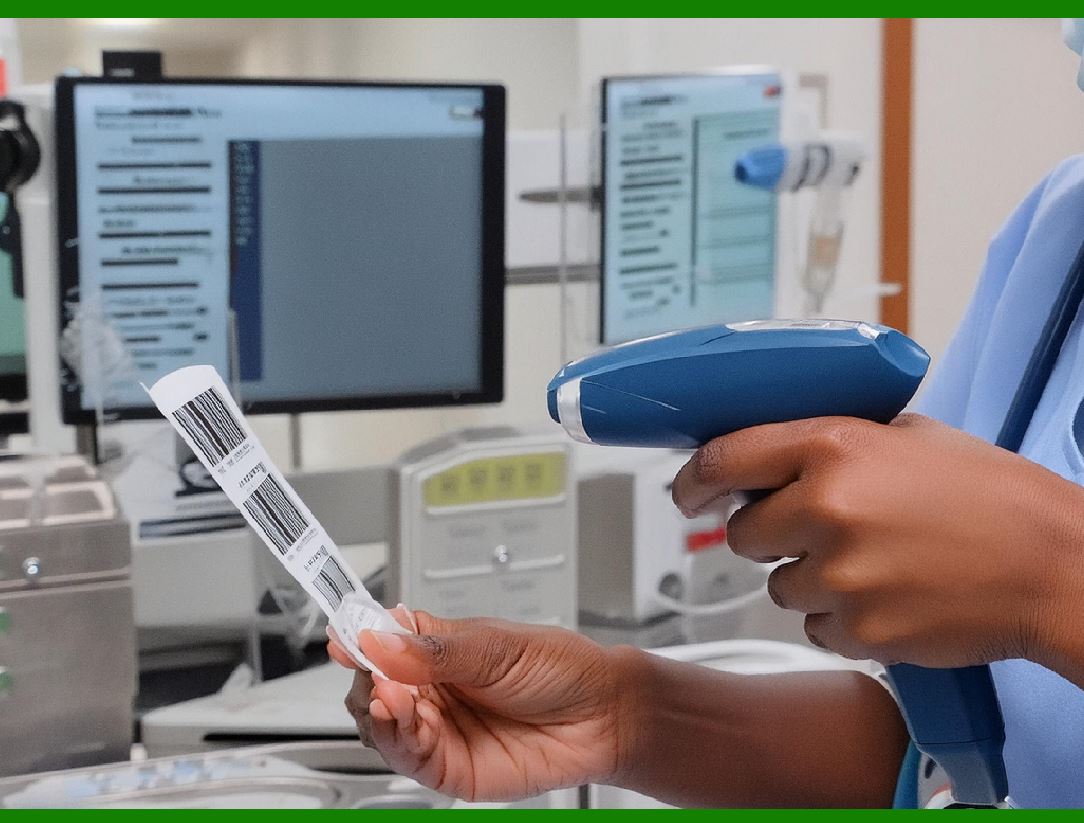
Once the barcode has been decoded, the information is sent to the output interface (e.g., USB, serial, or wireless). The decoded data is transmitted to an external system for further processing or storage. The output interface ensures that the information is accurately delivered to the connected device. |
3.4 Control and Management |
The overall operation of the barcode reader is controlled by the microprocessor or microcontroller, which manages tasks such as initiating the scan, amplifying the signal, processing the data, and outputting the results. The processor also coordinates the timing and sequencing of the various components in the system, ensuring the device functions properly during scanning. |
|
4. Conclusion |
In summary, the structure and electronic circuit principles of a barcode reader are intricate and involve several key components working together seamlessly. The optical components (light source and sensor), decoding circuitry (signal amplifiers, ADC, microprocessor), and interface work in unison to convert the physical appearance of the barcode into usable digital data. Understanding the operation of these components provides valuable insight into how barcode readers function and how they are integrated into various industries for efficient data collection and processing. |
|
5. Challenges Faced by Barcode Readers |
While barcode readers are incredibly useful in a variety of applications, they are not without their challenges. The technology, despite being widely adopted, encounters several obstacles in terms of performance, durability, accuracy, and adaptability. Below are some of the key challenges barcode readers face: |
5.1. Barcode Quality and Damage |
One of the most common challenges faced by barcode readers is the quality of the barcode itself. Barcodes can become damaged or degraded over time due to wear, exposure to environmental conditions, or poor printing quality. The following issues can arise: |
1.Scratches and Smudges: Physical damage to the barcode, such as scratches, smudges, or abrasions, can distort the pattern, making it difficult for the reader to accurately detect and decode the data. |
2.Faded Barcodes: Exposure to sunlight, humidity, or other environmental factors can cause barcodes to fade. In some cases, printers may also produce barcodes with low contrast, resulting in insufficient differentiation between bars and spaces. |
3.Incorrect Printing: If the barcode is printed incorrectly, with misalignment or incorrect scaling, it can confuse the barcode reader. Even slight variations in spacing or bar thickness can make a barcode unreadable or less reliable. |
4.Dirt and Dust: Barcodes exposed to dust or dirt can lead to a poor signal reflection, causing errors in reading the code. |
To overcome these challenges, barcode readers typically include error correction and redundancy features. For example, many barcode formats incorporate checksum digits, which help identify and correct minor errors in the data. Some advanced readers can even use multiple reading angles to overcome partial damage. |
|
5.2. Scanning Speed and Range |
Barcode readers are often used in high-throughput environments, such as retail stores or warehouses, where speed is a critical factor. However, achieving high-speed scanning while maintaining accuracy can be challenging. The following factors affect scanning performance: |
1.Scanning Distance: The effective scanning range of a barcode reader is limited by factors like the type of barcode being scanned (e.g., 1D vs. 2D), the resolution of the scanner's sensor, and the quality of the barcode. For example, a low-quality barcode or one that is very far away may be difficult for the reader to focus on, resulting in slow or failed scans. |
2.Motion and Movement: In environments where objects are moving quickly, such as in conveyor belts or on fast-moving carts, the scanner might struggle to capture a clean, steady image of the barcode. Some scanners with advanced imaging capabilities can mitigate this by quickly capturing images in rapid succession, but the issue remains a significant challenge in certain applications. |
3.Ambient Light: Ambient light interference is another challenge that can affect the performance of barcode scanners, especially those that rely on visible light. Overexposure to sunlight or fluorescent lighting can impact the contrast between the bars and spaces, making it difficult for the scanner to distinguish the barcode. To address this, some barcode readers use infrared light or employ filters that reduce ambient light interference. |

|
5.3. Environmental Factors |
Barcode readers are often used in harsh environments that present a variety of physical and environmental challenges. These can include: |
1.Extreme Temperatures: Barcode scanners used in warehouses or industrial settings may need to function in extreme temperature conditions, both hot and cold. These temperatures can affect the performance and lifespan of the scanner, especially in the case of sensors and electronics. |
2.Moisture and Dust: Water exposure (e.g., in warehouses or food industries) or dust can damage the components of a barcode reader or obstruct its optical systems. This is why many barcode readers designed for industrial use are made with IP-rated enclosures, which provide resistance to water and dust. |
3.Rough Handling: In industrial or mobile environments, barcode readers might be subjected to drops, impacts, or vibrations. These physical stressors can damage internal components, affecting the long-term reliability of the reader. Industrial-grade barcode scanners are often ruggedized and designed to withstand harsh handling, but even these devices have limits. |

|
5.4. Barcode Symbologies and Compatibility |
There are various barcode symbologies (types of barcode formats) used in different industries. Some of the most common formats include UPC, EAN, Code 128, QR Code, and Data Matrix. Each barcode format has its unique encoding method and is suited to different types of applications. Barcode readers face the challenge of reading multiple symbologies and ensuring compatibility with diverse barcode types. |
1.Multi-Symbology Scanning: While many modern barcode readers are designed to handle a wide range of symbologies, there can still be compatibility issues, particularly with specialized or custom formats. The ability of a reader to switch between symbologies or handle non-standard barcodes (e.g., custom, proprietary codes) is a key consideration in some industries. |
2.2D vs. 1D Barcodes: 2D barcodes, such as QR codes and Data Matrix codes, store much more data than traditional 1D barcodes (such as UPC codes). While 1D barcodes are typically read by laser-based scanners, 2D codes require an imaging scanner that captures a full image of the code and decodes it. Some barcode readers struggle to handle both 1D and 2D codes seamlessly, especially in high-volume environments where fast switching is needed. |

|
5.5. Power Consumption |
Power consumption is a significant challenge for portable barcode readers, especially in environments where charging infrastructure is not readily available or where devices are used for extended periods. Barcode readers, particularly those with wireless capabilities (e.g., Bluetooth), must balance performance with power efficiency. |
1.Battery Life: For wireless or handheld scanners, managing battery life is critical. High-performance scanning, long communication ranges, and continuous operation can drain batteries quickly. Efficient power management and low-power modes are often implemented to ensure long-lasting battery performance. |
2.Power Supply Issues: For fixed scanners, such as those used at checkout counters or in warehouses, power supply issues can arise if there are voltage fluctuations or power surges. Barcode readers that operate in sensitive environments may need to be equipped with voltage regulation or surge protection to prevent damage to the circuitry. |

|
5.6. Cost of Maintenance and Upgrades |
As with any electronic device, barcode readers require maintenance and periodic upgrades to ensure they continue operating effectively. The challenges related to maintenance include: |
1.Software Upgrades: Barcode scanners often rely on software updates to stay compatible with new symbologies, improve performance, or add new features. Managing software updates for a fleet of barcode readers can be time-consuming and costly. |
2.Hardware Failures: Over time, hardware components like light sources (laser diodes or LEDs), sensors, or decoding circuitry may wear out or fail, especially in high-usage environments. Repairing or replacing individual components can be expensive, and the downtime during repairs can disrupt operations. |
3.Calibration and Alignment: For some barcode readers, especially laser-based scanners, the internal components (such as mirrors and lenses) may need to be periodically calibrated or realigned. Failure to maintain correct alignment can result in poor scanning performance or misreads. |

|
5.7. Security Concerns |
As barcode readers become increasingly integrated with inventory and supply chain systems, they also face potential security risks. For example: |
1.Data Breaches: Barcode readers that connect to databases or cloud-based systems may become entry points for cybercriminals seeking to access sensitive data. Ensuring secure communication and protecting the integrity of scanned data is a growing concern. |
2.Fake or Altered Barcodes: Barcodes can be easily replicated or altered, which presents a risk of counterfeit goods being introduced into the supply chain. Sophisticated security measures, such as encrypted barcodes or digital signatures, can help mitigate this risk. |
5.8. Integration with Other Systems |
As barcode readers are integrated with more complex automated systems (e.g., inventory management, point-of-sale systems), the challenge of maintaining seamless interoperability increases. Barcode readers must work harmoniously with: |
1.Software Systems: Compatibility between barcode scanners and different types of inventory management software, point-of-sale systems, and warehouse management systems can be difficult to achieve, especially when dealing with custom or legacy systems. |
2.Hardware Interfaces: Barcode readers need to be able to connect with various types of hardware, including printers, computers, or mobile devices. Ensuring compatibility with different communication protocols (e.g., USB, Bluetooth, RS-232) is important for smooth operations. |

|
6. Conclusion |
In summary, barcode readers play a crucial role in improving efficiency and accuracy in a wide variety of industries. However, they are not immune to challenges, including issues related to barcode quality, environmental factors, scanning speed, compatibility with various symbologies, and integration with other systems. Overcoming these challenges often requires constant technological advancements, robust hardware design, and effective software integration. As barcode reading technology continues to evolve, these challenges will likely be addressed with more sophisticated solutions, making barcode readers even more reliable and versatile. |
 cs@easiersoft.com