Components of an Industrial Robot |
Industrial robots have become vital tools in a wide range of industries, including manufacturing, automotive, electronics, and logistics, due to their efficiency, precision, and ability to operate autonomously. They are highly complex machines with various interconnected components that allow them to perform specific tasks. These tasks can range from assembly and welding to painting and packaging. This article will explore the major components of an industrial robot, describing each part in as much detail as possible to give a comprehensive understanding of how these systems function. |
|
1. Robot Arm (Manipulator) |
The robot arm, also known as the manipulator, is the primary mechanical structure of an industrial robot. It is designed to mimic the function of a human arm, with multiple joints and links that allow for a wide range of motion. The arm provides the flexibility and dexterity required for tasks such as picking up objects, assembling parts, or manipulating tools. It is typically composed of the following parts: |
1.1 Joints |
The joints in a robot arm allow it to rotate or move in specific ways. There are several types of joints: |
Revolute Joints: These allow for rotational movement and are similar to a human's shoulder or elbow joint. |
Prismatic Joints: These allow for linear movement, functioning similarly to a human's arm sliding in and out. |
Spherical Joints: Allow for rotation around multiple axes, providing more flexible movement. The combination of different joint types gives the robot arm its full range of motion, making it versatile for various applications. |
1.2 Links |
Links are the rigid sections between joints in the robot arm. They form the structural framework of the robot, providing the length and dimensions necessary for the arm to reach the required workspace. Links can be made of lightweight, durable materials such as aluminum or composite materials to ensure the arm is strong but not excessively heavy. |
1.3 End-Effector |
At the end of the robot arm is the end-effector, which is the tool or device that interacts with the environment. The end-effector can be designed for a specific task, such as a welding torch, a gripper, or a suction cup. It is attached to the final link of the arm and can be swapped out depending on the robot's task. |

|
2. Drive System |
The drive system is responsible for providing the necessary movement to the robot's joints. It consists of actuators and motors that convert electrical energy into mechanical motion, allowing the robot to perform its tasks. The drive system can include: |
2.1 Electric Motors |
The most common type of actuator in industrial robots is the electric motor. Electric motors are reliable, efficient, and capable of delivering precise control over movement. They are commonly used in both revolute and prismatic joints. Types of electric motors include: |
DC Motors: Provide simple control over speed and torque. |
AC Motors: Offer higher efficiency and are typically used in high-power applications. |
Step Motors: Used for precise control, especially in positioning applications. |
2.2 Hydraulic Actuators |
Hydraulic actuators use pressurized fluid to generate motion and force. These are typically used in industrial robots that need to exert a high amount of force, such as in heavy-duty manufacturing or material handling. |
2.3 Pneumatic Actuators |
Pneumatic actuators use compressed air to produce motion. They are often used for lighter tasks where high precision is not as critical, such as in packaging or assembly lines. |
|
3. Controller |
The controller is the brain of the industrial robot. It is responsible for interpreting the commands given to the robot and converting them into instructions that the robot's actuators and motors can understand. The controller also coordinates the timing and movement of various components to ensure smooth operation. It consists of the following parts: |
3.1 Central Processing Unit (CPU) |
The CPU is the primary processing unit of the robot's controller. It executes the instructions provided by the operator or pre-programmed routines and sends commands to the actuators, sensors, and other components of the robot. |
3.2 Input/Output (I/O) Interface |
The I/O interface allows the robot controller to communicate with external devices. Inputs could include commands from the operator, sensors, or other robots, while outputs include signals sent to the actuators, sensors, and end-effectors. This interface helps ensure that the robot responds accurately to real-time inputs and outputs. |
3.3 Software and Programming Language |
Industrial robots are usually programmed using specialized software that translates high-level instructions into machine-readable code. Common robot programming languages include RAPID (for ABB robots), Karel (for Fanuc robots), and URScript (for Universal Robots). These languages allow for precise control over the robot's motions, sequencing, and decision-making. |

|
4. Power Supply |
An industrial robot requires a consistent and reliable power supply to function. This power is used to operate the motors, sensors, and the controller itself. Power systems typically include: |
4.1 Electric Power |
Electric robots usually operate on standard industrial electricity, often 240V or 480V AC, depending on the size and power requirements of the robot. Transformers and converters are used to adjust the voltage to the necessary level. |
4.2 Battery Backup |
Many robots also include a battery backup system to ensure continuous operation during power interruptions. This is critical in ensuring that robots can finish their tasks without stopping unexpectedly due to power failure. |

|
5. Sensors |
Sensors play a critical role in enabling the robot to interact with its environment and execute tasks autonomously. These sensors gather information about the robot's position, speed, orientation, and the environment around it. Common sensors in industrial robots include: |
5.1 Position Sensors |
These sensors detect the position of each joint and the overall robot arm. Examples include encoders, resolvers, and potentiometers, which provide feedback to the controller so that the robot can adjust its movements precisely. |
5.2 Force and Torque Sensors |
Force and torque sensors allow the robot to sense the amount of force or pressure being applied by the end-effector. These sensors are crucial in applications that require delicate or precise operations, such as assembly, packaging, or testing. |
5.3 Vision Systems |
Vision systems use cameras and image processing software to enable robots to 'see' their environment. Vision sensors can help robots detect objects, assess their orientation, and make decisions about how to manipulate or interact with them. This is particularly useful in complex assembly tasks or for quality control. |
5.4 Proximity and Touch Sensors |
Proximity sensors detect the presence of nearby objects without physical contact, while touch sensors provide feedback when the robot comes into contact with an object. Both are used to avoid collisions, detect part positioning, and ensure safe operation. |
5.5 Environmental Sensors |
Environmental sensors, such as temperature, humidity, and pressure sensors, provide the robot with information about the external environment. These sensors are crucial in ensuring that robots operate optimally in varying conditions. |
|
6. Software and Control Algorithms |
The software running on the robot's controller is responsible for managing its operations. This includes handling high-level instructions, coordinating the robot's movements, and enabling various decision-making processes. Key components of this software include: |
6.1 Motion Control Algorithms |
Motion control algorithms are responsible for ensuring smooth, precise movements of the robot. These algorithms calculate the necessary motor speeds, accelerations, and positions to achieve the desired outcome. They are especially important in high-precision tasks, such as machining, assembly, or painting. |
6.2 Path Planning Algorithms |
Path planning algorithms determine the most efficient or optimal way for the robot to reach a goal, avoiding obstacles and taking into account any workspace constraints. This is especially important in environments with limited space or when multiple robots are working together. |
6.3 Machine Learning and AI |
In more advanced systems, machine learning and AI algorithms are used to allow the robot to adapt to new situations, recognize patterns, and even improve its performance over time. For example, robots in quality control can learn to identify defects by analyzing images and comparing them to a database of known patterns. |
|
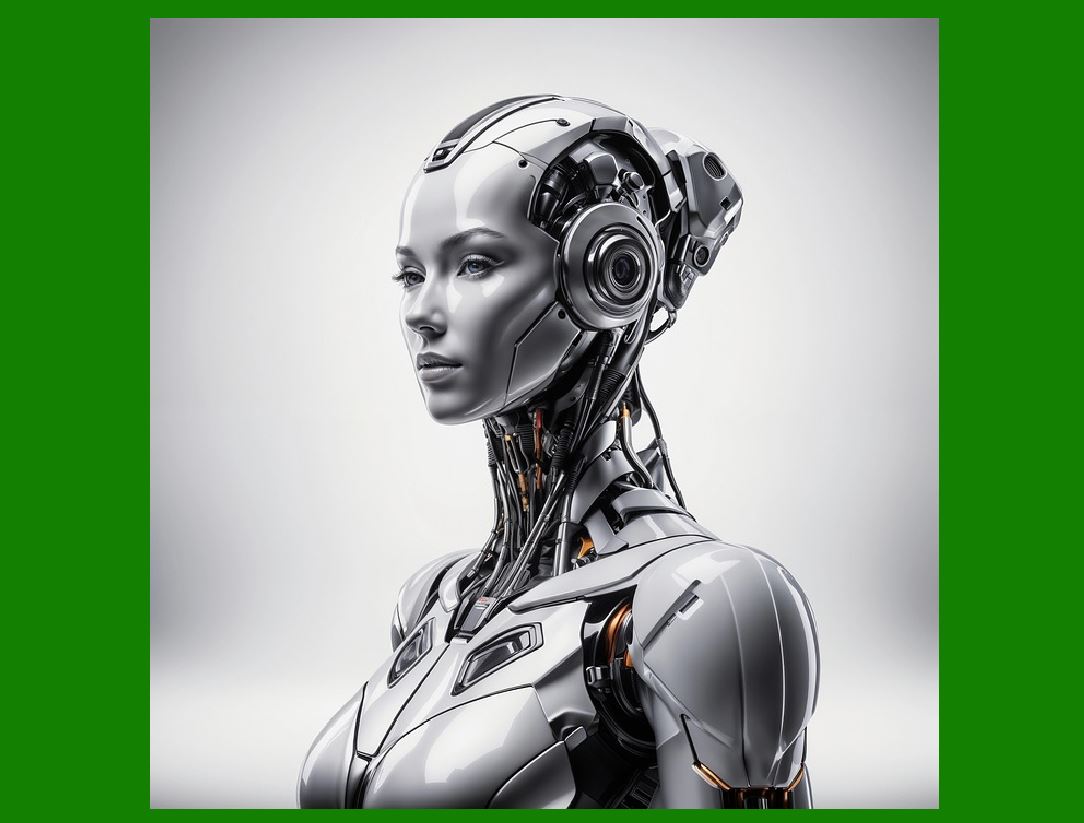
7. Safety Systems |
Safety is a critical aspect of industrial robotics. Robots are often employed in environments where human workers are present, so it is essential to ensure that the robots operate safely and do not cause harm. Key safety systems include: |
7.1 Emergency Stop Systems |
Emergency stop systems immediately halt robot operation in case of an emergency. These systems are designed to protect human operators and other workers in the vicinity of the robot. |
7.2 Safety Sensors |
Safety sensors, such as light curtains, area scanners, or laser sensors, can detect the presence of humans or other objects in the robot's workspace and prevent the robot from moving if an obstruction is detected. |
7.3 Guarding and Enclosures |
Robots are often housed in cages or enclosures to prevent unauthorized access or accidental collisions. These barriers help ensure that only trained operators are within the robot's work area and that the robot does not accidentally interact with humans. |
|
8. Communication System |
The communication system allows industrial robots to communicate with other robots, machines, and control systems. In modern factories, robots are often part of a larger network of devices that work in synchronization. Key communication components include: |
8.1 Industrial Networks |
Many robots use industrial communication protocols, such as EtherCAT, Profinet, or DeviceNet, to exchange data with other machines, controllers, or devices on the production line. |
8.2 Wireless Communication |
In some cases, robots may use wireless communication methods like Wi-Fi or Bluetooth to communicate with remote systems, allowing operators to monitor or control the robot from a distance. |

|
9. Support Systems |
Robots often require additional support systems to ensure their proper operation. These include: |
9.1 Cooling Systems |
In applications where robots perform high-energy tasks (e.g., welding or heavy lifting), cooling systems may be used to prevent overheating of the actuators or controllers. |
9.2 Lubrication Systems |
Lubrication is necessary to reduce friction and wear in the robot's joints and actuators. These systems help extend the robot's lifespan and maintain its accuracy over time. |
|
Conclusion |
Industrial robots are highly complex systems composed of several integrated components that work in harmony to perform a wide range of tasks. Understanding each of these components is essential for the design, operation, and maintenance of robotic systems. From the robot arm and drive systems to the sensors and safety features, each part plays a vital role in ensuring that the robot operates efficiently and safely. With advancements in AI and machine learning, the capabilities of industrial robots continue to expand, opening up new possibilities for automation in various industries. |

|
What new technologies will be related to this in the future? |
The future of industrial robots is exciting, with several emerging technologies expected to significantly enhance their capabilities. These technologies are driven by advancements in artificial intelligence (AI), machine learning (ML), robotics engineering, and sensor technologies. As industries continue to demand more automation, robots are becoming more intelligent, flexible, and interconnected. Here are some of the key technologies likely to shape the future of industrial robots: |
1. Artificial Intelligence (AI) and Machine Learning (ML) Integration |
AI and ML are poised to revolutionize industrial robotics by enabling robots to learn from their environment and improve their performance over time. In the future, robots will be able to perform tasks with greater autonomy, flexibility, and adaptability. |
1.1 Cognitive Robotics |
Cognitive robotics refers to robots that can mimic human-like thought processes. These robots will not only execute pre-programmed tasks but will be able to understand and interpret complex environments. Through AI, robots will learn from experience, make decisions in real-time, and adapt to changes in their surroundings. For instance, an industrial robot might learn how to manipulate a new type of material or perform a task in a more efficient manner by analyzing past experiences. |
1.2 Reinforcement Learning |
Reinforcement learning is a subset of machine learning where robots learn by trial and error, receiving rewards or penalties based on their actions. This technology will enable robots to improve their task performance through experience, making them capable of handling more complex or novel tasks without requiring explicit programming. |
1.3 AI-Driven Predictive Maintenance |
By using AI and ML, robots can predict when a component might fail or require maintenance, reducing unplanned downtime. This will allow for more efficient and cost-effective maintenance strategies. AI-powered robots could detect anomalies in their operations, such as irregular motor performance or sensor malfunctions, and alert maintenance teams to prevent breakdowns. |

|
2. Collaborative Robots (Cobots) |
Collaborative robots, or cobots, are designed to work alongside humans in shared workspaces. Unlike traditional industrial robots, which are often isolated within safety barriers, cobots are built with safety features that allow them to operate in close proximity to human workers. This trend will likely increase in the future, as the technology behind cobots continues to evolve. |
2.1 Enhanced Human-Robot Interaction (HRI) |
As robots become more advanced, the ability for humans to easily interact with them will improve. Future cobots will have better human-robot interaction systems, such as intuitive interfaces, voice recognition, and gesture-based controls. These robots could be more easily programmed and controlled by operators without needing deep technical expertise. |
2.2 Safety and Flexibility |
Cobots will incorporate advanced safety features, such as vision systems, force sensors, and real-time monitoring, allowing them to adapt to their surroundings and adjust their behavior if a human comes too close. The future will see the development of soft robotics, which use flexible materials instead of rigid components. This will make cobots even safer, more adaptable, and capable of performing delicate tasks alongside humans. |
|
3. 5G and Industrial Internet of Things (IIoT) |
The integration of 5G technology and the Industrial Internet of Things (IIoT) will enable robots to be part of a highly connected ecosystem in smart factories. |
3.1 Real-Time Communication |
5G will provide ultra-low latency and high-bandwidth communication, which is essential for real-time control of industrial robots. In a smart factory, robots will be able to instantly communicate with each other, sensors, and central controllers, leading to faster and more efficient decision-making. This will be especially important in applications requiring coordinated actions between multiple robots, such as assembly lines or material handling. |
3.2 Edge Computing |
Edge computing refers to the processing of data closer to where it is generated, rather than sending all data to a central cloud. This will reduce latency and improve the efficiency of industrial robots. In a manufacturing environment, robots equipped with edge computing capabilities can process data from sensors and cameras locally, making real-time decisions without the need for a constant connection to a centralized server. |
3.3 IoT-Enabled Maintenance |
With IIoT, robots will be connected to a network of devices that can provide real-time data about the health of each machine. Sensors embedded within robots will send continuous feedback to a central monitoring system, enabling predictive maintenance, performance analysis, and automated diagnostics. This will improve uptime and reduce the costs of unscheduled downtime. |

|
4. Swarm Robotics |
Swarm robotics is an emerging field where multiple robots work together autonomously to perform a task. These robots are typically smaller and less complex than traditional robots but can collaborate and communicate to solve problems collectively. This approach is inspired by nature, particularly the behavior of social animals such as ants, bees, or flocks of birds. |
4.1 Distributed Problem Solving |
In swarm robotics, each robot in the group is capable of performing individual tasks, but when combined, they can tackle more complex or larger-scale tasks. For instance, a swarm of robots in a warehouse could collaboratively transport goods, navigate narrow aisles, or perform assembly tasks. They would share information and coordinate their actions autonomously without a centralized control system. |
4.2 Scalability and Flexibility |
Swarm robotics allows for scalable and flexible automation systems. If more robots are needed to meet increased demand, additional robots can be added to the swarm without disrupting the overall system. This makes swarm robotics ideal for applications like inventory management, cleaning, and search and rescue. |
|
5. Soft Robotics |
Soft robotics is an emerging technology that uses flexible, deformable materials, often inspired by biological organisms, to create robots capable of performing tasks that require gentleness, adaptability, and dexterity. |
5.1 Human-Like Dexterity |
Soft robots are designed to mimic the flexibility and dexterity of human hands or animals' limbs, which is beneficial in applications where traditional rigid robots may struggle. For example, soft robots can manipulate fragile objects, like delicate electronics or food items, with a higher degree of care. |
5.2 Adaptability |
Soft robotics will enable robots to navigate unstructured or dynamic environments with ease. Because soft robots can deform and adapt their shape, they can handle tasks that involve picking up objects of various shapes and sizes, or interacting with surfaces that are not perfectly smooth or flat. |
5.3 Biocompatibility |
Soft robots could also find applications in environments where interactions with biological organisms are necessary. For instance, soft robots could be used in medical applications, such as surgeries or rehabilitation, where their flexible and adaptable nature would reduce the risk of injury to patients. |
|
6. 3D Printing and Additive Manufacturing |
The integration of 3D printing (additive manufacturing) with industrial robots has the potential to create highly customized, on-demand components and parts in real time. |
6.1 On-Demand Manufacturing |
Robots could work alongside 3D printers to produce parts directly on the factory floor, eliminating the need for traditional manufacturing processes like casting or molding. For example, robots could assist in building custom tools or spare parts based on the specific needs of a production line, thus reducing lead times and costs. |
6.2 Self-Repairing Robots |
3D printing could also enable robots to be self-repairing by printing replacement parts when they are damaged. This would reduce downtime and allow robots to continue working with minimal human intervention. |

|
7. Quantum Computing and Optimization |
Quantum computing holds the potential to transform the optimization of robotic systems. By leveraging the power of quantum mechanics, future robots will be able to process vast amounts of data and solve complex optimization problems much faster than classical computers. |
7.1 Optimization of Multi-Robot Systems |
In manufacturing environments with multiple robots working together, quantum computing could optimize the scheduling, path planning, and task allocation of each robot to maximize efficiency and minimize resource usage. This will improve productivity and reduce costs in complex, multi-robot workflows. |
7.2 Real-Time Decision-Making |
Quantum computing could enable robots to make real-time decisions in highly complex environments, such as autonomous vehicles or large-scale manufacturing facilities, where vast amounts of data need to be processed quickly and efficiently. |
|
8. Advanced Vision and Sensing Technologies |
As robots become more intelligent and capable, their sensory systems, particularly vision systems, will evolve to provide them with better understanding and interaction with their environments. |
8.1 Enhanced Machine Vision |
Robots will use advanced machine vision technologies to perform tasks such as inspection, quality control, and object manipulation with greater precision. Machine vision will evolve with AI-based image recognition, deep learning, and improved 3D imaging, allowing robots to 'see' and analyze objects in more complex environments. |
8.2 Sensor Fusion |
Sensor fusion involves combining data from various types of sensors (e.g., vision systems, tactile sensors, and force sensors) to create a more comprehensive understanding of the robot's environment. This will enable robots to make more informed decisions and perform tasks more autonomously and effectively. |
|
Conclusion |
The future of industrial robots is shaped by innovations in AI, machine learning, advanced sensors, and robotics engineering. As robots become more intelligent, adaptable, and connected, they will play an increasingly important role in transforming industries such as manufacturing, logistics, healthcare, and even agriculture. With the development of collaborative robots, swarm robotics, soft robotics, and advanced sensing technologies, the possibilities for automation are limitless, creating new opportunities for efficiency, safety, and precision. |
 cs@easiersoft.com