Chapter 2: The Historical Arc | Summary of This Chapter | This chapter tells the story of how industrial robots grew from a single experimental arm in a General Motors die-casting plant in 1961 into a worldwide industry that touches almost every kind of manufacturing and logistics work. The journey runs through several overlapping waves: the early hydraulic giants, the rise of servo control and electric drives, the reinvention of mechanism design, the arrival of industrial networking, and the recent spread of collaborative and mobile systems. Along the way, the reader will meet robots in car factories, electronics assembly lines, food processing plants, warehouses, hospitals, laboratories, farms, mines, and even space programs. The goal is not to memorize dates but to understand why each change happened, what problem it solved, and how it opened the door to new applications. By the end, the reader should see the history of industrial robotics not as a list of inventions but as a chain of practical solutions, each one responding to the needs of real industries and real workers. | 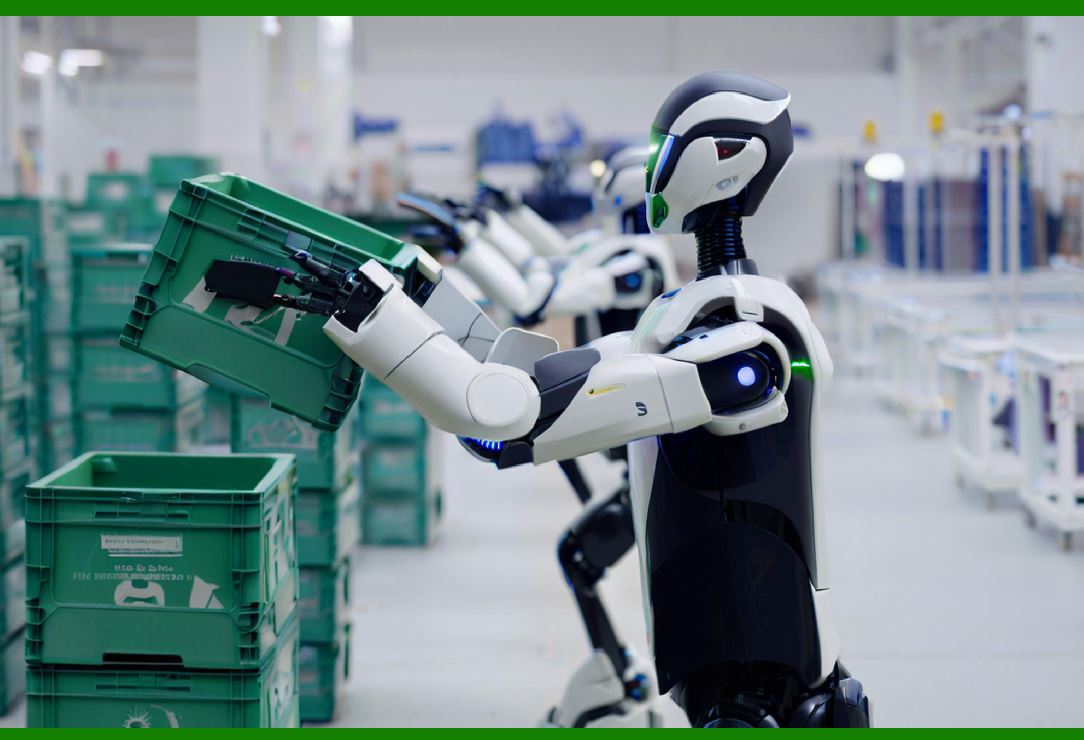
| 1. Introduction: Why History Matters for Understanding Robots | When people first see an industrial robot, they often think of it as a single machine. In reality, every robot is a snapshot of many historical decisions. The shape of its arm, the type of motor it uses, the way it talks to other machines, and the safety rules that surround it all come from decades of trial and error. Understanding this history helps engineers choose the right robot for a job. It also helps managers and students see that today's robots are not magic. They are the result of specific problems that people solved step by step. | The story begins in the 1950s and 1960s, when factories were already highly automated in some ways. Transfer lines moved parts from one station to another. Special-purpose machines drilled, milled, and stamped with great speed. But these machines were rigid. They could not easily be reprogrammed. They could not pick up a different part or move in a new path without being rebuilt. The missing piece was flexibility. The industrial robot was invented to fill that gap. | 2. Before the Robot: The Factory in the Early Twentieth Century | To appreciate what changed in 1961, it helps to look at the factory before robots. In the early 1900s, Henry Ford's assembly line showed that moving the work to the worker could dramatically increase output. But the worker still did the delicate and dangerous tasks. Painters breathed fumes. Die-casting operators reached into hot machines. Welders faced sparks and heavy loads. These jobs were repetitive, exhausting, and sometimes deadly. | Automation in that era meant special-purpose machinery. A cam-operated mechanism might feed a part into a press. A limit switch might stop a motor at the right moment. These systems were reliable and fast, but they were also blind and inflexible. If the product changed, the machinery often had to be scrapped. This limitation set the stage for a new kind of machine: one that could be taught a task and then repeat it without human hands. | 
| 3. The Birth of the Unimate: 1961 and the Die-Casting Cell | The first industrial robot is widely recognized as the Unimate, created by George Devol and Joseph Engelberger. Devol filed a patent for a programmable article-handling machine in the 1950s. Engelberger, often called the father of robotics, saw the commercial potential and helped bring it to life. In 1961, a Unimate arm was installed at a General Motors die-casting plant in Trenton, New Jersey. Its job was simple but valuable: it removed hot metal parts from a die-casting machine and placed them in a cooling area. This freed human workers from a dangerous, uncomfortable task. | The Unimate was not intelligent in the modern sense. It was a hydraulic arm with a memory drum that stored a sequence of movements. An operator would lead the arm through the motions once, and the machine would replay them. It could not see, feel, or adapt. But it could work tirelessly in heat and fumes. That first installation proved a crucial point: a programmable arm could be useful in real production, not just in a laboratory. | 4. The 1960s: Hydraulics, Memory Drums, and Early Adoption | During the 1960s, industrial robots remained rare and expensive. Most were hydraulic, because hydraulic actuators could produce large forces in a compact package. They were powerful but messy. Hydraulic fluid could leak. Maintenance was difficult. The control systems used magnetic drums, punched cards, or discrete electronics. Programming was often done by physically moving the arm and recording positions. | Early adopters were mainly in dangerous or unpleasant jobs. Besides die casting, robots were used for spot welding and for handling hot or heavy parts. The automotive industry became the first major customer. General Motors, Ford, and Chrysler experimented with robots in welding lines. The machines were not yet fast or reliable enough for every task, but the direction was clear. The factory of the future would include flexible arms that could be reprogrammed. | 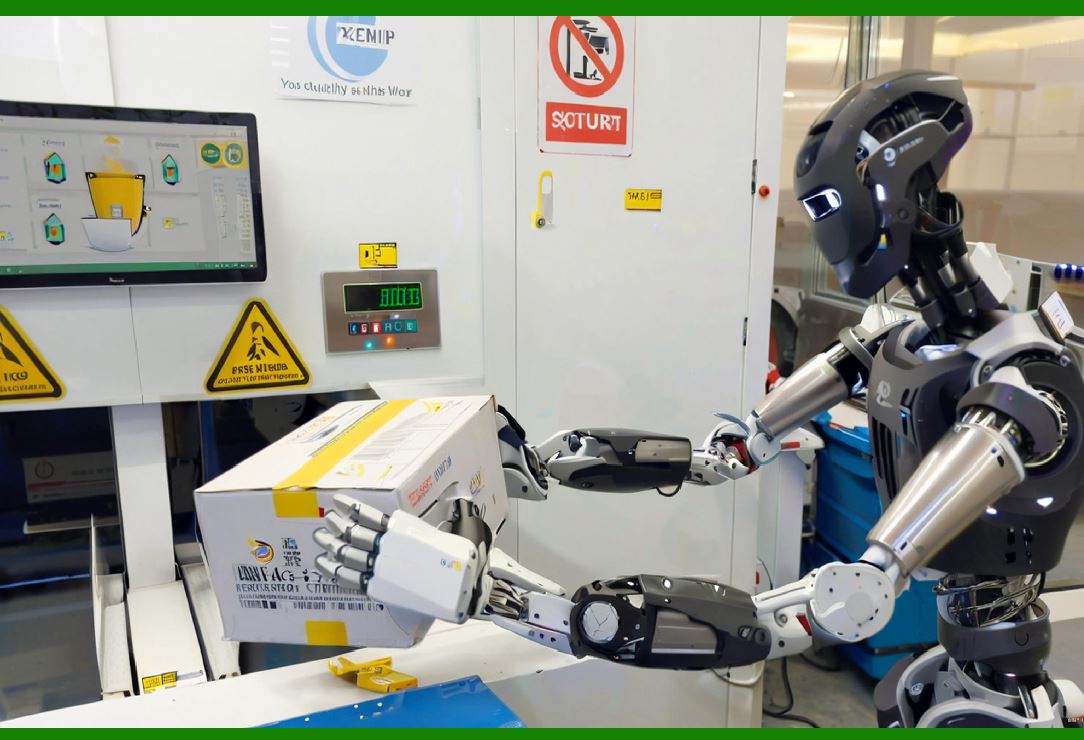
| 5. The 1970s: Servo Control and the Move Toward Precision | The 1970s brought a major shift: the rise of servo control. A servo motor is a motor that can be commanded to a specific position or speed and will correct itself if it is pushed off course. This allowed robots to move more smoothly and accurately. Instead of hard stops and mechanical cams, the robot could follow a continuous path. This made tasks like arc welding, grinding, and complex assembly possible. | During this decade, companies such as Unimation, Cincinnati Milacron, and ASEA (which later became ABB) introduced robots with improved controllers. The minicomputer revolution helped. A robot controller could now use a small computer to calculate joint positions and coordinate motion. The idea of the 'teach pendant' became common. A worker could hold a handheld device and guide the robot through a path, or type in coordinates. This was a huge step toward user-friendly programming. | The 1970s also saw the first serious safety discussions. As robots became faster and stronger, people realized that a robot could injure a worker. Guards, light curtains, and emergency stops became standard. The modern safety framework began to take shape. | 6. The 1980s: The Robot Boom and the Automotive Revolution | The 1980s are often called the golden age of industrial robotics. Car manufacturers around the world invested heavily in robots for welding, painting, and assembly. Japan became a global leader in robot production and use. Companies like Fanuc, Yaskawa, and Kawasaki built reliable electric robots. In Europe, ABB and KUKA grew strong. In the United States, GM's efforts with robots became a symbol of industrial modernization. | Several technical advances made this boom possible. Electric servo motors replaced hydraulics in many applications. They were cleaner, quieter, and easier to control. Microprocessors became powerful enough to run complex motion algorithms. Robot arms became more rigid and repeatable. The SCARA design, developed in Japan, offered fast horizontal motion for assembly tasks. The industry also developed standardized communication methods, though true interoperability was still years away. | Applications expanded beyond welding and painting. Robots began to load and unload machine tools, palletize boxes, and assemble electronic components. The automotive industry remained the biggest customer, but electronics, plastics, and food processing began to take notice. | 
| 7. The 1990s: Networking, Open Controllers, and Global Competition | The 1990s brought the robot into the networked factory. Earlier robots often stood alone, controlled by proprietary hardware. Now they could connect to factory networks, share data with other machines, and be monitored from a central computer. Fieldbus systems like Profibus, DeviceNet, and Ethernet-based protocols made this possible. A robot could now be part of a larger production line, not just an isolated cell. | Open controllers also began to appear. Instead of a sealed black box, some robot controllers allowed engineers to write their own programs or add third-party hardware. This made integration easier. The personal computer became a common tool for programming and simulation. Offline programming software let engineers design a robot cell on a computer before installing anything on the factory floor. This reduced downtime and improved quality. | Global competition intensified. Japanese companies continued to dominate in volume. European companies focused on high-precision and heavy-payload robots. American companies specialized in software and integration. The price of robots fell, and smaller companies began to adopt them. The 1990s also saw the first serious attempts at human-friendly robots, though true collaboration was still a decade away. | 8. The 2000s: Collaborative Robots and the Rise of Flexibility | The 2000s brought two major changes: collaborative robots and the broadening of applications. Traditional industrial robots were powerful and fast, but they had to be fenced off from people for safety. Collaborative robots, or cobots, were designed to work safely alongside humans. They used lightweight arms, force-sensing, and rounded joints. If they touched a person, they would stop or limit their force. This opened up new tasks that were too small or too varied for traditional robots. | Companies like Universal Robots, Rethink Robotics, and KUKA introduced cobots that were easy to program and could be moved between jobs. Small and medium-sized businesses could now afford automation. Cobots appeared in workshops, laboratories, and even hospitals. They did not replace all traditional robots, but they expanded the market. | The 2000s also saw advances in vision systems. Cameras became cheaper and more powerful. Robots could now find parts in a bin, inspect products, and guide assembly. This was a huge step toward flexibility. A robot no longer needed a perfectly positioned part. It could see and adapt. | 
| 9. The 2010s: Mobile Robots, Cloud Robotics, and the Smart Factory | The 2010s connected robots to the wider digital world. Mobile robots, especially autonomous mobile robots (AMRs), began to move through warehouses and factories. Unlike automated guided vehicles (AGVs) that followed fixed tracks, AMRs could navigate freely using sensors and maps. They carried parts, towed carts, and worked alongside people. Companies like Amazon Robotics (formerly Kiva) revolutionized warehouse logistics with fleets of mobile robots. | Cloud robotics also emerged. Robots could now send data to remote servers for processing, learning, and coordination. A robot in one factory could benefit from the experience of robots in another. Machine learning improved vision, grasping, and path planning. The idea of the smart factory, or Industry 4.0, became a global goal. Robots were no longer isolated machines. They were part of a connected, data-rich system. | The 2010s also saw the growth of service robots, though many of these are outside the strict definition of industrial robots. In agriculture, robots picked fruit and removed weeds. In logistics, robots sorted parcels. In healthcare, robots assisted surgery and delivered supplies. The line between industrial and service robotics began to blur. | 10. The 2020s: Resilience, Artificial Intelligence, and Human-Centered Design | The 2020s began with a global pandemic that disrupted supply chains and highlighted the need for resilient production. Robots helped factories stay running when workers could not be on site. They also supported testing, disinfection, and vaccine production. This decade is seeing the rapid integration of artificial intelligence into robotics. Robots can now learn tasks from demonstration, adapt to variation, and work in unstructured environments. | Human-centered design is also gaining attention. Engineers are thinking not just about speed and precision but about how robots affect workers. Safety standards are evolving to allow closer collaboration. Privacy and data security are becoming important as robots collect more information. Sustainability is another theme. Robots can help reduce waste by improving quality and efficiency, but they also consume energy and materials. The industry is working to balance these concerns. | 
| 11. Applications Across Industries: A Practical Tour | The history of industrial robots is best understood through the industries that use them. This section offers a tour of major application areas, with examples that show how the technology has evolved and where it is going. | 11.1 Automotive Manufacturing | The automotive industry is the oldest and largest user of industrial robots. In the 1960s, robots handled die-cast parts and spot welding. Today, they do almost everything. In body shops, hundreds of robots weld car frames with high speed and precision. They lift heavy panels, apply glue, and inspect seams. In paint shops, robots spray paint evenly and safely, reducing waste and protecting workers from fumes. In final assembly, robots install seats, windshields, and batteries. Electric vehicle production has created new tasks, such as handling large battery packs and assembling power electronics. Robots also work in engine and transmission plants, loading and unloading machines, deburring parts, and checking dimensions. The automotive industry continues to drive robot innovation because it demands high volume, high quality, and constant change. | 11.2 Electronics and Semiconductor Manufacturing | Electronics manufacturing requires extreme precision and cleanliness. Robots handle tiny components, place them on circuit boards, and test them. In semiconductor fabs, robots move wafers between machines in vacuum environments. They must be fast, gentle, and free of particles. The SCARA robot, with its horizontal arm and fast cycles, became a favorite for electronics assembly. Today, robots also help assemble smartphones, computers, and consumer devices. They work alongside vision systems to align parts that are too small for human eyes. The electronics industry also uses robots for packaging and testing. Because products change quickly, flexibility is essential. Robots that can be reprogrammed easily are highly valued. | 11.3 Food and Beverage Processing | Food processing is a growing area for robotics. Robots cut, sort, package, and palletize food products. They work in cold rooms, ovens, and hygienic environments. One common application is picking and placing items on a conveyor. Another is loading boxes into cases. Robots can handle raw meat, cheese, bread, and prepared meals. They must be washable and use food-safe lubricants. Vision systems help them identify irregular items, such as chicken breasts or apples. The food industry also uses robots for decorating cakes, arranging chocolates, and making sandwiches. Labor shortages and rising safety standards are pushing more food companies to adopt robots. Unlike automotive robots, food robots often need to be gentle and highly adaptable. | 11.4 Warehousing and Logistics | Warehousing and logistics have become one of the fastest-growing robot markets. Mobile robots move shelves, bins, and pallets around warehouses. Robotic arms pick items from shelves and place them into orders. During the pandemic, e-commerce surged, and warehouses needed more automation. Robots now sort parcels, label packages, and load trucks. They work with barcode scanners, scales, and conveyor systems. Some warehouses use fully automated storage and retrieval systems, where robots travel on rails or free paths. Others use collaborative robots to help human pickers. The goal is to increase speed, accuracy, and safety. Logistics robots must handle many different item shapes and sizes, which makes vision and grasping difficult. This is an active area of research and development. | 11.5 Aerospace and Defense | Aerospace manufacturing uses robots for drilling, riveting, painting, and inspection. Aircraft structures are large and complex. Robots must reach far and maintain high accuracy. In some cases, mobile platforms carry robots along the fuselage. Defense applications include manufacturing vehicles, weapons, and equipment. Robots also help with dangerous tasks, such as handling explosives or working in contaminated environments. The aerospace industry often requires custom robots because production volumes are lower than automotive. Flexibility and precision are more important than speed. Robots also help inspect aircraft for cracks and corrosion, using cameras and sensors. | 
| 11.6 Metalworking and Heavy Industry | Metalworking and heavy industry use robots for welding, cutting, grinding, and handling. Foundries use robots to remove parts from molds and clean them. Steel mills use robots to sample molten metal and mark products. Shipyards use robots to weld large structures. Heavy industry robots are often large and powerful. They must withstand heat, dust, and vibration. Safety is critical because the materials are heavy and the environment is harsh. Robots in this sector often work in cells with strong guards. Newer robots use sensors to adapt to variation in castings and weld seams. This improves quality and reduces rework. | 11.7 Plastics and Rubber | Plastics and rubber manufacturing uses robots for injection molding, blow molding, and assembly. Robots remove parts from molds, trim flash, and place inserts. They also assemble plastic components, such as car interiors and appliances. Rubber products, like hoses and seals, require careful handling. Robots can apply adhesives, sealants, and coatings. The plastics industry values speed and repeatability. Robots often work in high-temperature environments near molding machines. They help reduce cycle times and improve consistency. Vision systems check for defects and ensure correct assembly. | 11.8 Pharmaceuticals and Life Sciences | Pharmaceutical and life science laboratories use robots for sample handling, testing, and packaging. Robots can pipette liquids, prepare slides, and run experiments. They work in cleanrooms and sterile environments. In drug manufacturing, robots fill vials, cap bottles, and inspect containers. They also help with high-throughput screening, where thousands of samples are tested quickly. The life sciences sector values precision, traceability, and cleanliness. Robots reduce human error and protect workers from hazardous materials. Collaborative robots are popular in laboratories because they can work beside scientists. Mobile robots move samples between rooms and buildings. | 11.9 Agriculture and Food Production | Agriculture is a newer frontier for industrial robots. Robots plant seeds, remove weeds, spray crops, and harvest fruits and vegetables. They use vision and GPS to navigate fields. Some robots work in greenhouses, moving along rails and tending plants. Others work in orchards, picking apples or oranges. The challenges are enormous: outdoor lighting changes, plants vary in shape, and terrain is uneven. Robots must be robust and affordable. Despite these challenges, labor shortages and the need for sustainable farming are driving adoption. Agricultural robots often combine mobile platforms with robotic arms and sensors. They also collect data to help farmers make better decisions. | 11.10 Construction and Mining | Construction and mining are dangerous industries, and robots are beginning to help. Construction robots lay bricks, pour concrete, and weld steel. They can work in hazardous conditions and at heights. Mining robots drill, load, and haul ore. They can operate in deep underground mines where humans cannot safely go. Autonomous haul trucks are already common in some mines. These machines use sensors and GPS to drive without a human operator. Construction and mining robots must be tough and reliable. They often work in remote locations with limited maintenance. The adoption of robots in these sectors is slower than in manufacturing, but the potential is huge. | 
| 11.11 Healthcare and Medical Devices | Healthcare uses robots in surgery, rehabilitation, and hospital logistics. Surgical robots help doctors perform precise movements through small incisions. They do not operate independently; the surgeon controls them. Rehabilitation robots help patients move their limbs after strokes or injuries. Hospital logistics robots deliver medicines, meals, and supplies. They navigate corridors and use elevators. Medical device manufacturing also uses robots to assemble catheters, syringes, and implants. These robots must meet strict cleanliness and quality standards. The healthcare sector values safety and reliability above all. Robots are not meant to replace doctors or nurses but to assist them and reduce repetitive work. | 11.12 Textiles, Apparel, and Consumer Goods | Textile and apparel manufacturing has been slow to automate because fabrics are soft and unpredictable. But robots are making inroads. They cut fabric, sew seams, and inspect garments. Some robots fold clothes and package them. Consumer goods manufacturing uses robots for assembly, painting, and packaging. Toys, furniture, and appliances are often made with robotic help. These industries often have lower volumes and more variety than automotive. Collaborative robots and vision systems are helping them automate tasks that were once done by hand. The goal is to improve quality and reduce costs while keeping up with changing fashion and consumer tastes. | 11.13 Energy and Utilities | Energy and utilities use robots for inspection, maintenance, and repair. Robots inspect pipelines, boilers, and turbines. They can work in radioactive areas, underwater, and in high-voltage environments. Solar panel installations use robots to clean panels and position them. Wind turbine maintenance uses robots to inspect blades and towers. Nuclear power plants use robots to handle hazardous materials and perform inspections. These robots must be highly reliable and often custom-built. They protect workers from dangerous conditions and reduce downtime. As the world transitions to cleaner energy, robots will play a growing role in building and maintaining energy infrastructure. | 11.14 Space and Extreme Environments | Space exploration uses robots for tasks that are too dangerous or too far for humans. Robotic arms on the International Space Station move equipment and capture visiting vehicles. Rovers explore Mars and the Moon. These robots must work in extreme temperatures, vacuum, and radiation. They are highly autonomous because communication delays make remote control difficult. Extreme environments on Earth, such as deep oceans and volcanoes, also use robots. These applications push the limits of materials, sensors, and control. They often lead to new technologies that later benefit industrial robots. For example, lightweight materials and advanced vision systems developed for space have found their way into factory robots. | 
| 12. The Role of Standards and Safety | Throughout this history, standards and safety have shaped robot design. Early robots were dangerous and often fenced off. As robots became more common, organizations developed safety standards. The International Organization for Standardization (ISO) published standards for industrial robots and collaborative robots. These standards define how robots should be designed, installed, and operated. They cover emergency stops, speed limits, force limits, and protective barriers. Safety is not just a legal requirement; it is essential for public trust. Workers must feel safe around robots. Engineers must design robots that fail safely. Standards also help robots from different companies work together. They define communication protocols and interfaces. This makes integration easier and reduces costs. | 13. The Evolution of Robot Programming | Programming has changed dramatically over the decades. In the 1960s, programming meant physically moving the arm and recording positions. In the 1970s, teach pendants and textual languages appeared. In the 1980s, offline programming and simulation became common. In the 1990s, open controllers and personal computers made programming more flexible. In the 2000s, cobots introduced lead-through programming, where a user guides the arm by hand. In the 2010s, vision and machine learning allowed robots to be taught by demonstration. In the 2020s, natural language interfaces and cloud-based programming are emerging. The trend is toward making robots easier to use, so that non-experts can program them. This is essential for small businesses and for tasks that change frequently. | 
| 14. The Economic and Social Impact | Industrial robots have had a profound economic and social impact. They have increased productivity, improved quality, and reduced costs. They have taken over dangerous and repetitive jobs. They have created new jobs in robot design, programming, maintenance, and integration. At the same time, they have displaced some workers and changed the skills required in factories. The impact varies by country and industry. In some places, robots have helped keep manufacturing competitive. In others, they have contributed to job losses. The debate over robots and employment is complex. History shows that robots often change the nature of work rather than eliminating it entirely. The key is to manage the transition with education and training. Societies that invest in skills and support displaced workers tend to adapt better. | 15. Lessons from History for Future Engineers | The history of industrial robots offers several lessons. First, practical problems drive innovation. The Unimate was created to solve a specific danger in die casting. Second, flexibility is valuable. The ability to reprogram a machine is what makes a robot different from special-purpose automation. Third, safety must be designed in from the beginning. Fourth, standards and interoperability help industries grow. Fifth, ease of use matters. If a robot is hard to program, it will not be used. Sixth, robots succeed when they work with people, not just replace them. Seventh, the best applications are often in dirty, dull, and dangerous jobs. Eighth, technology evolves in waves. Each wave builds on the last. Ninth, no single company or country owns the field. Innovation comes from many places. Tenth, the future is open. Today's students will create robots that we cannot yet imagine. | 
| 16. Detailed Summary of the Chapter | This chapter traced the historical arc of industrial robotics from the first Unimate at a General Motors die-casting plant in 1961 to the diverse and intelligent systems of the 2020s. The journey began with hydraulic arms and memory drums, moved through servo control and electric drives, and then into microprocessors, networking, and collaboration. Each decade added a new capability: precision in the 1970s, scale in the 1980s, connectivity in the 1990s, flexibility in the 2000s, mobility and intelligence in the 2010s, and resilience and human-centered design in the 2020s. | The chapter then toured major application areas. In automotive manufacturing, robots weld, paint, assemble, and inspect. In electronics, they handle tiny parts with extreme precision. In food processing, they cut, sort, and package. In warehousing, they move goods and pick orders. In aerospace, they drill, rivet, and inspect. In metalworking, they weld, cut, and grind. In plastics, they remove parts from molds and assemble. In pharmaceuticals, they handle samples and fill vials. In agriculture, they plant, weed, and harvest. In construction and mining, they work in dangerous conditions. In healthcare, they assist surgery and deliver supplies. In textiles and consumer goods, they cut, sew, and package. In energy, they inspect and maintain infrastructure. In space and extreme environments, they explore where humans cannot go. | The chapter also discussed standards and safety, the evolution of programming, and the economic and social impact. It concluded with lessons for future engineers. The central message is that industrial robots are not just machines. They are the result of decades of human problem-solving. They reflect the needs of industries and the creativity of engineers. As the field moves forward, the same principles will apply: solve real problems, design for safety, make technology easy to use, and remember that robots work best when they work with people. | This historical foundation sets the stage for the next chapters, which will explore the technical details of robot mechanisms, control systems, sensors, and applications. By understanding where the field came from, the reader is better prepared to understand where it is going. |
|
 cs@easiersoft.com