Chapter 25: The Controller |
25.0 Summary |
The controller is the brain and nervous system of an industrial robot. It is the piece of hardware and software that takes a desired task, such as 'move the tool to this point' or 'follow this path,' and turns it into precise electrical signals sent to each motor. In doing so, it performs three essential jobs. First, it closes servo loops on each joint, constantly measuring the actual position and velocity of every axis and correcting any error many times per second. Second, it resolves inverse kinematics, which means it translates a desired tool pose in space into the specific joint angles needed to achieve that pose. Third, it generates trajectories that respect velocity, acceleration, and jerk limits, ensuring motion is smooth, safe, and mechanically gentle. This chapter explains these three jobs in plain language, then explores how they play out in real applications across many industries, from automotive welding lines to semiconductor wafer handling, from food packing to surgical robotics. By the end, you will understand not just what the controller does, but why it matters in practice, and how different industries push the controller in different directions. |
|
25.1 What the Controller Is and Where It Sits |
An industrial robot is a collection of mechanical links, joints, motors, gearboxes, and sensors. On its own, that collection cannot do anything useful. It needs commands. The controller is the unit that receives those commands, either from a human operator, a higher-level factory system, or a preloaded program, and converts them into motion. |
Physically, the controller is often a cabinet near the robot. Inside, there are power electronics, a computer board or several boards, input and output modules, safety circuits, and communication ports. On the outside, there may be a teach pendant, a screen, buttons, and network connectors. In some modern systems, the controller is partly in the cloud or in a nearby edge computer, but the real-time motion control almost always stays local. The reason is simple: motion control must happen in milliseconds, and network delays can be unpredictable. |
The controller sits between the 'task world' and the 'motor world.' The task world speaks in terms of positions, paths, forces, and timings. The motor world speaks in terms of currents, voltages, encoder counts, and torque. The controller is the translator and the regulator. It also sits between the 'safety world' and the 'motion world.' Safety systems may demand that the robot stop, slow down, or stay within a restricted zone. The controller must honor those demands immediately. |
|
25.2 The Three Core Jobs of the Controller |
25.2.1 Closing Servo Loops on Each Joint |
A servo loop is a feedback cycle. The controller asks a joint to move to a certain position. A sensor on the joint, usually an encoder, reports the actual position. The controller compares the two, calculates an error, and adjusts the motor command to reduce that error. This happens hundreds or thousands of times per second. Without this loop, the robot would drift, overshoot, or vibrate. With it, the robot can hold a position firmly even when a force pushes against it. |
Each joint has its own loop. A six-axis robot has six loops running at once, plus possibly additional loops for the tool or for a mobile base. The loops must be coordinated. If one joint lags, the tool path bends. If one joint overshoots, the tool may crash. Therefore, the controller often runs all joint loops on a strict schedule, with precise timing, so that every joint receives its updated command at the same moment. |
The servo loop has several layers. The innermost layer controls motor current, which is proportional to torque. The next layer controls velocity. The outermost layer controls position. In practice, the controller may run current loops at ten thousand times per second, velocity loops at one or two thousand times per second, and position loops at five hundred to one thousand times per second. The exact numbers vary by manufacturer and application. The key point is that the controller is constantly busy, making tiny corrections, so that the robot appears to move smoothly and accurately. |

|
25.2.2 Resolving Inverse Kinematics |
Inverse kinematics is the process of finding joint angles that place the tool at a desired position and orientation. The word 'inverse' is used because the forward problem, finding the tool pose from given joint angles, is straightforward. The inverse problem is harder because there may be multiple solutions, no solution, or solutions that are unreachable due to joint limits or obstacles. |
The controller solves inverse kinematics many times per second, especially when the robot is following a path. For a simple six-axis robot with a spherical wrist, the solution can be found analytically, meaning there is a direct mathematical recipe. For robots with offset wrists, redundant axes, or parallel structures, the solution may require numerical methods, which are iterative and computationally heavier. The controller must be fast enough to keep up with the desired path speed. |
The result of inverse kinematics is a set of joint angles. But the controller does not simply jump to those angles. It must also consider the current joint angles, because the robot cannot teleport. It must move smoothly from where it is to where it needs to be. This is where trajectory generation comes in. |
|
25.2.3 Generating Trajectories with Velocity, Acceleration, and Jerk Limits |
A trajectory is a time history of positions, velocities, and accelerations. The controller generates trajectories that respect physical limits. Velocity limits prevent the robot from moving too fast, which could cause wear, loss of accuracy, or danger to people. Acceleration limits prevent the robot from speeding up or slowing down too abruptly, which could cause mechanical stress or loss of grip on a payload. Jerk limits prevent sudden changes in acceleration, which cause vibration and reduce precision. |
Jerk is the rate of change of acceleration. If you imagine a car, pressing the gas pedal gradually is low jerk. Slamming the pedal is high jerk. In robots, high jerk causes the whole structure to shake, which can ruin a welding seam, spill a liquid, or misplace a small part. Therefore, modern controllers use smooth profiles, often called S-curves, which ramp acceleration up and down gently. The result is motion that is both fast and gentle. |
The controller must also blend motions. If the robot is moving from point A to point B, then to point C, it should not stop at B unless necessary. It should round the corner smoothly. Blending requires the controller to look ahead, planning a path that satisfies all limits while passing near the via points. This is a complex optimization problem, but it is solved in real time by modern controllers. |
|
25.3 How the Three Jobs Work Together |
Imagine a robot arm in a car factory. The task is to weld a spot on a car body. The controller receives the weld point from a program. It solves inverse kinematics to find joint angles that place the welding gun at that point. It then generates a trajectory that moves the gun from its current position to the weld point, with a smooth acceleration and deceleration. During the move, it closes servo loops on each joint, correcting for any deviation. When the gun arrives, the controller signals the welder to fire, then moves to the next point. |
If the car body is slightly misaligned, a sensor may report the actual position. The controller then adjusts the target and re-solves inverse kinematics on the fly. If a human walks too close, a safety scanner may signal the controller to slow down or stop. The controller overrides the trajectory and brings the robot to a safe state. All of this happens in fractions of a second. |
The three jobs are not separate. They are tightly integrated. The servo loops provide the raw muscle. Inverse kinematics provides the geometric intelligence. Trajectory generation provides the grace and safety. Together, they make the robot useful. |
|
25.4 The Controller in Different Industries |
The rest of this chapter explores how the controller's three jobs play out in various industries. Each industry has its own demands, and those demands shape how the controller is tuned, programmed, and integrated. |
25.4.1 Automotive Manufacturing |
Automotive manufacturing is one of the largest users of industrial robots. The controller here must handle high speeds, heavy payloads, and strict cycle times. In a welding line, dozens of robots work side by side. Each controller must coordinate with the others, often through a factory network. The servo loops must be stiff, because the robot must hold a heavy welding gun steady. Inverse kinematics must be fast, because the robot moves from spot to spot in under a second. Trajectory generation must be smooth, because vibration can weaken the weld. |
In painting, the controller must handle explosion-proof requirements. The robot may be in a hazardous area, so the controller is often located outside the booth. The servo loops must be precise to maintain a consistent paint thickness. Inverse kinematics must handle complex paths, such as painting the inside of a car door. Trajectory generation must avoid overspray and ensure even coverage. |
In assembly, the controller must handle force control. The robot may need to insert a pin into a hole with tight tolerance. The controller uses force sensors to adjust the trajectory in real time. This is a step beyond position control. The servo loops now include force loops. Inverse kinematics may be adjusted based on contact. Trajectory generation must be gentle to avoid jamming. |
|
25.4.2 Electronics and Semiconductor Manufacturing |
In electronics, robots handle small, delicate parts. The controller must be precise and clean. Servo loops must be very stiff to avoid vibration, because even a tiny vibration can misplace a chip. Inverse kinematics must be accurate to within microns. Trajectory generation must be smooth and fast, because throughput is critical. |
In semiconductor manufacturing, robots move wafers in vacuum chambers. The controller must be compatible with vacuum-compatible motors and encoders. The servo loops must be tuned for low outgassing and minimal particle generation. Inverse kinematics must handle constrained spaces, where a robot arm must fold into a small volume. Trajectory generation must avoid sudden movements that could create particles. |
In printed circuit board assembly, robots place components at high speed. The controller may run multiple robots from one cabinet. The servo loops must be synchronized so that the robots do not collide. Inverse kinematics must handle moving targets, because the board may be moving on a conveyor. Trajectory generation must be optimized for speed, often using look-ahead algorithms. |
|
25.4.3 Food and Beverage Processing |
In food processing, robots handle products that vary in shape and size. The controller must be robust and washdown-ready. Servo loops must be sealed against water and dust. Inverse kinematics must handle random orientations, because a chicken breast or a cookie may arrive in any pose. Trajectory generation must be gentle to avoid damaging the product. |
In packaging, robots pick and place items into boxes. The controller often uses vision systems to identify the item's position and orientation. The controller then solves inverse kinematics for that specific pose. The trajectory must be fast and smooth, because the line runs continuously. The servo loops must be accurate to place the item without crushing it. |
In beverage filling, robots may handle bottles or cans. The controller must coordinate with filling valves and capping machines. The servo loops must be synchronized with the conveyor. Inverse kinematics may be simple, because the motion is often a straight line. Trajectory generation must respect the speed of the line, accelerating and decelerating in sync. |
|
25.4.4 Pharmaceutical and Medical Device Manufacturing |
In pharmaceutical manufacturing, robots handle vials, syringes, and blister packs. The controller must meet strict cleanliness and validation requirements. Servo loops must be reliable and traceable. Inverse kinematics must be precise to avoid breaking glass. Trajectory generation must be gentle to avoid spilling. |
In medical device manufacturing, robots assemble catheters, stents, and surgical instruments. The controller must handle very small parts with high precision. Servo loops must be tuned for micro-movements. Inverse kinematics must handle complex assemblies with many degrees of freedom. Trajectory generation must be smooth to avoid damaging delicate materials. |
In surgical robotics, the controller is part of a master-slave system. The surgeon moves a master manipulator, and the controller commands the slave robot inside the patient. The servo loops must be extremely responsive to avoid lag. Inverse kinematics must handle the constraints of the surgical site. Trajectory generation must scale down the surgeon's motions to tiny, precise movements. Safety is paramount, so the controller includes redundant checks and fail-safe stops. |

|
25.4.5 Logistics and Warehousing |
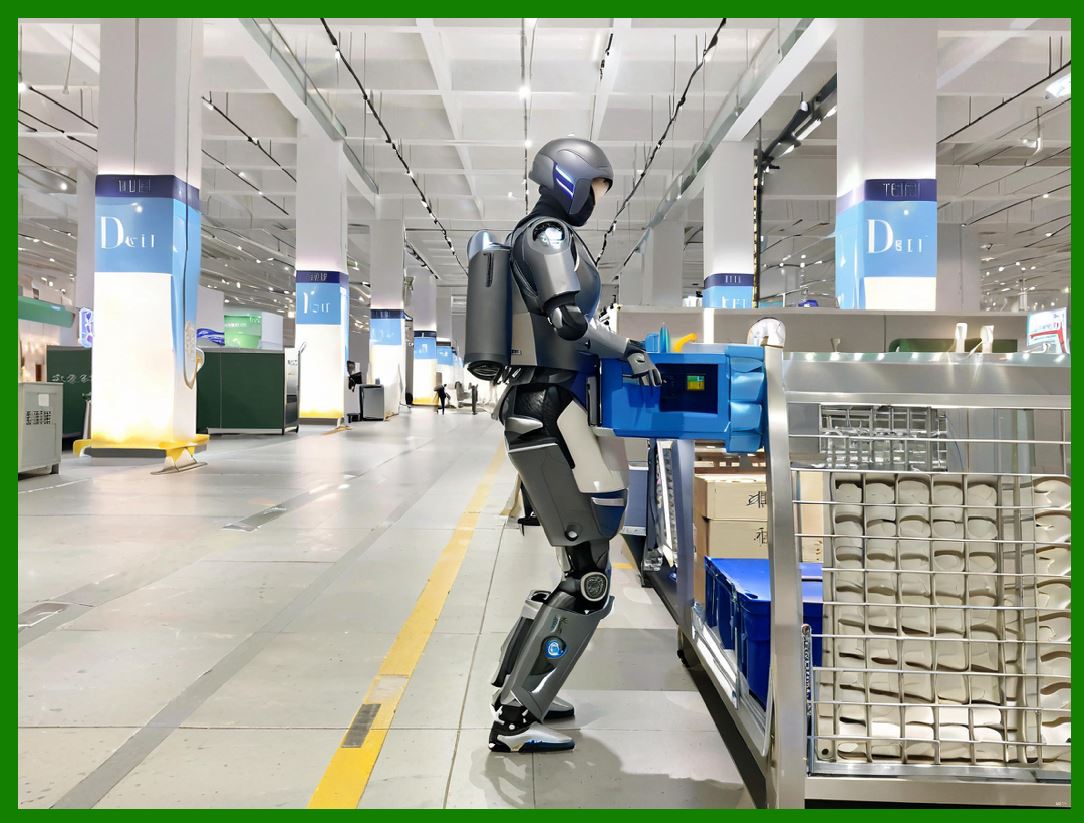
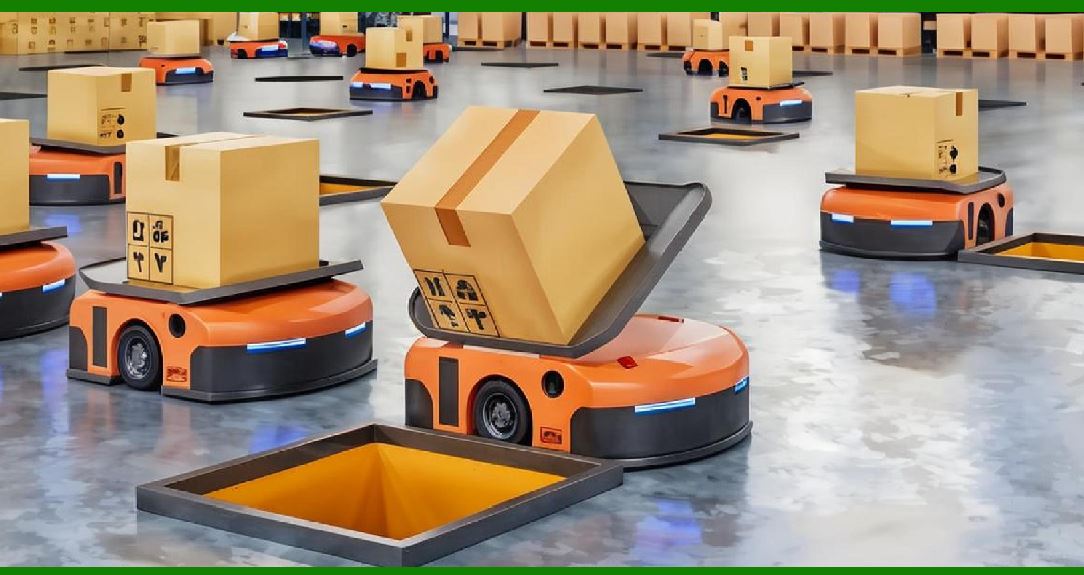
In logistics, robots move boxes, totes, and pallets. The controller must handle varying payloads and high speeds. Servo loops must be robust to handle bumps and shifts in load. Inverse kinematics must handle large workspaces, often with mobile bases. Trajectory generation must be efficient to maximize throughput. |
In palletizing, robots stack boxes onto pallets. The controller must plan layers and patterns. The servo loops must be stiff to handle heavy loads at high speed. Inverse kinematics must handle the changing center of gravity. Trajectory generation must be smooth to avoid toppling the stack. |
In order picking, robots may use suction cups or grippers to pick items from shelves. The controller must coordinate with vision and inventory systems. The servo loops must be fast to meet the pick rate. Inverse kinematics must handle items in random positions. Trajectory generation must avoid collisions with shelves and other robots. |
|
25.4.6 Aerospace and Defense |
In aerospace, robots drill, rivet, and inspect aircraft structures. The controller must handle large parts and strict tolerances. Servo loops must be stiff to maintain accuracy over long reaches. Inverse kinematics must handle the flexibility of the robot and the part. Trajectory generation must be smooth to avoid marking the surface. |
In defense, robots may be used for hazardous tasks, such as handling explosives or working in contaminated environments. The controller must be rugged and reliable. Servo loops must be robust to shock and vibration. Inverse kinematics must handle teleoperation, where a human controls the robot from a distance. Trajectory generation must be predictable and safe. |
In space, robots may be used for satellite servicing or planetary exploration. The controller must handle communication delays and extreme temperatures. Servo loops must be efficient to conserve power. Inverse kinematics must handle free-flying bases. Trajectory generation must be planned in advance, because real-time control may be limited. |
|
25.4.7 Metal Fabrication and Machine Tending |
In metal fabrication, robots load and unload machines, such as lathes, mills, and presses. The controller must coordinate with the machine's cycle. Servo loops must be stiff to handle heavy parts. Inverse kinematics must handle the machine's workspace. Trajectory generation must be fast to minimize idle time. |
In welding, robots follow seams and fill joints. The controller must handle the welding process, including wire feed and gas flow. Servo loops must be stable to maintain a consistent arc. Inverse kinematics must track the seam, which may be curved. Trajectory generation must be smooth to avoid defects. |
In cutting, robots may use plasma, laser, or waterjet. The controller must handle the cutting path and the cutting parameters. Servo loops must be precise to maintain cut quality. Inverse kinematics must handle complex 3D shapes. Trajectory generation must respect the cutting speed and acceleration limits. |
|
25.4.8 Plastics and Rubber Manufacturing |
In injection molding, robots remove parts from molds. The controller must coordinate with the molding machine. Servo loops must be fast to minimize cycle time. Inverse kinematics must handle the mold's opening and the part's shape. Trajectory generation must be smooth to avoid damaging the part. |
In blow molding, robots handle hot parisons. The controller must be fast and precise. Servo loops must be robust to heat. Inverse kinematics must handle the parison's movement. Trajectory generation must be smooth to avoid stretching or breaking. |
In rubber molding, robots handle flexible materials. The controller must handle the material's compliance. Servo loops must be tuned for gentle handling. Inverse kinematics must handle the material's deformation. Trajectory generation must be slow and smooth to avoid tearing. |
|
25.4.9 Textiles, Apparel, and Footwear |
In textiles, robots handle fabrics, which are flexible and unpredictable. The controller must use vision and force feedback. Servo loops must be gentle to avoid stretching. Inverse kinematics must handle the fabric's drape. Trajectory generation must be adaptive to the fabric's behavior. |
In apparel, robots may sew or cut. The controller must coordinate with the sewing machine or cutting blade. Servo loops must be precise to follow the pattern. Inverse kinematics must handle the fabric's movement. Trajectory generation must be smooth to avoid puckering. |
In footwear, robots may apply adhesive or assemble soles. The controller must handle the shoe's complex shape. Servo loops must be accurate to apply adhesive evenly. Inverse kinematics must handle the shoe's orientation. Trajectory generation must be smooth to avoid gaps. |
|
25.4.10 Agriculture and Food Harvesting |
In agriculture, robots may pick fruits or vegetables. The controller must handle outdoor conditions, such as sunlight and wind. Servo loops must be robust to vibration. Inverse kinematics must handle the plant's structure. Trajectory generation must be gentle to avoid bruising. |
In food harvesting, robots may work in fields or greenhouses. The controller must coordinate with vision systems to identify ripe produce. Servo loops must be fast to meet the harvest rate. Inverse kinematics must handle the produce's position. Trajectory generation must be smooth to avoid damage. |
In livestock handling, robots may feed or milk animals. The controller must handle the animal's movement. Servo loops must be safe to avoid injuring the animal. Inverse kinematics must handle the animal's position. Trajectory generation must be gentle to avoid stress. |
|
25.4.11 Construction and Mining |
In construction, robots may lay bricks or pour concrete. The controller must handle outdoor conditions and rough terrain. Servo loops must be robust to dust and vibration. Inverse kinematics must handle the building's geometry. Trajectory generation must be smooth to avoid misalignment. |
In mining, robots may drill or haul. The controller must handle extreme conditions. Servo loops must be robust to shock and temperature. Inverse kinematics must handle the mine's layout. Trajectory generation must be efficient to maximize productivity. |
In demolition, robots may break concrete or sort debris. The controller must handle unpredictable forces. Servo loops must be robust to impact. Inverse kinematics must handle the debris's position. Trajectory generation must be adaptive to the environment. |

|
25.4.12 Healthcare and Laboratory Automation |
In healthcare, robots may assist in surgery or rehabilitation. The controller must be safe and precise. Servo loops must be responsive to the patient's movement. Inverse kinematics must handle the patient's anatomy. Trajectory generation must be smooth to avoid discomfort. |
In laboratory automation, robots may handle samples and reagents. The controller must be precise and clean. Servo loops must be accurate to avoid contamination. Inverse kinematics must handle the labware's position. Trajectory generation must be smooth to avoid spills. |
In pharmacy automation, robots may fill prescriptions. The controller must be accurate and traceable. Servo loops must be reliable to avoid errors. Inverse kinematics must handle the medication's position. Trajectory generation must be smooth to avoid waste. |
|
25.4.13 Entertainment and Service Robotics |
In entertainment, robots may perform on stage or in theme parks. The controller must be safe around people. Servo loops must be smooth to avoid jerky movements. Inverse kinematics must handle the stage's layout. Trajectory generation must be expressive to create artistic motion. |
In service robotics, robots may clean floors or serve food. The controller must handle unstructured environments. Servo loops must be robust to obstacles. Inverse kinematics must handle the robot's mobile base. Trajectory generation must be adaptive to people and furniture. |
In education, robots may teach programming or STEM. The controller must be easy to use. Servo loops must be safe for students. Inverse kinematics must be simple to understand. Trajectory generation must be predictable to avoid surprises. |
|
25.5 The Controller as a System |
The controller is not just a box. It is a system of hardware, software, and interfaces. The hardware includes the processor, memory, power supplies, motor drives, and input/output modules. The software includes the real-time operating system, the motion control algorithms, the programming environment, and the safety logic. The interfaces include the teach pendant, the network ports, the safety inputs, and the sensor inputs. |
The controller must be reliable. In a factory, downtime is expensive. Therefore, the controller is designed with redundancy, diagnostics, and error handling. It logs events, monitors temperatures, and checks for faults. If something goes wrong, it brings the robot to a safe stop and reports the problem. |
The controller must be secure. In a connected factory, the controller is a potential target for cyberattacks. Therefore, it includes authentication, encryption, and network segmentation. It also includes safety measures to prevent unauthorized commands. |
The controller must be scalable. A small robot may use a compact controller. A large robot may use a modular controller with multiple racks. A fleet of robots may use a central controller with distributed drives. The architecture depends on the application. |
|
25.6 Programming the Controller |
The controller is programmed in various ways. The most common is the teach pendant, which allows a human to jog the robot to a position and record it. Another way is offline programming, where a programmer uses a computer to simulate the robot and generate code. Another way is lead-through programming, where a human physically guides the robot and the controller records the path. |
The programming language may be proprietary, such as those from major robot manufacturers. It may be a standard, such as G-code for machine tools. It may be a general-purpose language, such as Python or C++, with libraries for robotics. The choice depends on the application and the programmer's preference. |
The controller must also support high-level commands. For example, a command may say 'pick up the part at this location and place it there.' The controller then translates that into motion. This requires the controller to have a model of the robot, the tool, and the environment. It also requires the controller to plan and execute the motion. |
|
25.7 Safety and the Controller |
Safety is a critical function of the controller. The controller must ensure that the robot does not harm people or damage property. It does this through several mechanisms. It monitors joint positions and velocities. It monitors forces and torques. It monitors safety inputs, such as emergency stops and light curtains. It monitors the workspace, often with scanners or cameras. |
If a safety violation occurs, the controller must react quickly. It may stop the robot, slow it down, or move it to a safe position. The reaction depends on the severity of the violation and the application. The controller must also be designed so that a single fault does not cause a hazardous situation. This is called fail-safe design. |
The controller must also comply with safety standards, such as those from the International Organization for Standardization and the International Electrotechnical Commission. These standards define requirements for categories, performance levels, and architectures. The controller must be certified to these standards before it can be used in certain applications. |
|
25.8 The Future of the Controller |
The controller is evolving. It is becoming more powerful, more connected, and more intelligent. It is moving toward cloud integration, where data is analyzed to improve performance. It is moving toward edge computing, where some decisions are made locally to reduce latency. It is moving toward artificial intelligence, where the controller learns from experience to optimize trajectories and adapt to changes. |
The controller is also becoming more open. Some manufacturers now support open interfaces, allowing third-party developers to create applications. This is similar to the smartphone app ecosystem. It allows users to customize the controller for their specific needs. |
The controller is also becoming more collaborative. New robots are designed to work alongside humans. The controller must ensure safety while allowing close interaction. This requires advanced sensing, force control, and trajectory generation. |
|
25.9 Detailed Summary |
The controller is the core of an industrial robot. It performs three essential jobs: closing servo loops on each joint, resolving inverse kinematics, and generating trajectories with velocity, acceleration, and jerk limits. These jobs are tightly integrated and happen in real time, many times per second. |
The servo loops provide the muscle. They measure the actual state of each joint and correct errors. They run at high rates and must be coordinated across all joints. They ensure the robot holds position, moves smoothly, and resists disturbances. |
Inverse kinematics provides the geometry. It translates a desired tool pose into joint angles. It must handle multiple solutions, joint limits, and obstacles. It must be fast enough to keep up with the desired path. |
Trajectory generation provides the grace. It plans motion that respects physical limits. It uses smooth profiles, such as S-curves, to avoid vibration. It blends motions to avoid unnecessary stops. It looks ahead to plan efficient paths. |
These three jobs are applied in many industries. In automotive, they handle high speeds and heavy payloads. In electronics, they handle small parts and high precision. In food, they handle varying shapes and gentle handling. In pharmaceuticals, they handle strict cleanliness and validation. In logistics, they handle varying payloads and high throughput. In aerospace, they handle large parts and strict tolerances. In metal fabrication, they handle machine tending and welding. In plastics, they handle molding and handling. In textiles, they handle flexible materials. In agriculture, they handle outdoor conditions. In construction, they handle rough terrain. In healthcare, they handle safety and precision. In entertainment, they handle artistic motion. |
The controller is a system of hardware, software, and interfaces. It must be reliable, secure, and scalable. It is programmed in various ways, from teach pendants to offline programming. It must ensure safety, complying with standards and reacting to violations. It is evolving toward cloud integration, edge computing, artificial intelligence, open interfaces, and collaboration. |
|
In short, the controller is what makes a robot useful. It turns commands into motion, and it does so with precision, speed, and safety. Without it, a robot is just a pile of metal and motors. With it, a robot becomes a tool that can build cars, assemble phones, pack food, perform surgery, and explore space. The controller is the brain and nervous system of the robot, and it is the key to understanding how industrial robots work. |
 cs@easiersoft.com