Chapter 27: Offline Programming |
Simulation packages generate and validate paths against CAD models of the cell before deployment, reducing downtime. |
1. Introduction: Why Offline Programming Matters |
Industrial robots are powerful, precise, and repeatable, but they are also literal machines. They do exactly what they are told to do, and they do it at high speed, often with heavy tools and expensive parts nearby. For decades, the standard way to teach a robot a new task was to bring the real robot to the real production cell, jog it manually through every position, record those positions, and then run the program to see if it worked. If something was wrong, the programmer adjusted the points and tried again. This method, known as online programming or teach pendant programming, works, but it has a serious cost: the robot must be stopped while it is being programmed. In a high-volume factory, every hour of stopped production can mean thousands or even hundreds of thousands of dollars in lost output. |
Offline programming changes that equation. Instead of teaching the real robot, engineers build a digital replica of the robot, the tool, the fixture, and the surrounding equipment inside a computer simulation. They create and test the robot path in that virtual world. Only after the path is proven do they download it to the real robot. The real robot is stopped only for the final verification, not for the hours of trial and error that would otherwise be needed. This is what the chapter summary means when it says that simulation packages generate and validate paths against CAD models of the cell before deployment, reducing downtime. |
This chapter explains how offline programming works, what it is good for, where it struggles, and how it is used across many industries. The goal is not to turn the reader into a simulation expert, but to give a practical, plain-language understanding of a technology that has become essential in modern robot deployment. The chapter avoids formulas and tables, and instead focuses on real-world examples from manufacturing, aerospace, automotive, electronics, food, pharmaceuticals, construction, and other fields. |
|
2. The Basic Idea: A Digital Twin of the Workcell |
At its heart, offline programming relies on a digital twin. A digital twin is a computer model that mirrors the real workcell closely enough to predict what will happen in reality. For a robot cell, the digital twin usually includes several layers. |
The first layer is the robot itself. The simulation software needs an accurate kinematic model of the robot: the lengths of its links, the arrangement of its joints, the limits of each axis, and the way the tool moves when the joints move. Robot manufacturers provide these models, often as downloadable libraries. The model must also include the robot's reach envelope, its maximum payload, and its speed limits. |
The second layer is the tool or end effector. This might be a welding torch, a paint spray gun, a gripper, a vacuum cup, a screwdriver, a cutting knife, or a measuring probe. The tool's shape and its mounting position on the robot flange matter enormously, because the robot must maneuver the tool, not just its own wrist. A small error in the tool model can cause a large error at the tip. |
The third layer is the workpiece. In modern offline programming, the workpiece is usually imported as a CAD model. This is the key enabler. If the part exists as a 3D CAD file, the simulation can use that exact geometry to plan paths. For example, if the robot must weld a seam along a curved metal bracket, the simulation can follow the CAD edge of that bracket. If the robot must paint a car door, the simulation can use the CAD surface of the door to calculate spray angles and distances. |
The fourth layer is the cell environment. This includes the fixtures that hold the part, the conveyor that feeds it, the fences that protect workers, the columns and beams of the building, and any other robots or machines nearby. Collision checking is one of the most valuable features of offline programming. The simulation can detect whether the robot arm, the tool, the workpiece, or the fixture will hit anything during the planned motion. In the real world, such a collision could destroy a tool, damage a part, or injure a person. In the virtual world, it is just a red highlight on a screen. |
The fifth layer is the process model. This is where offline programming becomes more than just geometry. For welding, the process model may include torch angle, travel speed, wire feed rate, and the desired weld bead shape. For painting, it may include spray cone width, overlap between passes, and the distance from the gun to the surface. For machining, it may include tool feed rate, spindle speed, and material removal rate. The simulation uses these process parameters to generate a path that is not only collision-free but also technically sound. |
Once all these layers are in place, the programmer can work in the virtual cell. They can move the robot with a mouse or a space mouse, define waypoints, create motion instructions, and run the program in simulation. The software shows the robot moving, the tool following the path, and any collisions or joint limits being violated. The programmer can then adjust the path, change the tool angle, or modify the process parameters, and run the simulation again. This cycle can repeat dozens or hundreds of times without ever touching the real robot. |

|
3. From Simulation to Reality: The Calibration Gap |
A simulation is only useful if it matches reality. If the digital twin is wrong, the downloaded program will be wrong. This is the calibration gap, and it is the central challenge of offline programming. |
There are several sources of error. The first is robot calibration. No two robots are perfectly identical, even if they are the same model from the same factory. Manufacturing tolerances, wear, and temperature can cause small differences in link lengths and joint zero positions. A good offline programming workflow includes a calibration step where the real robot is measured, and the simulation model is adjusted to match. Some companies use laser trackers or touch probes to measure the robot's actual positions, then update the kinematic model. |
The second source is tool calibration. The exact position and orientation of the tool relative to the robot flange must be known. If the tool is modeled as being one millimeter off, the real tool will be one millimeter off, and that may be enough to cause a bad weld or a collision. Tool calibration is usually done with a touch probe or a calibration fixture. |
The third source is workpiece and fixture calibration. The CAD model of the part may be perfect, but the real part may be slightly different due to manufacturing variation. The fixture may also hold the part in a slightly different position than planned. In high-precision applications, vision systems or touch probes are used to locate the real part and adjust the program accordingly. This is sometimes called adaptive offline programming. |
The fourth source is thermal distortion. Welding, cutting, and additive manufacturing generate heat, which causes metal to expand and contract. A path that is perfect on a cold part may be wrong on a hot part. Advanced simulation packages can model thermal distortion, but this is still an area of active development. |
The calibration gap is why offline programming is rarely a pure 'download and run' process. In most real deployments, the offline program is downloaded to the robot, then a skilled operator runs it at slow speed, watches for problems, and makes small adjustments. The goal is to reduce the number of adjustments, not to eliminate them entirely. Even a 90 percent reduction in online teaching time can be a huge win. |

|
4. Benefits of Offline Programming |
The benefits of offline programming can be grouped into several categories. |
4.1 Reduced Downtime |
This is the headline benefit. In online programming, the robot is stopped while the programmer teaches it. In offline programming, the robot can keep producing while the programmer works on the next job. For a factory running three shifts, this can mean the difference between a weekend of lost production and no lost production at all. The chapter summary explicitly mentions reducing downtime, and this is the reason. |
4.2 Faster Programming |
Offline programming is often faster than online teaching, especially for complex paths. A welding path with hundreds of points along a curved seam might take hours to teach online. In simulation, the programmer can use CAD edges and automatic path generation tools to create the same path in minutes. The simulation can also optimize the path for cycle time, reducing unnecessary motion. |
4.3 Better Quality |
Simulation allows the programmer to test many variations of a path before committing to one. They can try different tool angles, different speeds, and different approach directions. They can also use process models to predict weld quality, paint thickness, or machining accuracy. This leads to a better first-time-right program. |
4.4 Improved Safety |
Collision checking in simulation prevents many accidents. The programmer can see whether the robot will hit a fixture or another robot before the real robot moves. This is especially important in cells with multiple robots or with human workers nearby. Simulation can also check reach limits, joint limits, and singularity issues that might cause the robot to move unexpectedly. |
4.5 Easier Documentation and Reuse |
An offline program is a digital file. It can be stored, version-controlled, and reused. If a part is redesigned, the programmer can update the CAD model and regenerate the path. If a robot is moved to a new cell, the program can be adapted more easily. This is a significant advantage over online teaching, where the program exists only in the robot controller and may be difficult to transfer. |
4.6 Support for Remote and Distributed Teams |
Offline programming can be done anywhere. A programmer in one country can create a program for a robot in another country, as long as they have the CAD models and the simulation software. This enables global companies to standardize their robot programs and share best practices. |
|
5. Limitations and Challenges |
Offline programming is not a magic solution. It has limitations that must be understood. |
5.1 The Calibration Gap |
As discussed earlier, the simulation is never a perfect copy of reality. The calibration gap means that some online adjustment is usually needed. The size of the gap depends on the application. For a simple pick-and-place task with loose tolerances, the gap may be negligible. For a high-precision welding or machining task, the gap may require significant online tuning. |
5.2 Model Building Effort |
Creating an accurate digital twin takes time. Someone must build or import the CAD models of the robot, tool, fixture, and workpiece. Someone must define the process parameters. Someone must set up the coordinate systems and calibrate the models. For a one-off job, this effort may not be worth it. Offline programming makes the most sense for repetitive jobs, high-value jobs, or jobs where downtime is very expensive. |
5.3 Software Cost and Learning Curve |
Offline programming software is not cheap. Commercial packages like RoboDK, RobotStudio, Process Simulate, DELMIA, and Fastsuite are powerful but require investment. They also have a learning curve. A programmer who is used to teaching robots with a pendant may need training to become effective in simulation. |
5.4 Simulation Accuracy |
Not all simulation packages are equally accurate. Some focus on reach and collision checking, while others include detailed process models. The choice of software depends on the application. For simple paths, a basic package may be enough. For complex processes like welding or painting, a more advanced package may be needed. |
5.5 Dynamic Effects |
Many offline programming packages focus on kinematics, which is the geometry of motion. They may not fully model dynamics, which includes forces, inertia, vibration, and deflection. In high-speed applications, dynamic effects can cause the real robot to deviate from the simulated path. Some advanced packages include dynamic simulation, but this is more complex and more expensive. |
5.6 Sensor Integration |
Real robots often use sensors: vision systems, force sensors, touch probes, and so on. Simulating these sensors is difficult. A simulation can show a camera's field of view, but it cannot easily simulate the effects of lighting, reflection, or surface finish on a vision system. For sensor-heavy applications, offline programming may be less effective. |

|
6. The Offline Programming Workflow |
A typical offline programming workflow has several steps. The exact steps vary by software and application, but the general pattern is similar. |
6.1 Define the Project |
The programmer starts by defining the project: the robot model, the tool, the workpiece, and the cell layout. They import CAD files and position them in the virtual cell. They define the coordinate systems, such as the robot base, the tool center point, and the workpiece frame. |
6.2 Create the Path |
The programmer creates the robot path. This can be done in several ways. They can manually define waypoints by clicking on the CAD model. They can use automatic path generation tools that follow CAD edges or surfaces. They can import path data from a CAM system. They can also use a combination of these methods. |
6.3 Define the Process |
The programmer defines the process parameters. For welding, this includes torch angle, travel speed, and weave pattern. For painting, this includes spray gun distance, speed, and overlap. For machining, this includes feed rate and tool orientation. The simulation software uses these parameters to generate the detailed motion. |
6.4 Simulate and Validate |
The programmer runs the simulation. The software checks for collisions, reach limits, joint limits, and singularities. It also calculates cycle time. The programmer reviews the results and adjusts the path or process as needed. This step is repeated until the program is satisfactory. |
6.5 Post-Process |
The simulation software generates robot-specific code. This is called post-processing. The post-processor translates the generic path into the language of the target robot controller, such as RAPID for ABB, KRL for KUKA, or TP for FANUC. The post-processor must be accurate, because errors here will cause problems on the real robot. |
6.6 Download and Verify |
The programmer downloads the program to the real robot. They run it at slow speed, often step by step, and watch for problems. They make small adjustments as needed. Once the program is verified, it can be run at full speed. |
6.7 Production and Maintenance |
The program goes into production. Over time, the programmer may need to update it if the part changes, the fixture changes, or the robot is recalibrated. Offline programming makes these updates easier, because the changes can be made in simulation and then downloaded. |
|
7. Applications Across Industries |
Offline programming is used in many industries. The following sections describe real-world examples, with an emphasis on how offline programming solves specific problems. |
7.1 Automotive Manufacturing |
The automotive industry is one of the largest users of industrial robots, and offline programming is widely used there. |
7.1.1 Body-in-White Welding |
In a car body assembly line, hundreds of robots perform spot welding on the body-in-white. Each robot may have a welding gun and may need to reach dozens or hundreds of weld points. Teaching these points online would stop the line for a long time. Instead, engineers use offline programming to create the weld paths from CAD models of the car body. The simulation checks for collisions between the welding gun, the robot arm, and the car body. It also optimizes the path to reduce cycle time. When the program is downloaded, the robot can start welding with minimal online adjustment. |
7.1.2 Painting |
Car painting is another major application. Painting robots must follow complex paths to cover the entire car body with an even coat of paint. The path must maintain the correct distance and angle between the spray gun and the surface. Offline programming uses CAD models of the car body to generate these paths. The simulation can model the spray pattern and predict paint thickness. It can also optimize the path to reduce paint waste and cycle time. This is especially important for new car models, where the painting program must be ready before the first car is built. |
7.1.3 Sealing and Gluing |
Robots apply sealant and adhesive to car bodies. These materials are often applied in beads along seams and flanges. The path must be precise, because a gap in the sealant can cause water leaks or corrosion. Offline programming uses CAD models to generate the bead paths. The simulation checks that the nozzle can reach all the required locations without collision. It also helps optimize the bead size and application speed. |
7.1.4 Assembly |
Robots assemble components such as doors, hoods, and seats. Offline programming is used to plan the assembly motion, especially in tight spaces where collisions are likely. The simulation can check that the robot can insert a part without hitting the surrounding structure. It can also plan the grip points and the approach trajectory. |

|
7.2 Aerospace |
Aerospace manufacturing involves large parts, tight tolerances, and expensive materials. Offline programming is valuable because mistakes are costly. |
7.2.1 Drilling and Fastening |
Aircraft wings and fuselages have thousands of holes that must be drilled and filled with fasteners. Robots can do this work, but the paths are complex. Offline programming uses CAD models of the aircraft structure to generate the drilling paths. The simulation checks for collisions with the structure and with the robot's own body. It also optimizes the sequence of holes to reduce travel time. In some cases, the robot uses a vision system to locate the holes, and the offline program provides the nominal path that the vision system refines. |
7.2.2 Composite Layup |
Composite materials are used extensively in modern aircraft. Robots can lay up composite plies by placing them on a mold. The path must follow the mold surface and the ply shape. Offline programming uses CAD models of the mold and the ply to generate the path. The simulation checks that the robot can reach all areas of the mold and that the ply is placed without wrinkles or gaps. |
7.2.3 Inspection |
Robots can carry inspection sensors, such as ultrasonic probes or laser scanners, over aircraft surfaces. Offline programming plans the inspection path to cover the required area. The simulation ensures that the sensor is at the correct distance and angle. It also helps optimize the path to reduce inspection time. |
7.2.4 Engine Component Machining |
Some aerospace engine components are machined by robots. Offline programming is used to generate the tool paths from CAD models. The simulation checks for collisions and optimizes the cutting parameters. Because the materials are difficult to machine, the process model must be accurate. |

|
7.3 Electronics Manufacturing |
Electronics manufacturing involves small parts, high precision, and fast cycle times. Offline programming helps with both speed and accuracy. |
7.3.1 Printed Circuit Board Assembly |
Robots place components on printed circuit boards. The components are small, and the placement must be accurate. Offline programming uses CAD models of the board and the components to generate the placement paths. The simulation checks that the robot can reach all placement locations without collision. It also optimizes the sequence to reduce travel time. |
7.3.2 Soldering |
Robots perform soldering on circuit boards and other electronic assemblies. The path must be precise, because too much or too little solder can cause a bad connection. Offline programming uses CAD models to generate the soldering paths. The simulation can model the solder joint and predict its quality. It also helps optimize the soldering speed and temperature. |
7.3.3 Testing and Inspection |
Robots can carry probes or cameras to test and inspect electronic assemblies. Offline programming plans the test path to cover all required points. The simulation checks that the probe can reach the test points without damaging the board. It also helps optimize the test sequence. |
7.3.4 Display Panel Handling |
Large display panels are fragile and expensive. Robots handle them during manufacturing and assembly. Offline programming plans the handling motion to avoid bending or scratching the panel. The simulation checks for collisions and optimizes the grip points. |
|
7.4 Food and Beverage |
Food and beverage manufacturing has special requirements: hygiene, speed, and variability. Offline programming is used in several ways. |
7.4.1 Packaging |
Robots pack food products into boxes, trays, and bags. The products may vary in size and shape. Offline programming uses CAD models of the packaging and the robot gripper to generate the packing paths. The simulation checks for collisions and optimizes the packing pattern. In some cases, vision systems are used to locate the products, and the offline program provides the nominal path. |
7.4.2 Palletizing |
Robots stack boxes and bags on pallets. The stacking pattern must be stable and efficient. Offline programming uses CAD models of the boxes and the pallet to generate the stacking paths. The simulation checks for collisions and optimizes the pattern to maximize the use of space. |
7.4.3 Cutting and Slicing |
Robots cut and slice food products such as meat, cheese, and bread. The path must follow the product shape and produce clean cuts. Offline programming uses CAD models or scanned data to generate the cutting paths. The simulation checks that the blade can reach all required areas without collision. |
7.4.4 Decorating and Icing |
Robots decorate cakes and pastries with icing, chocolate, and other materials. The path must be precise to create the desired pattern. Offline programming uses CAD models of the pattern to generate the path. The simulation checks that the nozzle can follow the pattern without clogging or dripping. |

|
7.5 Pharmaceuticals and Medical Devices |
Pharmaceutical and medical device manufacturing requires high precision, cleanliness, and traceability. Offline programming helps meet these requirements. |
7.5.1 Dispensing |
Robots dispense liquids, gels, and powders into vials, syringes, and other containers. The path must be precise to ensure the correct dose. Offline programming uses CAD models of the containers to generate the dispensing paths. The simulation checks that the nozzle can reach all containers without contamination. |
7.5.2 Assembly |
Robots assemble medical devices such as syringes, inhalers, and diagnostic kits. The parts are small and delicate. Offline programming uses CAD models to generate the assembly paths. The simulation checks for collisions and optimizes the grip points to avoid damaging the parts. |
7.5.3 Inspection |
Robots inspect medical devices for defects. They may use cameras, lasers, or touch probes. Offline programming plans the inspection path to cover all critical areas. The simulation checks that the sensor can reach the areas without collision and that the inspection time is acceptable. |
7.5.4 Laboratory Automation |
Robots handle samples and reagents in laboratories. The path must be precise and reproducible. Offline programming uses CAD models of the labware to generate the handling paths. The simulation checks for collisions and optimizes the workflow. |
7.6 Metal Fabrication and Machining |
Metal fabrication and machining involve heavy tools, hard materials, and tight tolerances. Offline programming is used to plan and validate the paths. |

|
7.6.1 Welding |
Welding is one of the most common applications for offline programming. Robots perform arc welding, spot welding, and laser welding. The path must follow the joint and maintain the correct torch angle and travel speed. Offline programming uses CAD models of the parts to generate the weld paths. The simulation checks for collisions and predicts weld quality. It also helps optimize the welding sequence to reduce distortion. |
7.6.2 Cutting |
Robots perform plasma cutting, laser cutting, and waterjet cutting. The path must follow the desired shape and maintain the correct cutting speed. Offline programming uses CAD models to generate the cutting paths. The simulation checks for collisions and optimizes the cutting parameters. |
7.6.3 Grinding and Polishing |
Robots grind and polish metal parts to improve surface finish. The path must follow the surface and maintain the correct pressure. Offline programming uses CAD models to generate the grinding paths. The simulation checks for collisions and optimizes the grinding parameters. In some cases, force sensors are used to control the pressure, and the offline program provides the nominal path. |
7.6.4 Deburring |
Robots remove burrs from machined parts. The path must follow the edges and corners. Offline programming uses CAD models to generate the deburring paths. The simulation checks that the tool can reach all edges without collision. |
7.6.5 Machine Tending |
Robots load and unload machine tools such as lathes and milling machines. The path must be precise to avoid damaging the machine or the part. Offline programming uses CAD models of the machine and the part to generate the tending paths. The simulation checks for collisions and optimizes the cycle time. |
|
7.7 Construction and Heavy Equipment |
Construction and heavy equipment manufacturing involves large parts, outdoor environments, and harsh conditions. Offline programming is used to plan and validate the robot paths. |
7.7.1 Welding of Large Structures |
Robots weld large structures such as beams, frames, and chassis. The parts are heavy and may be difficult to position. Offline programming uses CAD models to generate the weld paths. The simulation checks for collisions and optimizes the welding sequence. In some cases, the robot is mounted on a mobile platform, and the offline program must account for the platform position. |
7.7.2 Cutting and Drilling |
Robots cut and drill holes in large structures. The path must be precise to ensure that the parts fit together. Offline programming uses CAD models to generate the cutting and drilling paths. The simulation checks for collisions and optimizes the sequence. |
7.7.3 Painting and Coating |
Robots paint and coat large structures. The path must cover the entire surface with an even coat. Offline programming uses CAD models to generate the painting paths. The simulation checks for collisions and optimizes the spray parameters. |
7.7.4 Inspection |
Robots inspect large structures for defects. They may use cameras, lasers, or ultrasonic sensors. Offline programming plans the inspection path to cover all critical areas. The simulation checks that the sensor can reach the areas without collision. |

|
7.8 Shipbuilding |
Shipbuilding involves large, complex structures and harsh environments. Offline programming is used to plan and validate robot paths. |
7.8.1 Welding |
Robots weld ship hulls and other structures. The paths are long and complex. Offline programming uses CAD models to generate the weld paths. The simulation checks for collisions and optimizes the welding sequence. It also helps account for distortion caused by welding heat. |
7.8.2 Cutting |
Robots cut steel plates and profiles. The path must follow the desired shape. Offline programming uses CAD models to generate the cutting paths. The simulation checks for collisions and optimizes the cutting parameters. |
7.8.3 Painting |
Robots paint ship hulls and other structures. The path must cover the entire surface with an even coat. Offline programming uses CAD models to generate the painting paths. The simulation checks for collisions and optimizes the spray parameters. |
7.8.4 Inspection |
Robots inspect welds and coatings for defects. Offline programming plans the inspection path to cover all critical areas. The simulation checks that the sensor can reach the areas without collision. |
|
7.9 Rail and Transportation |
Rail and transportation manufacturing involves large parts and tight tolerances. Offline programming is used to plan and validate robot paths. |
7.9.1 Welding |
Robots weld rail cars, locomotives, and other transportation equipment. The paths are long and complex. Offline programming uses CAD models to generate the weld paths. The simulation checks for collisions and optimizes the welding sequence. |
7.9.2 Assembly |
Robots assemble components such as wheels, axles, and brakes. The path must be precise to ensure proper fit. Offline programming uses CAD models to generate the assembly paths. The simulation checks for collisions and optimizes the grip points. |
7.9.3 Painting |
Robots paint rail cars and other transportation equipment. The path must cover the entire surface with an even coat. Offline programming uses CAD models to generate the painting paths. The simulation checks for collisions and optimizes the spray parameters. |
7.9.4 Inspection |
Robots inspect welds and coatings for defects. Offline programming plans the inspection path to cover all critical areas. The simulation checks that the sensor can reach the areas without collision. |

|
7.10 Energy and Utilities |
Energy and utilities involve large, complex structures and hazardous environments. Offline programming is used to plan and validate robot paths. |
7.10.1 Welding of Pipelines |
Robots weld pipelines for oil, gas, and water. The paths are long and must follow the pipe circumference. Offline programming uses CAD models to generate the weld paths. The simulation checks for collisions and optimizes the welding sequence. It also helps account for distortion caused by welding heat. |
7.10.2 Inspection of Pipelines |
Robots inspect pipelines for defects. They may use cameras, lasers, or ultrasonic sensors. Offline programming plans the inspection path to cover the entire pipe. The simulation checks that the sensor can reach the areas without collision. |
7.10.3 Maintenance of Power Plants |
Robots perform maintenance tasks in power plants, such as inspecting and repairing components. Offline programming plans the maintenance paths. The simulation checks for collisions and optimizes the sequence. |
7.10.4 Solar Panel Manufacturing |
Robots assemble solar panels. The path must be precise to avoid damaging the panels. Offline programming uses CAD models to generate the assembly paths. The simulation checks for collisions and optimizes the grip points. |

|
7.11 Agriculture |
Agriculture involves outdoor environments, variable conditions, and repetitive tasks. Offline programming is used in several ways. |
7.11.1 Harvesting |
Robots harvest fruits and vegetables. The path must follow the plant structure and avoid damaging the crop. Offline programming uses CAD models or scanned data to generate the harvesting paths. The simulation checks for collisions and optimizes the grip points. |
7.11.2 Pruning and Thinning |
Robots prune and thin plants. The path must follow the plant structure and avoid damaging the crop. Offline programming uses CAD models or scanned data to generate the pruning paths. The simulation checks for collisions and optimizes the cutting parameters. |
7.11.3 Planting |
Robots plant seeds and seedlings. The path must follow the field layout and place the seeds at the correct depth and spacing. Offline programming uses CAD models or field maps to generate the planting paths. The simulation checks for collisions and optimizes the planting parameters. |
7.11.4 Spraying |
Robots spray crops with pesticides and fertilizers. The path must cover the field evenly. Offline programming uses CAD models or field maps to generate the spraying paths. The simulation checks for collisions and optimizes the spray parameters. |

|
7.12 Logistics and Warehousing |
Logistics and warehousing involve fast cycle times, variable products, and large spaces. Offline programming is used to plan and validate robot paths. |
7.12.1 Palletizing and Depalletizing |
Robots stack and unstack boxes on pallets. The stacking pattern must be stable and efficient. Offline programming uses CAD models of the boxes and the pallet to generate the stacking paths. The simulation checks for collisions and optimizes the pattern. |
7.12.2 Picking and Placing |
Robots pick items from conveyors, shelves, and bins and place them in other locations. The items may vary in size and shape. Offline programming uses CAD models or scanned data to generate the picking paths. The simulation checks for collisions and optimizes the grip points. In some cases, vision systems are used to locate the items, and the offline program provides the nominal path. |
7.12.3 Sorting |
Robots sort packages and parcels by size, shape, and destination. The path must be fast and accurate. Offline programming uses CAD models or scanned data to generate the sorting paths. The simulation checks for collisions and optimizes the sequence. |
7.12.4 Kitting |
Robots assemble kits of parts for manufacturing or shipping. The path must be precise to ensure that the correct parts are included. Offline programming uses CAD models to generate the kitting paths. The simulation checks for collisions and optimizes the sequence. |

|
7.13 Textiles and Apparel |
Textiles and apparel involve flexible materials, variable shapes, and fast cycle times. Offline programming is used in several ways. |
7.13.1 Cutting |
Robots cut fabric into shapes. The path must follow the pattern and produce clean edges. Offline programming uses CAD models of the pattern to generate the cutting paths. The simulation checks for collisions and optimizes the cutting parameters. |
7.13.2 Sewing |
Robots sew fabric pieces together. The path must follow the seam and produce strong stitches. Offline programming uses CAD models of the seam to generate the sewing paths. The simulation checks for collisions and optimizes the sewing parameters. |
7.13.3 Handling |
Robots handle fabric pieces during manufacturing. The pieces are flexible and may be difficult to grip. Offline programming uses CAD models to generate the handling paths. The simulation checks for collisions and optimizes the grip points. |
7.13.4 Inspection |
Robots inspect fabric for defects. They may use cameras or other sensors. Offline programming plans the inspection path to cover the entire fabric. The simulation checks that the sensor can reach the areas without collision. |

|
7.14 Plastics and Rubber |
Plastics and rubber manufacturing involves molds, high temperatures, and fast cycle times. Offline programming is used in several ways. |
7.14.1 Injection Molding |
Robots remove parts from injection molding machines. The path must be precise to avoid damaging the mold or the part. Offline programming uses CAD models of the mold and the part to generate the removal paths. The simulation checks for collisions and optimizes the cycle time. |
7.14.2 Blow Molding |
Robots handle parts in blow molding machines. The path must be precise to avoid damaging the part. Offline programming uses CAD models to generate the handling paths. The simulation checks for collisions and optimizes the cycle time. |
7.14.3 Trimming |
Robots trim excess material from plastic and rubber parts. The path must follow the desired shape. Offline programming uses CAD models to generate the trimming paths. The simulation checks for collisions and optimizes the cutting parameters. |
7.14.4 Assembly |
Robots assemble plastic and rubber components. The path must be precise to ensure proper fit. Offline programming uses CAD models to generate the assembly paths. The simulation checks for collisions and optimizes the grip points. |
|
7.15 Glass and Ceramics |
Glass and ceramics manufacturing involves fragile materials, high temperatures, and tight tolerances. Offline programming is used in several ways. |
7.15.1 Handling |
Robots handle glass and ceramic parts during manufacturing. The parts are fragile and may be hot. Offline programming uses CAD models to generate the handling paths. The simulation checks for collisions and optimizes the grip points. |
7.15.2 Cutting |
Robots cut glass and ceramic parts. The path must follow the desired shape and produce clean edges. Offline programming uses CAD models to generate the cutting paths. The simulation checks for collisions and optimizes the cutting parameters. |
7.15.3 Grinding and Polishing |
Robots grind and polish glass and ceramic parts. The path must follow the surface and produce a smooth finish. Offline programming uses CAD models to generate the grinding paths. The simulation checks for collisions and optimizes the grinding parameters. |
7.15.4 Inspection |
Robots inspect glass and ceramic parts for defects. They may use cameras or other sensors. Offline programming plans the inspection path to cover all critical areas. The simulation checks that the sensor can reach the areas without collision. |

|
7.16 Furniture and Woodworking |
Furniture and woodworking involve large parts, variable shapes, and fast cycle times. Offline programming is used in several ways. |
7.16.1 Cutting |
Robots cut wood into shapes. The path must follow the pattern and produce clean edges. Offline programming uses CAD models to generate the cutting paths. The simulation checks for collisions and optimizes the cutting parameters. |
7.16.2 Drilling |
Robots drill holes in wood. The path must be precise to ensure that the parts fit together. Offline programming uses CAD models to generate the drilling paths. The simulation checks for collisions and optimizes the sequence. |
7.16.3 Sanding and Polishing |
Robots sand and polish wood surfaces. The path must follow the surface and produce a smooth finish. Offline programming uses CAD models to generate the sanding paths. The simulation checks for collisions and optimizes the sanding parameters. |
7.16.4 Assembly |
Robots assemble furniture components. The path must be precise to ensure proper fit. Offline programming uses CAD models to generate the assembly paths. The simulation checks for collisions and optimizes the grip points. |

|
7.17 Printing and Packaging |
Printing and packaging involve fast cycle times, variable products, and tight tolerances. Offline programming is used in several ways. |
7.17.1 Printing |
Robots print on various surfaces. The path must follow the desired pattern. Offline programming uses CAD models to generate the printing paths. The simulation checks for collisions and optimizes the printing parameters. |
7.17.2 Labeling |
Robots apply labels to products. The path must be precise to ensure that the label is placed correctly. Offline programming uses CAD models to generate the labeling paths. The simulation checks for collisions and optimizes the labeling parameters. |
7.17.3 Packaging |
Robots pack products into boxes, trays, and bags. The path must be fast and accurate. Offline programming uses CAD models to generate the packaging paths. The simulation checks for collisions and optimizes the packing pattern. |
7.17.4 Palletizing |
Robots stack boxes on pallets. The stacking pattern must be stable and efficient. Offline programming uses CAD models to generate the stacking paths. The simulation checks for collisions and optimizes the pattern. |

|
8. Choosing an Offline Programming System |
There are many offline programming systems on the market. Choosing the right one depends on the application, the robot brand, the budget, and the skill level of the programmers. |
8.1 Robot Brand Compatibility |
Some offline programming systems are tied to a specific robot brand. For example, RobotStudio is designed for ABB robots, and KUKA.Sim is designed for KUKA robots. Other systems, such as RoboDK and Process Simulate, support multiple robot brands. If a company uses robots from several brands, a multi-brand system may be more convenient. |
8.2 Application Support |
Some systems are specialized for a particular application. For example, some systems are optimized for welding, while others are optimized for painting or machining. The choice depends on the process. A welding-specific system may include features such as weld seam detection, torch angle control, and weld quality prediction. A painting-specific system may include spray pattern modeling and paint thickness prediction. |
8.3 CAD Integration |
The ability to import and work with CAD models is critical. Some systems can import many CAD formats, while others are limited. Some systems can automatically extract edges and surfaces from CAD models, which speeds up path creation. Others require more manual work. |
8.4 Collision Checking |
Collision checking is a core feature. Some systems can check for collisions between the robot and the environment, between the tool and the workpiece, and between multiple robots. The accuracy and speed of collision checking vary. Some systems use simple bounding boxes, while others use detailed mesh models. |
8.5 Process Modeling |
For advanced applications, process modeling is important. This includes the ability to model welding, painting, machining, and other processes. The accuracy of the process model affects the quality of the generated program. |
8.6 Post-Processing |
The post-processor translates the generic path into robot-specific code. The quality of the post-processor affects how well the program runs on the real robot. Some systems include post-processors for many robot brands, while others require custom development. |
8.7 Ease of Use |
The ease of use of the software affects how quickly programmers can become productive. Some systems have intuitive graphical interfaces, while others are more complex. Training and support are also important. |
8.8 Cost |
The cost of offline programming software varies widely. Some systems are inexpensive and suitable for small shops, while others are expensive and suitable for large manufacturers. The cost should be weighed against the benefits, such as reduced downtime and improved quality. |

|
9. Best Practices for Offline Programming |
To get the most out of offline programming, companies should follow some best practices. |
9.1 Start with a Clear Goal |
Before starting an offline programming project, define the goal. Is the goal to reduce downtime, improve quality, or increase throughputThe goal will guide the choice of software and the level of detail in the simulation. |
9.2 Build Accurate Models |
The accuracy of the simulation depends on the accuracy of the models. Invest time in building accurate models of the robot, tool, fixture, and workpiece. Calibrate the robot and the tool. Use real measurements where possible. |
9.3 Use CAD Data Wisely |
CAD data is a valuable resource. Use it to generate paths automatically where possible. But also be aware of its limitations. CAD models may not include tolerances, surface finish, or other details that affect the process. Use the CAD data as a starting point, not as the final answer. |
9.4 Validate in Simulation |
Run the simulation thoroughly. Check for collisions, reach limits, joint limits, and singularities. Check the cycle time. Check the process parameters. Do not skip this step. |
9.5 Verify on the Real Robot |
Always verify the program on the real robot at slow speed. Watch for problems. Make small adjustments as needed. Do not assume that the simulation is perfect. |
9.6 Document the Process |
Document the offline programming process. Record the models used, the calibration data, the path parameters, and the post-processor settings. This makes it easier to update the program later. |
9.7 Train the Programmers |
Offline programming requires different skills than online teaching. Programmers need to learn the software, the CAD tools, and the process models. Invest in training. |
9.8 Keep the Simulation Updated |
The simulation should be updated when the real cell changes. If the robot is recalibrated, the tool is changed, or the fixture is modified, the simulation should be updated. Otherwise, the simulation will become less accurate over time. |

|
10. The Future of Offline Programming |
Offline programming is evolving. Several trends are shaping its future. |
10.1 Cloud-Based Simulation |
Cloud computing is making it possible to run simulations on remote servers. This allows companies to access powerful simulation tools without investing in expensive hardware. It also makes it easier to collaborate across sites. |
10.2 Artificial Intelligence |
Artificial intelligence is being used to improve offline programming. AI can help generate paths automatically, optimize process parameters, and predict defects. It can also help calibrate the simulation model by learning from real-world data. |
10.3 Digital Twins |
The concept of the digital twin is expanding. In the future, the digital twin may be continuously updated with data from the real robot. This would allow the simulation to stay accurate over time and to predict maintenance needs. |
10.4 Virtual Reality |
Virtual reality is being used to visualize and interact with simulations. A programmer can put on a VR headset and walk around the virtual cell. This makes it easier to understand the robot motion and to spot potential problems. |
10.5 Collaborative Robots |
Collaborative robots, or cobots, are designed to work alongside humans. Offline programming for cobots must account for human safety. Simulation can be used to check that the cobot will not hit a human and that it will stop safely if it does. |
10.6 Additive Manufacturing |
Additive manufacturing, or 3D printing, is increasingly used with robots. Offline programming is used to generate the paths for robot-based 3D printing. The simulation checks for collisions and optimizes the printing parameters. |
10.7 Autonomous Mobile Robots |
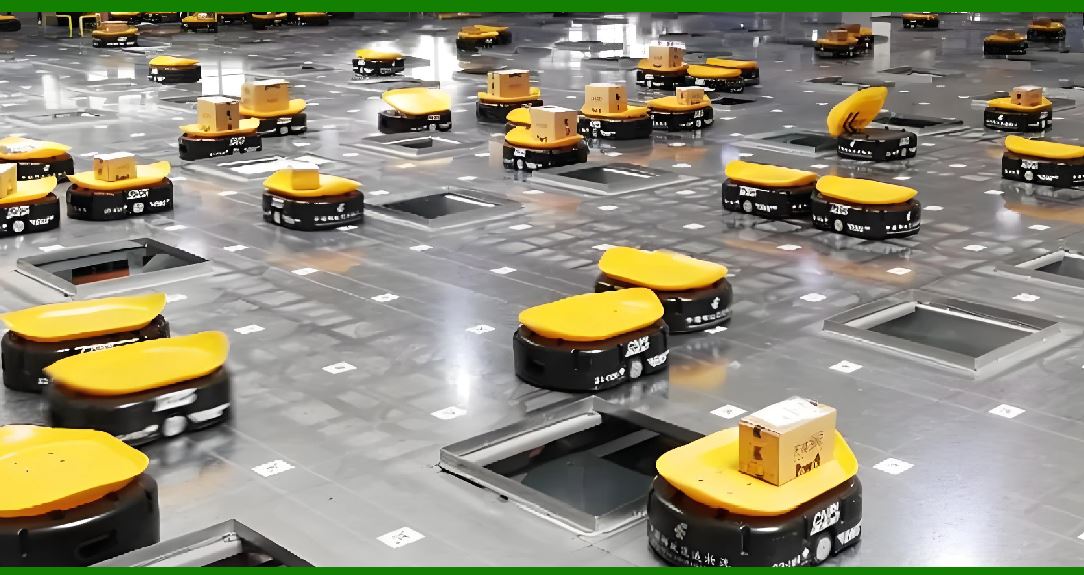
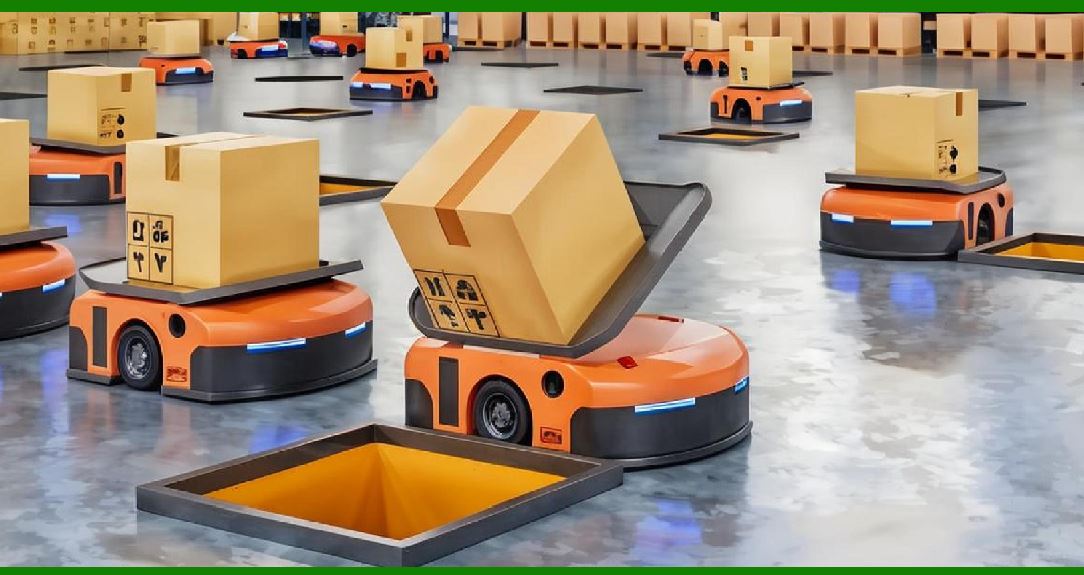
Autonomous mobile robots, or AMRs, are used to move parts between workstations. Offline programming is used to plan the routes and the interactions with fixed robots. The simulation checks for collisions and optimizes the traffic flow. |
|
11. Detailed Summary |
This chapter has explored offline programming for industrial robots. The central idea is simple: instead of teaching a real robot in a real cell, engineers build a digital twin of the cell in simulation software, create and validate the robot path in that virtual world, and then download the proven program to the real robot. This reduces downtime, because the real robot can keep producing while the programmer works in simulation. |
The chapter began by explaining why offline programming matters. Online teaching stops production, which is expensive. Offline programming moves most of the programming work to a computer, where mistakes are cheap and fast to fix. |
The basic idea of offline programming is the digital twin. A digital twin includes the robot, the tool, the workpiece, the cell environment, and the process model. The robot model includes the kinematic structure, the reach envelope, and the limits. The tool model includes the shape and the mounting position. The workpiece model is usually imported from CAD. The cell environment includes fixtures, conveyors, fences, and other equipment. The process model includes parameters such as torch angle, travel speed, and spray distance. |
The chapter then discussed the calibration gap. A simulation is only useful if it matches reality. Robot calibration, tool calibration, workpiece and fixture calibration, and thermal distortion are all sources of error. In most real deployments, some online adjustment is still needed. The goal is to reduce the number of adjustments, not to eliminate them. |
The benefits of offline programming include reduced downtime, faster programming, better quality, improved safety, easier documentation and reuse, and support for remote and distributed teams. The limitations include the calibration gap, model building effort, software cost and learning curve, simulation accuracy, dynamic effects, and sensor integration. |
The chapter described a typical offline programming workflow. It starts with defining the project and importing CAD models. Then the programmer creates the path, defines the process, simulates and validates, post-processes, downloads and verifies, and finally moves to production and maintenance. |
The largest part of the chapter was devoted to applications across industries. In automotive manufacturing, offline programming is used for body-in-white welding, painting, sealing and gluing, and assembly. In aerospace, it is used for drilling and fastening, composite layup, inspection, and engine component machining. In electronics, it is used for printed circuit board assembly, soldering, testing and inspection, and display panel handling. In food and beverage, it is used for packaging, palletizing, cutting and slicing, and decorating and icing. In pharmaceuticals and medical devices, it is used for dispensing, assembly, inspection, and laboratory automation. In metal fabrication and machining, it is used for welding, cutting, grinding and polishing, deburring, and machine tending. In construction and heavy equipment, it is used for welding, cutting and drilling, painting and coating, and inspection. In shipbuilding, it is used for welding, cutting, painting, and inspection. In rail and transportation, it is used for welding, assembly, painting, and inspection. In energy and utilities, it is used for pipeline welding and inspection, power plant maintenance, and solar panel manufacturing. In agriculture, it is used for harvesting, pruning and thinning, planting, and spraying. In logistics and warehousing, it is used for palletizing and depalletizing, picking and placing, sorting, and kitting. In textiles and apparel, it is used for cutting, sewing, handling, and inspection. In plastics and rubber, it is used for injection molding, blow molding, trimming, and assembly. In glass and ceramics, it is used for handling, cutting, grinding and polishing, and inspection. In furniture and woodworking, it is used for cutting, drilling, sanding and polishing, and assembly. In printing and packaging, it is used for printing, labeling, packaging, and palletizing. |
The chapter then discussed choosing an offline programming system. Factors include robot brand compatibility, application support, CAD integration, collision checking, process modeling, post-processing, ease of use, and cost. |
Best practices for offline programming include starting with a clear goal, building accurate models, using CAD data wisely, validating in simulation, verifying on the real robot, documenting the process, training the programmers, and keeping the simulation updated. |
|
Finally, the chapter looked at the future of offline programming. Trends include cloud-based simulation, artificial intelligence, digital twins, virtual reality, collaborative robots, additive manufacturing, and autonomous mobile robots. |
In conclusion, offline programming is a powerful tool for industrial robot deployment. It reduces downtime, improves quality, and enables faster programming. It is used in almost every industry that uses robots. While it has limitations, its benefits often outweigh its costs. As simulation technology improves, offline programming will become even more capable and more accessible. For anyone involved in industrial robotics, understanding offline programming is essential. |
 cs@easiersoft.com