Robotic Inventory Scanning: A Comprehensive Overview |
Robotic inventory scanning is a transformative technology revolutionizing how businesses, particularly retailers and warehouses, manage inventory. The integration of robots equipped with advanced scanning capabilities provides a more efficient, accurate, and cost-effective alternative to traditional manual inventory management. Below is a detailed description of robotic inventory scanning, broken into clear sections to explore its components, benefits, technology, applications, challenges, and future potential. |
1. Introduction to Robotic Inventory Scanning |
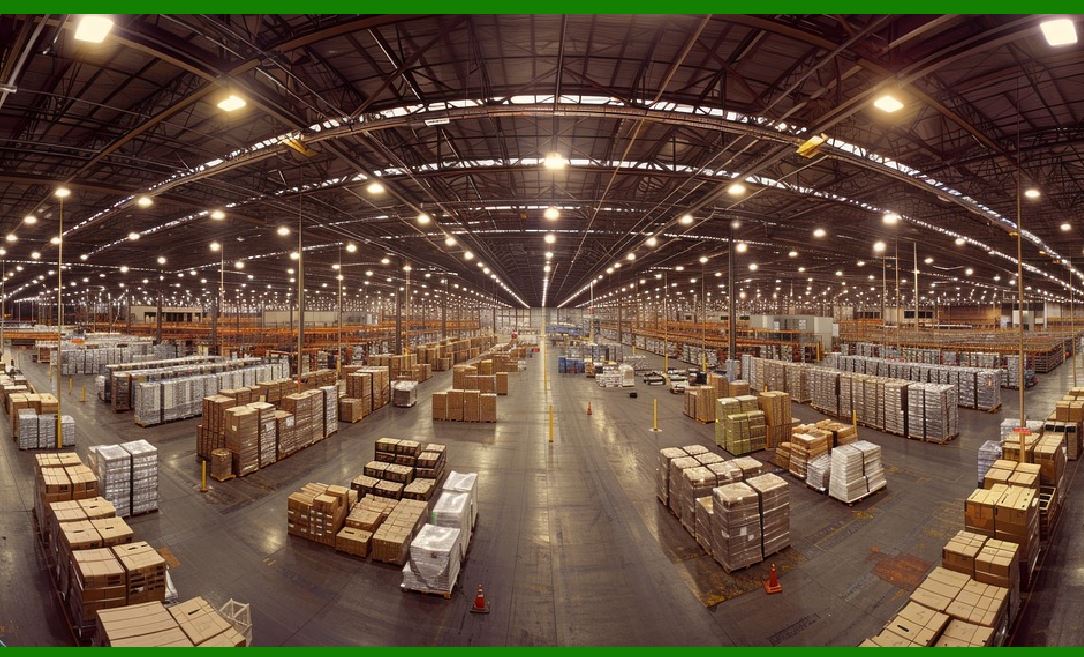
Robotic inventory scanning involves the use of autonomous robots that are equipped with barcode scanners and various sensors to scan and track inventory levels in real time. These robots navigate through aisles or shelves, scanning barcodes or QR codes on products, checking for stock availability, tracking expiration dates, identifying misplaced items, and flagging potential stockouts or shrinkage. The automation of these tasks significantly reduces the reliance on human labor, increases accuracy, and ensures better inventory management. |
Robotic inventory scanning systems are powered by a combination of artificial intelligence (AI), machine learning, and sensor-based technologies, allowing them to autonomously navigate and perform tasks that traditionally required human workers. The main goal of robotic inventory scanning is to streamline the inventory management process, improve stock accuracy, and provide actionable data for decision-making. |
|
2. Key Technologies Behind Robotic Inventory Scanning |
The effectiveness of robotic inventory scanning is driven by several key technologies, which enable these robots to operate autonomously and efficiently. These technologies include: |
2.1. Barcode Scanning Technology |
Barcode scanners are the core component of robotic inventory systems. These robots are equipped with high-performance barcode scanners that can read both 1D barcodes (traditional linear barcodes) and 2D barcodes (QR codes, DataMatrix, etc.). Barcode scanning technology enables the robot to capture product identification data, track inventory levels, and gather other relevant information, such as expiration dates or product serial numbers. |
2.2. Navigation and Obstacle Avoidance Sensors |
To navigate through aisles or shelves, robots are equipped with a variety of sensors. These sensors may include LiDAR (Light Detection and Ranging), ultrasonic sensors, cameras, and infrared sensors, all of which work together to detect obstacles in the robot's path. This sensor suite allows the robot to autonomously avoid collisions, map out its environment, and ensure it scans every item without disruption. Advanced navigation algorithms also help the robot determine the most efficient path to move through aisles, avoiding human workers, shopping carts, or other obstacles. |
2.3. AI and Machine Learning Algorithms |
Artificial intelligence (AI) and machine learning (ML) algorithms play a crucial role in optimizing robotic inventory scanning. AI models enable robots to understand the context of the inventory they are scanning, interpret data from the barcode scans, and even learn from past scanning behaviors to improve the accuracy and efficiency of future scans. ML algorithms help the robot improve its scanning and navigation capabilities based on historical data and ongoing feedback, adapting to changes in the environment, such as changes in shelf layouts or product arrangements. |
2.4. Real-Time Data Processing and Cloud Connectivity |
Robots used for inventory scanning are often connected to cloud-based systems that process and analyze the data they collect in real time. This allows businesses to receive up-to-date inventory information, track stock levels, and quickly identify any discrepancies. The cloud infrastructure also enables seamless integration with inventory management software and enterprise resource planning (ERP) systems, which can automate restocking orders, track supply chain performance, and generate alerts for low-stock or out-of-stock products. |
|
3. The Workflow of Robotic Inventory Scanning |
The workflow of robotic inventory scanning can be divided into several key stages: |
3.1. Pre-Scan Setup |
Before the robot begins its scanning operation, it is typically programmed or configured with the layout of the retail environment. This includes knowing the locations of aisles, shelves, and product types. The robot may also be loaded with product databases that contain details such as item descriptions, barcodes, and expected quantities. This data may be synced with the cloud in advance to ensure the robot has the most up-to-date information. |
3.2. Autonomous Navigation |
Once activated, the robot begins autonomously navigating the environment using its sensors and navigation algorithms. It follows a predetermined path, ensuring that it covers every section of the store or warehouse where inventory is kept. During this phase, the robot continuously updates its location in real time, enabling it to keep track of areas it has already scanned and areas that still need to be covered. |
3.3. Inventory Scanning |
As the robot moves through the aisles, it uses its barcode scanner to scan the barcodes on products. Each scan is registered in the robot's system, and the inventory management system is updated in real-time. The robot can also scan QR codes, check product details like expiration dates, and capture other data such as serial numbers or product conditions. |
3.4. Identifying Issues |
Robotic inventory scanning is not just about counting items; it is also about identifying issues within the inventory. The robot's sensors and AI systems are designed to detect problems such as out-of-stock items, misplaced products, and stock discrepancies. For example, if a product is placed in the wrong location or if a shelf is understocked, the robot can flag these issues, alerting human staff to address them. |
3.5. Data Upload and Integration |
After completing the scan, the robot uploads the collected data to the central inventory system or cloud platform. This data is then processed and analyzed to provide real-time insights into stock levels, product conditions, and any other discrepancies or issues. Inventory management software uses this data to update stock counts, track sales trends, and trigger restocking orders automatically when necessary. |
3.6. Post-Scan Analysis and Reporting |
Finally, the robot's data is analyzed by the back-end system to generate detailed reports. These reports can include data on inventory levels, sales velocity, shelf conditions, and potential issues such as missing or misplaced items. These insights can be used by store managers or warehouse personnel to make informed decisions about stock replenishment, order management, and product placement strategies. |
|
4. Benefits of Robotic Inventory Scanning |
Robotic inventory scanning offers a wide range of benefits for businesses, particularly in the retail and warehouse sectors. These benefits include: |
4.1. Increased Accuracy |
Robots are much less prone to human error when scanning inventory. Manual stocktaking often leads to discrepancies due to mistakes in counting, misidentification of products, or overlooking items. Robots, on the other hand, provide precise scans and ensure that every product is accounted for, leading to more accurate inventory data. |
4.2. Time and Labor Savings |
Manual inventory management can be a labor-intensive process, especially in large stores or warehouses. Robots can work autonomously around the clock, significantly reducing the time needed to perform inventory counts. This leads to labor cost savings and frees up human workers to focus on more complex or customer-facing tasks. |
4.3. Real-Time Inventory Visibility |
With robotic inventory scanning, businesses gain real-time insights into their inventory levels. This enables them to make more informed decisions about stock replenishment, supply chain management, and sales forecasting. In a retail environment, it can also help businesses avoid overstocking or understocking, leading to better product availability for customers. |
4.4. Improved Shelf Management |
Robots are not only good at counting inventory but also at monitoring the condition of the shelves. They can identify missing products, out-of-stock items, or products that are placed incorrectly. This ensures that shelves are well-maintained and that customers can always find the products they need. |
4.5. Detection of Shrinkage and Loss Prevention |
Shrinkage-whether caused by theft, damage, or administrative errors-is a significant problem in retail environments. Robotic inventory scanning can help detect missing items or inconsistencies in stock levels, providing early warnings of potential shrinkage. The robots' ability to track each item with precision helps reduce the risk of inventory loss. |
4.6. Enhanced Customer Experience |
Robotic inventory scanning can indirectly enhance the customer experience by ensuring that shelves are stocked with the right products and that stock levels are accurate. Customers are more likely to find the products they need, and the store is less likely to run out of stock, improving customer satisfaction. |
|
5. Applications of Robotic Inventory Scanning |
Robotic inventory scanning has broad applications across various industries. Some of the key areas where this technology is being utilized include: |
5.1. Retail Stores |
In retail stores, robots are used to perform regular inventory counts, monitor product availability, and ensure shelves are stocked. The robots' ability to scan barcodes and identify stock issues ensures that the store's inventory levels are accurate, reducing the chances of stockouts or overstocking. Major retailers, such as Walmart and Lowe's, have already deployed robots for inventory scanning to streamline their operations. |
5.2. Warehouses and Distribution Centers |
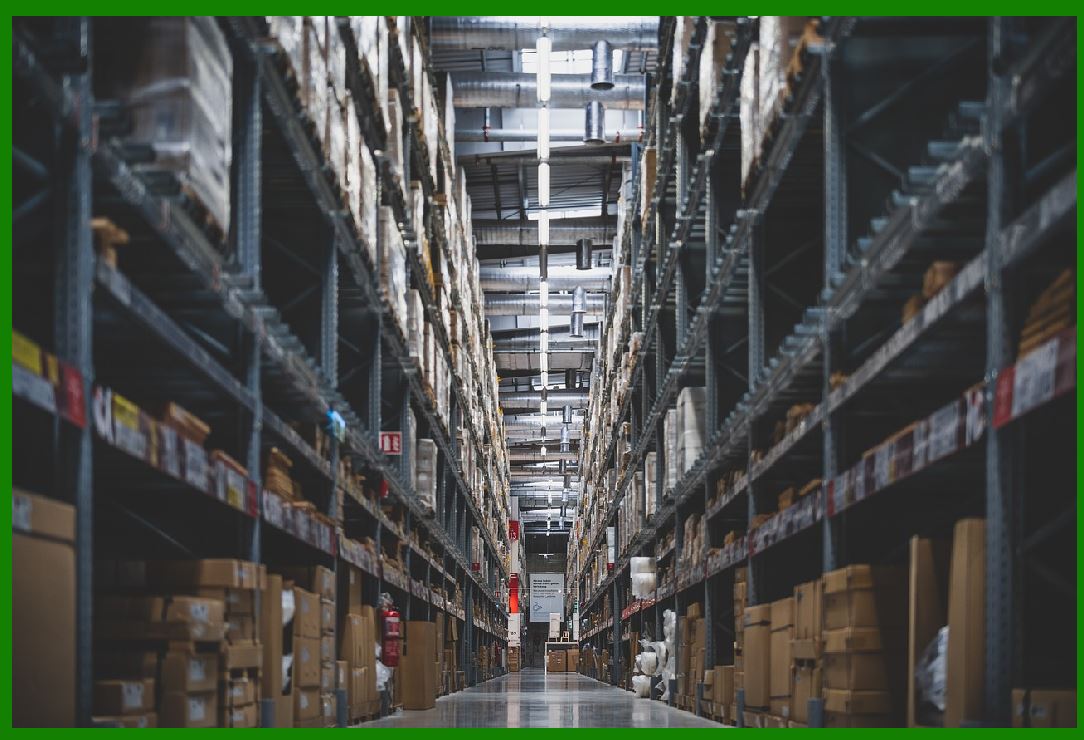
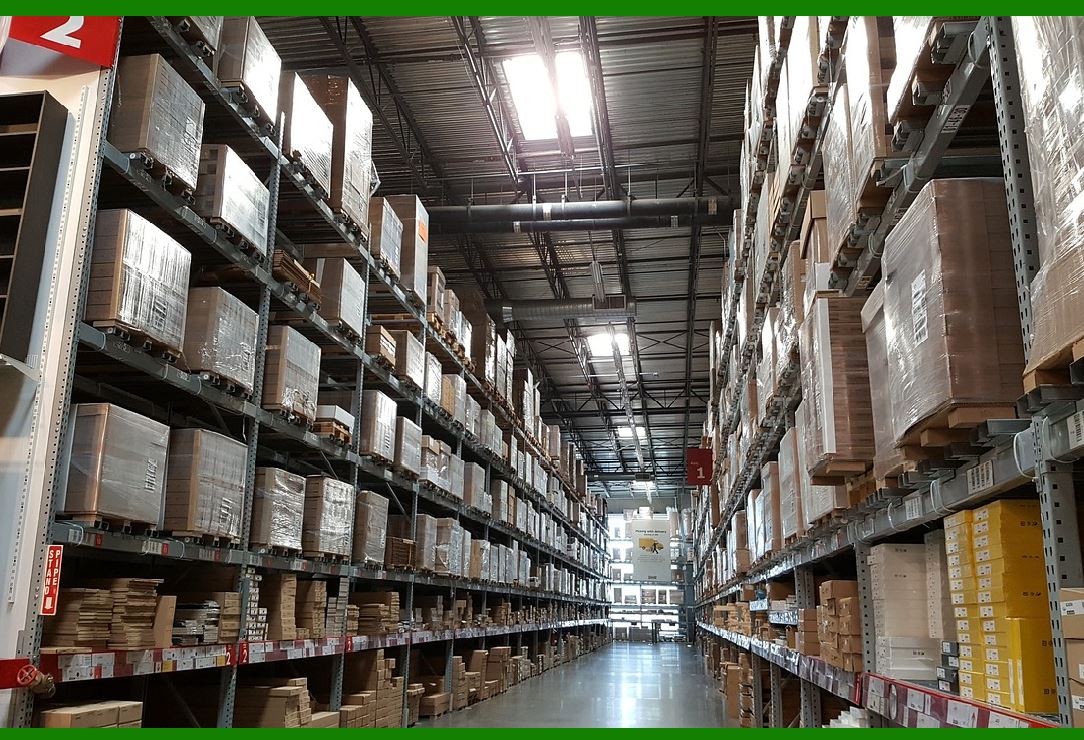
In warehouses, robotic inventory scanning helps track stock levels, manage storage locations, and ensure products are correctly labeled. Robots in warehouses can also be used to detect errors in product labeling, organize products, and track shipments, leading to more efficient and organized operations. |
5.3. Supermarkets and Grocery Stores |
In supermarkets and grocery stores, robotic inventory scanning helps manage fresh food and perishable products, ensuring items are scanned for expiration dates and stock is rotated appropriately. The robots help ensure that products are always in the right location and that inventory counts are accurate, particularly for high-turnover items. |
5.4. E-Commerce Fulfillment Centers |
Robotic inventory scanning is also widely used in e-commerce fulfillment centers, where the accuracy of inventory management is crucial for timely order fulfillment. Robots can help track stock levels in real time, ensuring that orders are processed quickly and accurately. |
|
6. Challenges and Considerations |
While robotic inventory scanning offers many advantages, there are also challenges and considerations that businesses need to address before implementation: |
6.1. Initial Investment and Cost |
The initial cost of deploying robotic inventory systems can be high, especially for smaller businesses. The cost of purchasing the robots, integrating them with existing systems, and training employees can be substantial. However, the long-term savings in labor costs and inventory management efficiency often outweigh the initial investment. |
6.2. Integration with Existing Systems |
Robotic inventory scanning systems need to be integrated with a business's existing inventory management, ERP, and point-of-sale (POS) systems. This can require significant technical expertise and might involve software updates or the development of new interfaces. |
6.3. Maintenance and Upkeep |
Like any robotic system, inventory robots require regular maintenance and software updates. Ensuring the robots are operating efficiently and addressing issues like sensor malfunctions or software bugs can require dedicated resources. |
6.4. Resistance to Change |
Some employees may resist the implementation of robotic systems, fearing job displacement or the complexity of new technologies. Proper training and communication are essential to ensure smooth adoption and to alleviate any concerns. |
|
7. The Future of Robotic Inventory Scanning |
As robotics and AI technologies continue to advance, the capabilities of robotic inventory scanning systems are expected to improve significantly. The future of robotic inventory scanning will likely include: |
More Advanced AI: AI systems will become even more sophisticated, allowing robots to handle more complex tasks, such as categorizing products, predicting demand, or autonomously reordering stock. |
Integration with Other Technologies: Robots may be integrated with other emerging technologies, such as augmented reality (AR) and the Internet of Things (IoT), to provide even more comprehensive inventory management solutions. |
Smaller and More Agile Robots: Future robots will likely be smaller, more agile, and capable of performing tasks in smaller or more cluttered spaces. |
Human-Robot Collaboration: Rather than replacing human workers entirely, robots may work alongside humans in a collaborative manner, enhancing the capabilities of employees rather than replacing them. |
|
8. Conclusion |
Robotic inventory scanning is a groundbreaking technology that is revolutionizing inventory management across various industries. By providing accurate, real-time data on stock levels, reducing human error, and improving operational efficiency, robotic systems are transforming how businesses manage their inventory. While challenges such as initial costs and system integration remain, the long-term benefits of robotic inventory scanning-such as labor savings, increased accuracy, and enhanced customer experience-make it a valuable investment for businesses seeking to streamline their operations and stay competitive in the rapidly evolving retail and logistics landscape. |
|
Case Studies of Robotic Inventory Scanning |
Several companies around the world have already implemented robotic inventory scanning solutions to streamline operations, improve inventory accuracy, and enhance customer satisfaction. Below are some notable case studies that demonstrate the impact and potential of this technology in real-world retail, warehouse, and logistics environments. |
1. Walmart's Use of Robots for Inventory Scanning |
Company Overview: |
Walmart, one of the largest retailers in the world, has long been a pioneer in adopting technology to enhance efficiency in its operations. As part of its digital transformation strategy, Walmart started experimenting with robots for inventory management in select stores. |
Problem: |
Walmart's large store network, with its vast inventory of products, presented significant challenges in terms of inventory accuracy, stockouts, and operational efficiency. Manual inventory checks were time-consuming and prone to errors. Inaccurate stock counts and misplacement of products on shelves could result in customer dissatisfaction and lost sales opportunities. |
Solution: |
Walmart partnered with Bossa Nova Robotics, a robotics company, to introduce autonomous robots capable of scanning the shelves and checking stock levels. These robots are equipped with high-definition cameras, barcode scanners, and sensors to detect missing products, identify misplaced items, and ensure that shelves are stocked correctly. |
The robots autonomously patrol the aisles, scanning the barcodes of products on shelves and comparing this information with the store's inventory management system. The robots identify discrepancies such as missing or out-of-stock items, items that are misplaced, or items nearing expiration, and provide real-time data to employees. |
Results: |
Improved Inventory Accuracy: The robots helped Walmart achieve higher inventory accuracy, reducing discrepancies between recorded and actual stock levels. |
Enhanced Efficiency: The robots were able to perform inventory scans faster and more frequently than human employees, significantly reducing the time required for manual stock counts. |
Cost Savings: By automating the inventory scanning process, Walmart reduced labor costs and allowed employees to focus on customer service and other value-added tasks. |
Better Stock Visibility: Real-time inventory data enabled Walmart to quickly restock items that were running low, ensuring products were available for customers. |
Walmart has since expanded the deployment of inventory-scanning robots across many of its stores in the U.S. and internationally. The success of these robots has led to a broader adoption of automation technologies within the company. |
|
2. Lowe's Deployment of Robotic Inventory Scanners |
Company Overview: |
Lowe's, a leading home improvement retailer in the United States, has embraced technology to enhance both customer service and operational efficiency. The company began experimenting with robotics in its stores as part of its efforts to improve inventory management and streamline the in-store shopping experience. |
Problem: |
Lowe's faced challenges with inventory visibility, particularly with the large variety of home improvement products that could be spread across multiple aisles and categories. Inaccurate stock counts, misplaced items, and issues with product availability affected customer satisfaction and caused inefficiencies in stocking. |
Solution: |
Lowe's introduced LoweBot, a robot designed to autonomously scan store shelves, check stock levels, and assist with inventory management. The LoweBot is equipped with a variety of sensors, cameras, and barcode scanners to navigate the aisles and detect any stock-related issues. Additionally, LoweBot can identify product location errors and flag missing items in real-time. |
The robot's primary function is to help employees maintain accurate inventory records by automatically scanning shelves, checking for low stock, identifying misplaced products, and verifying product availability. LoweBot is also capable of alerting human staff to issues such as out-of-stock items or inventory that needs to be replenished. |
Results: |
Improved Stock Accuracy: Lowe's was able to significantly reduce errors in stock counts, resulting in better availability of products for customers. |
Enhanced Customer Experience: Employees were freed up to assist customers with more complex tasks while the robot handled repetitive scanning. This resulted in a more efficient use of labor resources. |
Operational Efficiency: The robots helped Lowe's reduce the time spent on manual inventory checks, improving overall operational efficiency and allowing store associates to focus on customer service. |
Faster Replenishment: Real-time inventory insights helped Lowe's quickly address stockouts, ensuring that products were restocked promptly to meet customer demand. |
Lowe's has expanded the use of robots to more than 100 stores across North America and continues to explore ways to improve store operations through robotics and automation. |
|
3. Sephora's Robotic Inventory Management System |
Company Overview: |
Sephora, a global beauty retailer, is known for offering a wide range of cosmetics and personal care products. The company has invested heavily in technological innovations to improve both the customer experience and its internal operations. |
Problem: |
With thousands of beauty products across numerous brands and categories, Sephora faced challenges in maintaining accurate inventory and ensuring that products were correctly placed on shelves. Traditional methods of stock management were often inefficient, and stockouts or misplaced items were frequent. |
Solution: |
Sephora implemented FPI Robots, a set of autonomous robots developed by FPI Robotics to manage inventory in its stores. The robots are designed to scan shelves, detect missing products, identify misplaced items, and check product availability. Equipped with cameras and AI-driven software, the robots autonomously patrol the store's aisles to ensure that inventory levels are accurate and that products are correctly stocked. |
Sephora's robots work in conjunction with its inventory management system, sending real-time updates about stock levels and helping staff stay on top of product availability. The robots can also detect items approaching expiration or those that are misplaced, making it easier for employees to correct errors. |
Results: |
Increased Inventory Accuracy: The robots helped Sephora achieve more precise inventory counts, reducing stock discrepancies and minimizing the likelihood of out-of-stock situations. |
Enhanced Operational Efficiency: By automating the inventory scanning process, Sephora was able to free up store employees to engage more directly with customers and focus on other tasks that required a human touch. |
Improved Product Availability: The robots provided real-time alerts about product stock levels, helping Sephora restock items that were running low and preventing stockouts. |
Better Store Organization: The robots helped identify misplaced products and ensured that products were placed in the correct locations, improving the store's overall organization and customer experience. |
Sephora's use of robotics has allowed the company to keep its stores more organized and improve product availability, contributing to a better shopping experience for customers. |
|
4. Giant Eagle's Robotic Inventory Management in Grocery Stores |
Company Overview: |
Giant Eagle is a large regional grocery store chain in the United States, operating hundreds of locations across Ohio, Pennsylvania, and West Virginia. The company has always sought innovative ways to improve customer service and operational efficiency in the highly competitive grocery industry. |
Problem: |
The grocery business is notorious for its high turnover of products, particularly fresh produce, dairy, and meat. Manual inventory counts, stockouts, and product misplacements created challenges for the company in maintaining accurate stock levels. Furthermore, manual stock counting was time-consuming and often prone to human error. |
Solution: |
Giant Eagle introduced Simbe Robotics' Tally robot, an autonomous inventory scanning solution designed to help grocery stores manage their inventory more effectively. The Tally robot uses AI, cameras, and barcode scanning technology to identify missing or misplaced products, track expiration dates, and ensure that shelves are fully stocked. |
The Tally robot autonomously navigates the store aisles, scanning shelves for product availability, identifying items that need replenishing, and detecting issues like incorrect pricing or misplacement of products. The robot provides real-time data to employees, allowing them to address inventory issues more efficiently. |
Results: |
Increased Efficiency: The Tally robot helped Giant Eagle reduce the time spent on manual inventory checks, enabling employees to focus on more value-added activities. |
Improved Shelf Management: With real-time updates about stock levels and product placement, the robot ensured that shelves remained well-stocked and organized, improving the shopping experience for customers. |
Better Inventory Accuracy: The robot's ability to detect discrepancies between recorded and actual stock helped Giant Eagle reduce errors in inventory management and minimize stockouts. |
Enhanced Customer Satisfaction: By ensuring that shelves were consistently stocked with the right products, Giant Eagle was able to better meet customer demand and improve customer satisfaction. |
Giant Eagle has since rolled out the Tally robot to several of its stores and plans to expand its use of robotics as the technology matures. |
|
5. Alibaba's Smart Warehouse with Robotic Inventory Scanning |
Company Overview: |
Alibaba is a global leader in e-commerce and cloud computing, with an extensive logistics network supporting its vast online marketplace. The company has invested heavily in automation and artificial intelligence to enhance the efficiency of its fulfillment centers. |
Problem: |
As Alibaba's business grew, the company faced challenges with managing inventory across its vast network of warehouses. With a massive number of products and a constantly changing inventory, maintaining accuracy and ensuring timely order fulfillment became increasingly difficult. |
Solution: |
In collaboration with robotics companies, Alibaba developed a fully automated warehouse system that uses robots for inventory scanning, picking, and sorting. The robots are equipped with barcode scanners, AI-driven software, and sensors to navigate the warehouse autonomously and manage inventory in real time. |
The robots scan shelves and bins to ensure that inventory records are accurate, detect misplaced items, and update stock levels in real time. This technology is integrated with Alibaba's inventory management system, enabling efficient order fulfillment and automated restocking. |
Results: |
Significant Efficiency Gains: By automating inventory scanning and other tasks, Alibaba significantly reduced the time required for stock management and order fulfillment. |
Improved Inventory Accuracy: The robots helped ensure accurate inventory records, reducing discrepancies and ensuring that customers received the correct products. |
Reduced Labor Costs: The automation of stock scanning, sorting, and picking led to a reduction in labor costs, while also freeing up employees to focus on other tasks. |
Faster Order Fulfillment: The integration of robotic systems allowed Alibaba to fulfill orders more quickly and accurately, improving customer satisfaction and increasing throughput. |
Alibaba continues to expand its use of robotics in its warehouses and fulfillment centers, leveraging cutting-edge technology to drive efficiency and streamline operations. |
|
Conclusion |
These case studies illustrate how robotic inventory scanning technology has been successfully implemented across various industries, from retail giants like Walmart and Lowe's to grocery chains like Giant Eagle and global e-commerce leaders like Alibaba. The benefits of robotic inventory scanning-ranging from increased accuracy and operational efficiency to improved customer satisfaction-demonstrate the significant impact of automation in inventory management. As the technology continues to evolve, it is likely that even more companies will adopt these solutions to stay competitive in a rapidly changing market. |
 cs@easiersoft.com