How to Start

Input Data

Import Excel Data

Save Template

Output Word Excel

Barcode Format

Print Barcode

All Screen Shot

Label Designer

Export Barcode Image

Barcode Software Help Documentation

<<< Back to Directory <<<    Download - Free Barcode Generator Software

Manually copy data from Excel files

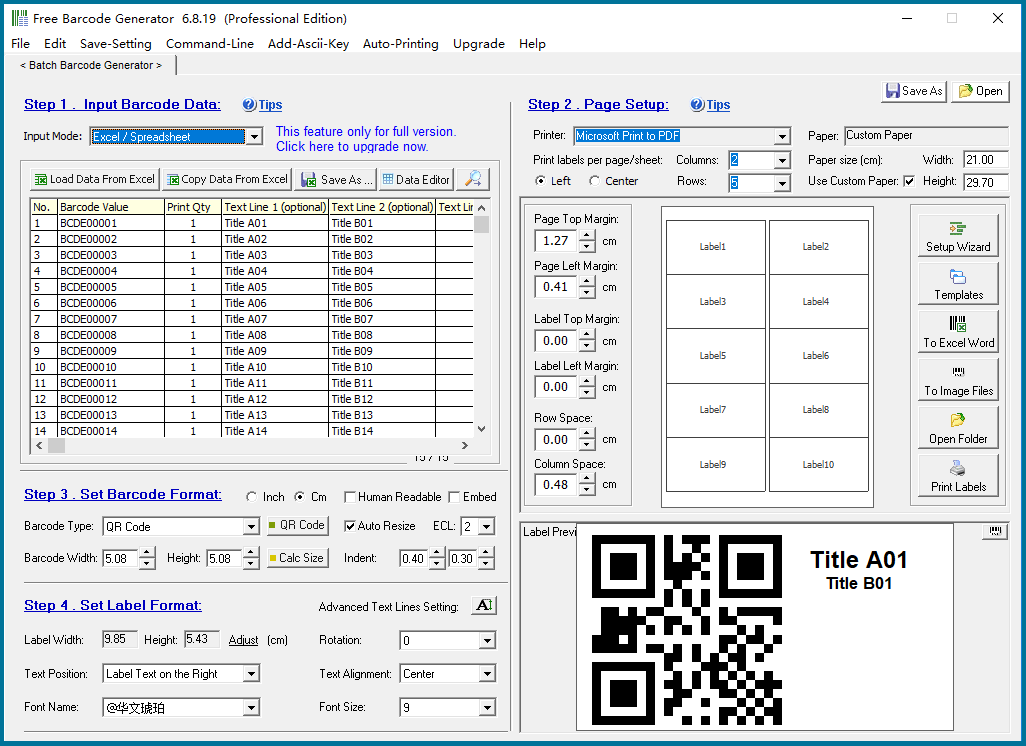
You can also manually copy data from Excel and paste it to EasierSoft barcode generator.

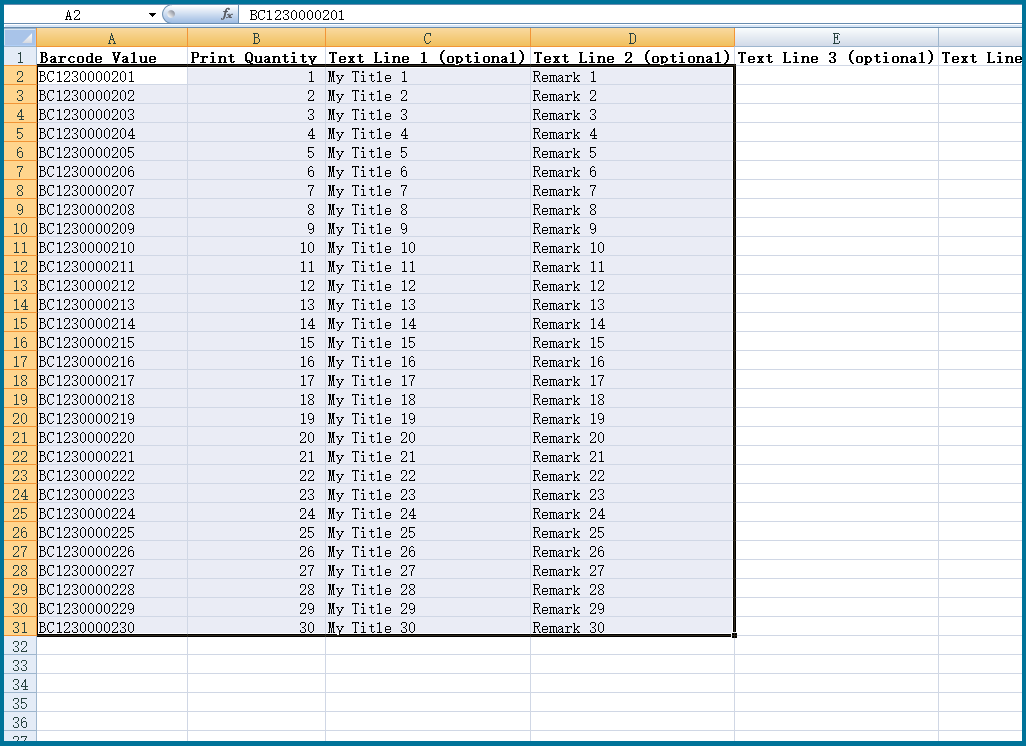
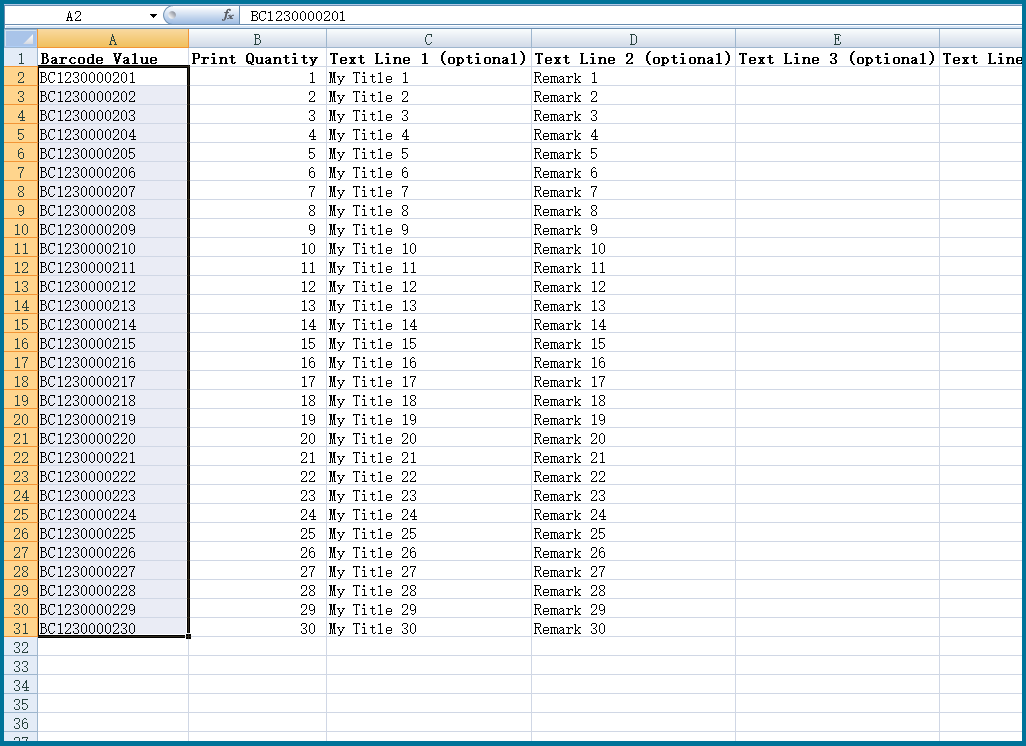
If your data is in the standard template generated by this software, you can copy all the data at once.

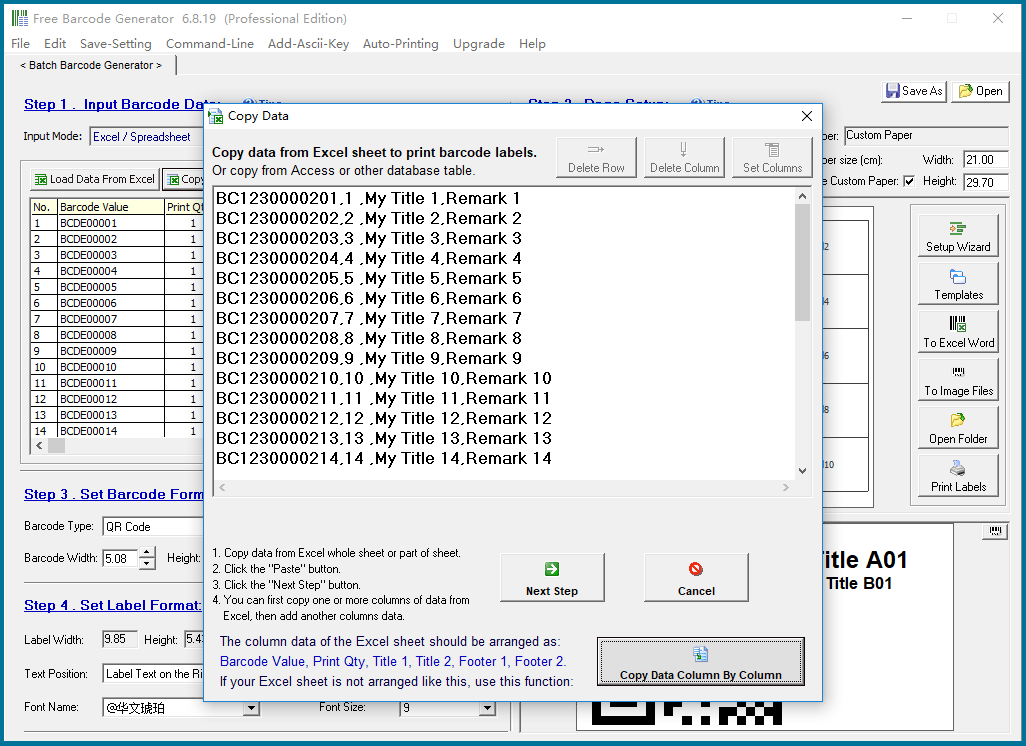
Copy the data from the image above and paste it here:

After the data is copied to the table here, you can make some edits and modifications, such as deleting blank lines and illegal characters.

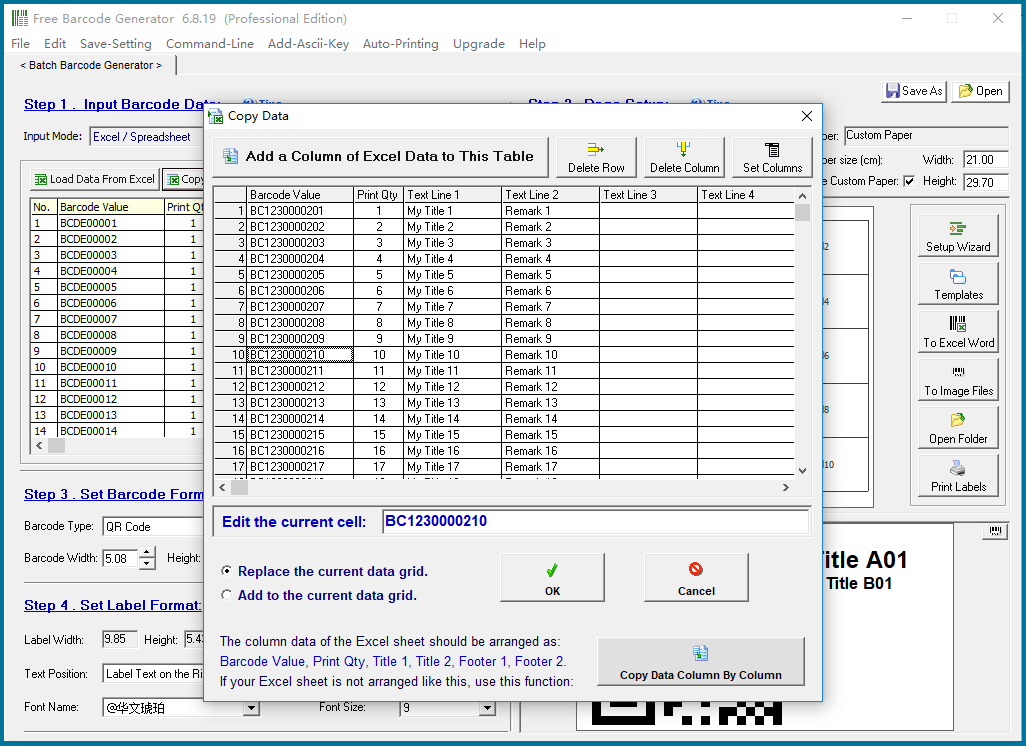
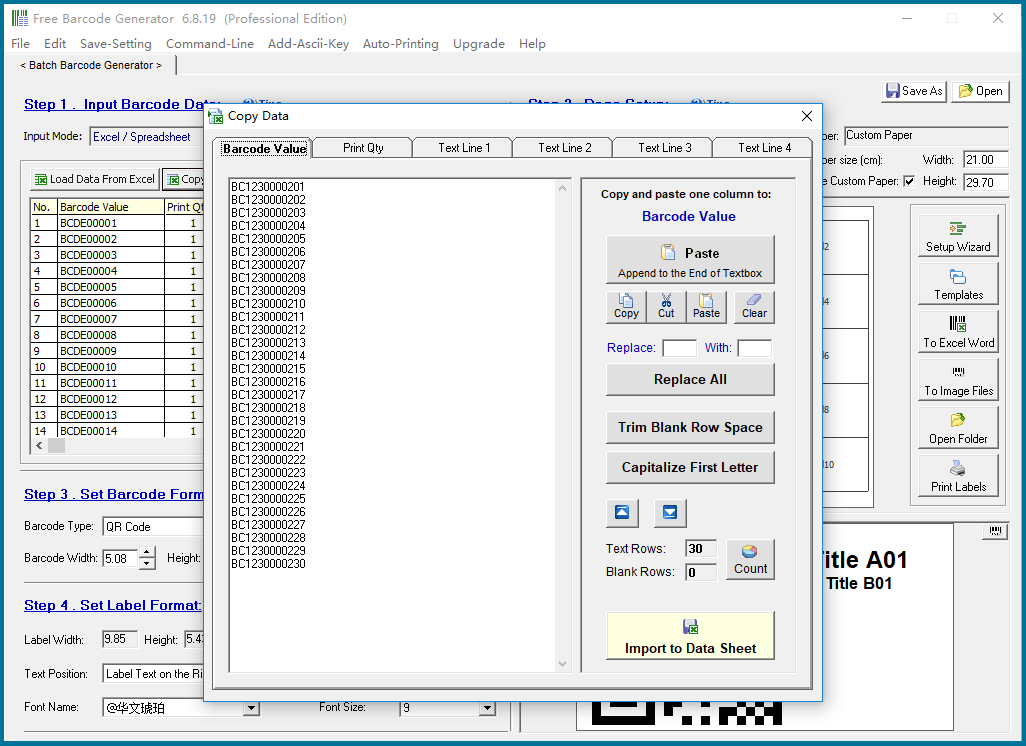
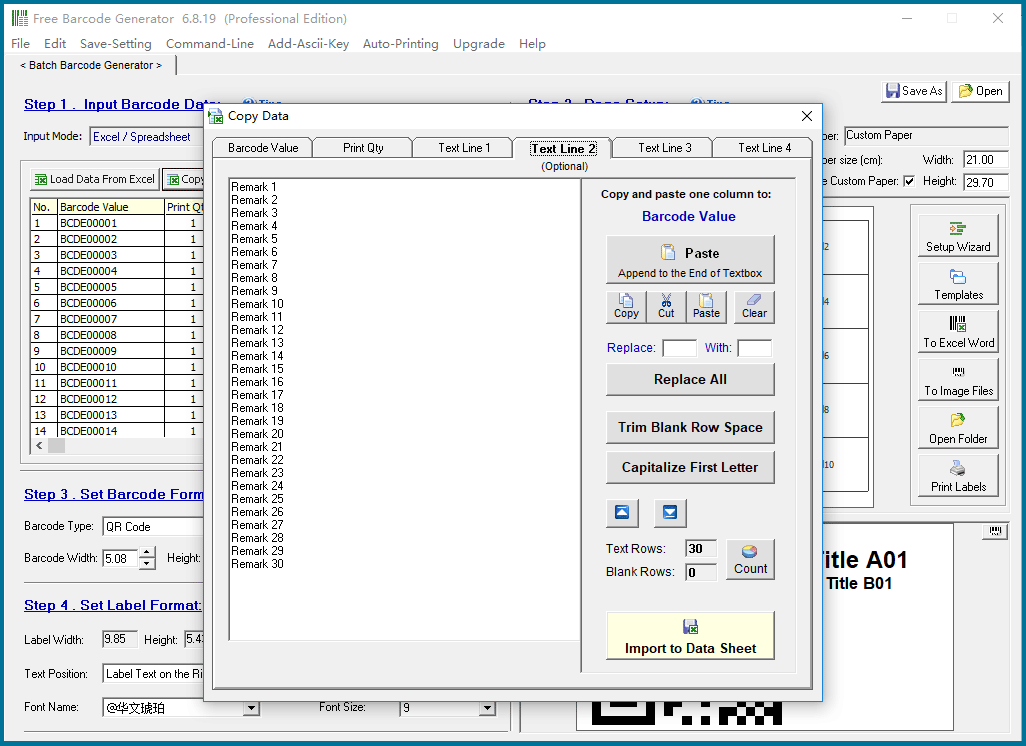
If your data is not in the standard template generated by this software, but in a file you created yourself, and its format is different from this standard template, you can copy the data column by column.

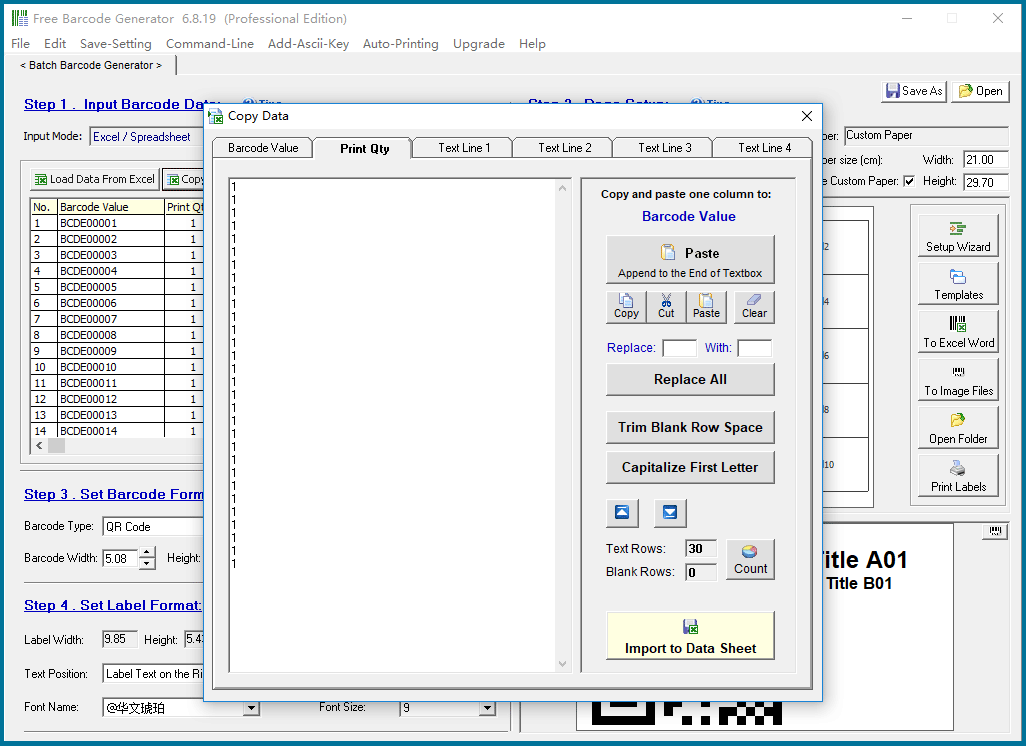
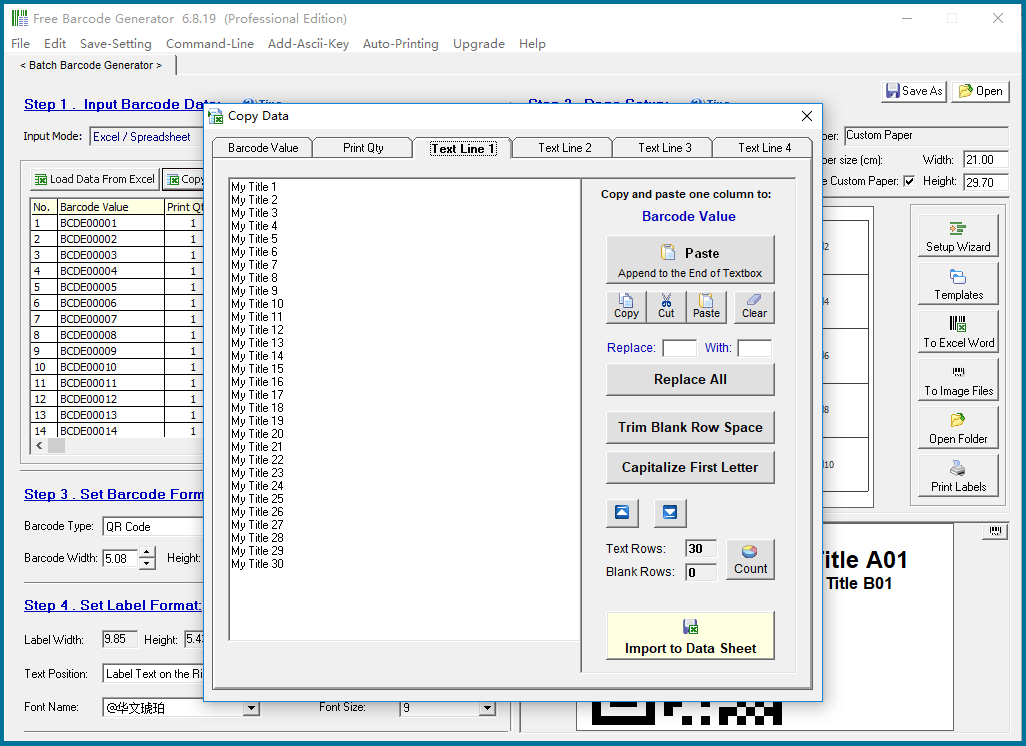
Copy the data here column by column.

"Print Qty" is used to set the print quantity of each barcode value. The print quantity of each barcode value can be different.

Texts in the title and footer:

Texts in the title and footer:


CONTACT

cs@easiersoft.com

If you have any question, please feel free to email us -- Barcode Software Support Team


https://free-barcode.com


<<< Back to Directory <<<     Barcode Generator     Barcode Freeware     Privacy Policy