Standard Edition - Main Window Feature Details |
EasierSoft Bulk Barcode Generator and Label Printing Software |
Automatically Adjusting Barcode Width |
The software includes an Automatic Barcode Width Adjustment feature, designed to optimize the printed barcode¡¯s readability. When enabled, the program analyzes the barcode¡¯s content and dynamically selects the most appropriate width¡ªas long as it does not exceed the maximum width you have specified. This ensures that the barcode prints with the best possible clarity, allowing barcode scanners to read it quickly and reliably. |
However, please note that enabling this function may cause the printed barcode label to look slightly different from what you originally expected. You should choose the option that best matches your actual printing requirements. |
1. Enable Automatic Barcode Width Adjustment ¨C The software will intelligently adjust the barcode width for optimal legibility and scanning performance. |
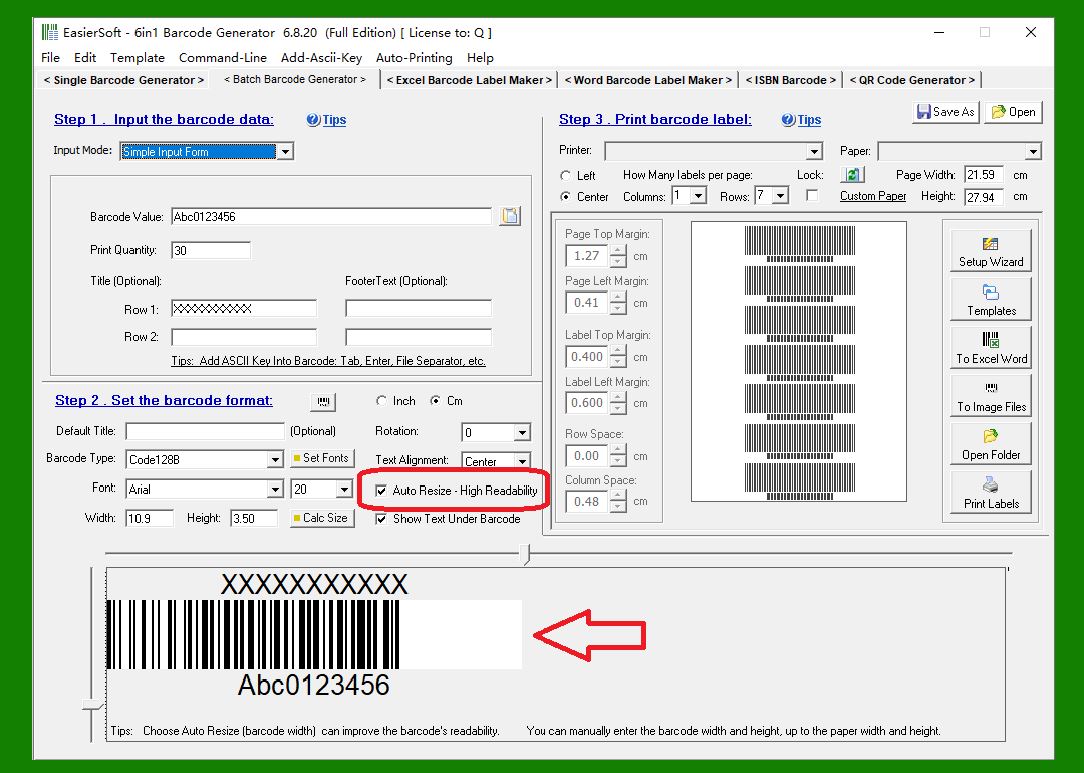
|
2. Disable Automatic Barcode Width Adjustment ¨C The barcode width will remain fixed, exactly as defined by your custom settings. |
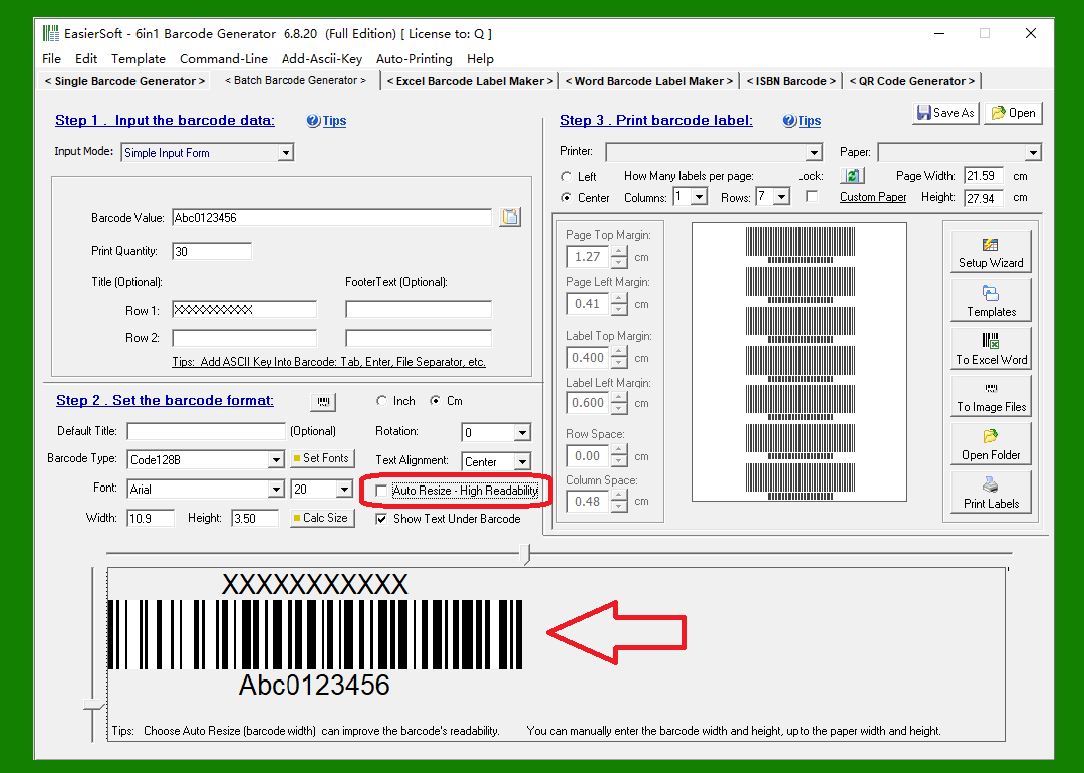
|
 cs@easiersoft.com