Standard Edition - Main Window Overview |
EasierSoft Bulk Barcode Generator and Label Printing Software |
Automatically Calculate the Most Suitable Barcode Size |
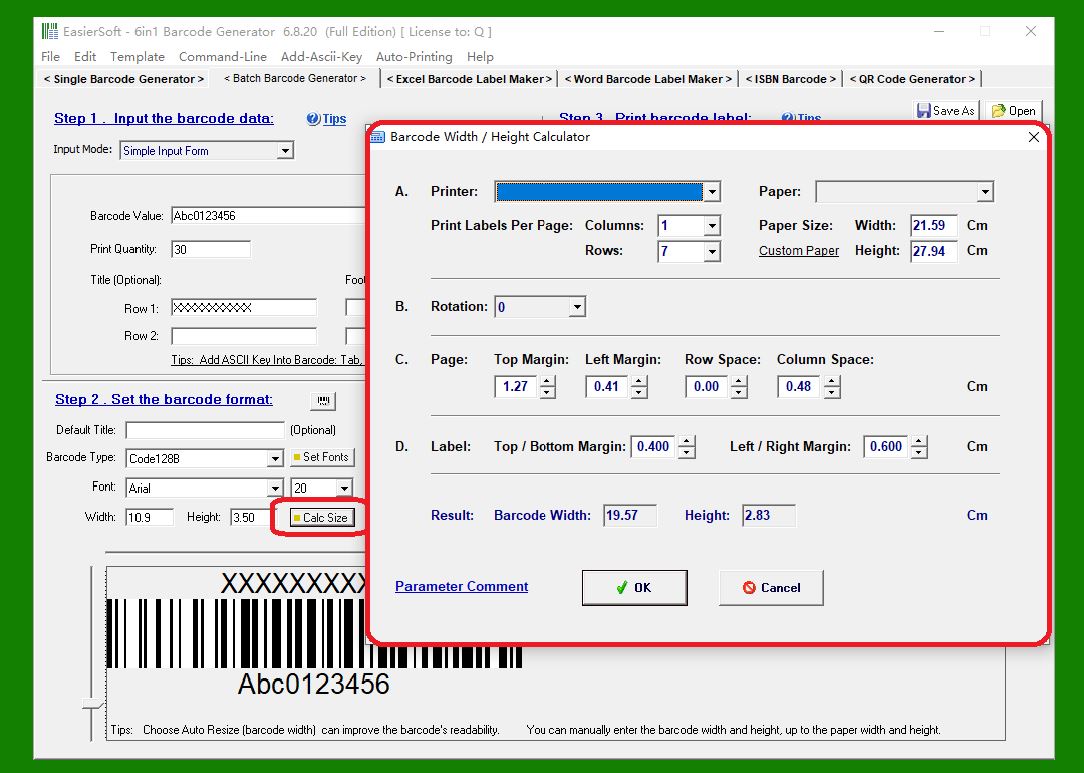
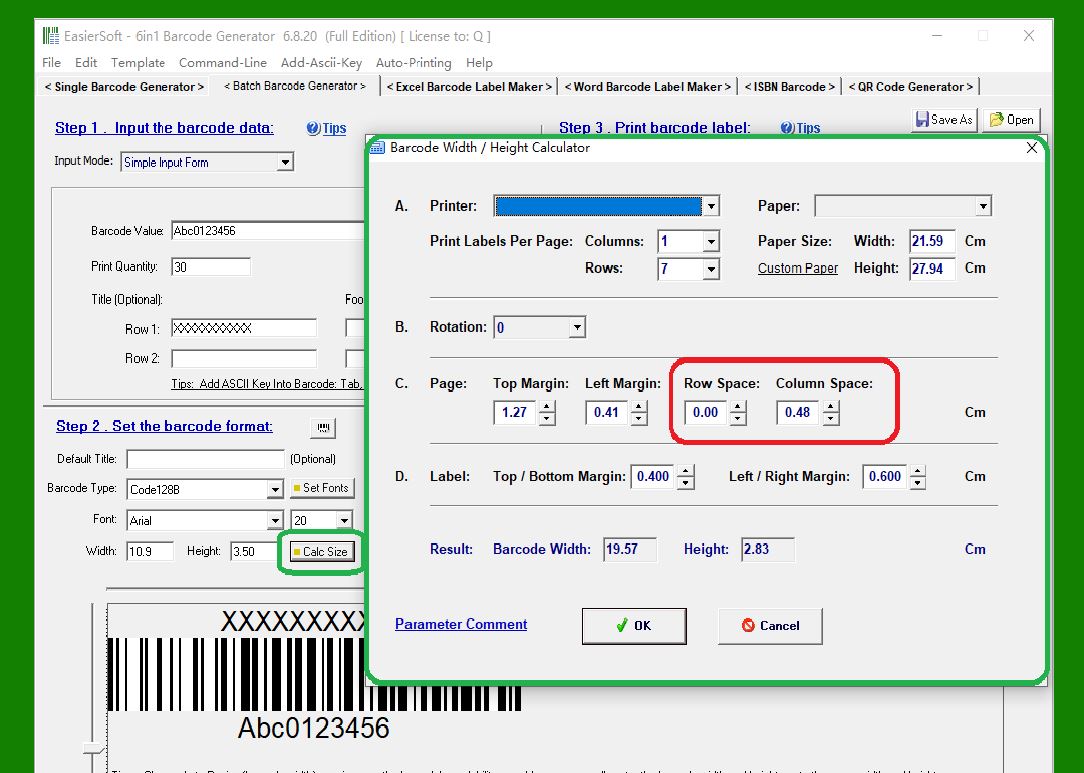
1. Instead of manually figuring out the optimal barcode size for your specific label sheets, the software provides an automatic size-calculation feature. This tool determines the best barcode dimensions based on several layout parameters, ensuring that the barcodes fit neatly and print accurately on your labels. The optimal barcode size is calculated from the following factors: |
The overall paper size The number of labels per sheet (arranged in rows and columns) The top, bottom, left, and right page margins The vertical spacing between rows and the horizontal spacing between columns |
|
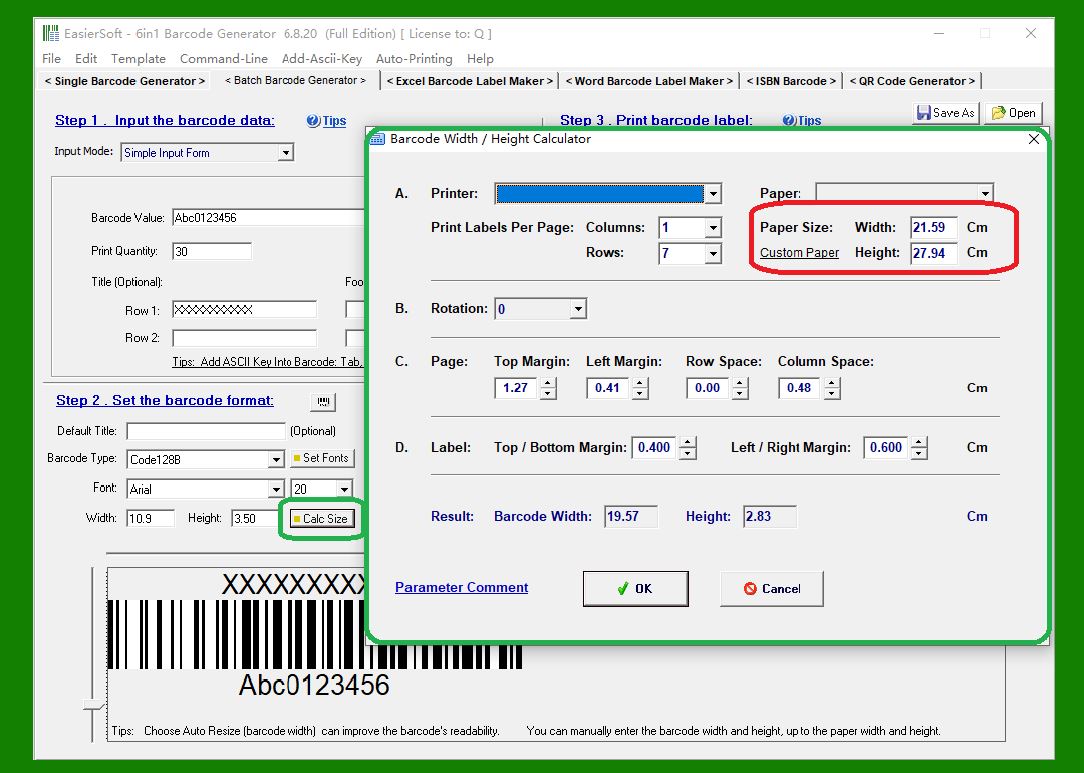
2. Paper Size |
The software uses the physical dimensions of your label sheet such as Letter, A4, or any custom size to determine the available printable area. |
|
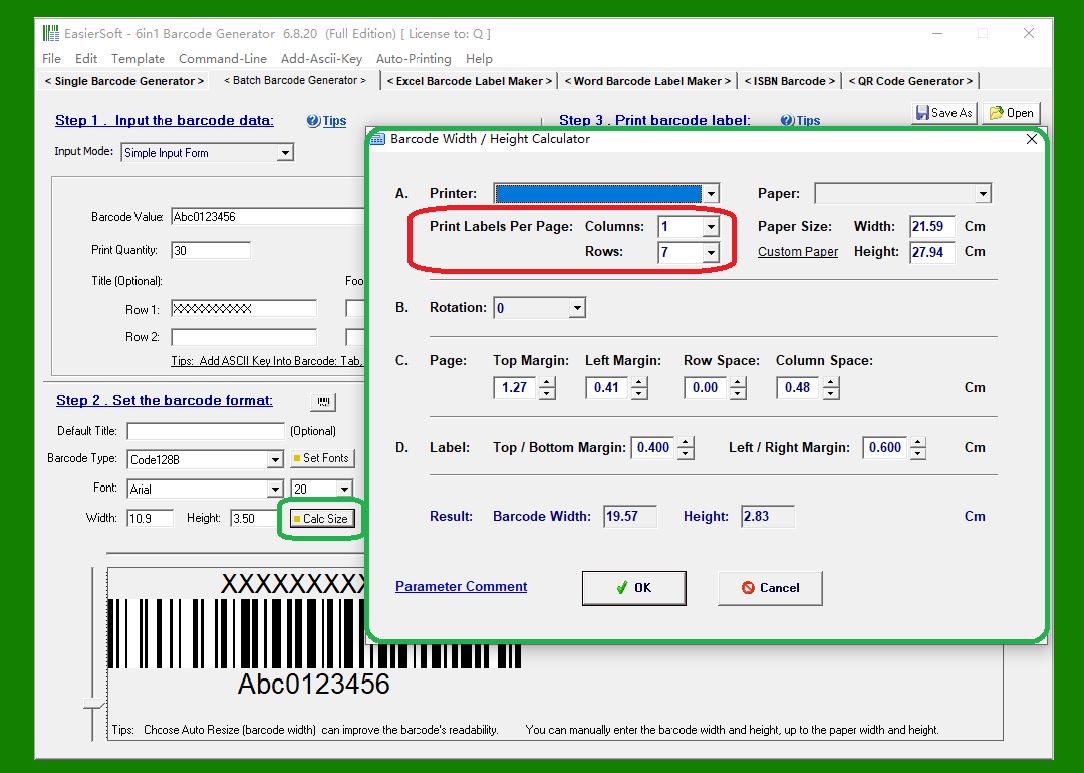
3. Number of Labels per Page (Rows & Columns) |
You can specify how many labels appear on each sheet. This helps the system divide the page evenly and calculate the maximum space each barcode can occupy. |
|
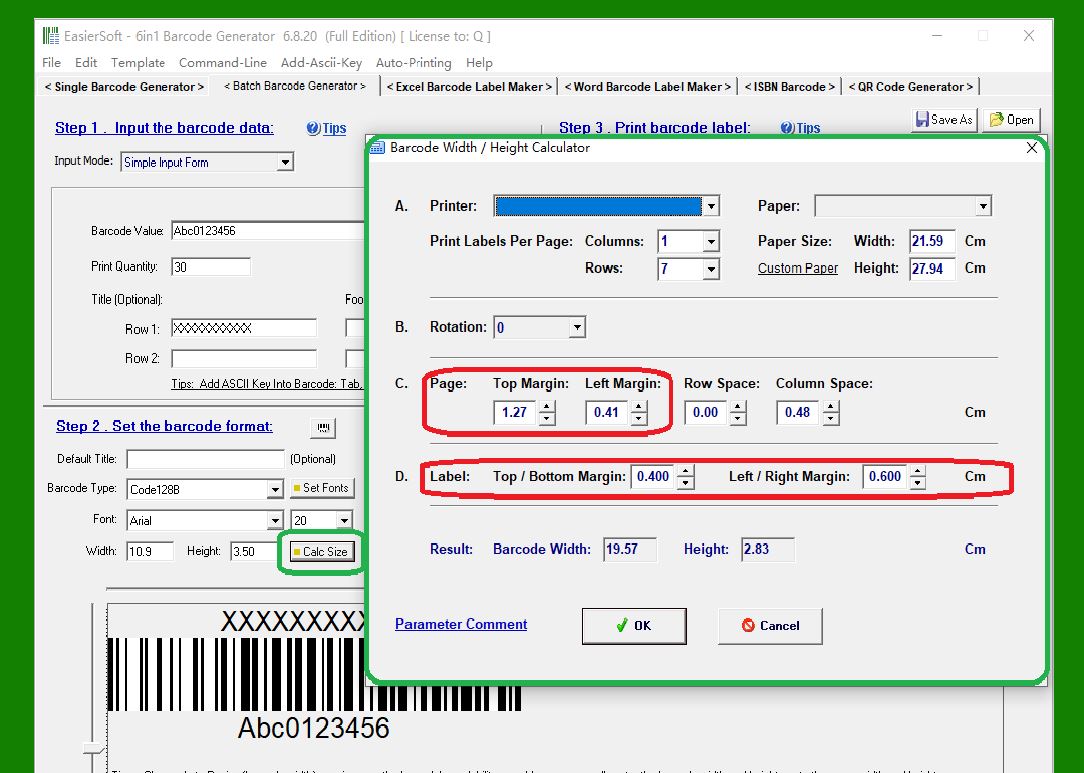
4. Page Margins (Top, Bottom, Left, Right) |
Margins define the non-printable areas surrounding the label grid. These values ensure the printed barcodes stay within the safe printing region of your printer. |
|
5. Row Spacing and Column Spacing |
These settings determine the distance between adjacent labels. The software uses these measurements to calculate the final usable width and height for each barcode. |
|
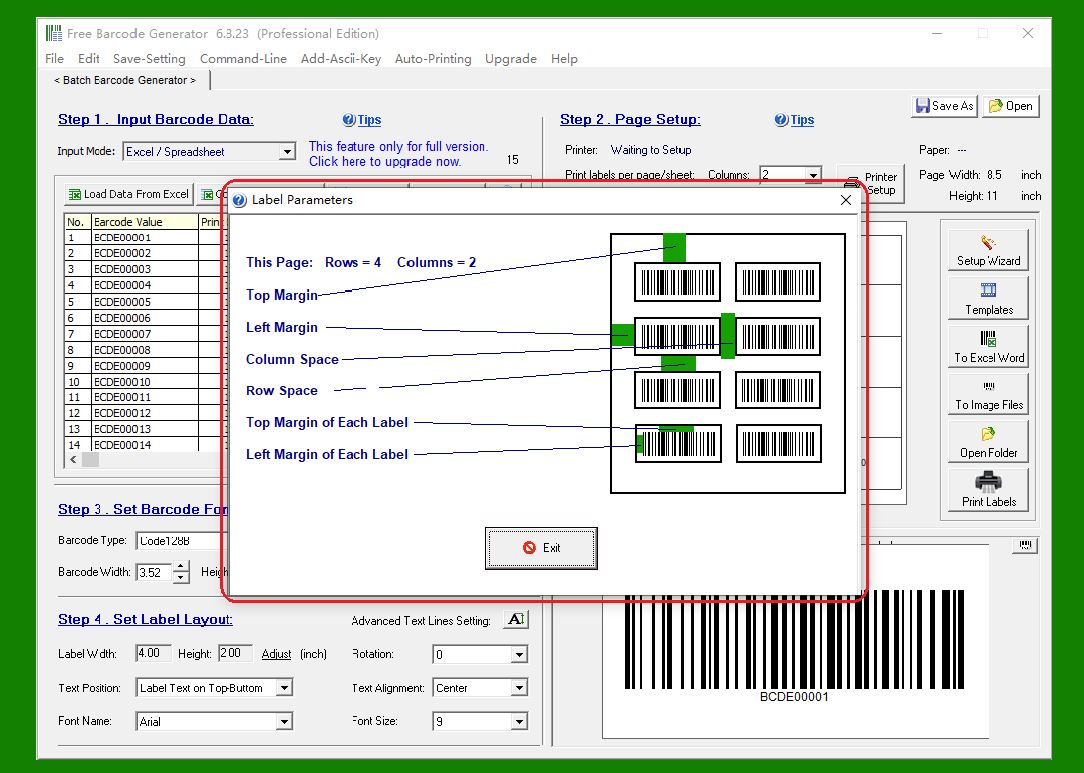
6. Diagram of Left/Right Margins and Row/Column Spacing |
The interface includes a visual guide that illustrates how margins and label spacing affect the layout. This helps you confirm the label structure before printing. |
|
 cs@easiersoft.com