Standard Version, Main Window Details |
EasierSoft Bulk Barcode Generator and Label Printing Software |
Barcode Label Font Settings |
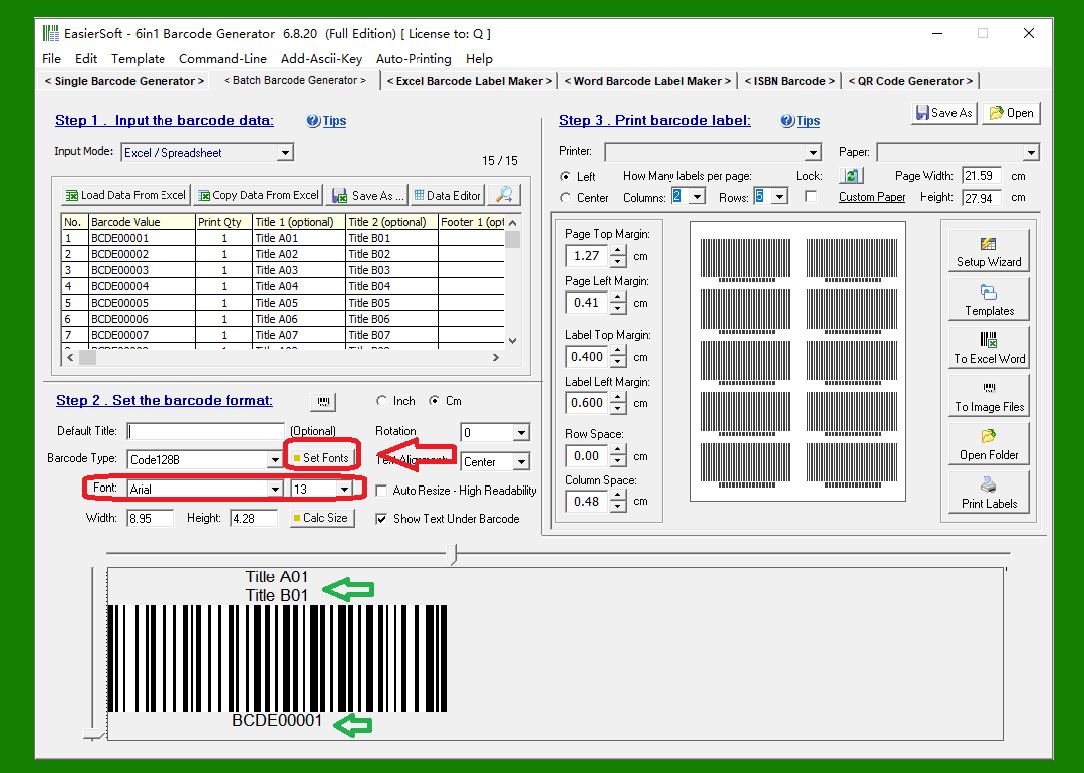
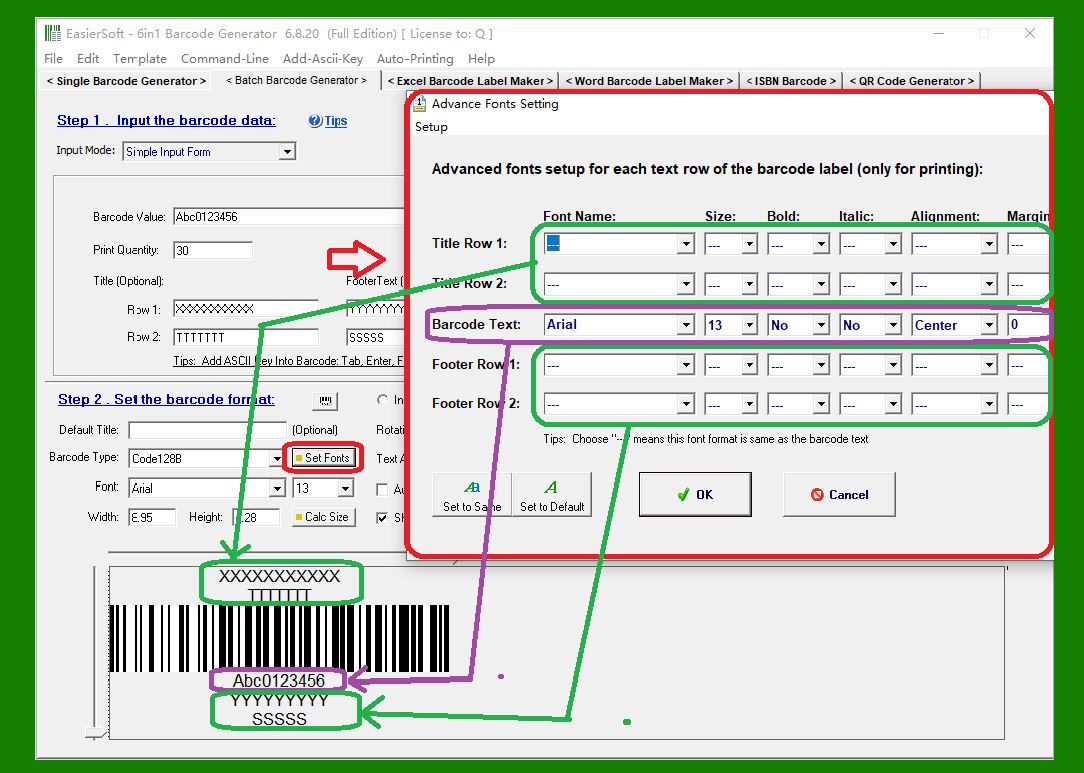
1. Barcode labels can have two lines of title text and two lines of footer text. Numerical text can also be displayed below the barcode for human readability. Setting the font type and size in the main program window will affect all text on the label. |
|
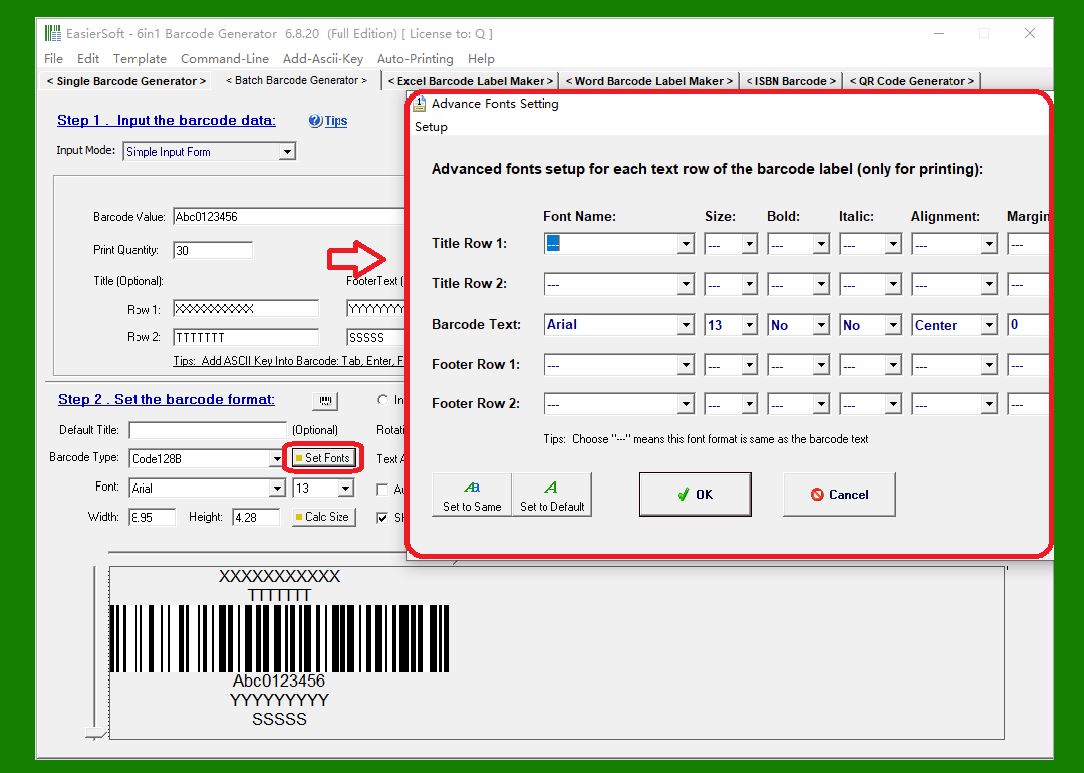
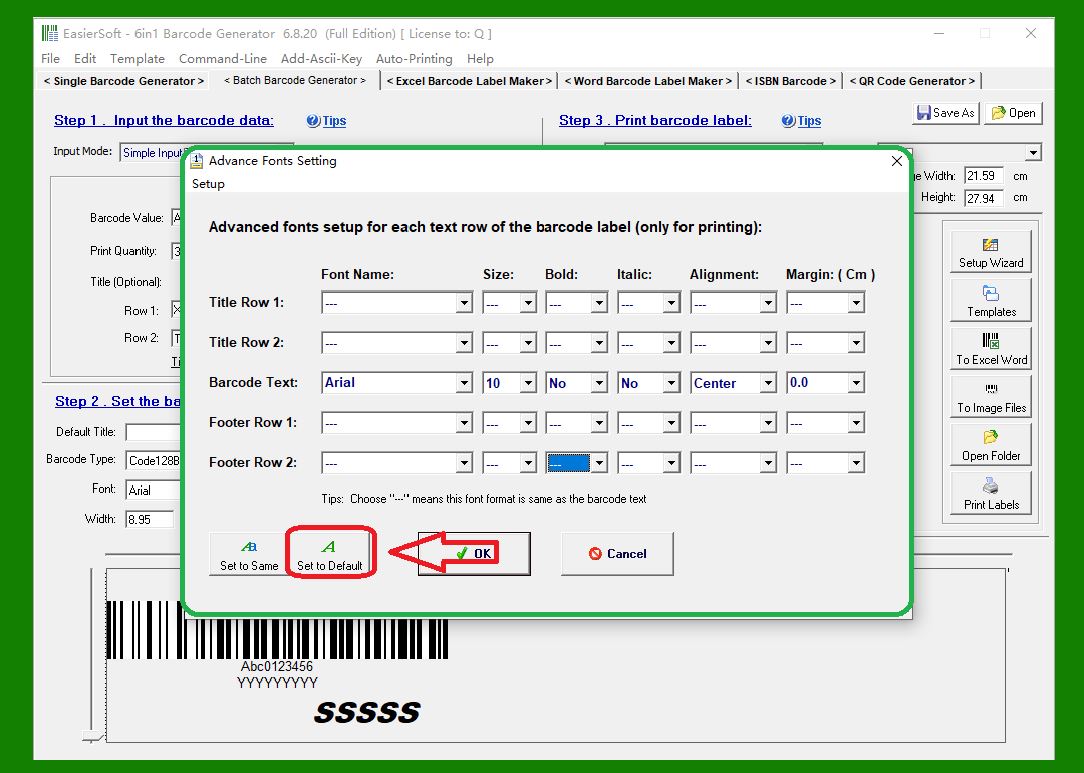
2. You can also set different font types and sizes for each line of text on the label. Click 'Set Fonts' to open the advanced font settings window. |
|
3. In the advanced font settings window, if the font of a line is set to '--', its font is equal to the 'Barcode Text' setting. |
|
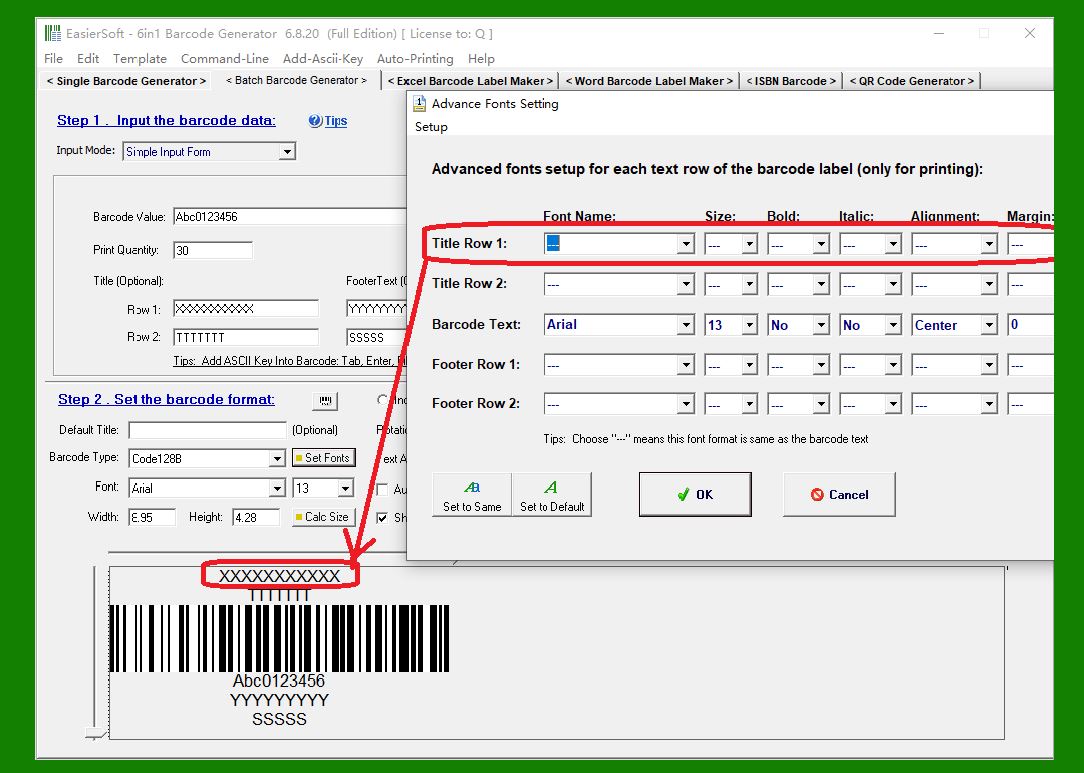
4. Title Row 1: |
|
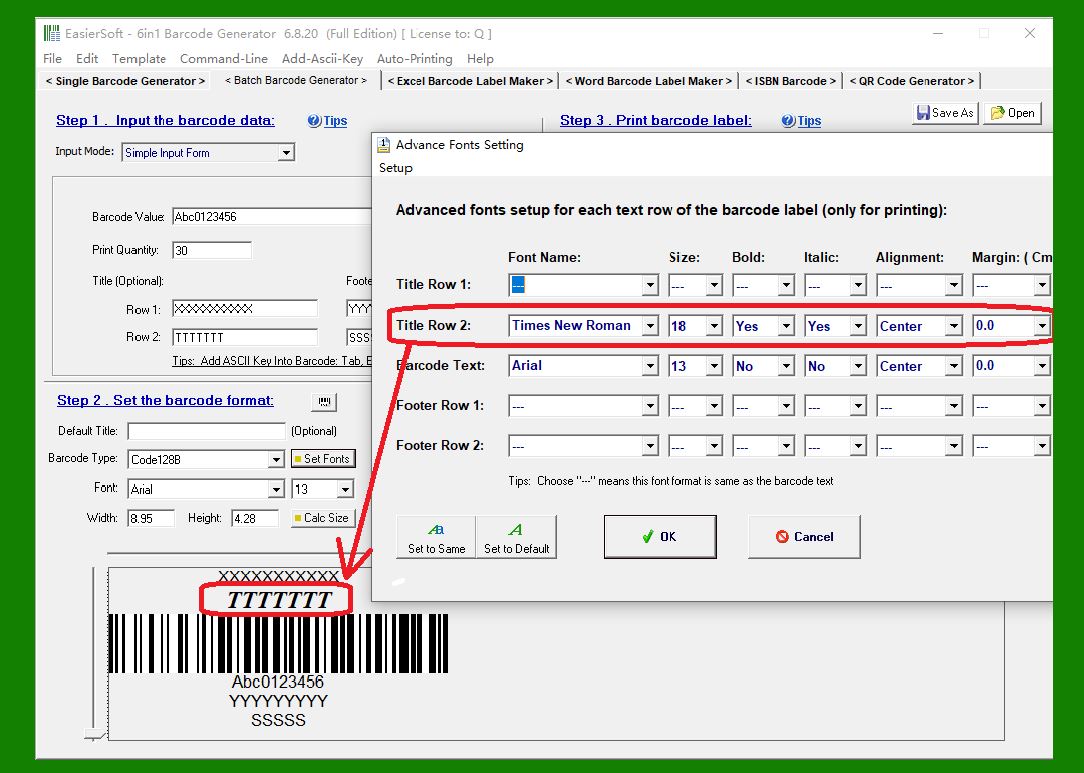
5. Title Row 2: |
|
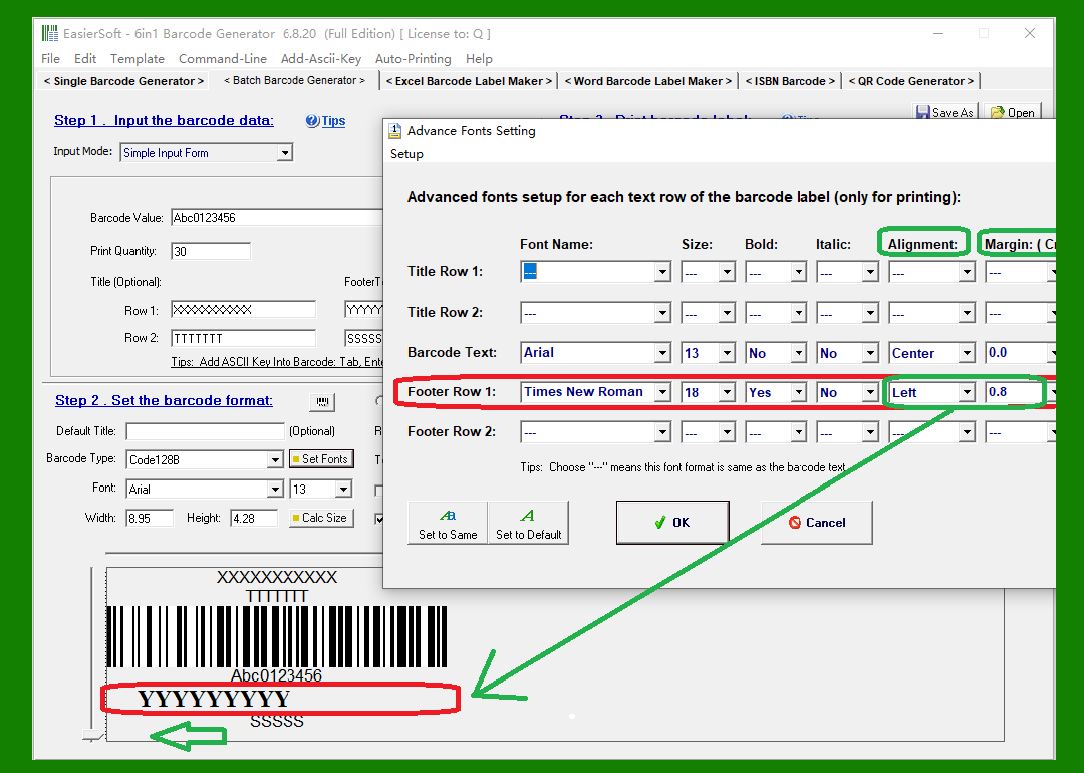
6. Footer Row 1: Note that this line is set to left alignment with a 0.8 cm left margin. |
|
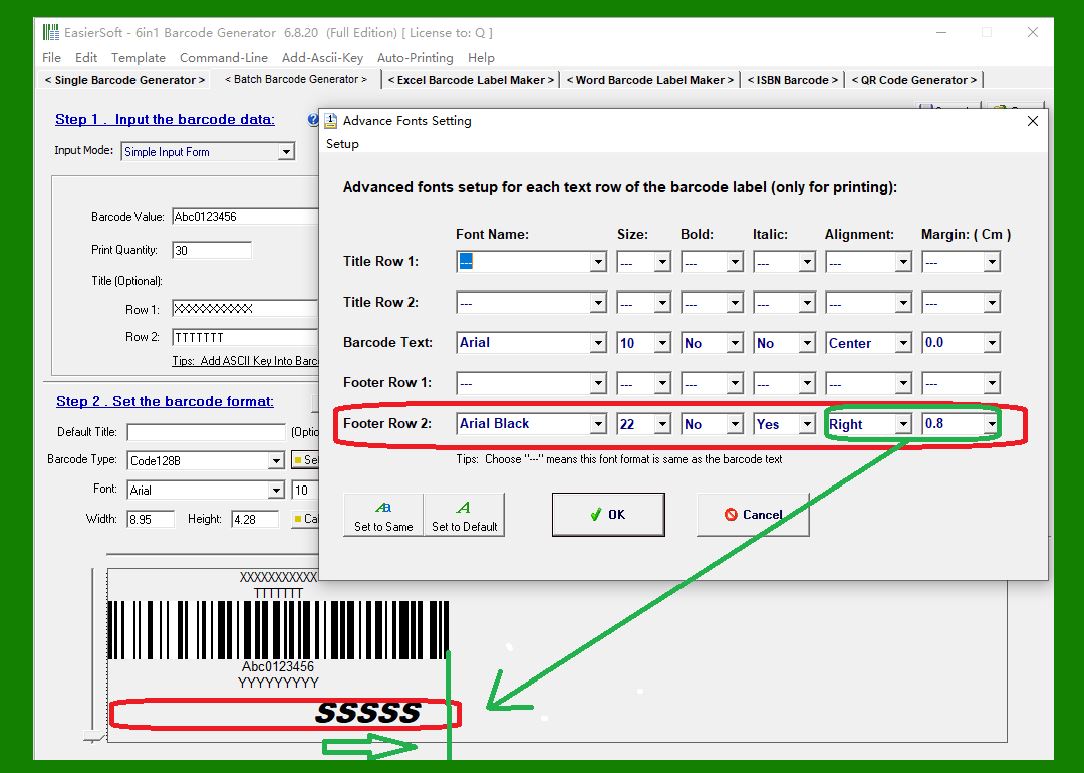
7. Footer Row 2: Note that this line is set to right alignment with a 0.8 cm right margin. |
|
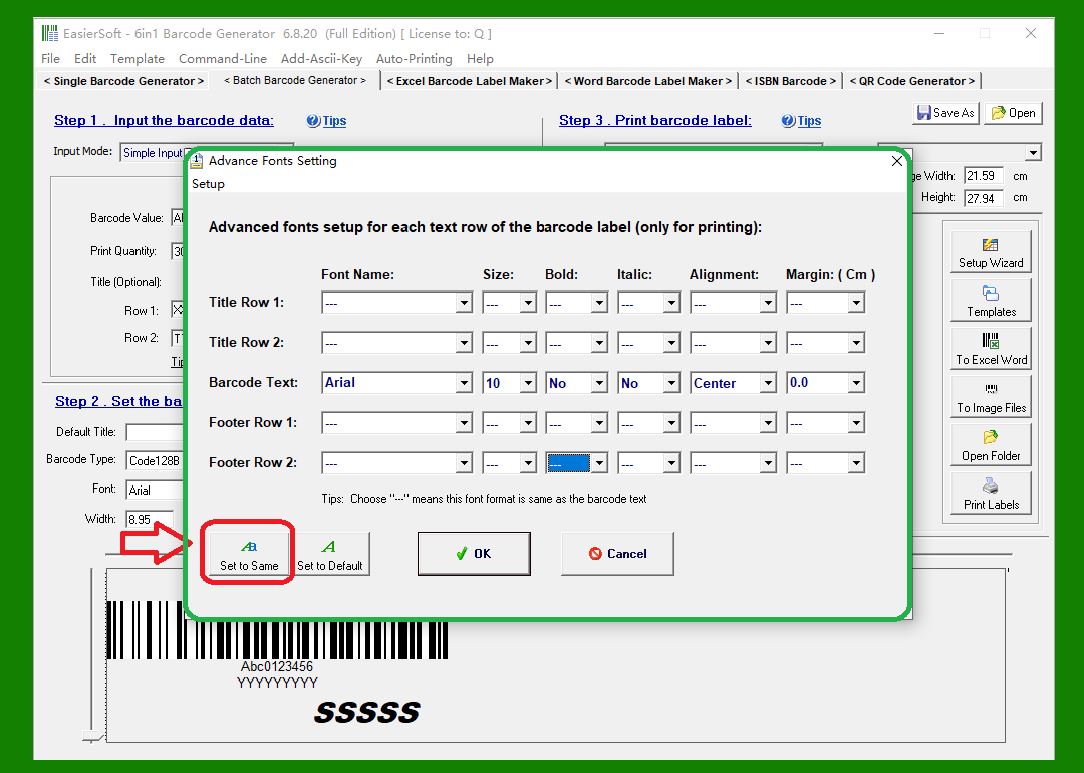
8. Set the font of all headings and footers to be the same as 'BarcodeText'. |
|
9. Set the font of all headings, footers, and 'BarcodeText' to their default values. |
|
 cs@easiersoft.com