Standard Edition - Main Window Detail Overview |
EasierSoft Bulk Barcode Generator and Label Printing Software |
Configuring the Barcode Print Rotation |
In this software, you can choose from four different print orientations when generating barcodes. These rotation options allow you to control how the barcode appears on the label or page, ensuring compatibility with various printing layouts and scanner requirements. |
The available rotation angles are 0, 90, 180, and 270, described below: |
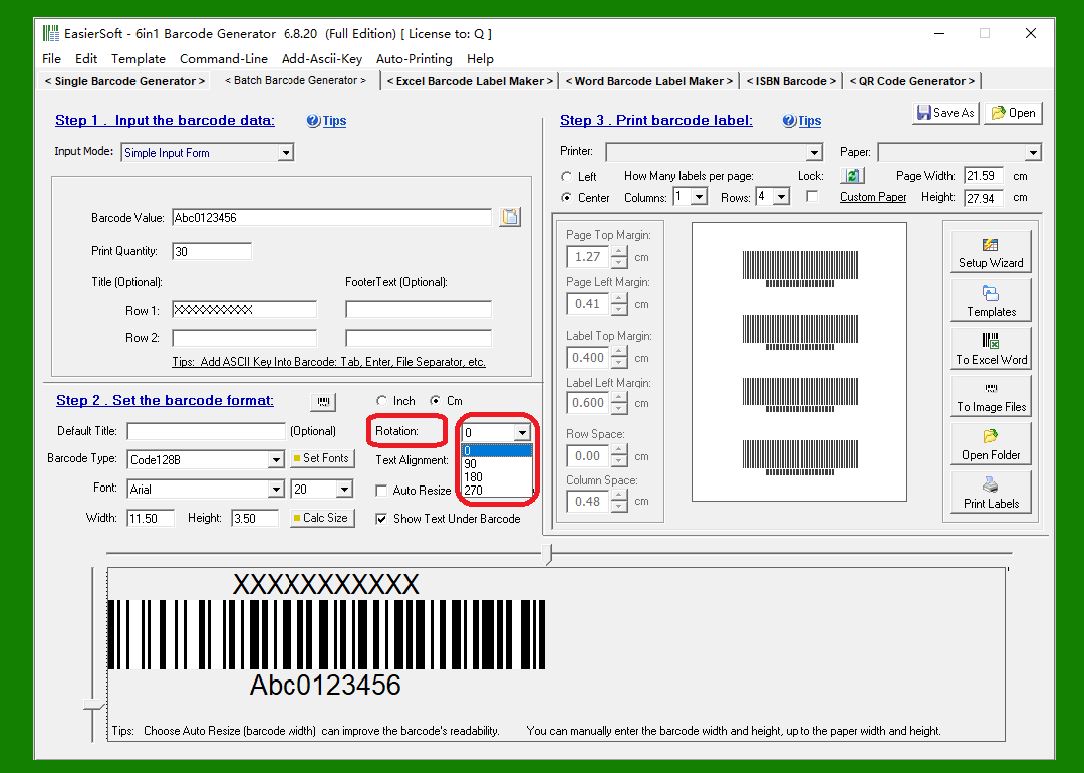
1. 0 Degrees (Default Orientation): |
The barcode is printed in its normal, horizontal position. This is the standard orientation commonly used for most label-printing scenarios. |
|
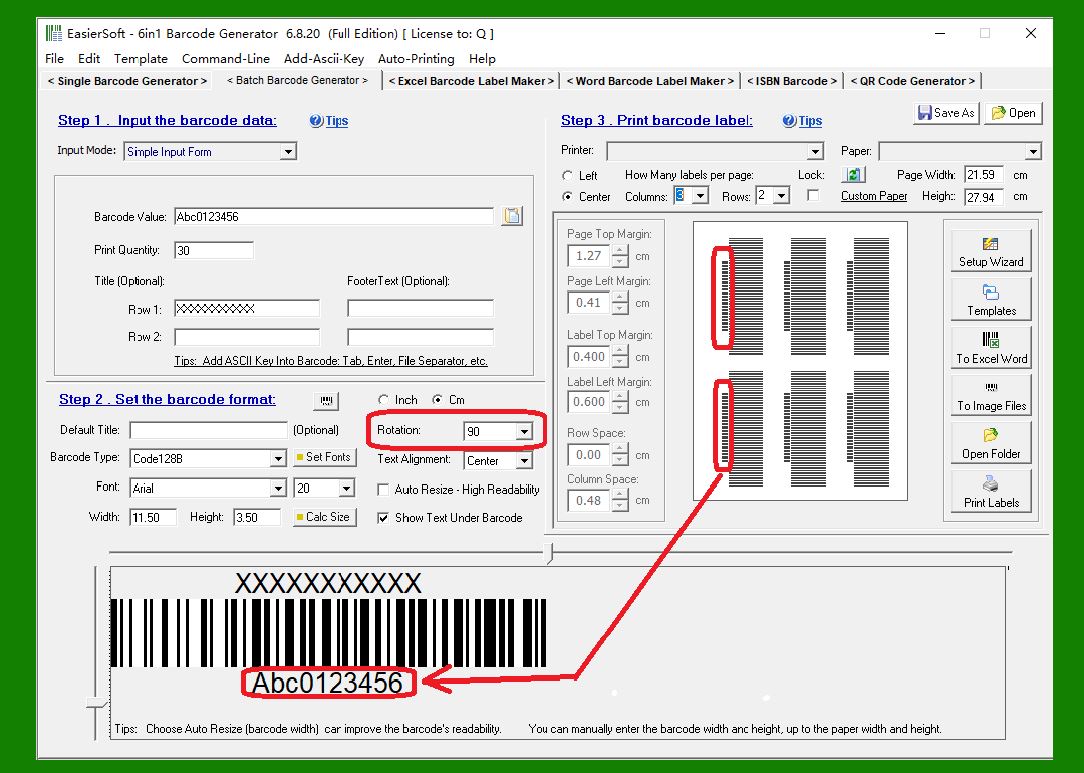
2. 90 Degrees (Rotate Right): |
The barcode is rotated 90 degrees clockwise from the default horizontal position. This prints the barcode vertically, with the top of the original barcode appearing on the right side. |
|
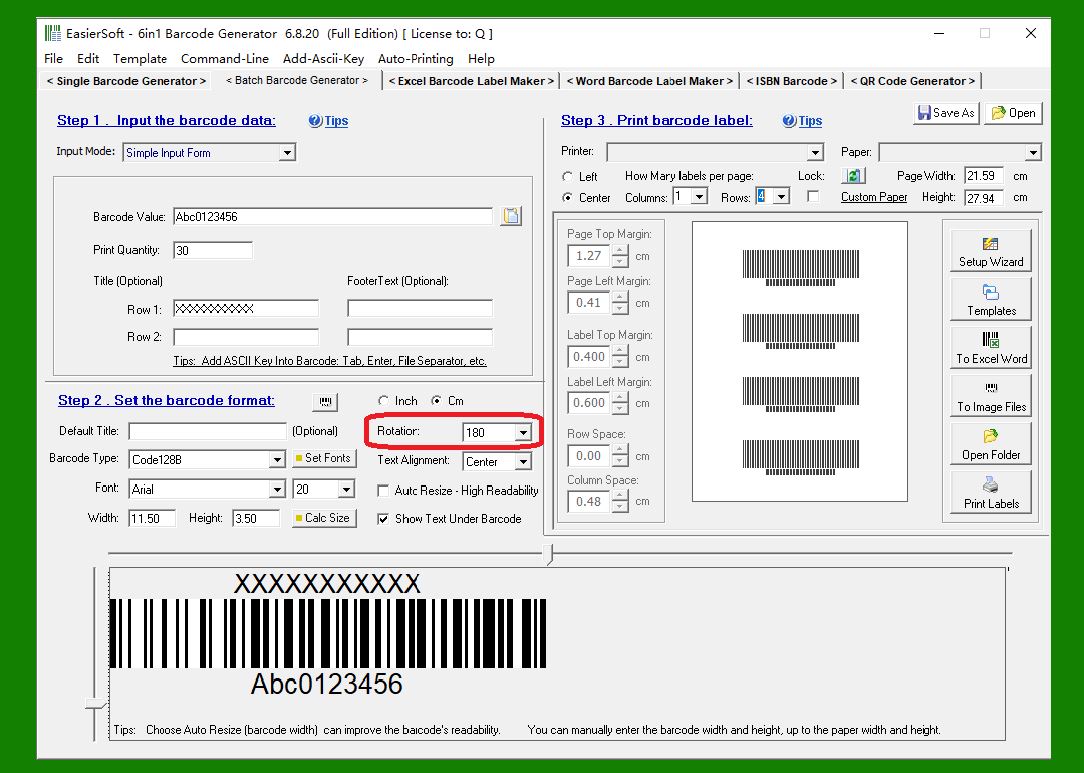
3. 180 Degrees (Flip Upside Down): |
The barcode is rotated 180 degrees, effectively flipping it upside down. This is useful when the printing direction or label layout requires an inverted orientation. |
The print preview shown below is a simplified image and may not be exactly the same as the actual print. In the actual print, the text will be above the barcode. |
|
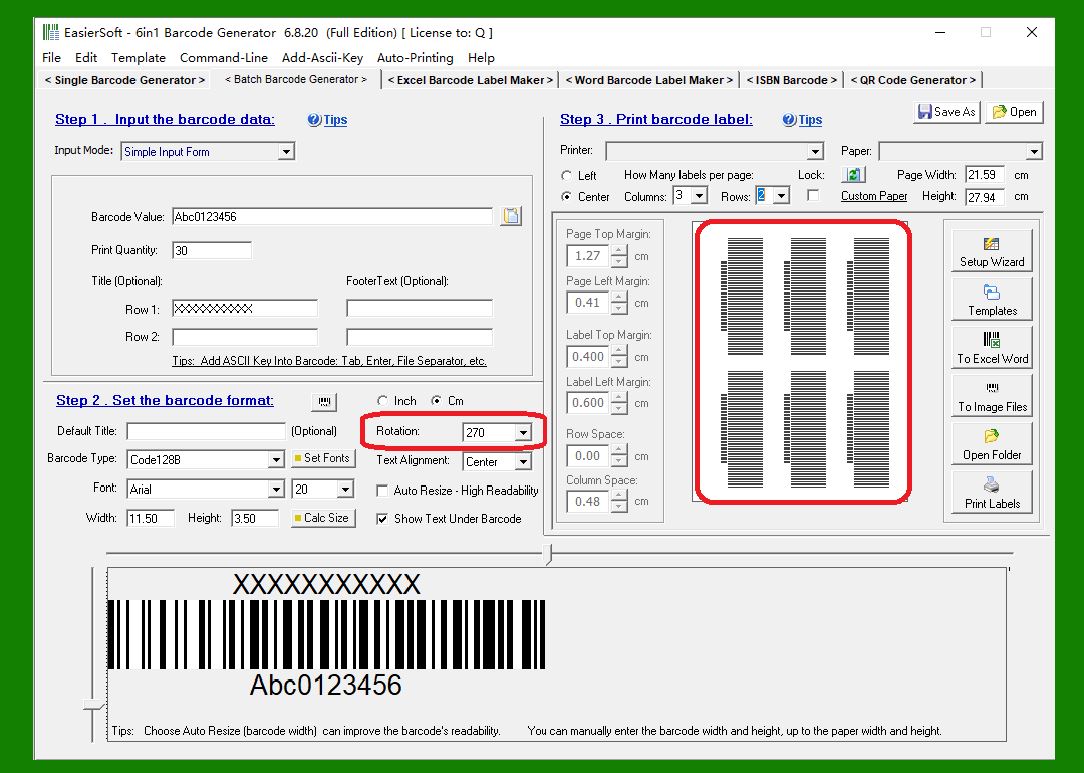
4. 270 Degrees (Rotate Left): |
The barcode is rotated 90 degrees counterclockwise from the default orientation. This also produces a vertical barcode, but in the opposite direction of the 90-degree rotation, with the top of the original barcode appearing on the left side. |
The print preview shown below is a simplified image and may not be exactly the same as the actual print. In the actual print, the text will be to the right of the barcode. |
|
 cs@easiersoft.com