Standard Edition - Main Window Overview |
EasierSoft Bulk Barcode Generator and Label Printing Software |
Setting the Text Alignment for Barcode Labels |
The software allows you to control how the text associated with a barcode is aligned. All text lines can be aligned uniformly, or each line can be configured with its own unique alignment style and margin settings. This gives you the flexibility to design barcode labels that meet different layout, branding, or printing requirements. The available alignment options are shown below: |
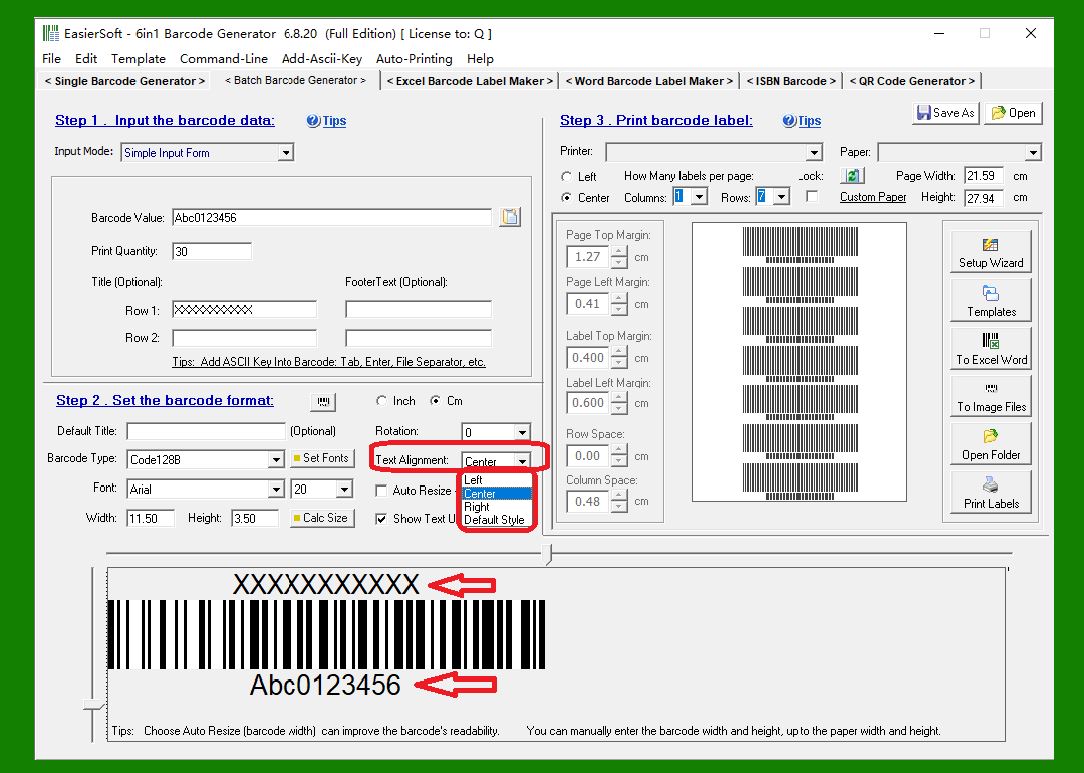
1. Center Alignment |
Text is placed in the center, providing a clean and balanced look. This is ideal for titles, item names, or labels where visual symmetry is important. |
|
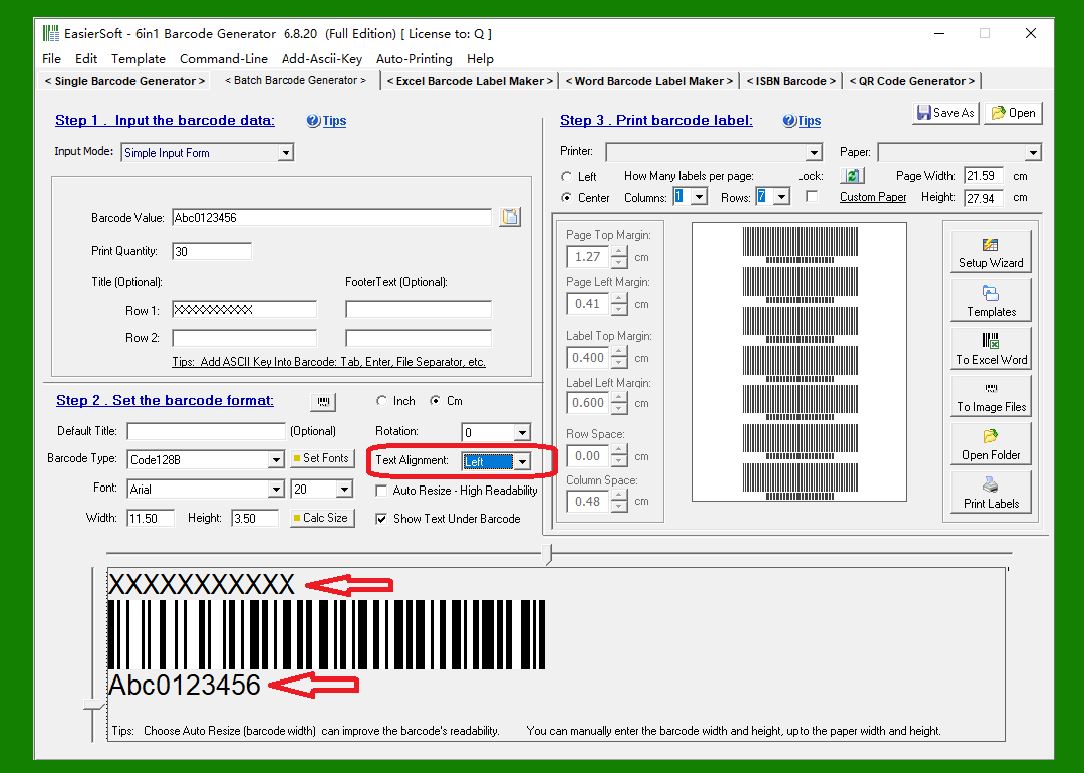
2. Left Alignment |
All text is aligned to the left side, which is commonly used for product descriptions, SKUs, or any content that follows a standard reading direction. |
|
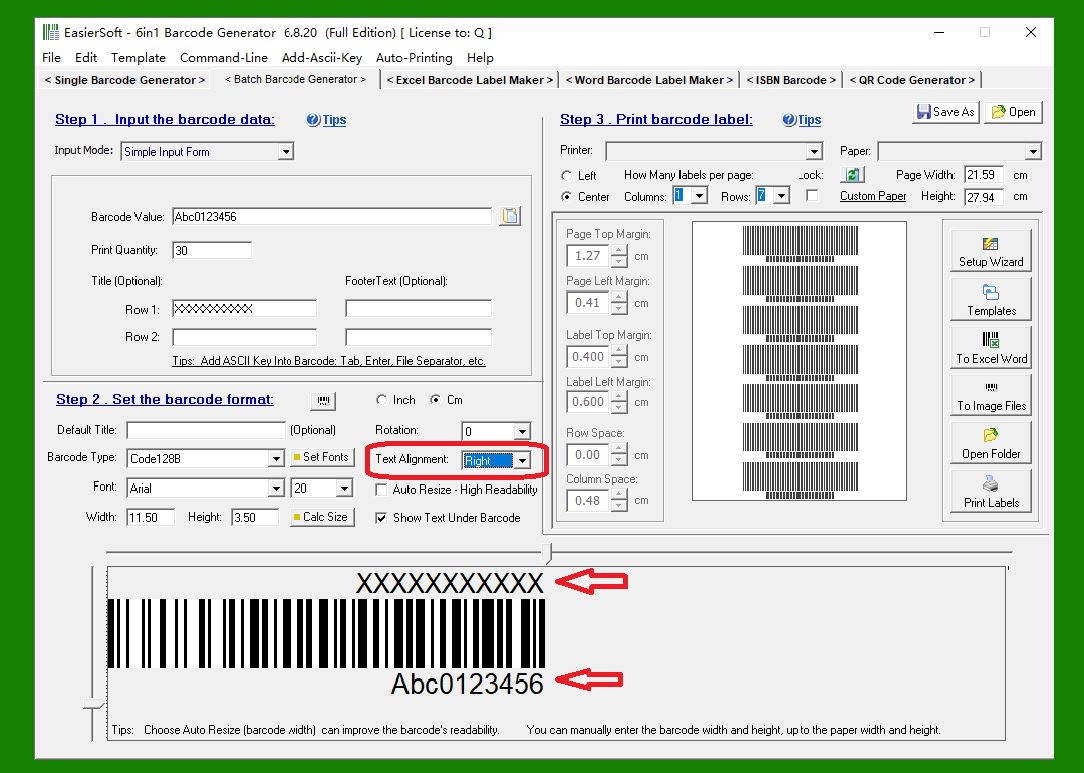
3. Right Alignment |
Text is aligned to the right edge. This format is often used for numerical data, pricing, or information that needs to visually align along the right margin. |
|
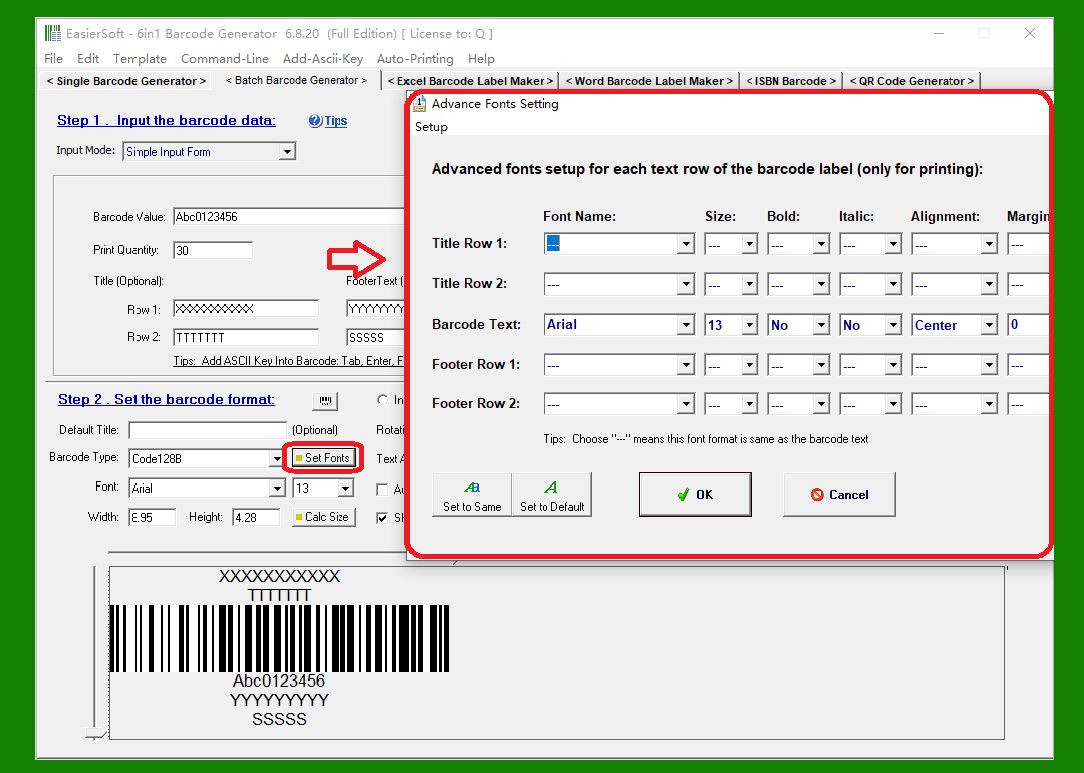
4. Mixed Alignment with Custom Margins |
Each text line can be assigned its own alignment style: left, right, or center. You can also set different margin values for each line, allowing highly customizable and precise layout control. This feature is especially useful when designing complex labels that contain multiple lines of data with different formatting needs. |
|
 cs@easiersoft.com