Standard Edition - Main Window Overview |
EasierSoft Bulk Barcode Generator and Label Printing Software |
Configuring the File Names for Exported Barcode Images |
The software provides a flexible system for defining how exported barcode image files are named. You can customize the naming pattern based on various data fields, allowing you to organize and identify your barcode images more efficiently. The following examples illustrate how different naming configurations work in practice. |
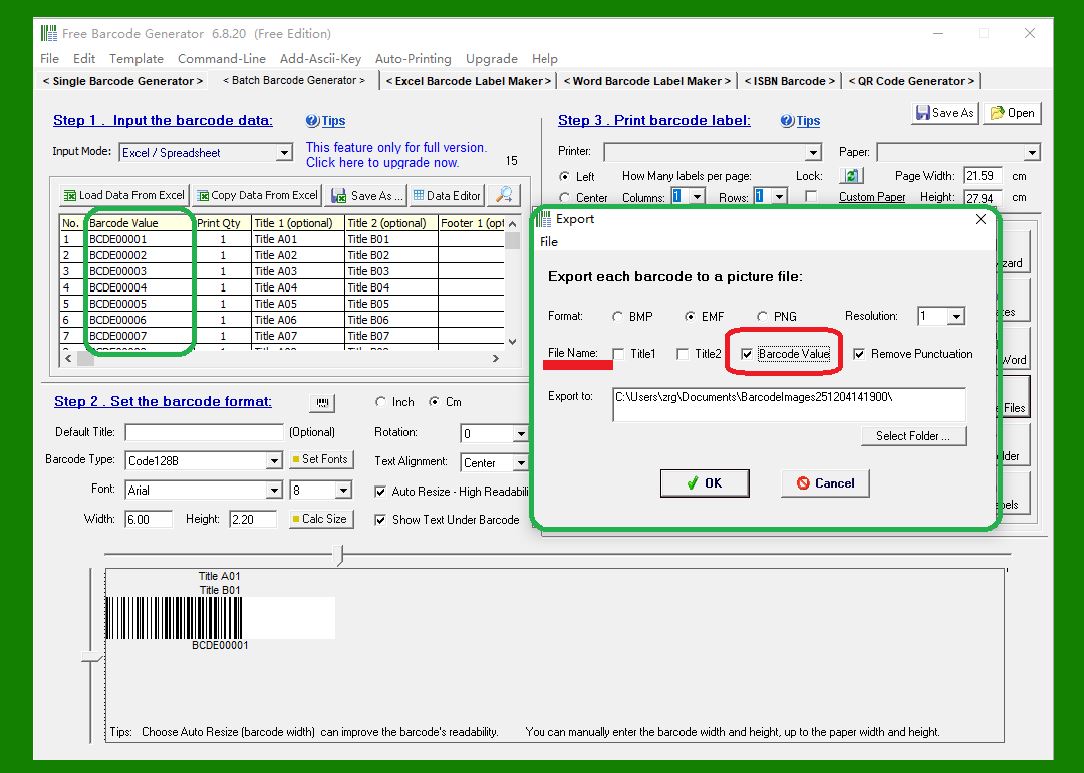
Example 1: Using 'Barcode Value' as the File Name |
If you choose Barcode Value as the naming source, the software will generate a series of image files using the barcode values as the file names. For instance: |
BCDE00001.EMF, BCDE00002.EMF, BCDE00003.EMF, BCDE00004.EMF, BCDE00005.EMF, and so on. |
|
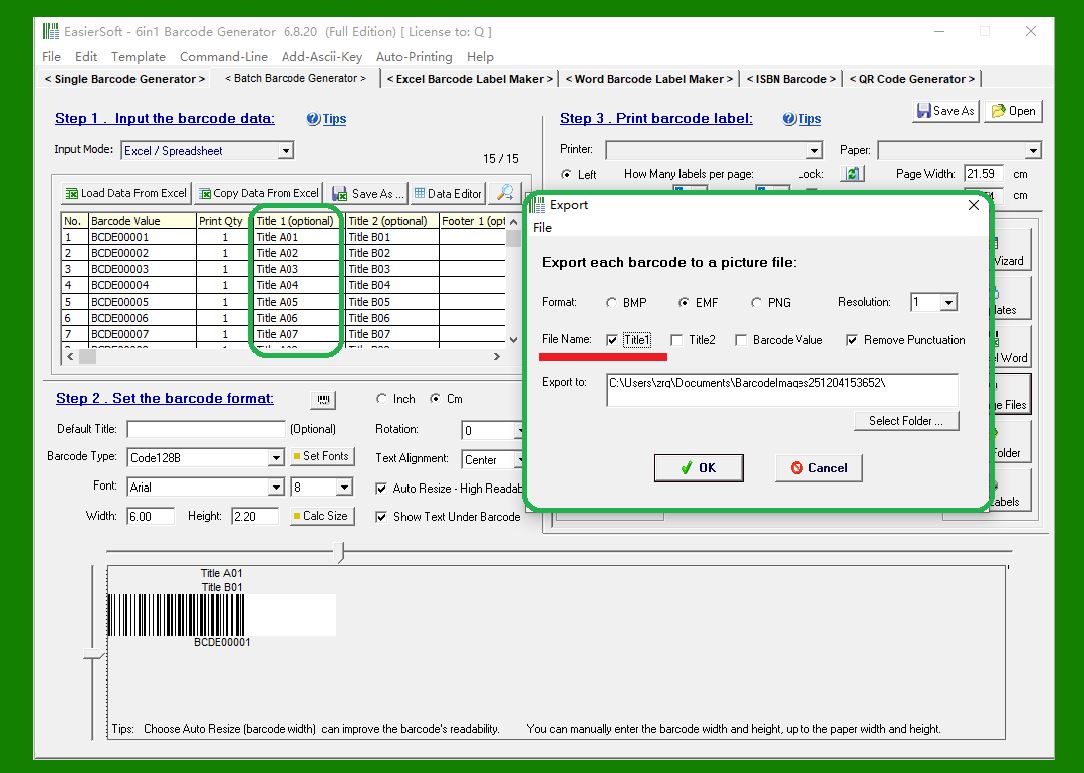
Example 2: Using 'Title1' as the File Name |
If you select Title1 for the file name, the software will export a group of barcode image files named based on the values in the Title1 field. For example: |
Title A01.EMF, Title A02.EMF, Title A03.EMF, Title A04.EMF, and so on. |
|
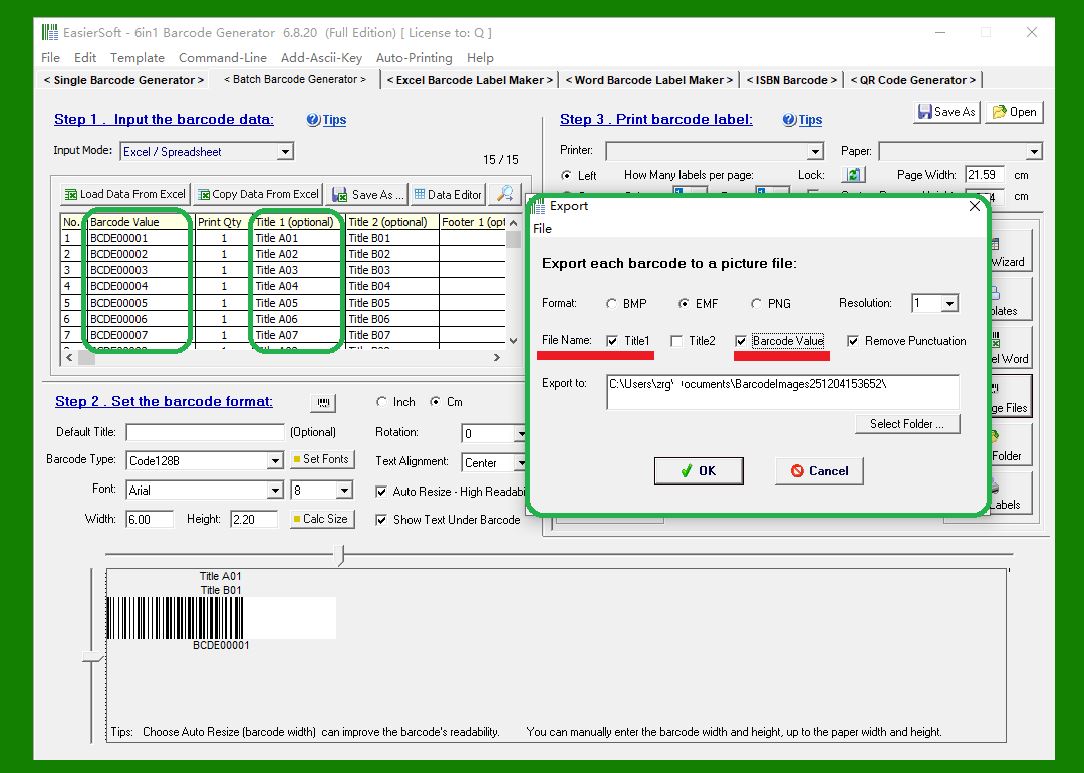
Example 3: Combining 'Title1' and 'Barcode Value' |
When both Title1 and Barcode Value are used together to form the file name, the exported images will follow a combined naming pattern. Example output: |
Title A01BCDE00001.EMF, Title A02BCDE00002.EMF, Title A03BCDE00003.EMF, Title A04BCDE00004.EMF, etc. |
|
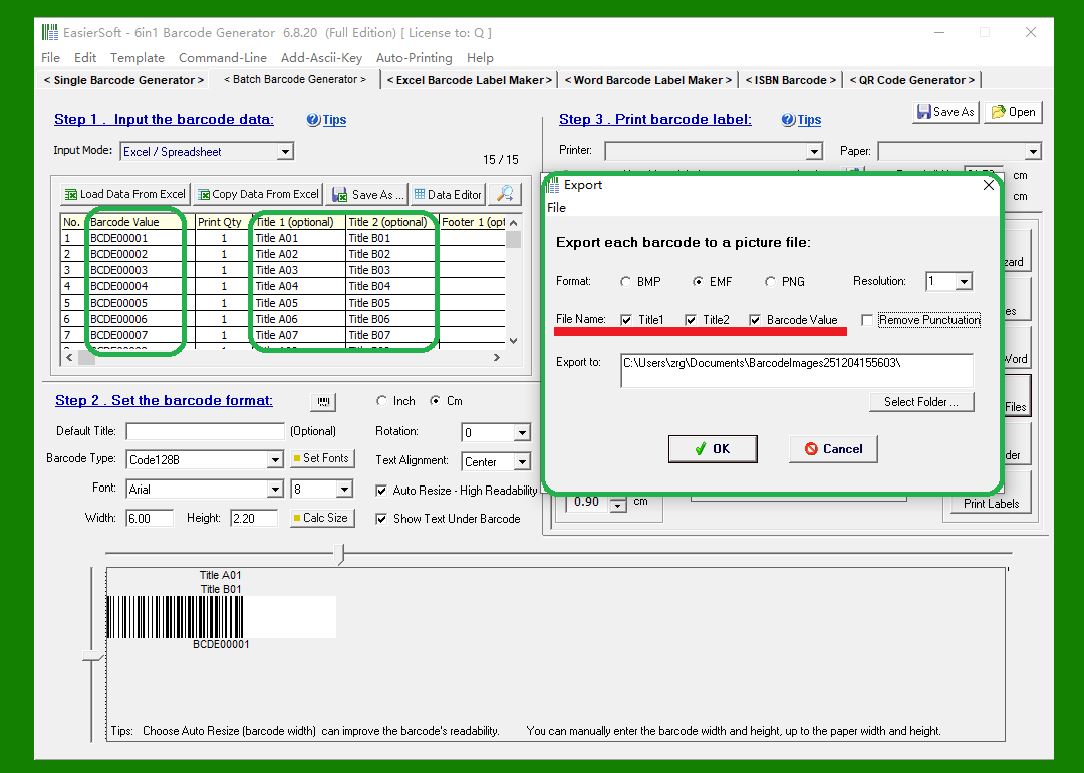
Example 4: Combining 'Title1,' 'Title3,' and 'Barcode Value' |
If you include Title1, Title3, and Barcode Value in the naming structure, the software will generate more descriptive file names by merging all selected fields. For example: |
Title A01Title B01BCDE00001.EMF, Title A02Title B02BCDE00002.EMF, Title A03Title B03BCDE00003.EMF, Title A04Title B04BCDE00004.EMF, etc. |
|
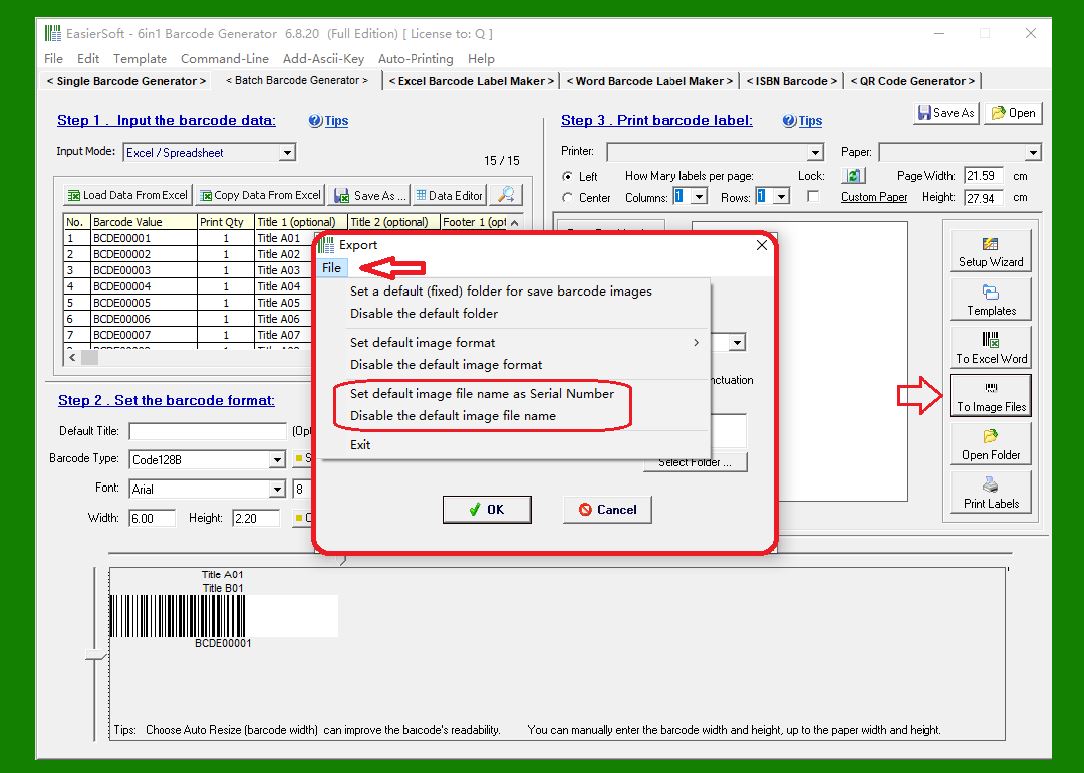
Example 5: The program can also automatically generate serial number filenames. |
As shown in the image below, the program will export a set of barcode image files with the following filenames: |
F00001.EMF, F00002.EMF, F00003.EMF, F00004.EMF, etc. |
|
Remove Punctuation |
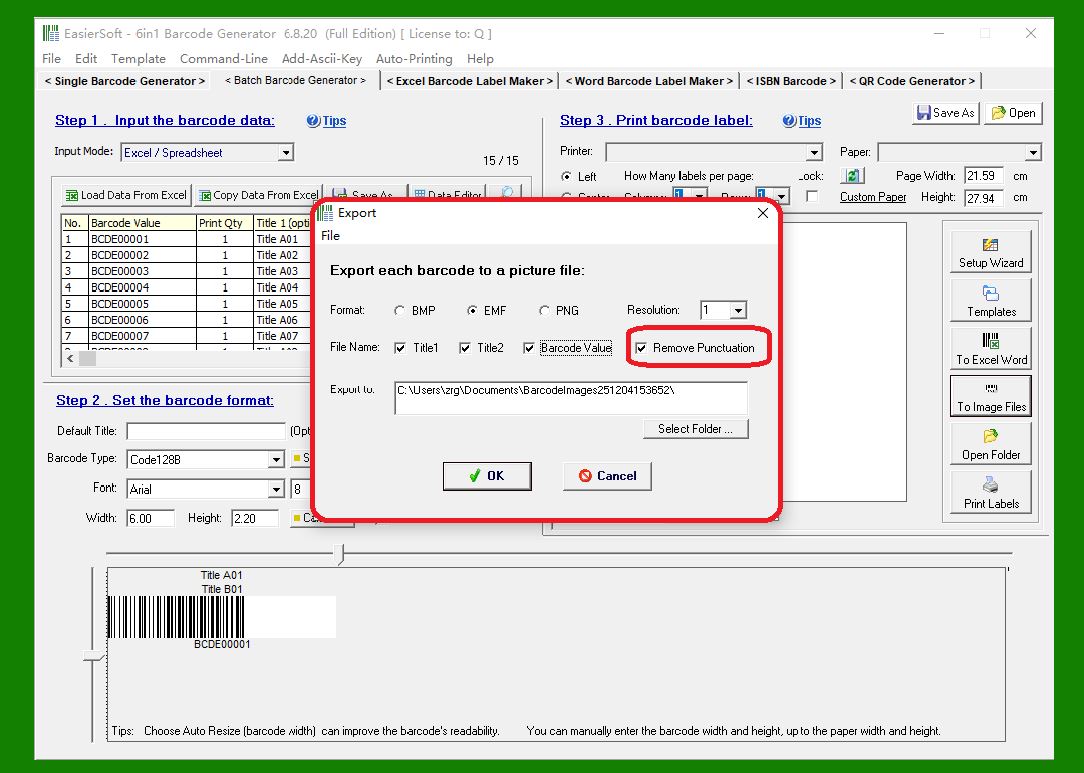
If the barcode values or title text contain punctuation marks, and you enable the Remove Punctuation option, the exported file names will automatically exclude any punctuation. This ensures cleaner, OS-friendly file names, especially useful when managing large batches of images. |
|
 cs@easiersoft.com