Two ways to import Excel data |
Load or copy data from an Excel file: |
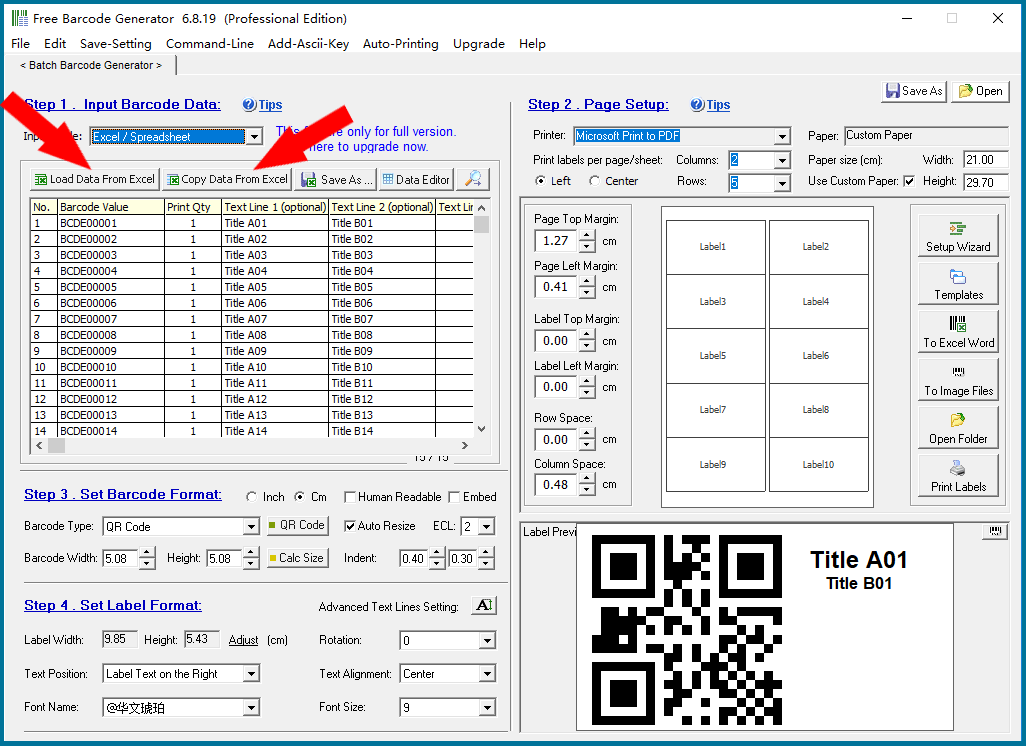
|
1. Import large batches of data from a standard Excel data template (this program can generate Excel data templates) for printing bulk barcode labels. |
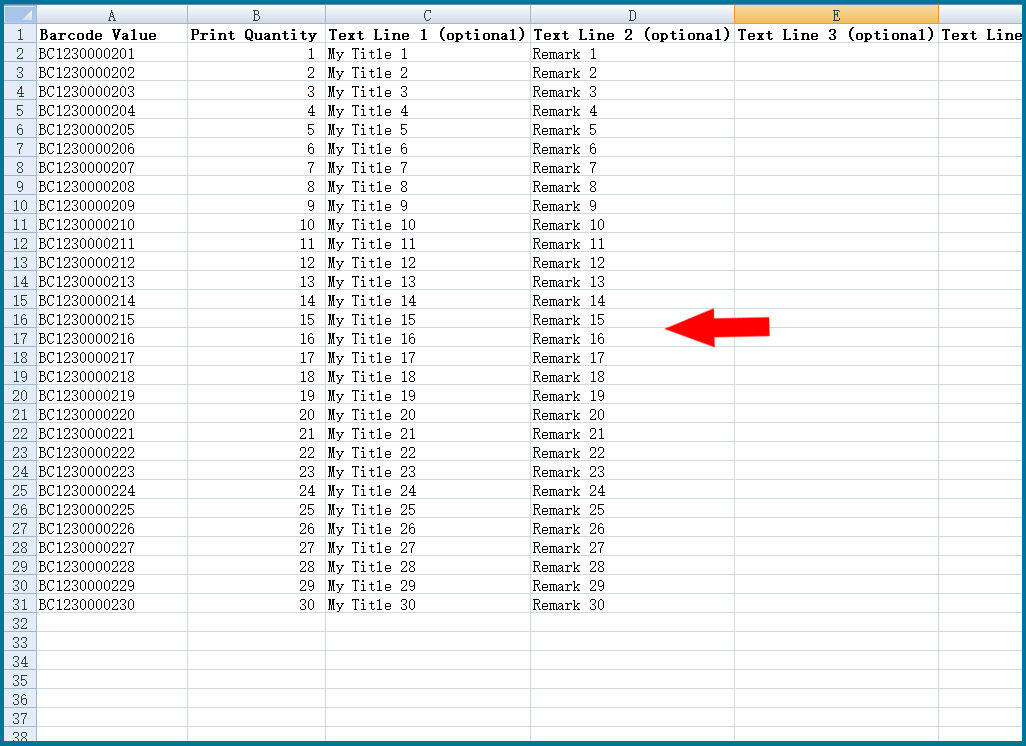
|
2. You can also manually copy data from Excel and paste it here. |
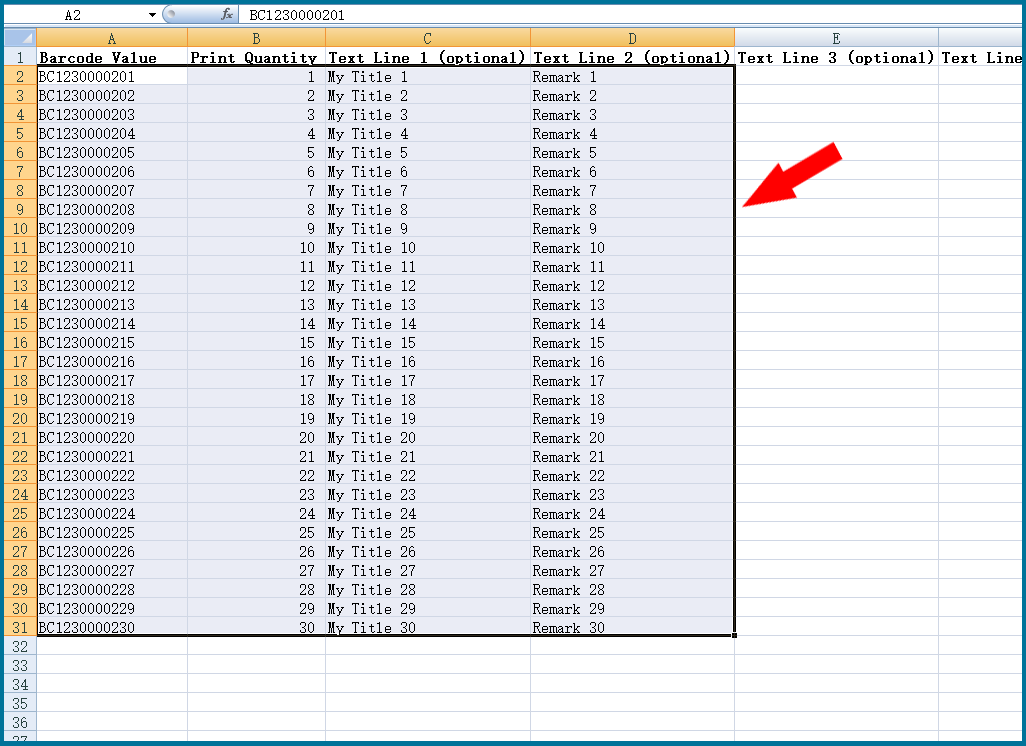
|
Paste the Excel data here and then make some adjustments: Delete blank lines and illegal characters, etc. |
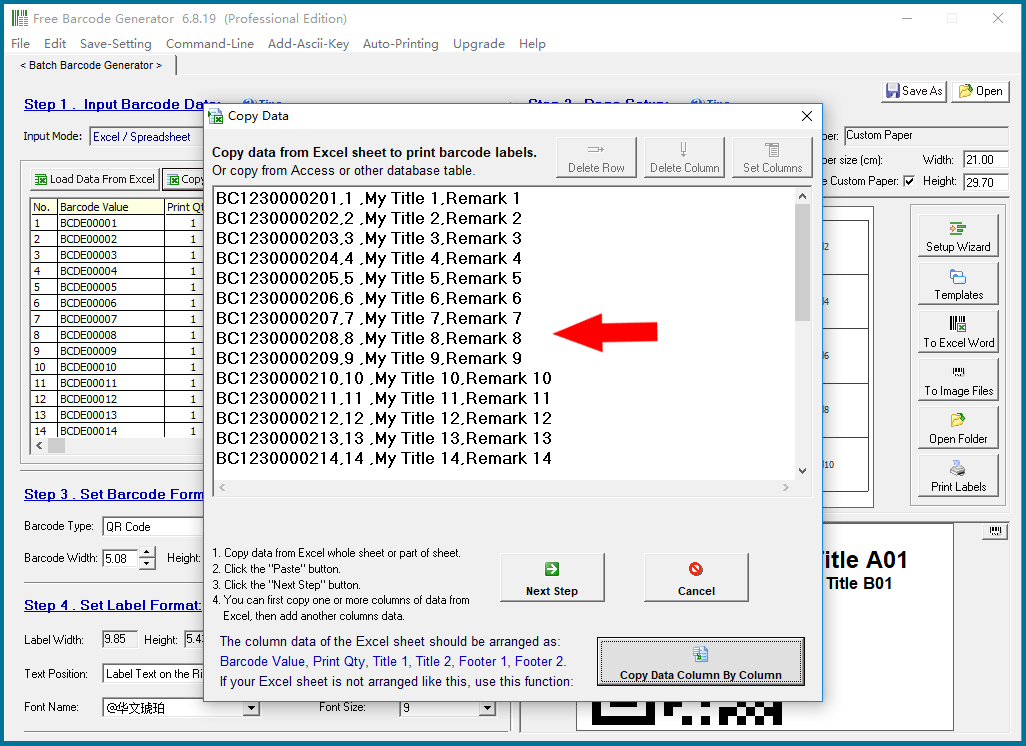
|
If your Excel file format is not like our standard Excel data template file, you can also manually copy data from Excel column by column and paste it here. |
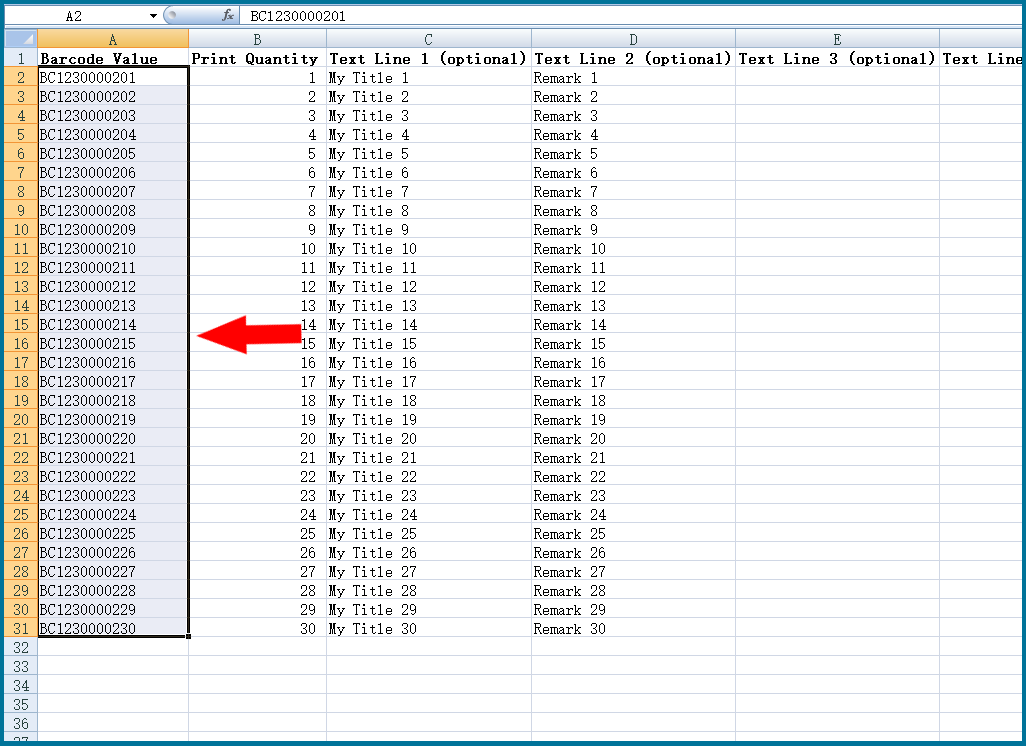
|
Copy multiple rows of data here column by column, and then trim it to delete blank lines and illegal characters. |
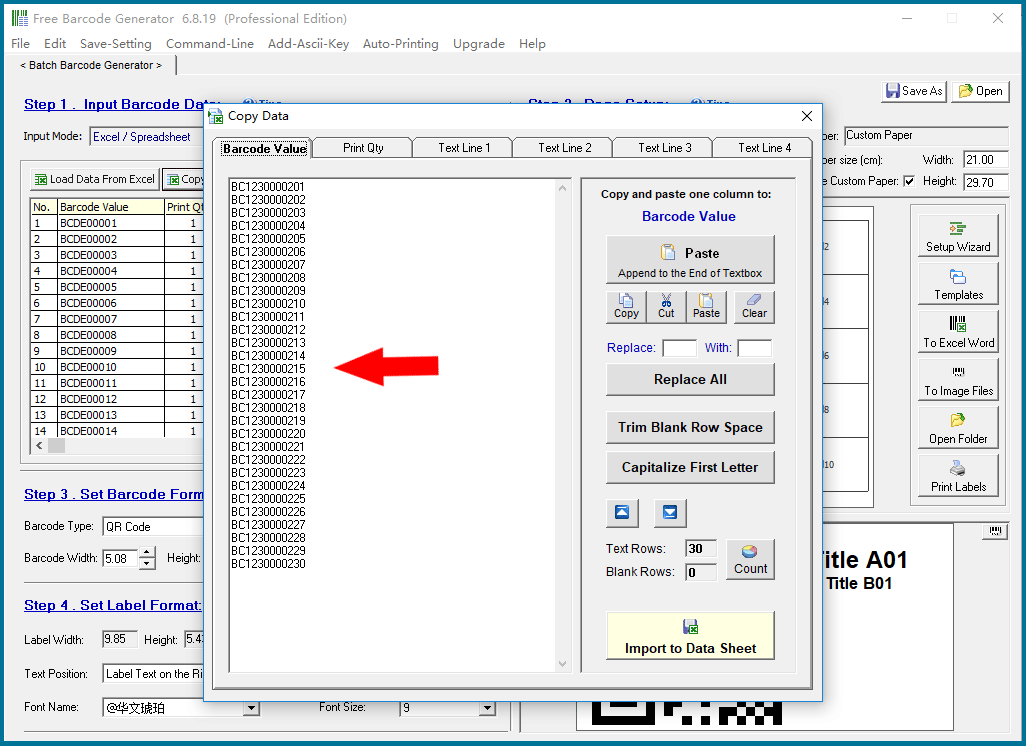
|
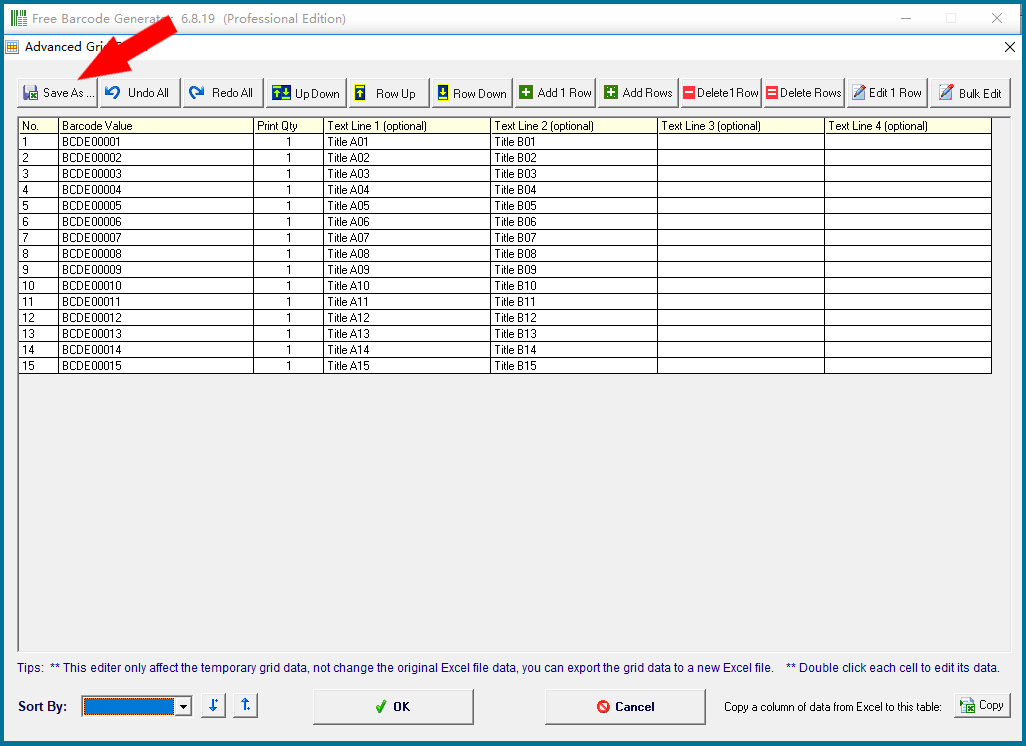
After importing the data, you can further modify the data in the table. |
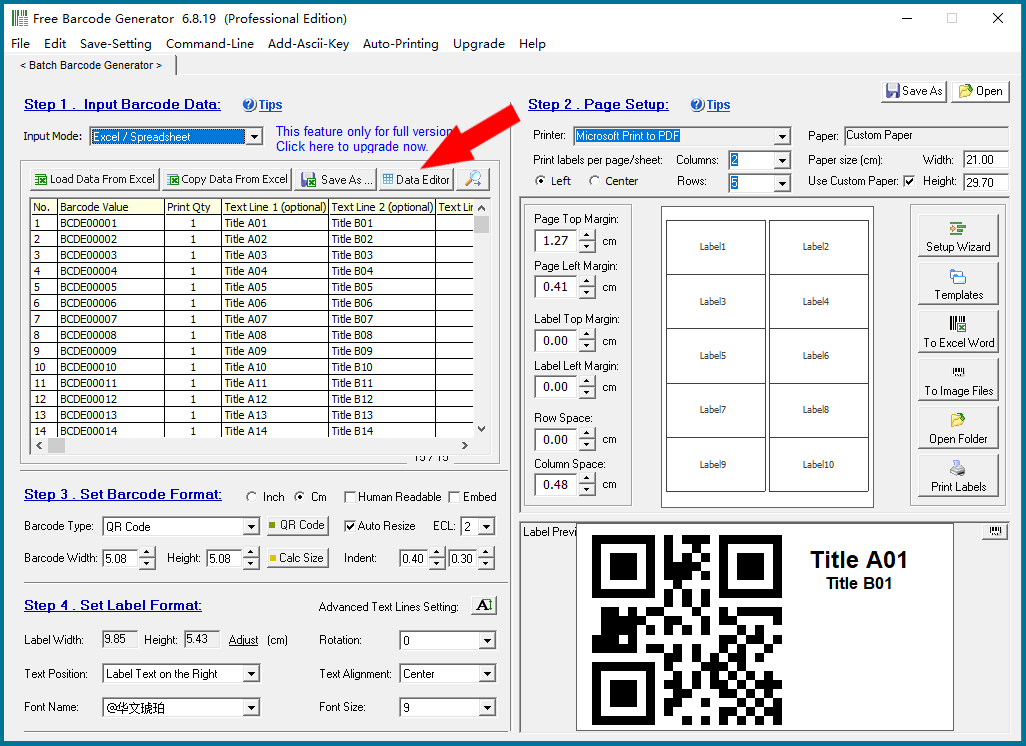
|
You can also filter only a portion of the data for printing barcode labels. |
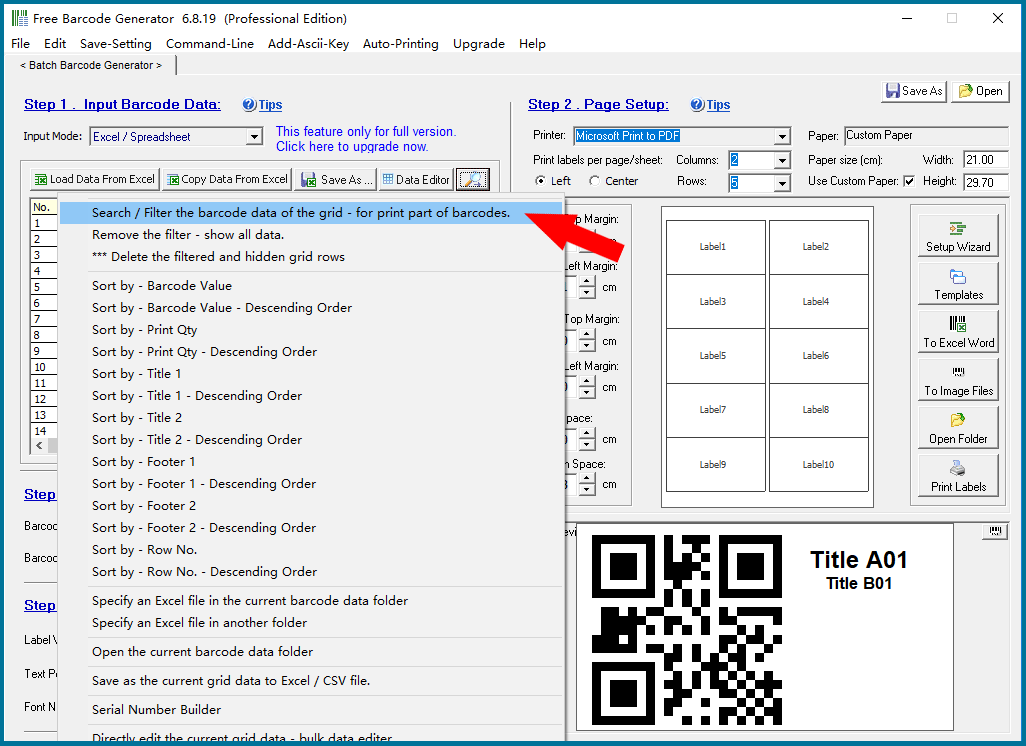
|
You can export the modified data to another file and save it for next time. |
|
For details, please click “Back to Directory” to view other articles. |
 cs@easiersoft.com