There are 4 ways to input barcode data: |
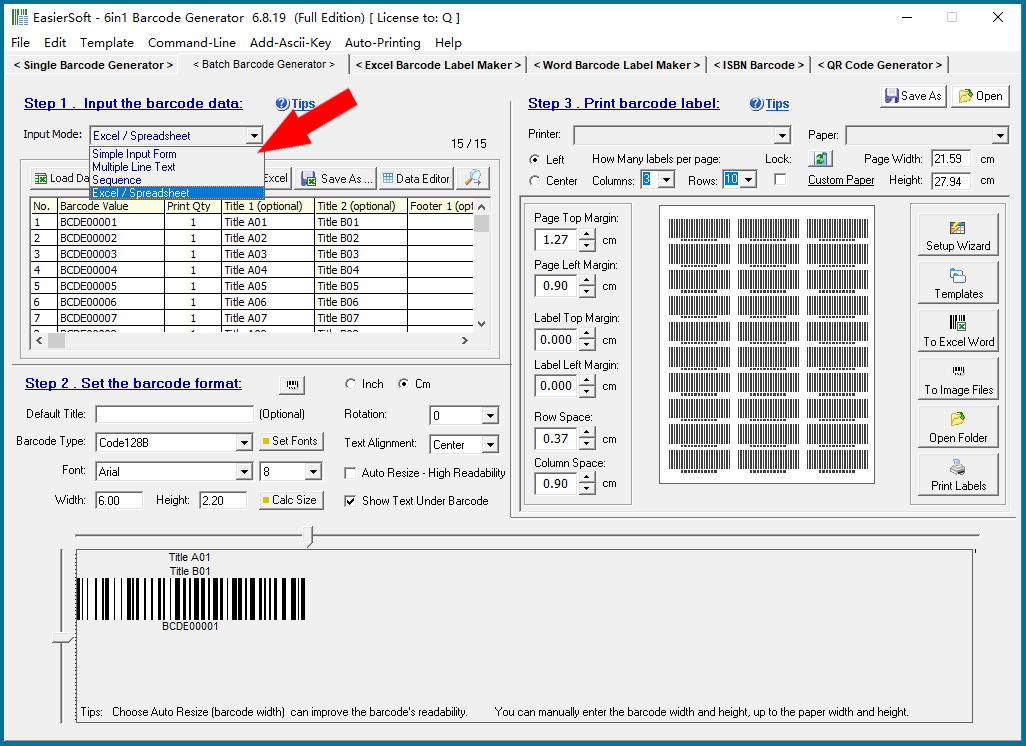
Simple Input Form; Multiple Line Text; Automatic Generate Sequence Number; Load or Copy Data From Excel. |
|
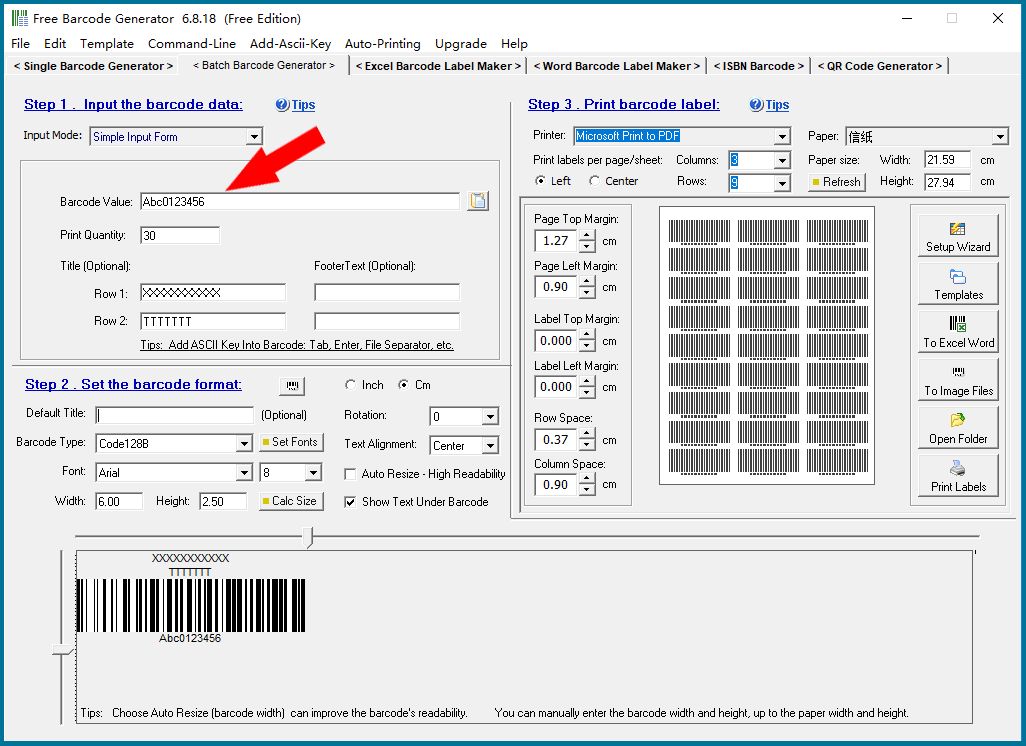
Simple Input Form: Enter a single barcode number to print one or more identical barcode labels. For example: Print 30 barcode labels on Avery5160 label paper, each page has 10 rows and 3 columns, 3X10=30. |
|
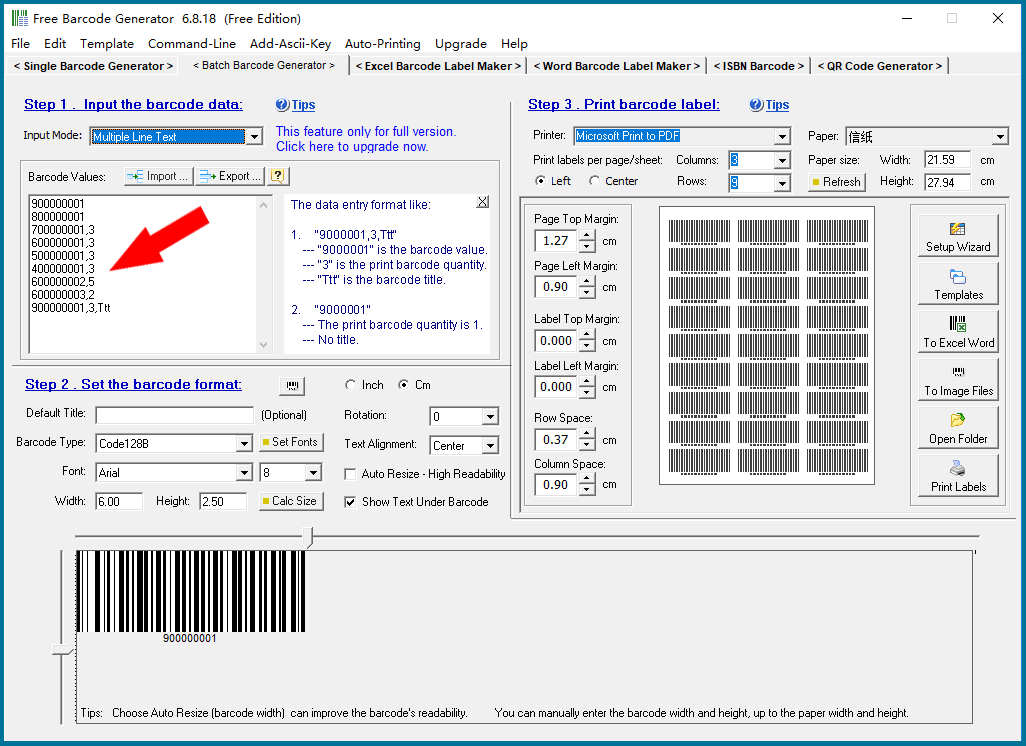
Multiple Line Text: You can input multiple lines of different barcode numbers at the same time and print a set of barcode labels with different values. And you can set the number of labels to print for each barcode value, and the barcode labels can have different title lines. You can also copy a column of data from Excel and paste it here. |
|
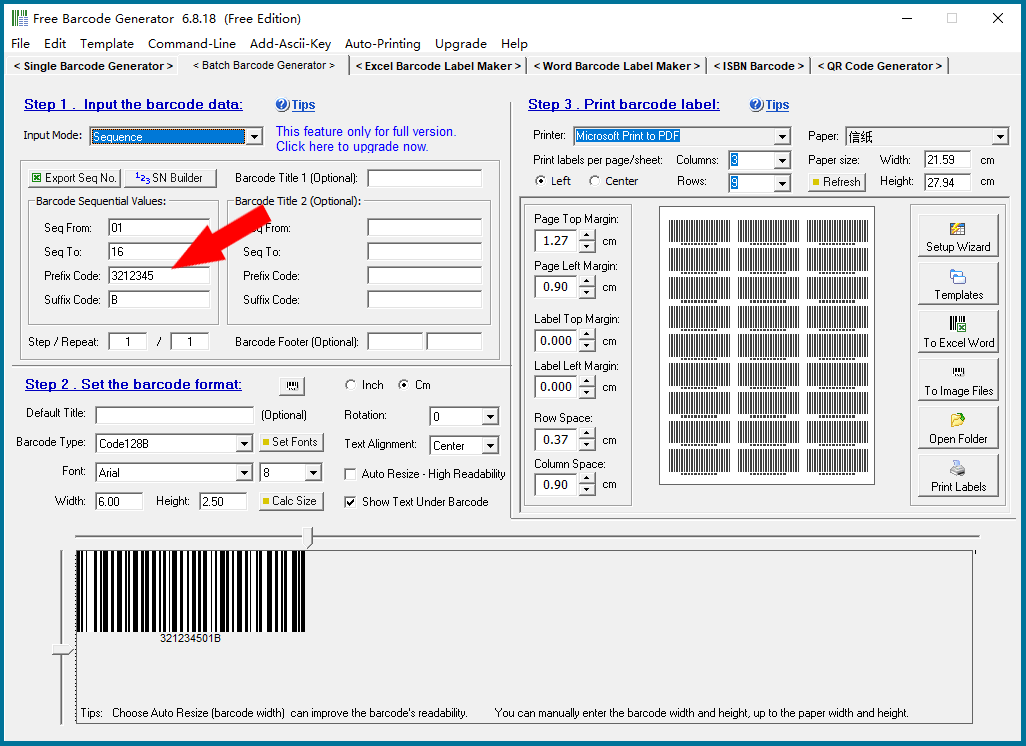
Automatic Generate Sequence Number: Generate a series of serial numbers for batch printing of barcode labels. |
|
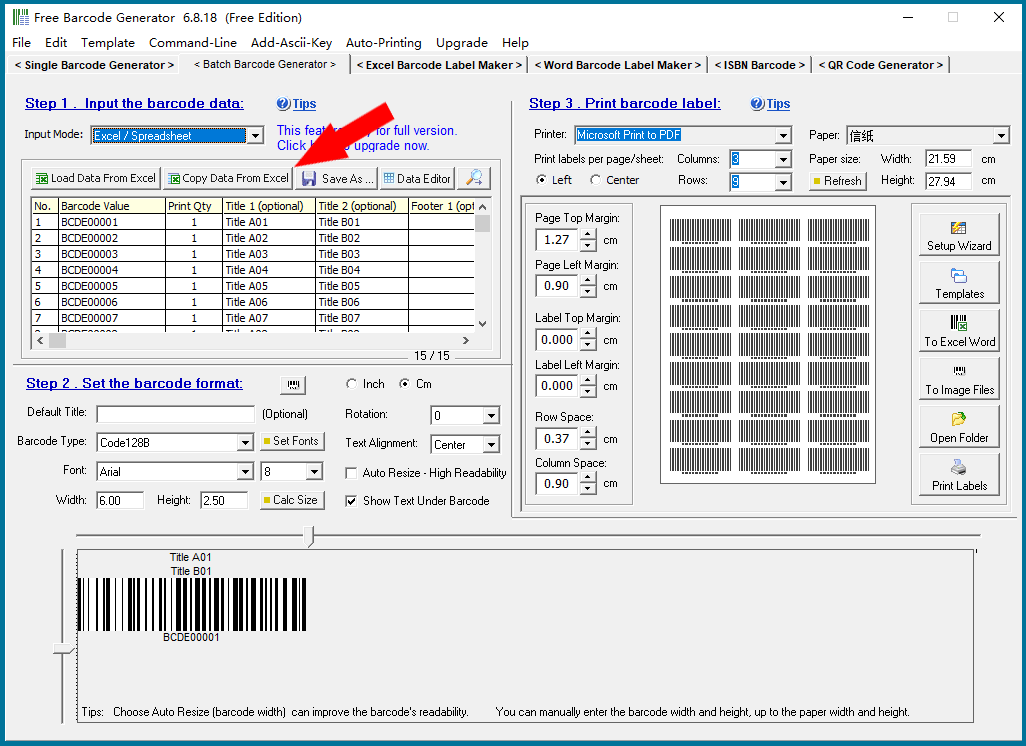
Load or Copy Data From Excel: Import large batches of data from a standard Excel data template (this program can generate Excel data templates) for printing bulk barcode labels. You can also manually copy data from Excel column by column and paste it here. |
|
For details, please click “Back to Directory” to view other articles. |
 cs@easiersoft.com