This program automatically generates sequential serial numbers for printing bulk barcodes. | The titles can also be automatically generated with a sequential number. | Parameters: | 'Seq From': The starting number of the serial sequence. 'Seq To': The ending number of the serial sequence. 'Prefix Code': A code to be added at the beginning of each serial number. 'Suffix Code': A code to be added at the end of each serial number. | 'Step / Repeat': 'Step': Defines the increment value of the serial number. 'Repeat': Defines how many times each barcode value should repeat. | 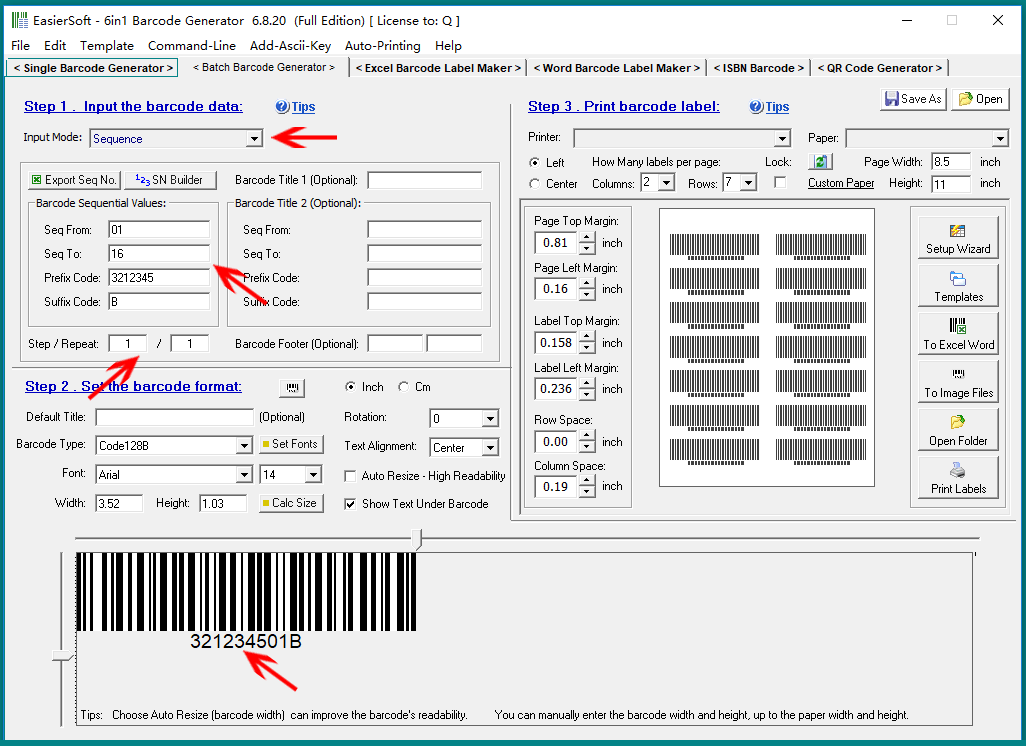
| Example: As shown in the image below, if we input the following parameters: | 'Seq From' = 01 'Seq To' = 16 'Prefix Code' = 3212345 'Suffix Code' = B 'Step / Repeat' = 1 / 1 | The program will generate 16 barcodes, with the following serial numbers: | 321234501B, 321234502B, 321234503B, 321234504B, 321234505B, 321234506B, 321234507B, 321234508B, 321234509B, 321234510B, 321234511B, 321234512B, 321234513B, 321234514B, 321234515B, 321234516B. | If we change the 'Step / Repeat' to 3 / 1, the program will generate 6 barcodes with the following serial numbers: | 321234501B, 321234504B, 321234507B, 321234510B, 321234513B, 321234516B. | If we change the 'Step / Repeat' to 5 / 2, the program will generate 8 barcodes, with the following serial numbers: | 321234501B, 321234501B, 321234506B, 321234506B, 321234511B, 321234511B, 321234516B, 321234516B. | 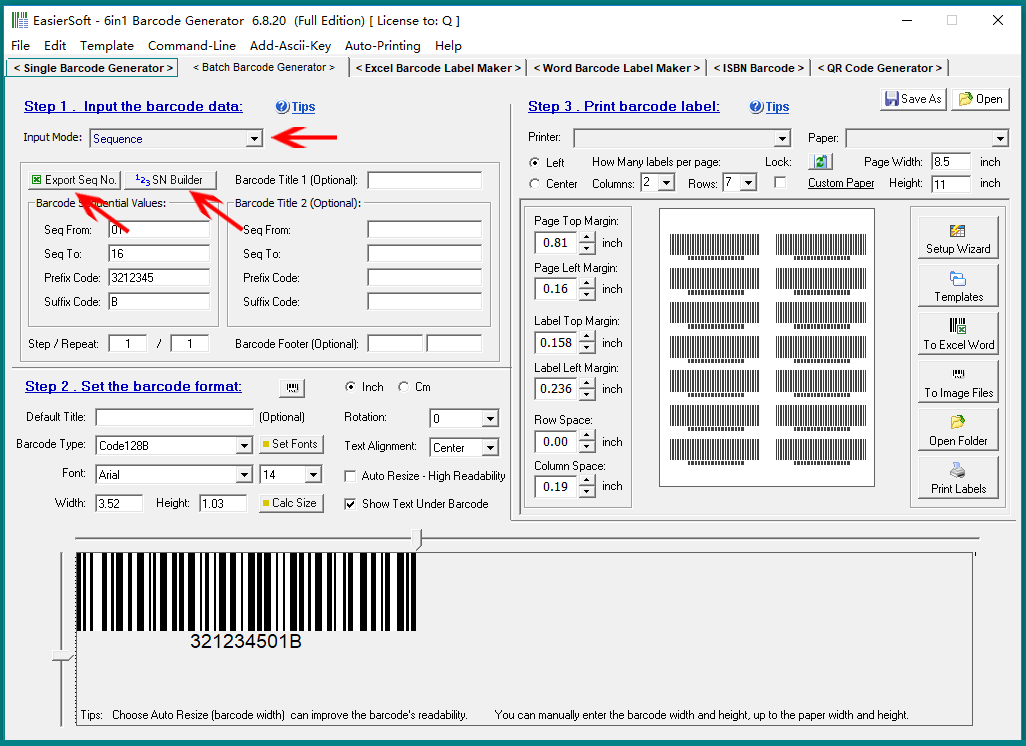
| Available Buttons: | 'Export Seq No.': Export the generated serial numbers, based on the current settings, to a CSV or text file. 'SN Builder': Generate a custom serial number using advanced settings. |
|
 cs@easiersoft.com