EasierSoft Bulk Barcode Generator and Label Printing Software |
Batch Data Editing - Example 2 |
This software includes a built-in data editor, similar to an Excel worksheet, but specifically designed for barcode and label generation. In addition to standard data entry, it provides powerful batch input and batch editing capabilities, making it easy to generate sequences such as serial numbers or enumerated values. This allows you to efficiently print large volumes of barcode labels, each containing different data. |
Example 2 |
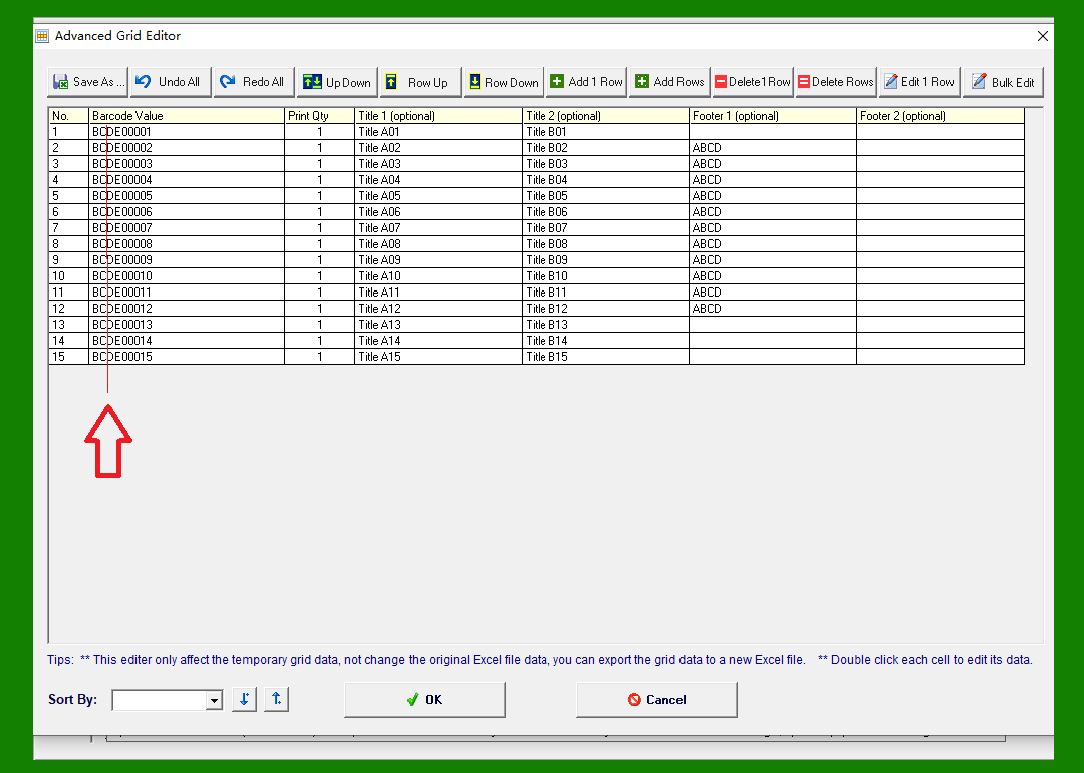
As shown in the example below, we need to insert a hyphen (-) into the 'Barcode Value' column, positioned between the text 'BC' and 'DE'. |
|
In this step: |
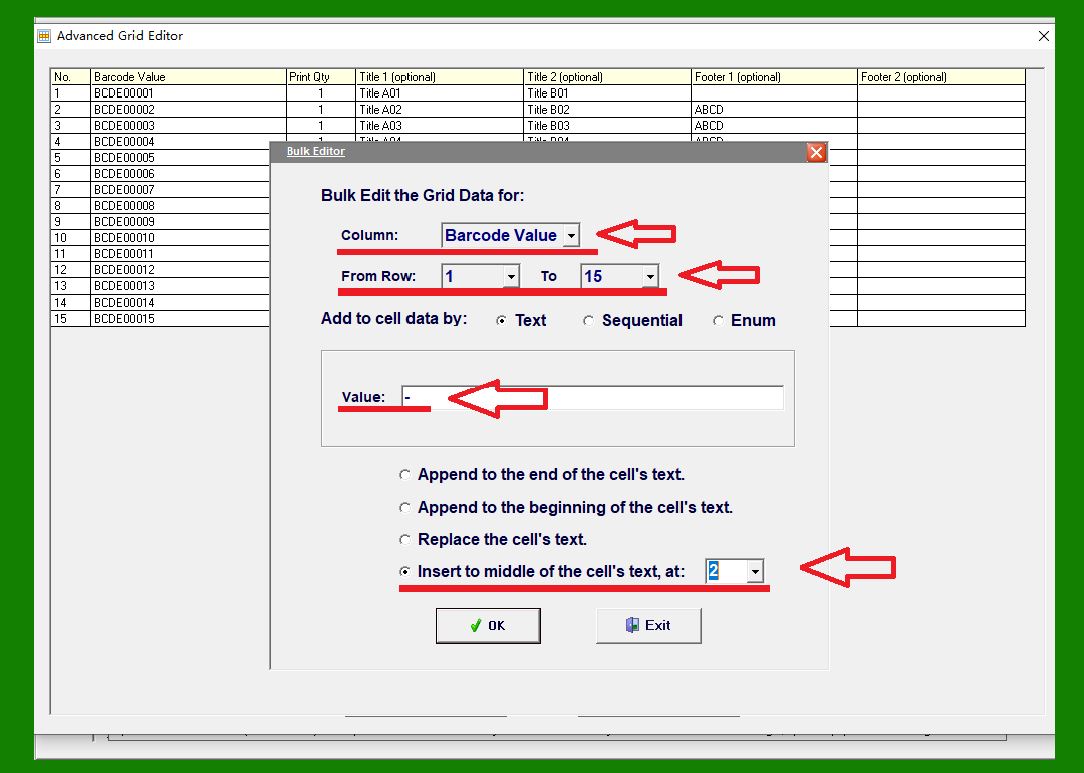
The selected column is 'Barcode Value' The selected row range is from row 1 to row 15 The text to insert is a single character: '-' The insertion position is after the 2nd character |
|
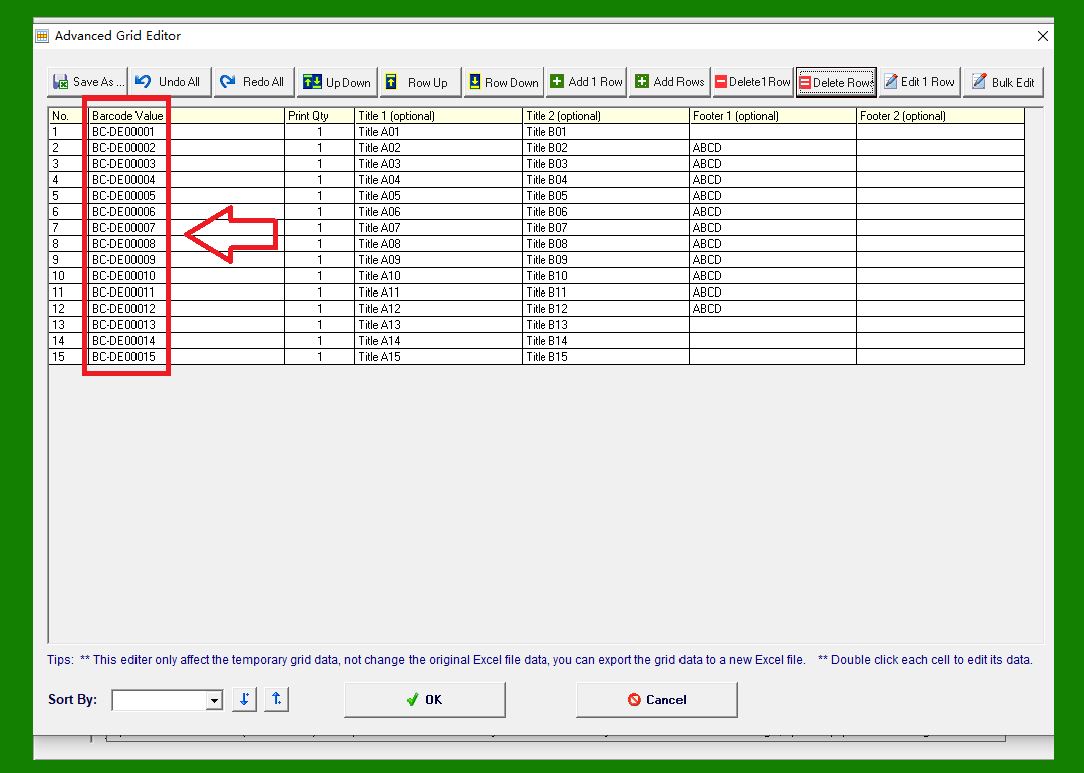
After clicking OK, the result appears as shown below. |
|
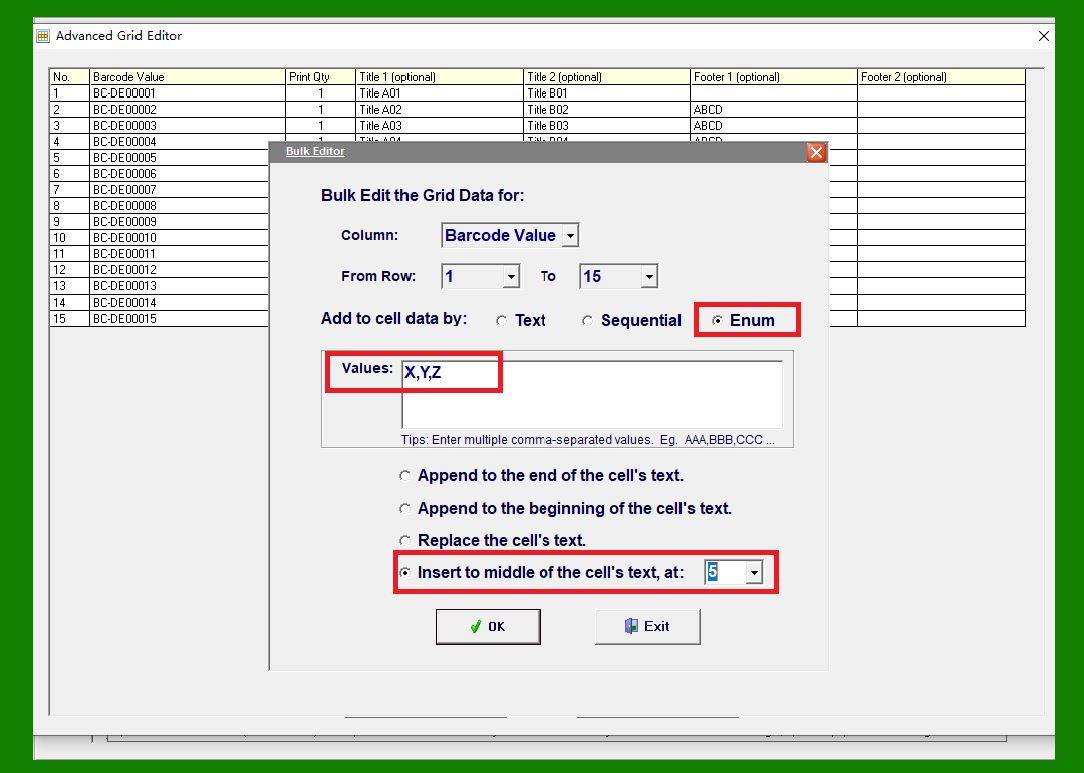
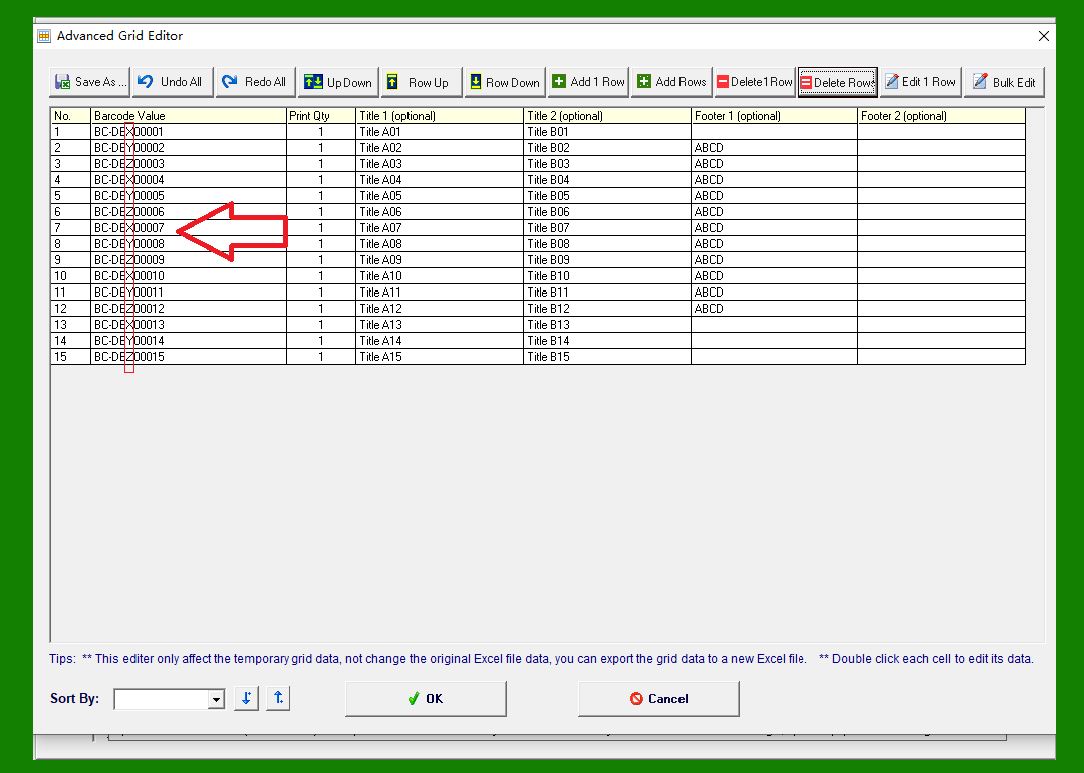
Next, we perform another batch edit. This time, we insert an enumerated value consisting of the letters 'XYZ', which are inserted one by one in rotation at the specified position. |
In this step: |
The selected column is 'Barcode Value' The selected row range is from row 1 to row 15 The text to insert is an enumerated list: 'X, Y, Z' The insertion position is after the 5th character |
|
After clicking OK, the updated results are shown below. |
|
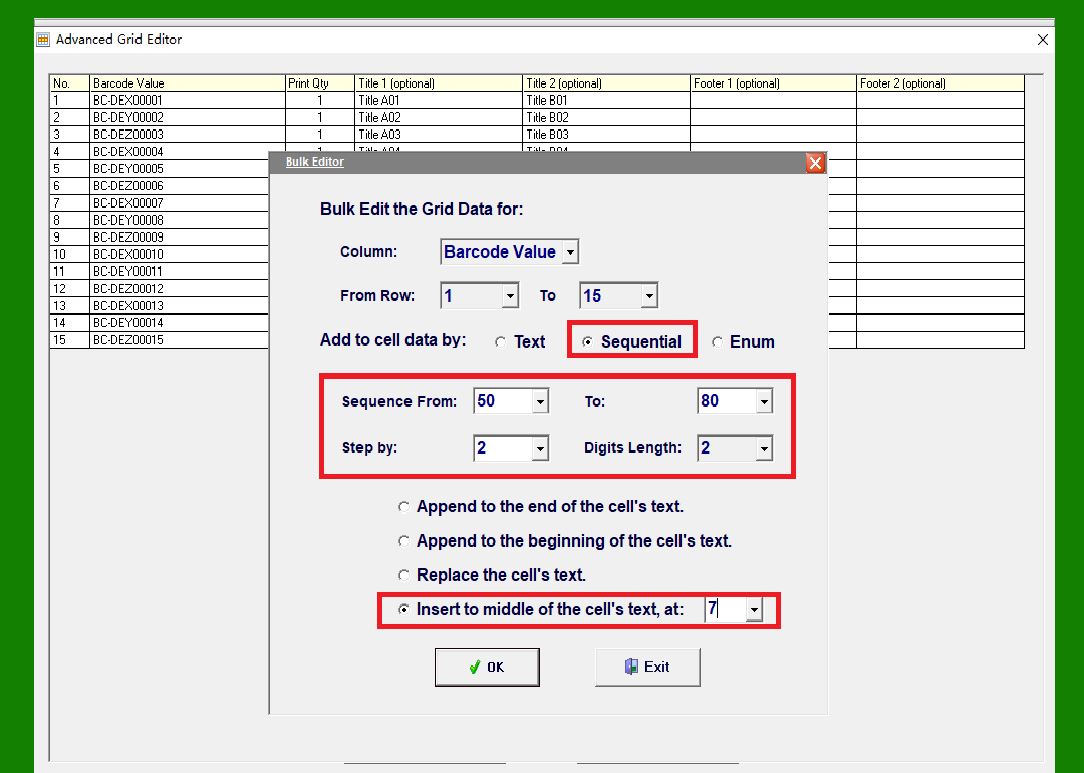
Next, we perform a third batch operation. This time, we insert a numeric sequence starting from 50 and ending at 80, with a step value of 2 (that is, 50, 52, 54, 56, and so on). |
In this step: |
The selected column is 'Barcode Value' The selected row range is from row 1 to row 15 The insertion position is after the 7th character |
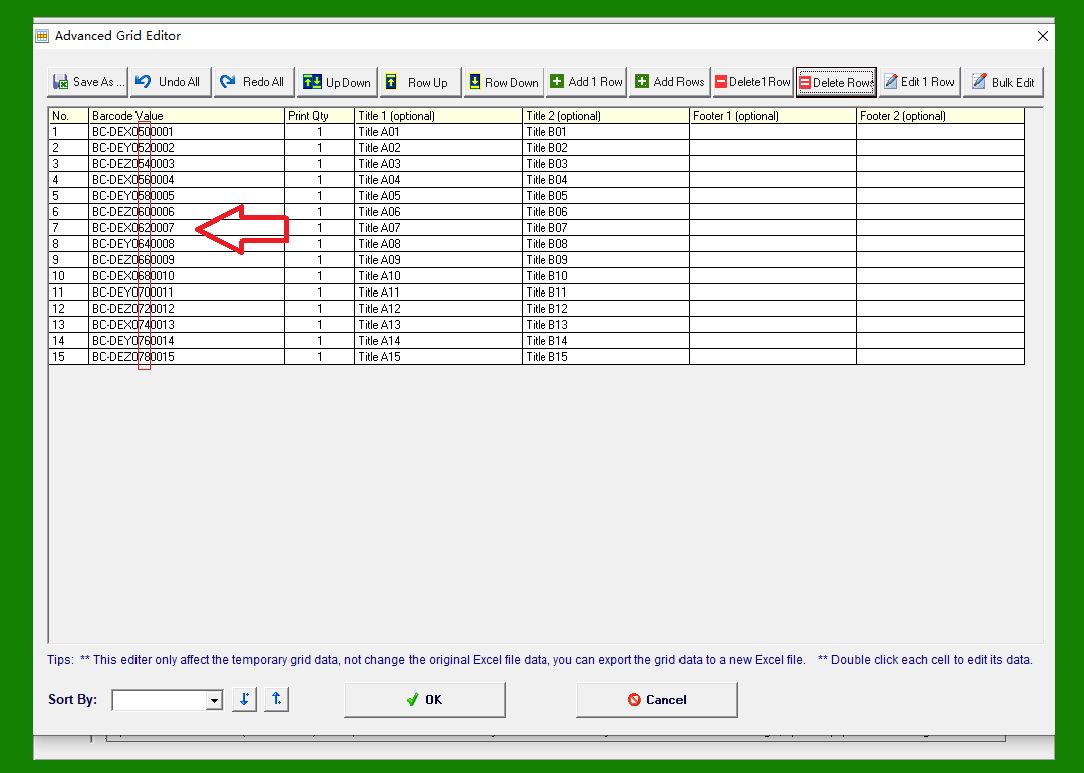
Although the defined sequence ranges from 50 to 80, due to the limited number of rows, the highest value actually inserted is 78. If the number of rows exceeds the length of the sequence, the values are reused cyclically. For example, after inserting 80, the sequence automatically loops back to 50. |
|
After clicking OK, the final results are shown below. |
|
All data entered through batch editing can also be exported as TXT or CSV files, making it easy to reuse the data in Excel or other third-party applications. For more details, please refer to the related help articles. |
 cs@easiersoft.com