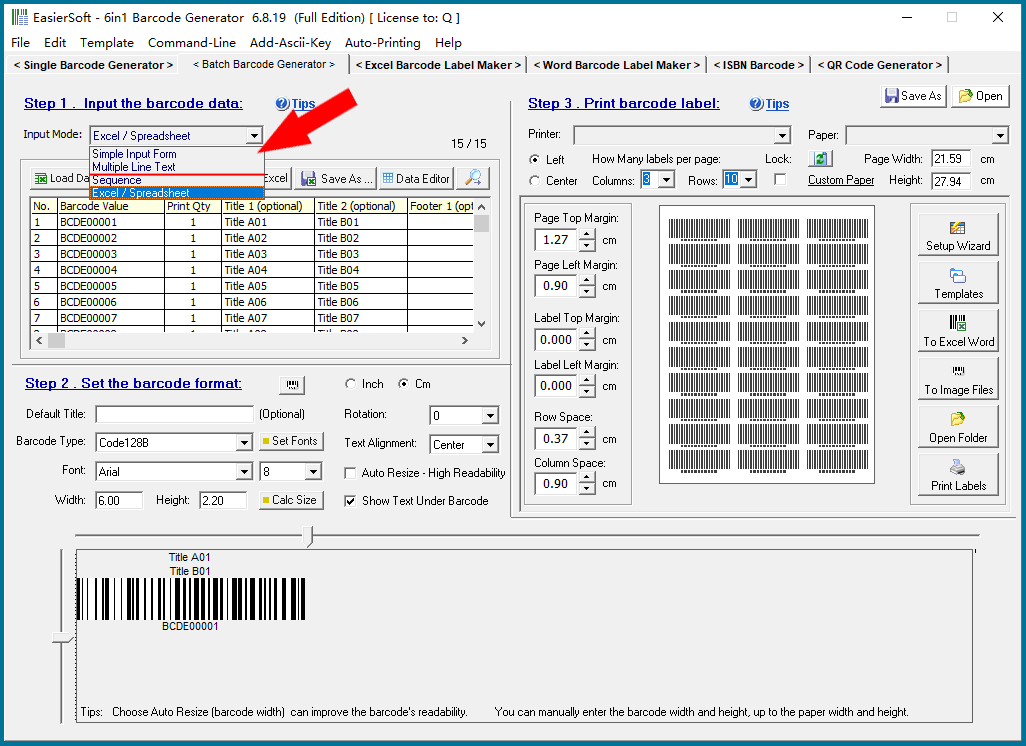
You can enter multiple lines of barcode values simultaneously and generate a batch of barcode labels, each with different values. |
Additionally, you can specify the number of labels to print for each barcode value. Each label can include unique title and footer lines. |
You also have the option to copy a column of data from Excel, Word, or a text file and paste it directly into this input field. |
|
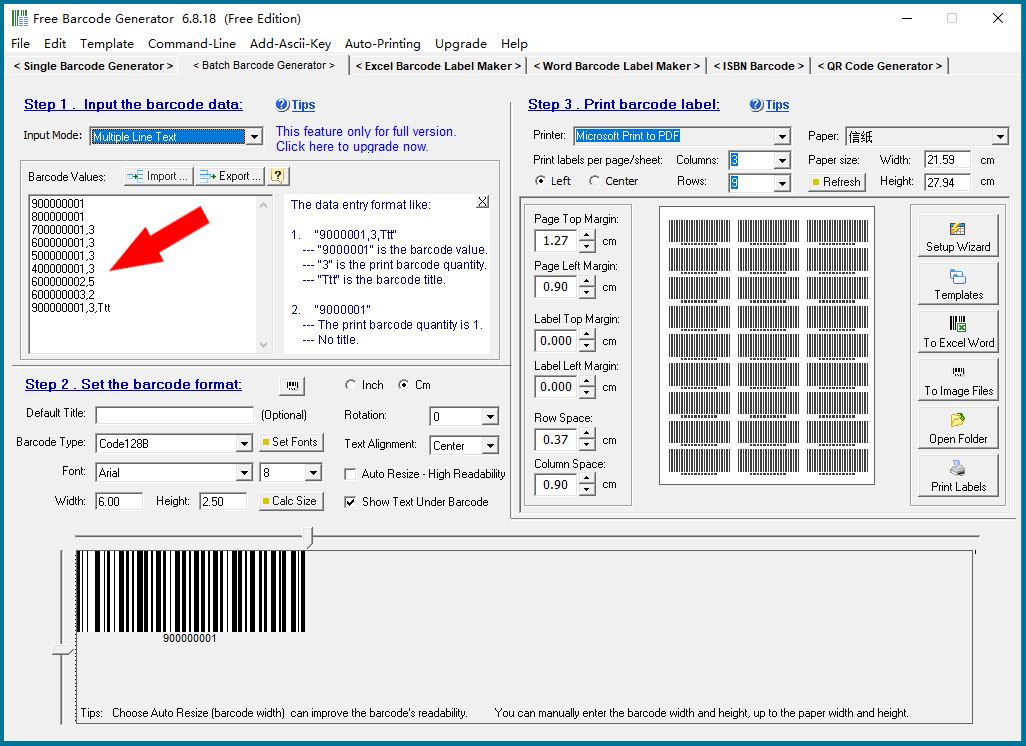
The data input format supports multiple types, as outlined below: |
XXXXXXX -- Generates a single barcode without a title. |
XXXXXXX,3 -- Generates three barcodes without titles. |
XXXXXXX,1,TTTT -- Generates a single barcode with a one-line title 'TTTT'. |
XXXXXXX,2,TTTT1,TTTT2 -- Generates two barcodes with two lines of titles: 'TTTT1' and 'TTTT2'. |
XXXXXXX,1,TTTT1,TTTT2,FFFF -- Generates a single barcode with two lines of titles ('TTTT1' and 'TTTT2') and a one-line footer 'FFFF'. |
XXXXXXX,1,TTTT1,TTTT2,FFFF1,FFFF2 -- Generates a single barcode with two lines of titles ('TTTT1' and 'TTTT2') and two lines of footers ('FFFF1' and 'FFFF2'). |
|
The 'Import' and 'Export' buttons are used to import data from text or CSV files, or to export the current data to these file formats for future use or for use in other programs. |
 cs@easiersoft.com