Standard Version, Main Window Details | Sequence Number Barcode Generator | 1. Barcode Sequential Values: Sets the parameters used to generate the serial number barcode values. 'Barcode Title' can also automatically generate a serial number for use as the title. | Seq From: The beginning of the serial number. Seq To: The end of the serial number. Prefix Code: Prefix code. This is optional; leave it blank if no prefix code is needed. Suffix Code: Suffix code. This is optional; leave it blank if no suffix code is needed. | Step: Step value. In the example below: If Step=1, it will generate serial numbers 3333301B, 3333302B, 3333303B, 3333304B, etc. If Step=2, it will generate serial numbers 3333301B, 3333303B, 3333305B, 3333307B, etc. If Step=3, then serial numbers 3333301B, 3333304B, 3333307B, 33333010B, etc., will be generated. | Repeat: The number of times each barcode value is repeated. In the example below: if Repeat=1, then serial numbers 3333301B, 3333302B, 3333303B, 3333304B, etc., will be generated. If Repeat=2, then serial numbers 3333301B, 3333301B, 3333302B, 3333302B, 3333303B, 3333303B, 3333304B, 3333304B, etc., will be generated. | 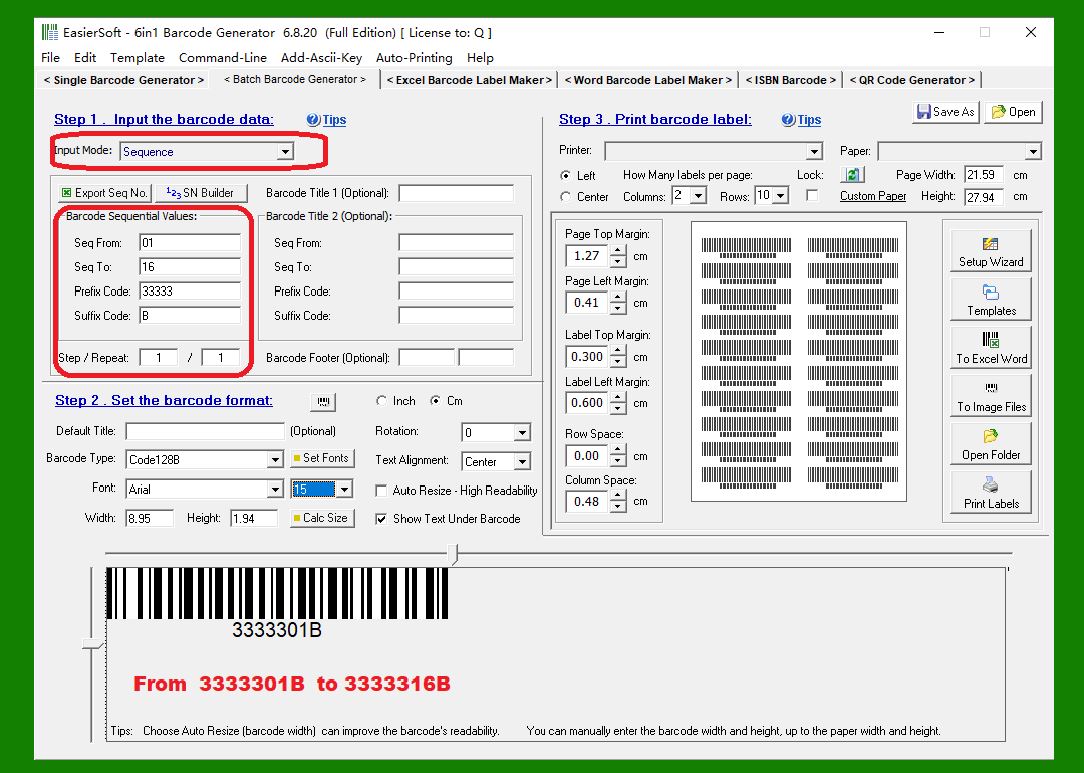
| 2. For example, the parameters in the image above will generate 16 serial number barcodes, from 3333301B to 3333316B. More examples can be found in the next article in the same directory. | 3. 'Export Seq No.' button: This button generates a series of barcode values ??based on the parameters in this form and exports them to a TXT or CSV file. Data can then be imported from these files for batch barcode printing when needed. These serial numbers can also be used in other programs, such as Excel. | 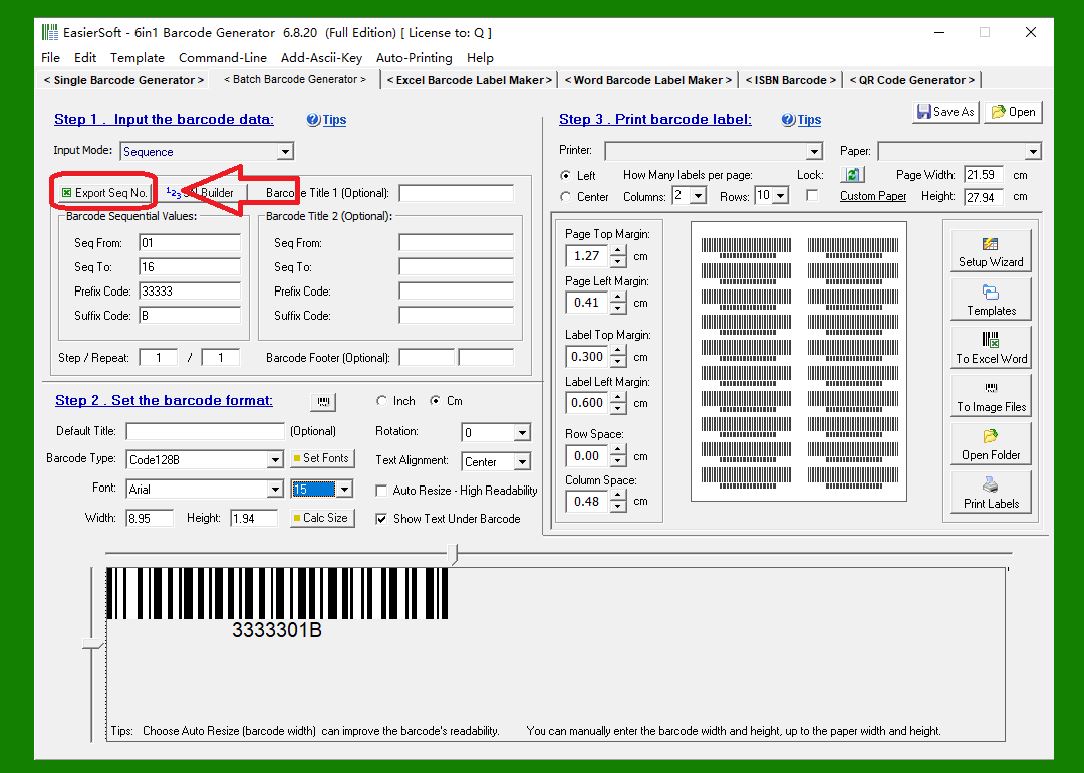
| 4. 'SN Builder' button: This function generates a series of complex serial numbers from a set of complex formulas and imports them into an Excel file. | 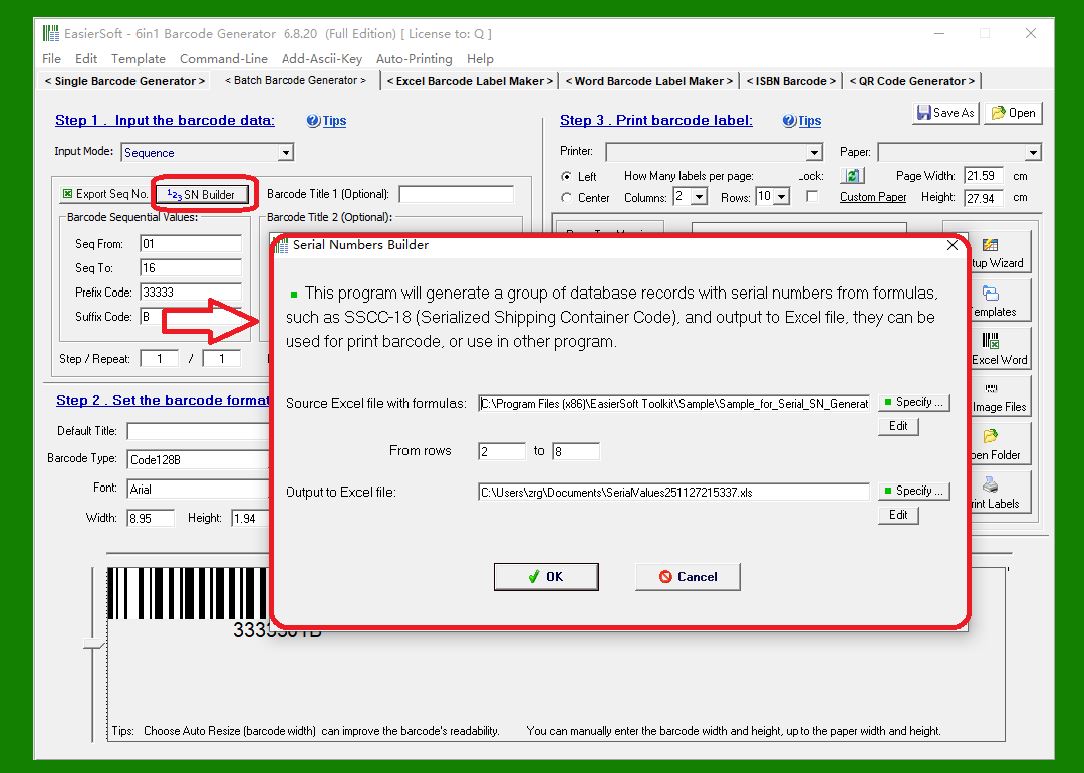
|
|
 cs@easiersoft.com