How to Start

Input Data

Import Excel Data

Save Template

Output Word Excel

Barcode Format

Print Barcode

All Screen Shot

Label Designer

Export Barcode Image

Barcode Software Help Documentation

<<< Back to Directory <<<    Download - Free Barcode Generator Software

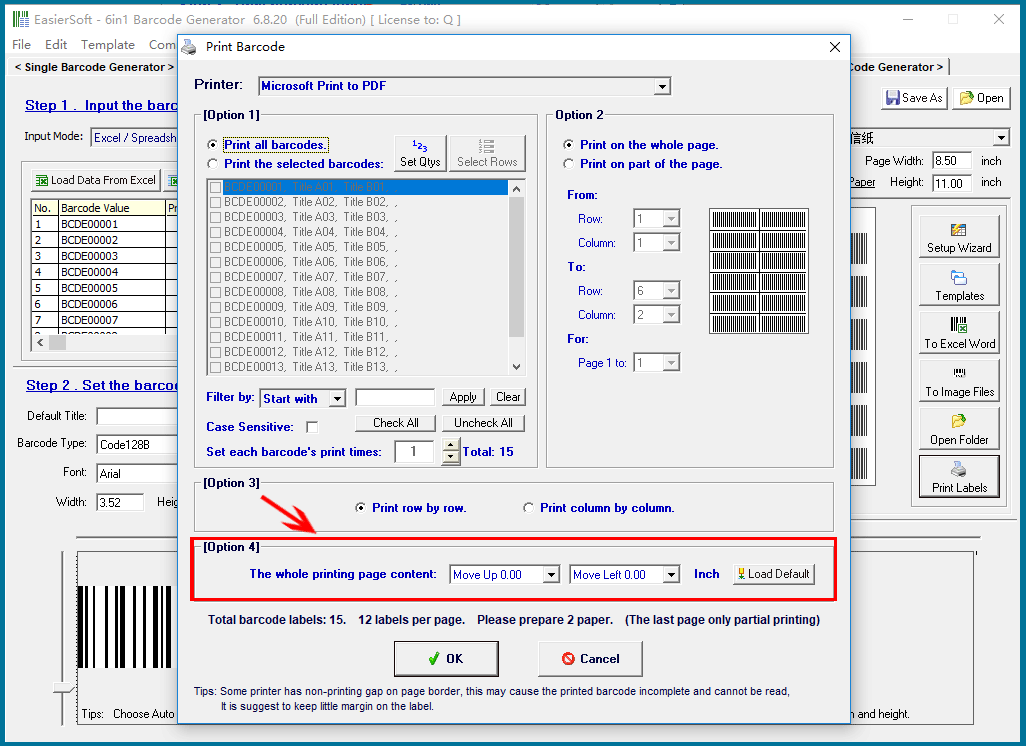
Adjust the positioning of the entire print page.

Adjust the positioning of the entire print page.

Page Adjustment: This option enables you to shift the print content overall, either up, down, left, or right. It is designed to correct any potential misalignment that may occur due to printer deviations.

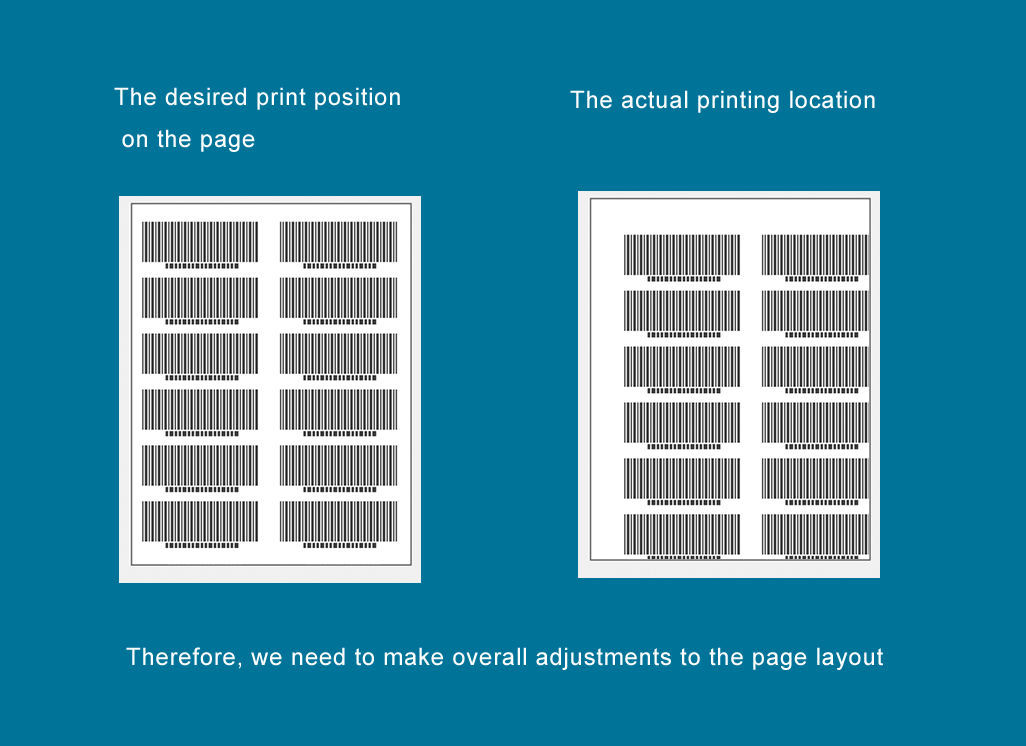
Example:

As shown in the image below, you intend to print a set of barcode labels at the center of the page. However, due to printer compatibility issues or hardware malfunctions, the printed labels are misaligned, leaving wider margins along the top and left edges of the page.

Solution:

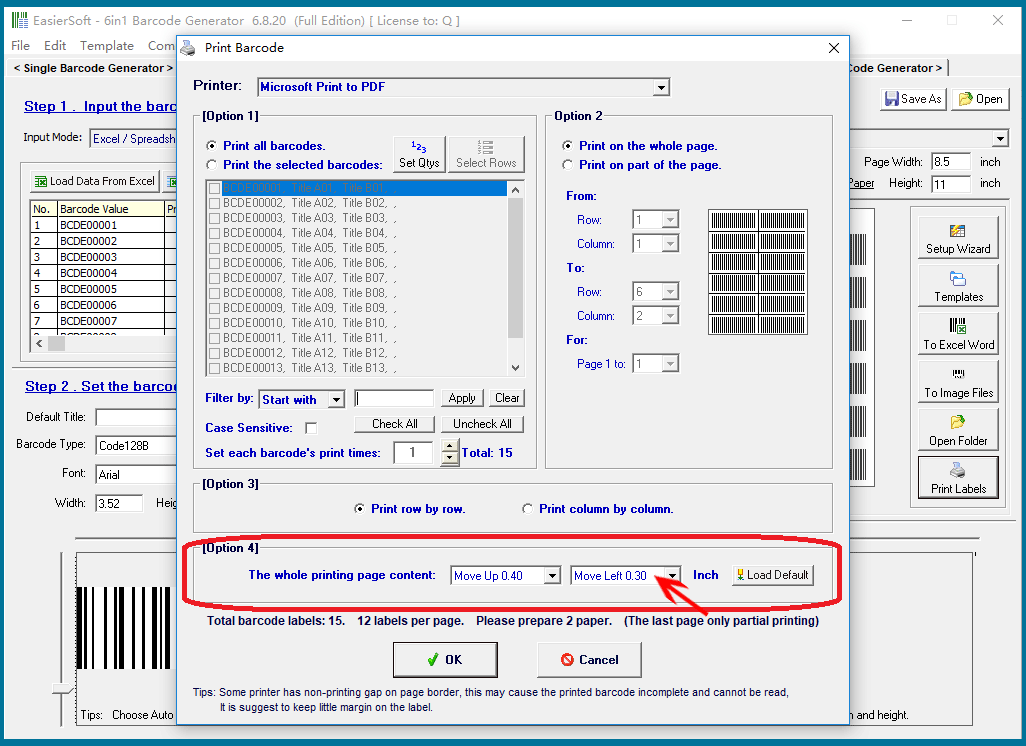
To correct this misalignment and restore the proper print position, please adjust the settings as follows:

Shift the page upward by 0.4 inches.

Shift the page to the left by 0.3 inches.


CONTACT

cs@easiersoft.com

If you have any question, please feel free to email us -- Barcode Software Support Team


https://free-barcode.com


<<< Back to Directory <<<     Barcode Generator     Barcode Freeware     Privacy Policy