How to Start

Input Data

Import Excel Data

Save Template

Output Word Excel

Barcode Format

Print Barcode

All Screen Shot

Label Designer

Export Barcode Image

Barcode Software Help Documentation

<<< Back to Directory <<<    Download - Free Barcode Generator Software

Filter the barcode data you need for printing

Filter the barcode data you need for printing

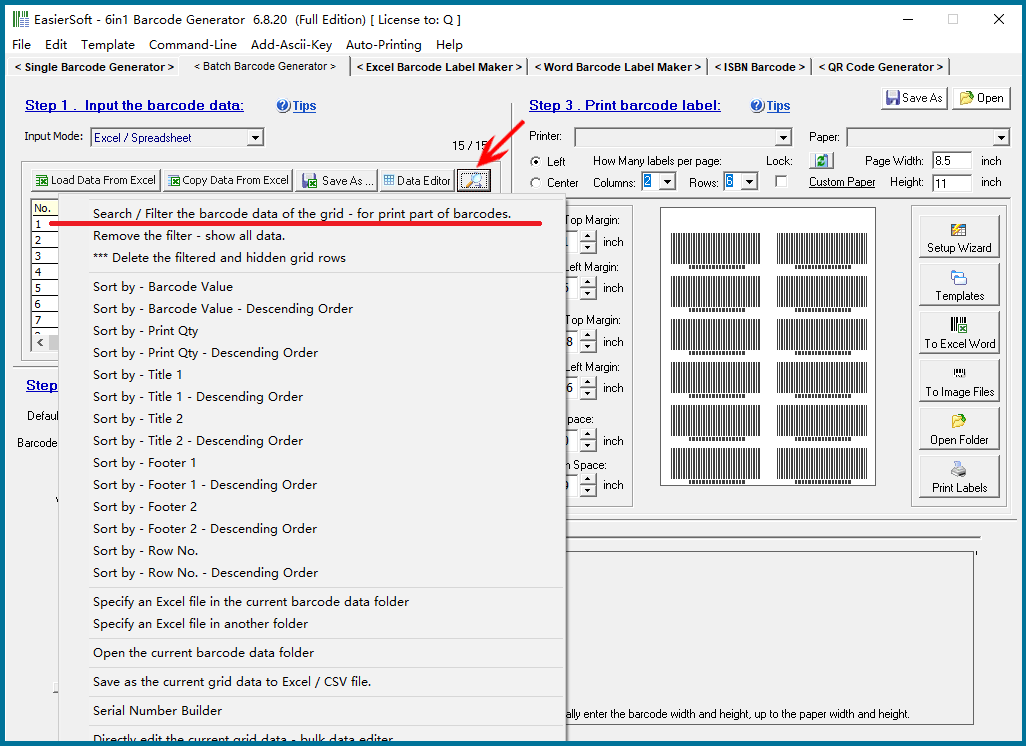
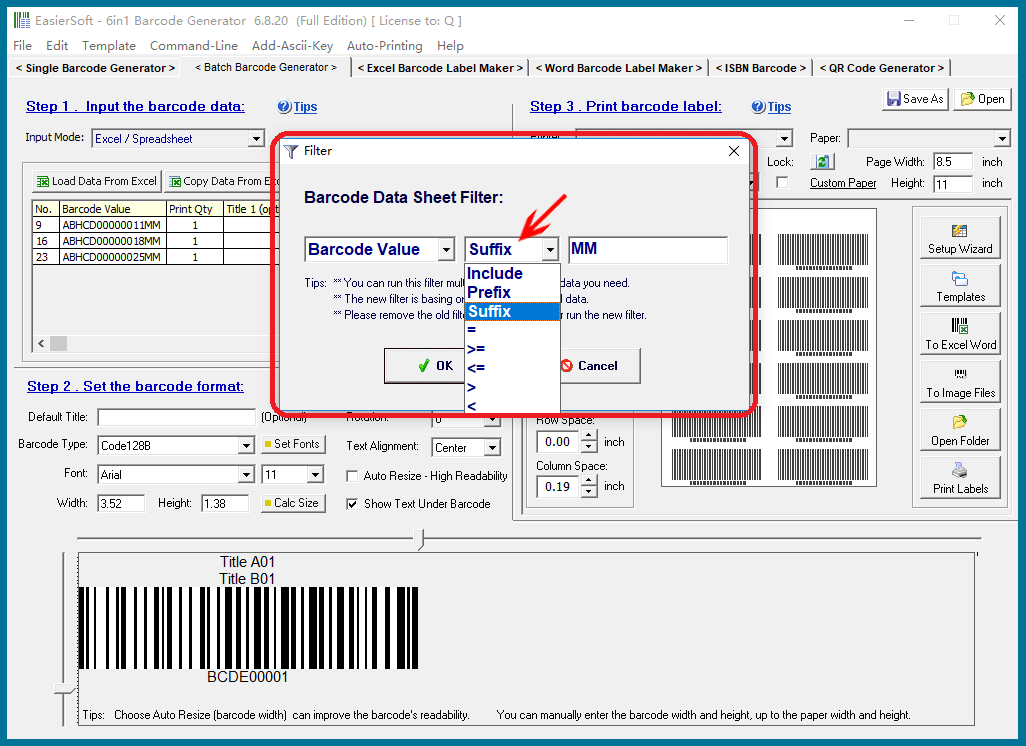
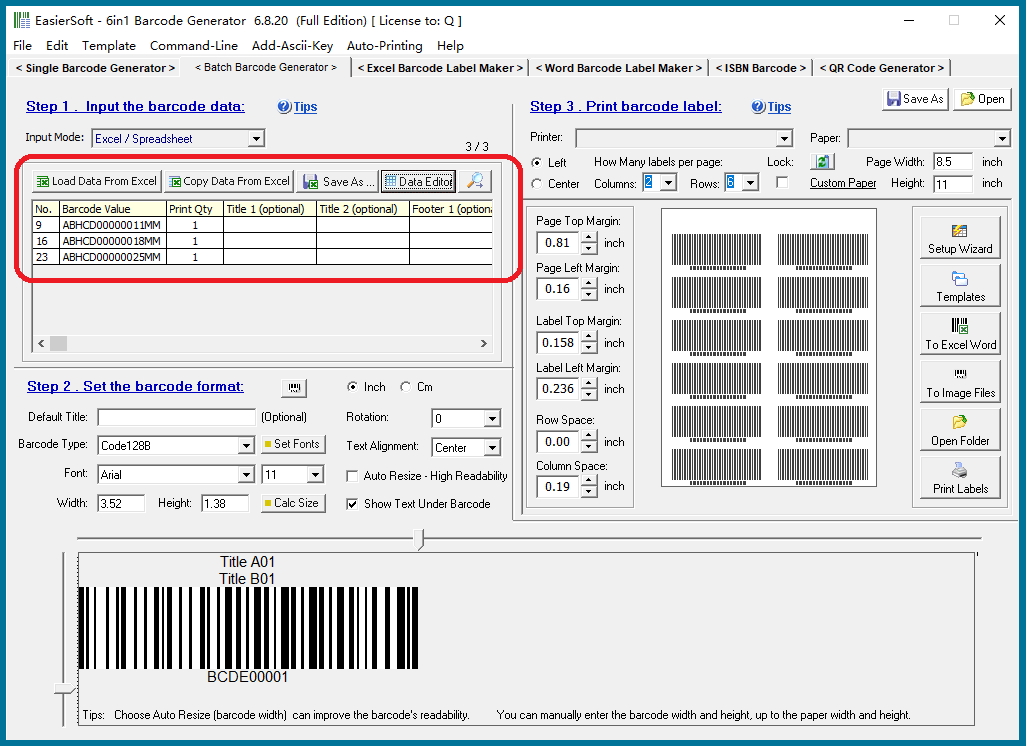
After importing a set of barcode data from an Excel file, we can perform one or more additional filters before printing the barcode labels. This feature, as shown in the image below, is more powerful than the filtering options in the print window because it allows multiple filtering steps.

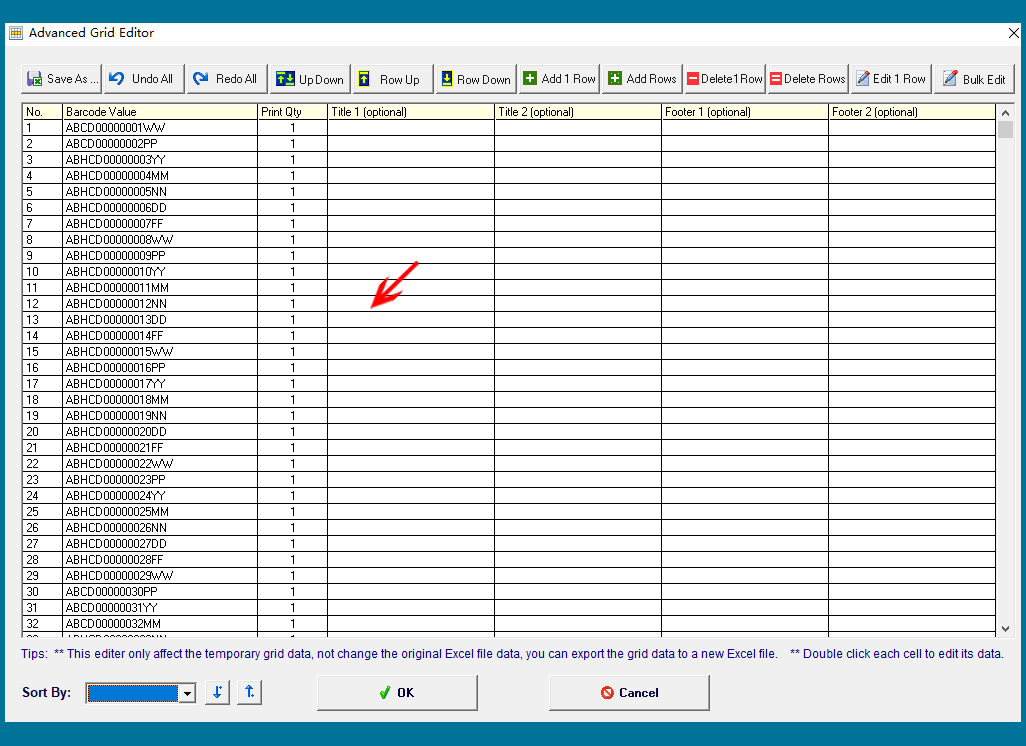
For example, as shown in the image below, we imported 100 rows of data into the spreadsheet. Then:

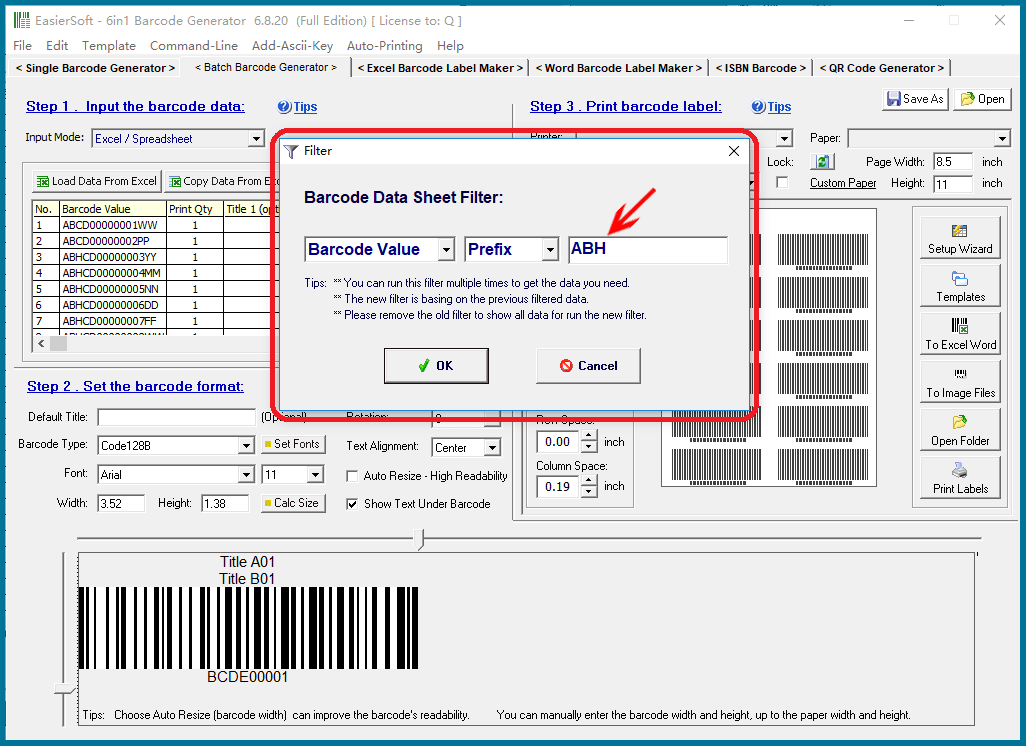
First, we enter the filter condition: 'Barcode Value' starting with 'ABH'.

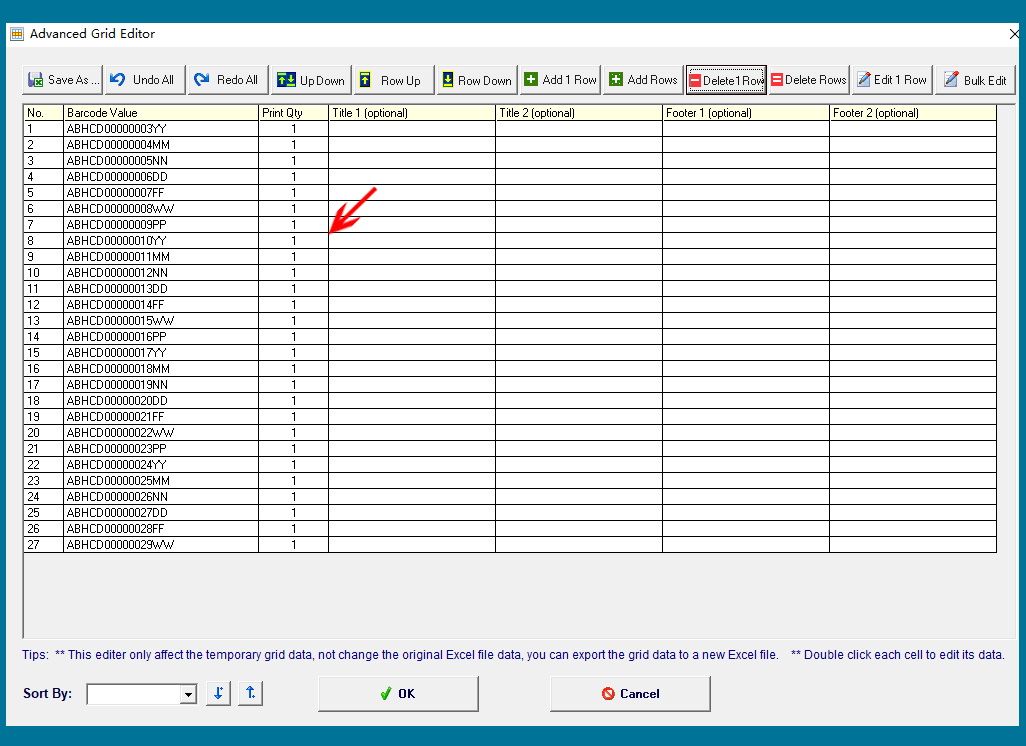
This results in 27 rows of data.

Next, we input the filter condition: 'Barcode Value' ending with 'MM'.

This results in 3 rows of data.

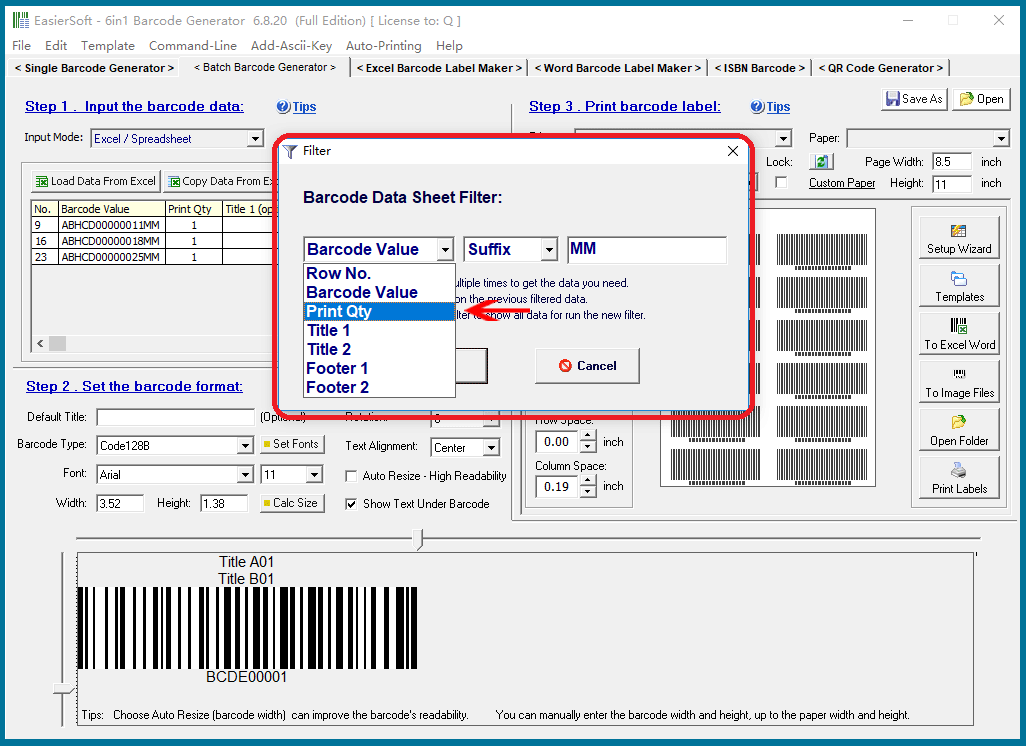
Data from each column can be used as a filter condition.


CONTACT

cs@easiersoft.com

If you have any question, please feel free to email us -- Barcode Software Support Team


https://free-barcode.com


<<< Back to Directory <<<     Barcode Generator     Barcode Freeware     Privacy Policy