Standard Edition - Main Window Overview |
EasierSoft Bulk Barcode Generator and Label Printing Software |
Setting How Many Barcodes to Print on Each Label Sheet |
The software allows you to define how many barcode instances will be printed on a single label sheet by configuring the number of columns and rows. This determines the overall layout of your label template and ensures that every label aligns properly with your printer and label stock. |
Example Layouts |
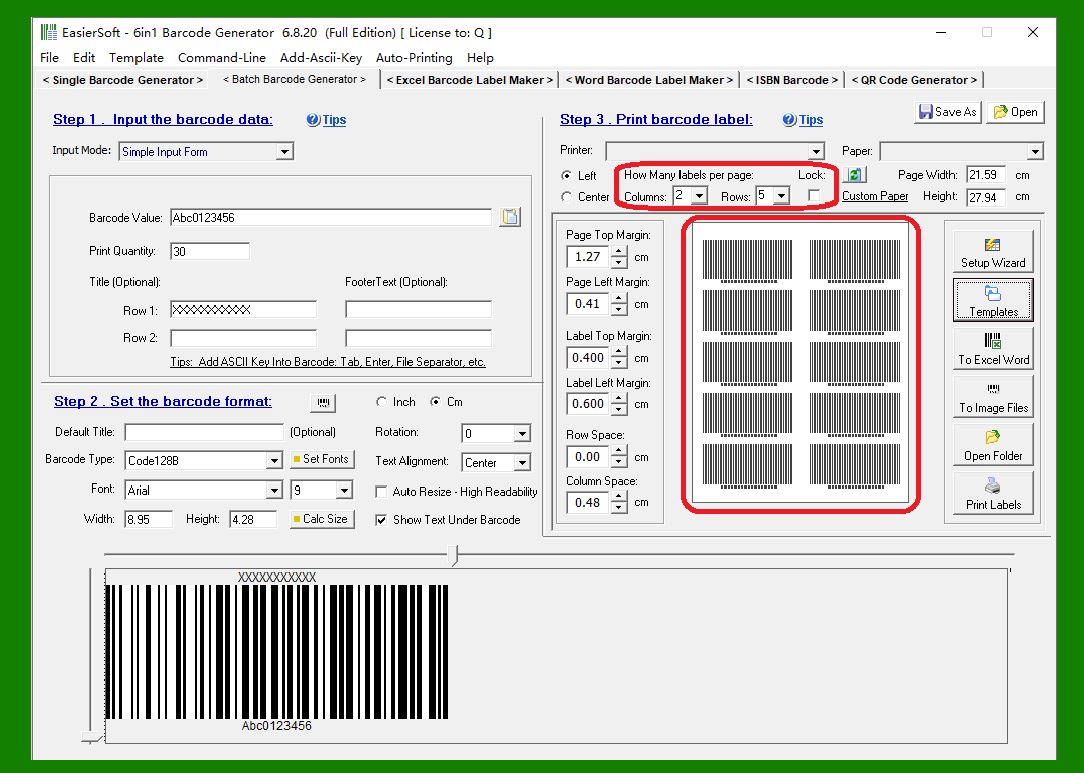
1. Two Columns and Five Rows |
In this example, the label sheet is arranged into 2 columns and 5 rows. This means each sheet will contain a total of 10 barcode labels. |
|
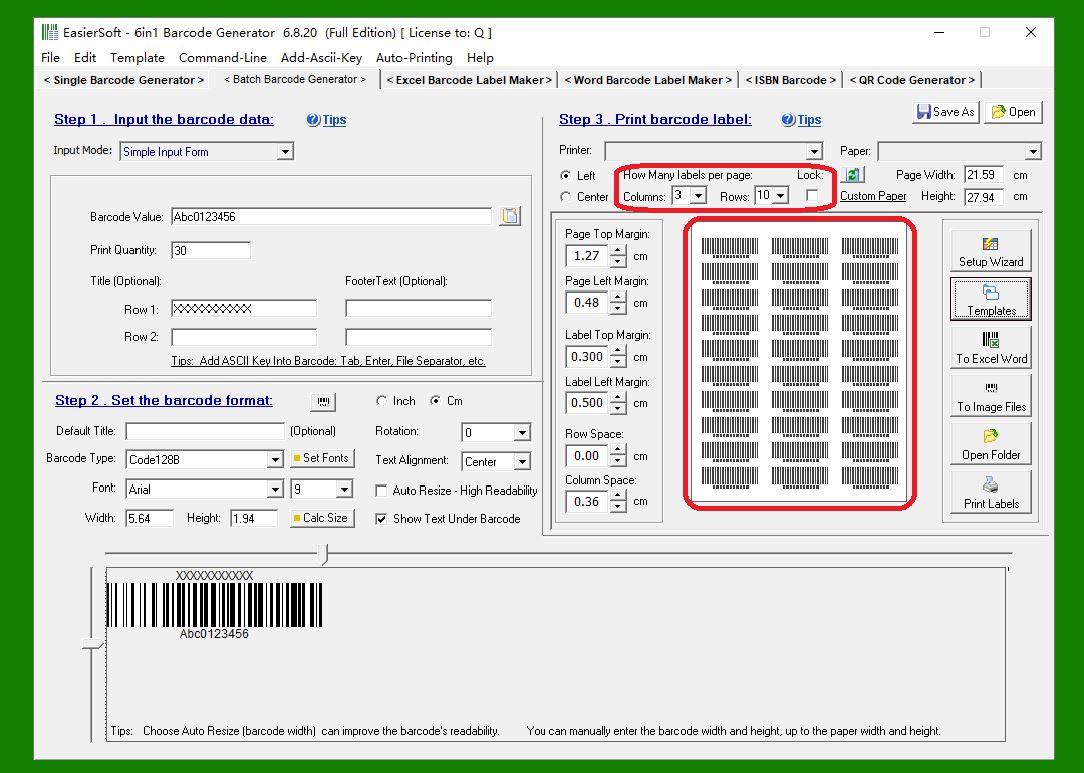
2. Three Columns and Ten Rows |
In this layout, the label sheet is divided into 3 columns and 10 rows, resulting in 30 barcode labels per sheet. |
|
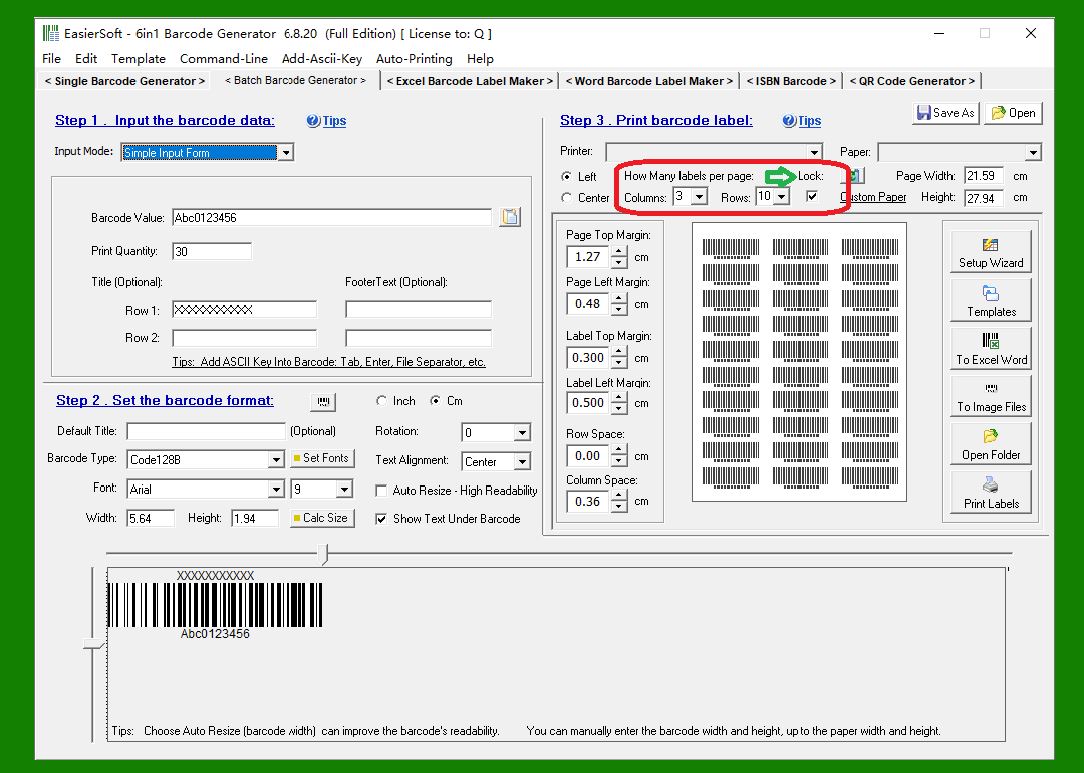
3. Using the 'Lock' Option |
If you enable the 'Lock' option, the software will keep the current number of rows and columns fixed. This means the layout will not change even if you modify the barcode size. |
If the 'Lock' option is disabled, the software will automatically adjust the number of rows and columns whenever you change the barcode dimensions. This automatic adjustment helps maintain an optimal layout based on the barcode size. |
|
For most users, enabling 'Lock' makes it easier to maintain a predictable layout, especially when you want consistent label alignment or when working with pre-cut label sheets. |
 cs@easiersoft.com